
You can use the Toolbox in the bottom-right corner of the iCHEF POS App at any time to adjust various in-store operation settings or log out of the App.

Page 1
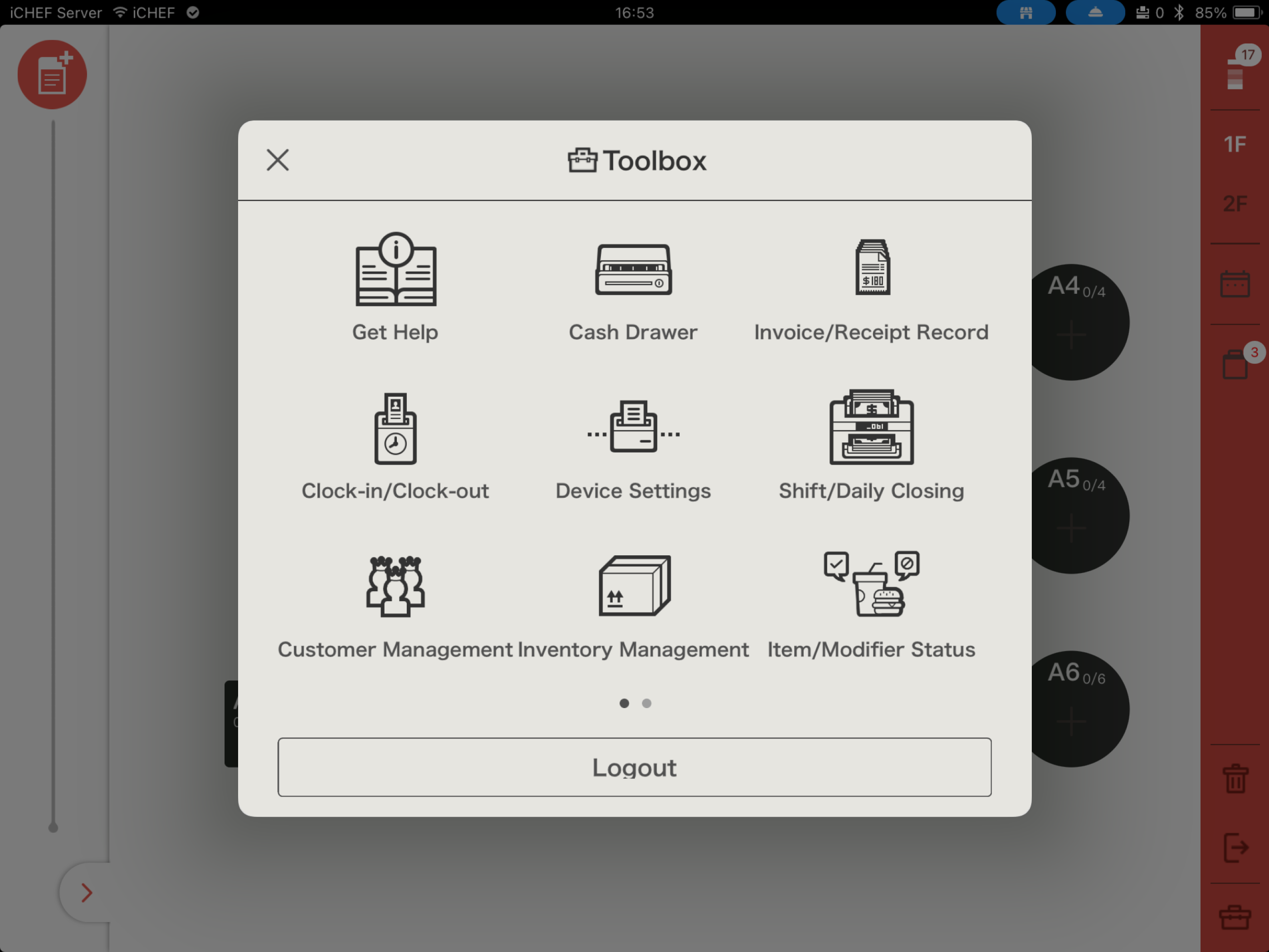
| Get Help Go to the iCHEF Support to view system instructions and FAQs. | Cash Drawer Manually open the cash drawer and record temporary Cash Float In/Out. | Invoice/Receipt Record Search, void, and reprint transaction details or invoices. Learn More |
| Clock-in/Clock-out Clock in/out using an employee ID and view records. Learn More | Device Settings Pair receipt printers, Printer, card readers,and barcode scanners. | Shift/Daily Closing Check accounts during shift changeovers or at closing. Learn More |
| Customer Mgmt. Search, add, edit, or delete member information. Learn More | Inventory Mgmt. Inventory and track ingredient stock levels. Learn More | Item Availability Manage item sales status across various channels to prevent overselling. Learn More |
Page 2
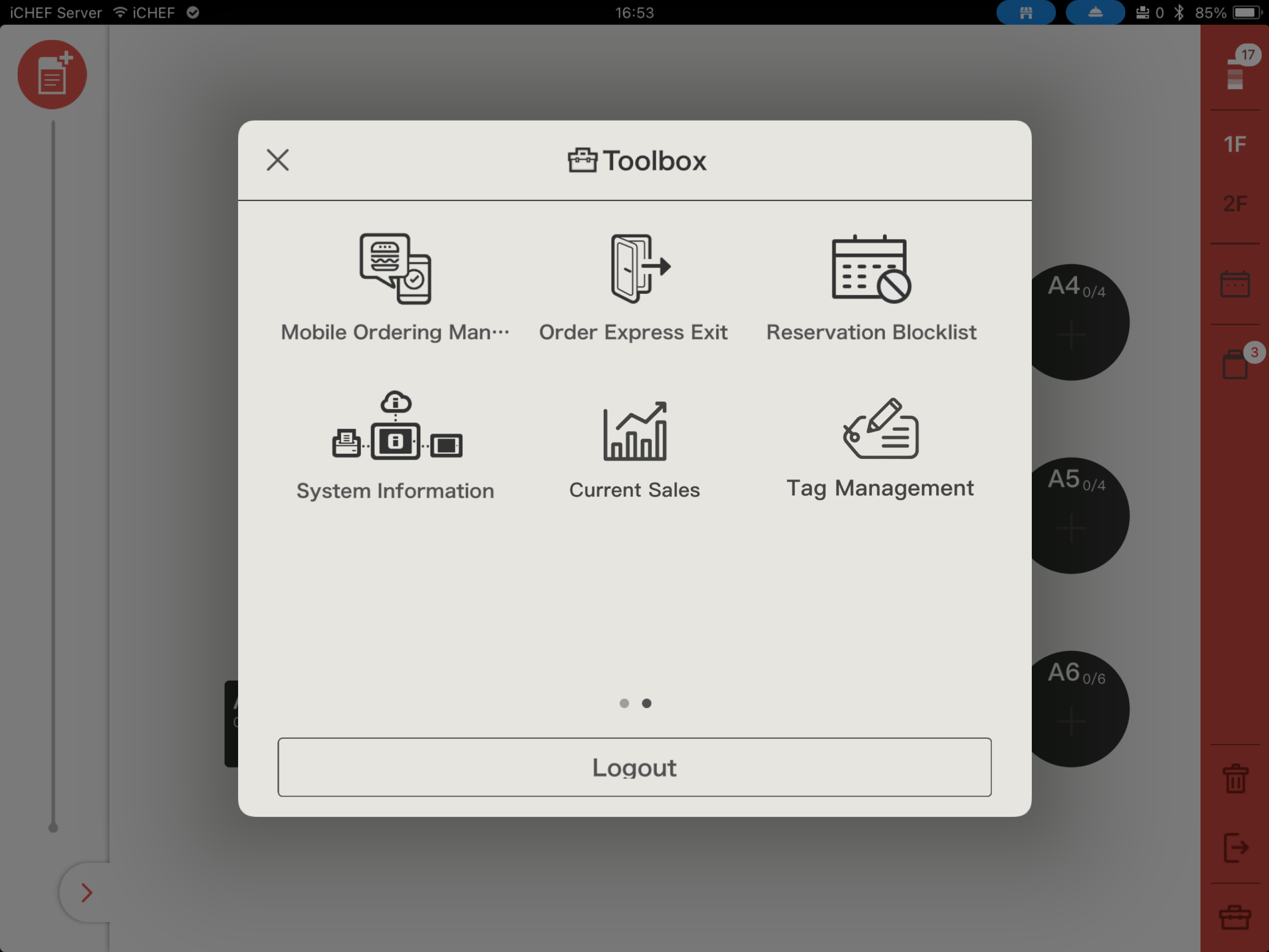
| Mobile Ordering Mgmt. Adjust the operating status and order notifications for the Online Store and Third-Party Delivery Platform Integrations. Learn More | Order Express Exit Batch fulfill completed orders in the takeout queue. Learn More | Reservation Blocklist Block specific phone numbers from using online reservations. Learn More |
| System Information View current system contract, usage, and operational information. | Current Sales Instantly view the Outstanding and Paid amounts for the current period. Learn More | Tag Mgmt. Create tags for common services to label orders quickly. Learn More |