
What is GST?
Goods and Services Tax (GST) is a consumption tax levied on nearly all supplies of goods and services in Singapore. The current GST rate is 9%. A GST-registered business is required to charge and account for GST at 9%.
Who is required to register for GST?
- Required: businesses with a taxable turnover exceeding $1 million.
- Voluntary: businesses with a taxable turnover less than $1 million.
Voluntary registrants should remain GST-registered for at least 2 years, and all GST-registered businesses are required to keep all business and accounting records for at least 5 years.
Setup GST
After you successfully registered GST, you will receive the GST registration number for your business, which should be printed on invoices, credit notes and receipts. You can set up your GST information and price displaying, and track the tax amount on iCHEF backend.
➤ iCHEF Backend: [Payment Settings] > [GST Settings]
Click [Edit] on the right side of the Basic Settings to enter, then proceed with the following steps:
- Select [GST Registration Status] as [GST Registered]
- Fill out GST Information
- Select the way for [Tax-Inclusive Price Settings]
- Click [Save] to complete. The Invoice Prefix will be automatically generated.

Tax-Inclusive Price Settings
According to IRAS, GST-registered businesses must show GST-inclusive prices on all price displays to the public. Except for F&B establishments imposing service charge.
The calculation of the tax amount depends on whether the displayed price includes GST.
GST-inclusive
To calculate the GST amount:
GST amount = item price – ( item price ÷ 1.09 )
- Disable [default status] under [Payment Settings] > [Service Charge]
- Select [GST-inclusive] under [Payment Settings] > [GST Settings]
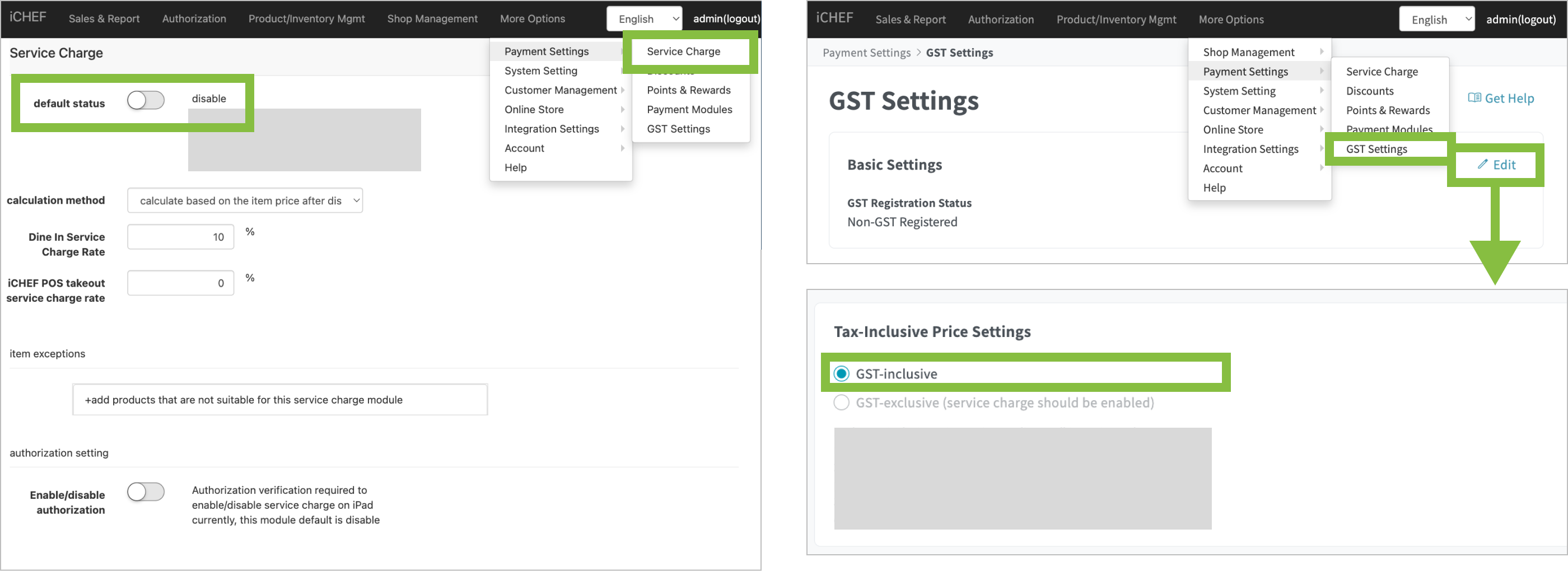

GST-exclusive
To calculate the GST amount:
GST amount = item price × 9%
- Enable [default status] under [Payment Settings] > [Service Charge]
- Select [GST-exclusive] under [Payment Settings] > [GST Settings]
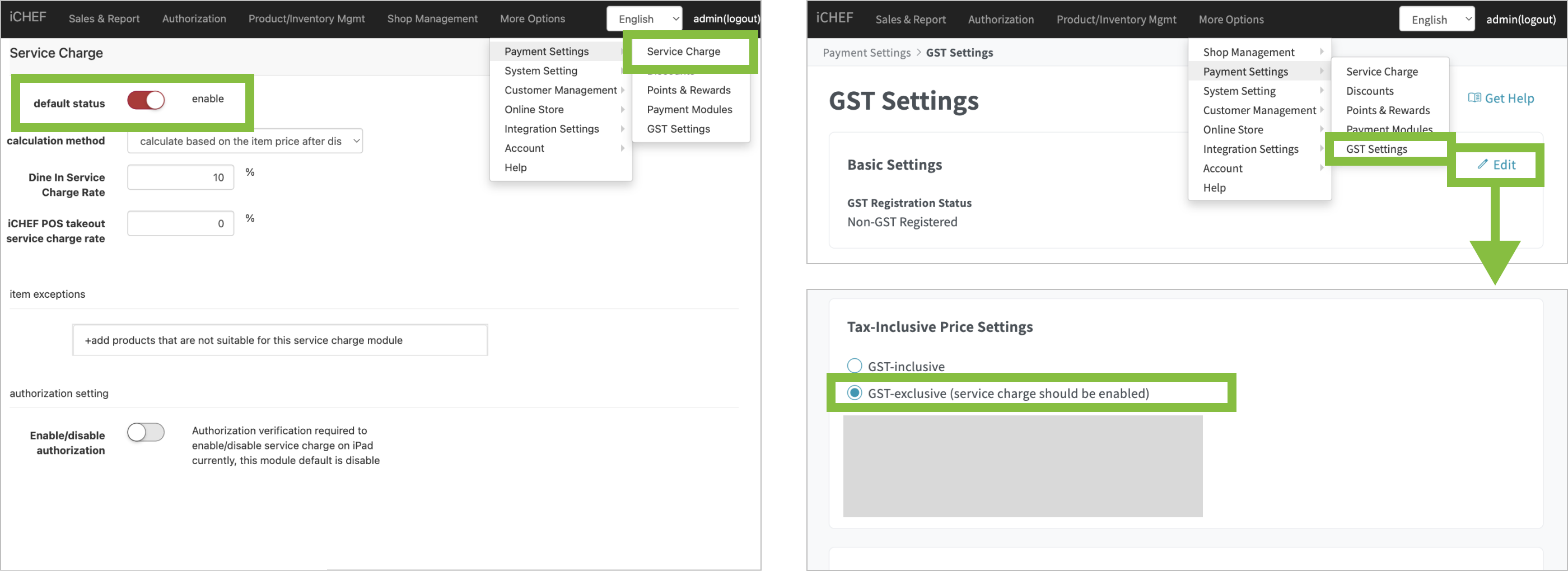
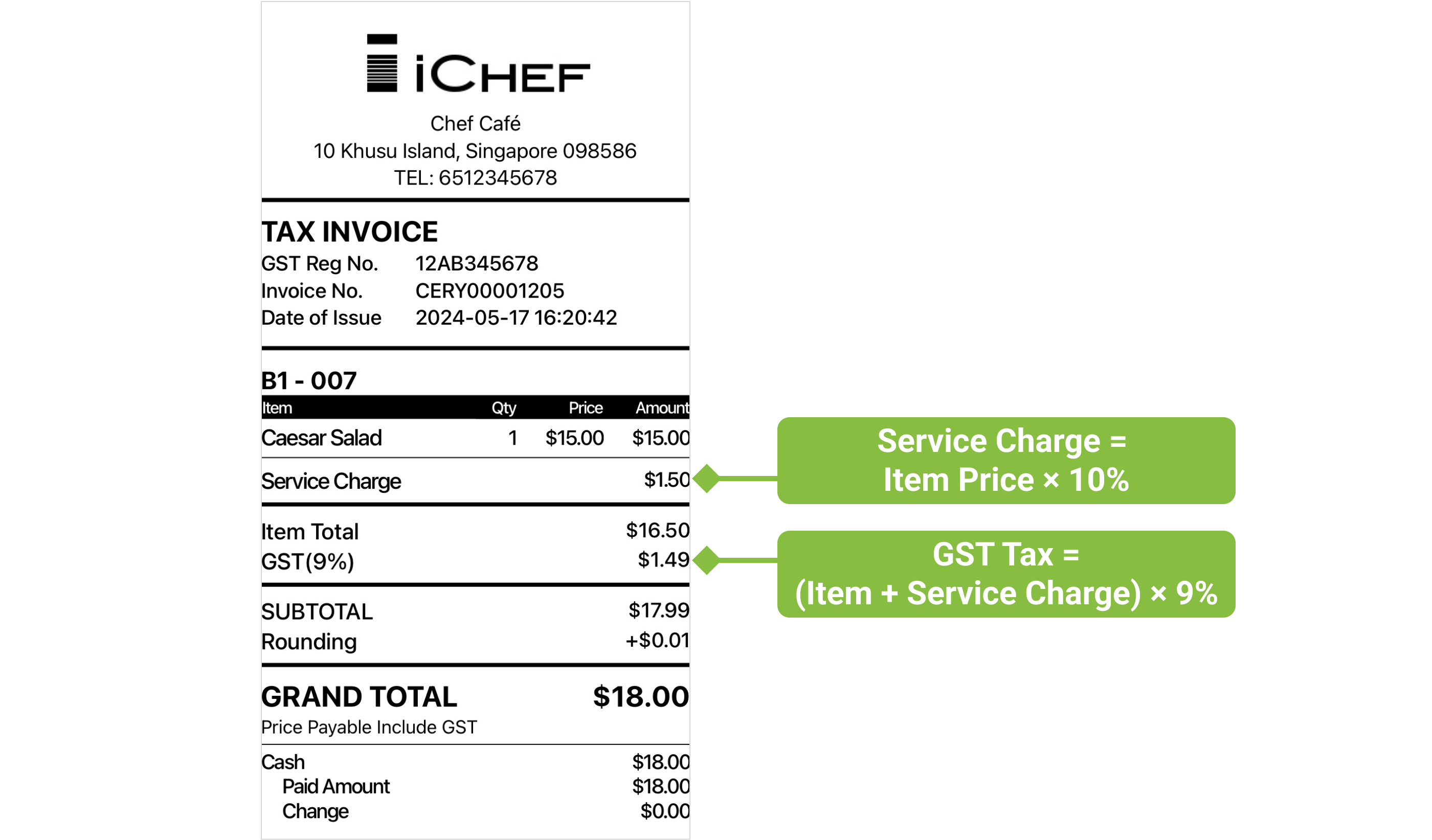
Only when your business imposes Service Charge can you select [GST-exclusive].
Comparison
| Service Charge | Price Displayed | Notice |
| O | GST-exclusive | You are required to inform the customers that the price displayed are subject to GST and service charge. |
| X | GST-inclusive | All price displays are GST-inclusive. |
Switching [Tax-Inclusive Price Settings] will change the calculation on Sales & Report > Item Sales. Constantly changes might cause discrepancy between [Sales Analysis] and [Item Sales].
Learn More
- More about basics of GST: Goods and Services Tax (GST): What It Is and How It Works (IRAS)
- Price displayed regulations: Displaying and Quoting Prices (IRAS)