
Through authorization settings, you can enable the verification for specific functions, which will require the employees to enter POS passcode before operation. iCHEF POS will also log the operation records for you to look up under [Authorization Record] on iCHEF backend.
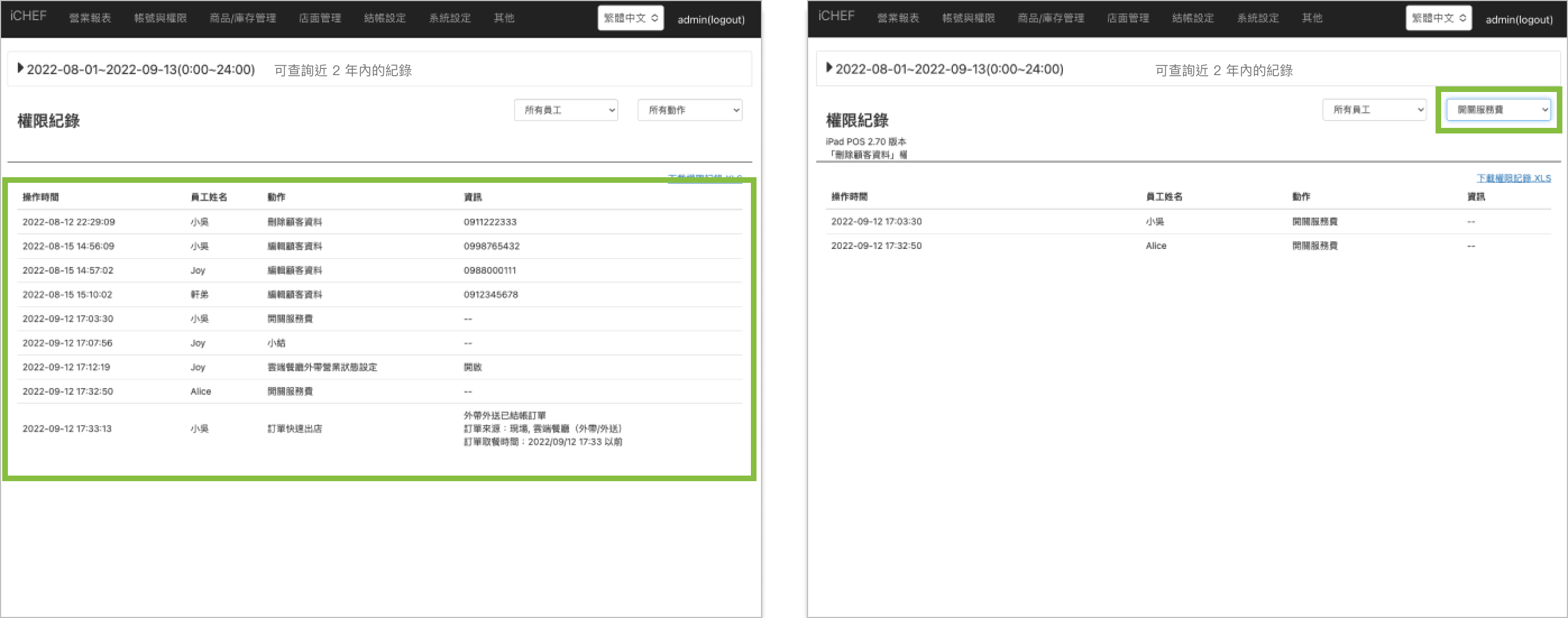
Go to Sales & Report > Authorization Record, and you can have a quick view of the records. To look up for the records of specific employees or operations, please select from the drop-down list in the upper-right corner.
Report Filter
You can use this tool to filter the information and find what you are looking for.
- Basic option: select a data range
- Advanced options: filter by a specific time period, number of guest and order type.

It is suggested that you refine a data range less than 93 days for the sake of efficient data query and smooth report loading.
Download Records
- Go to Sales & Reports > Authorization Records
- Select a data range
- Click [Download authorization record.xls]
