
Item management is an essential settings. You can create, edit, delete items easily on iCHEF backend. When starting a business on Online Store, or with 3rd-party delivery platforms, you can import existing items with just a click.
Items on iCHEF POS
You can create individual items or set menus for sale, and set up individual modifiers, such as temperature or sweetness for beverages, to fulfill the needs of different customers.
Items
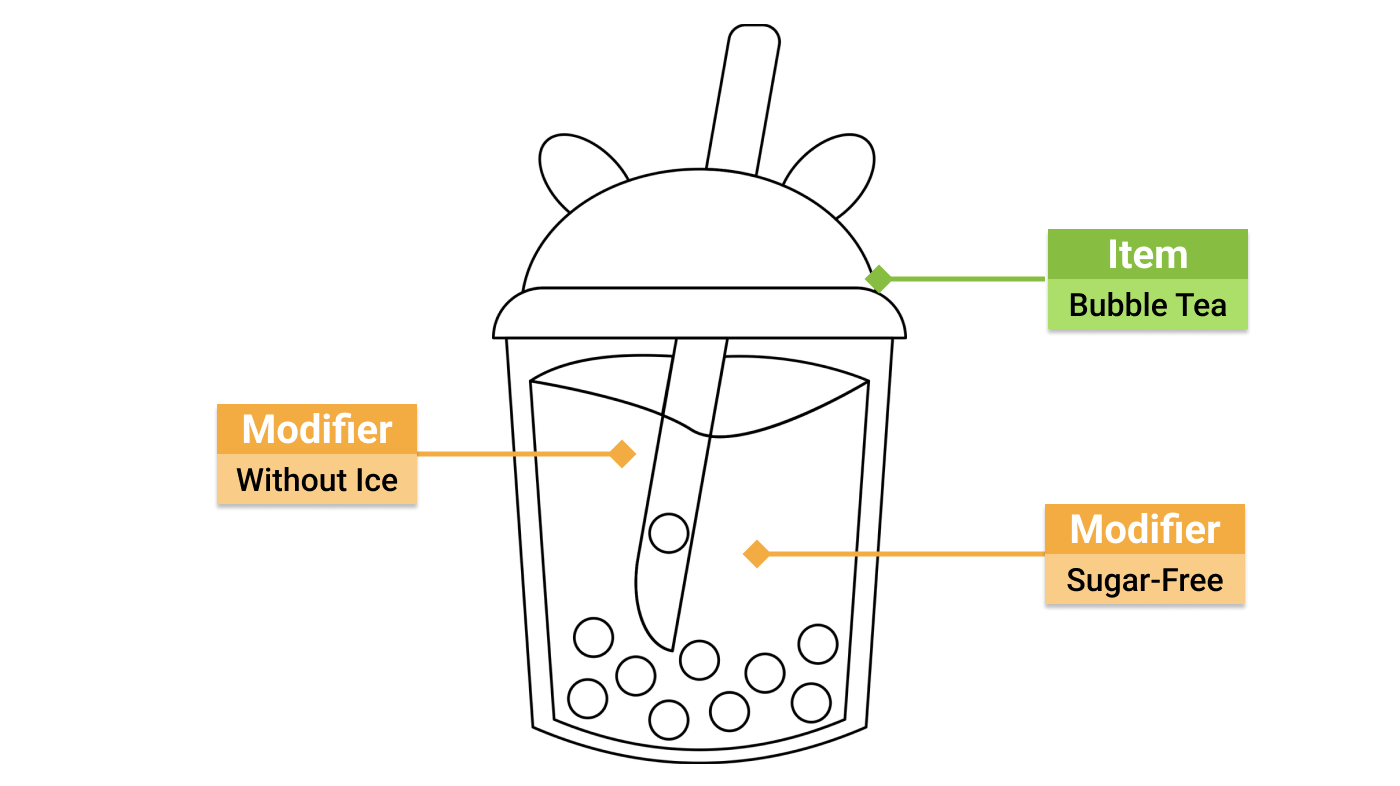
Items can be sold individually and customized by applying the modifiers. Take the item “sugar-free bubble tea without ice” as an example, the item ordered is the bubble tea, and the modifiers applied for customization is “sugar-free” and “without ice”.
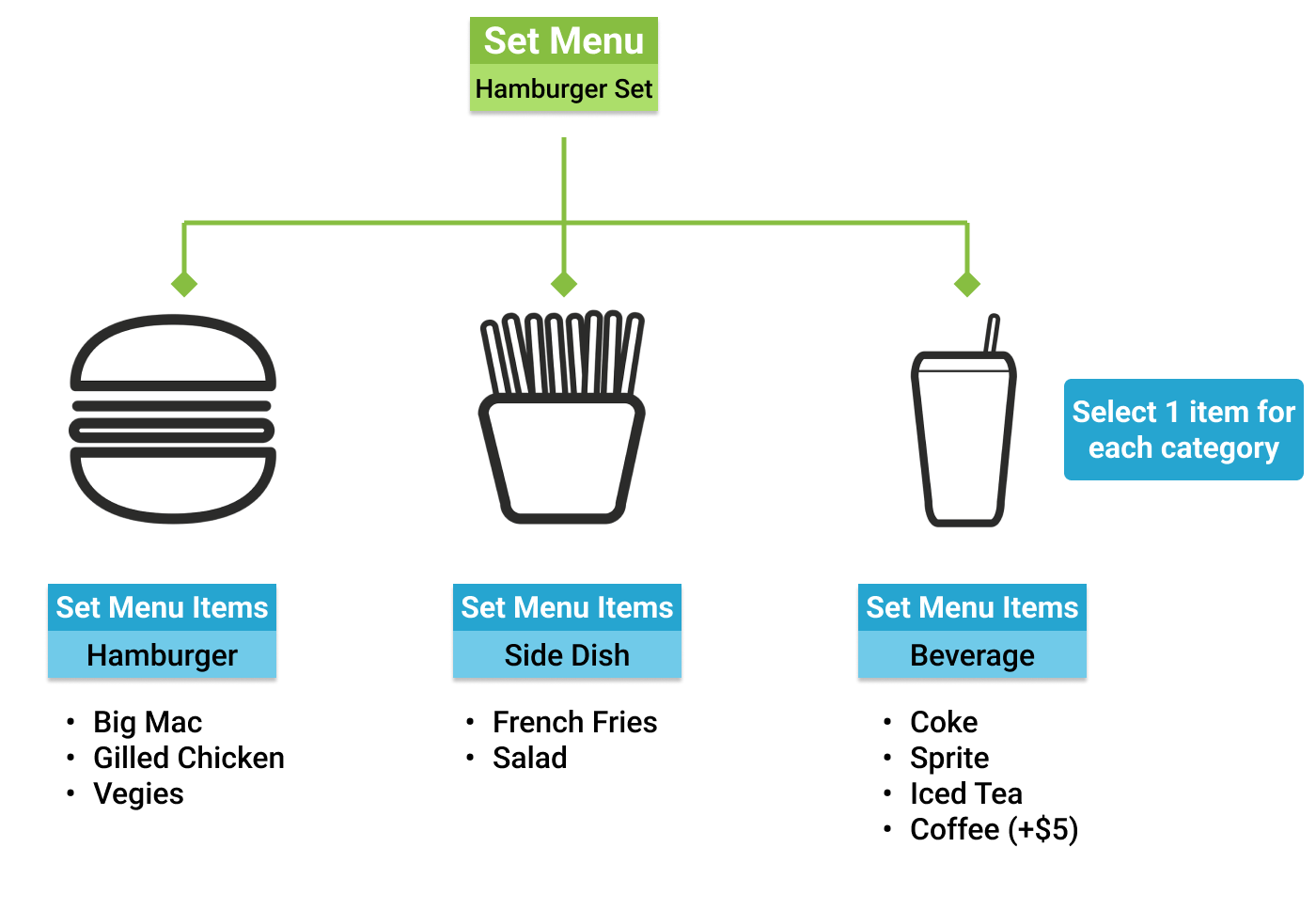
Set menu is composed of several items. Creating an appealing set menu can help you raise the spending amount per customer and encourage them to order more.
Take “Hamburger set” as an example, it includes 3 kinds of item, hamburger, side dish and beverage. Modifiers can be added to each menu item for customization.
Item Settings
After creating all items, you can select them on the ordering page of iCHEF POS to take orders.

Step 1: Set up Items
You can create individual items or set menus for sale. Learn more about how to create and edit items.
Step 2: Set up Modifiers
You can add modifiers to fulfill the need for customization, such as flavor or add-on items. You can also combine the modifiers of the same category into one group and add rules for modifiers to create a more intuitive selection.
Upload edited items into the ordering page of iCHEF POS by categories or operational preferences.
Step 4: Set up Printers
You can route different items to specific printers (kitchen receipts, adhesive labels or pre-cut stickers) and set up your preparation station. Get orders to the right place in your kitchen to create a smooth preparation flow.
After completing the settings, please update menu on iCHEF POS to present your latest menu on the ordering page of iCHEF POS, your online store and third-party delivery platforms.