
While taking orders, you can select one or multiple modifiers to customize your items: add-ons, flavor, or special request for an extra charge.
Apply Modifiers
You can apply modifiers to an individual item or to a set menu.
Individual Item
- Go to the ordering page
- Tap the desired item
- Select a modifier

- Go to the ordering page
- Tap the desired set menu
- Select the item and apply the desired modifier
- Tap [Note for set] to select modifiers for the set menu

Extra Charge / Discount
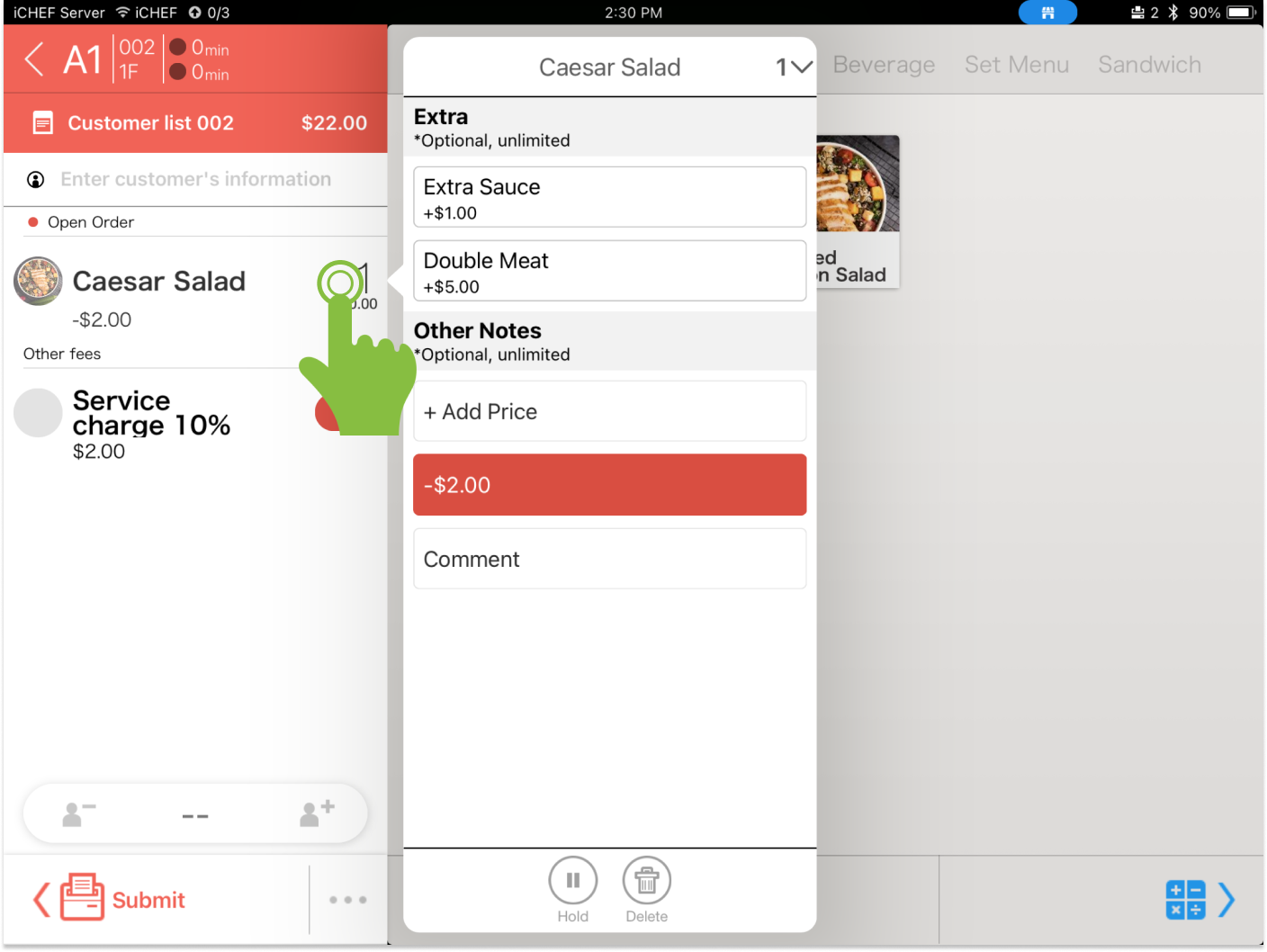
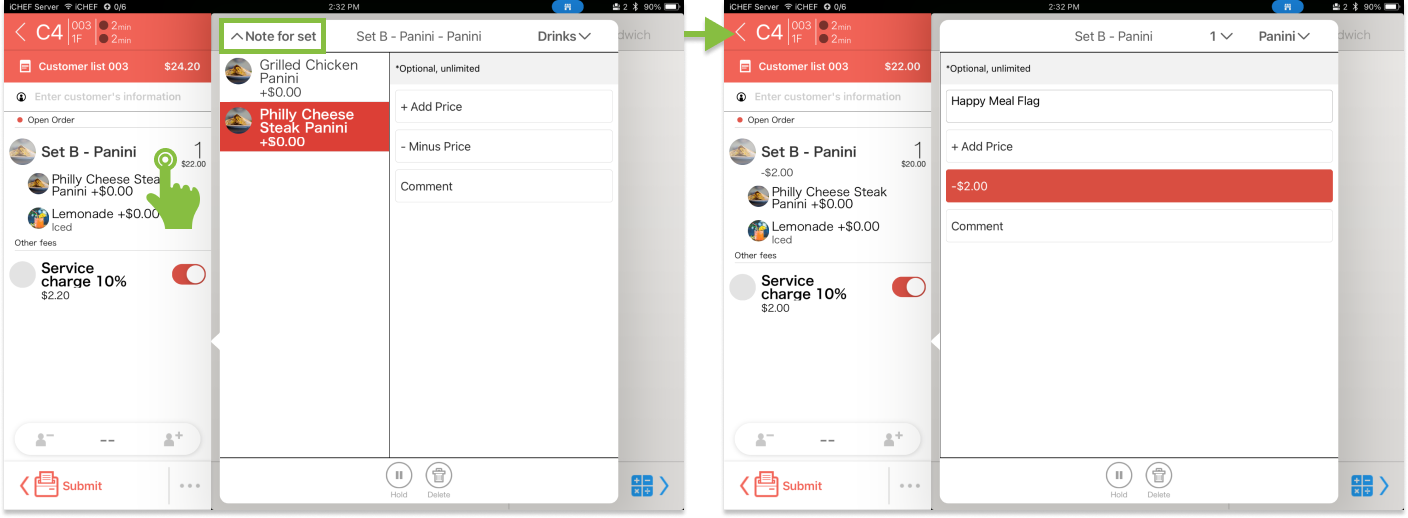
If you come into any occasional price adjustment, you can apply a modifier for extra charge or extra discount.
Individual Item
- Go to the ordering page
- Tap the desired item
- Enter the amount in [+ Add Price] or [- Minus Price]
- Go to the ordering page
- Tap the desired set menu
- Select the item and apply the desired modifier
- Tap [Note for set] to select modifiers for the set menu
- Enter the amount in [+ Add Price] or [- Minus Price]
Add Comment
If there is a special request that you want to note down, you can add comments to an individual item or a set menu.
Individual Item
- Go to the ordering page
- Tap the desired item
- Enter your note in [Comment]

- Go to the ordering page
- Tap the desired set menu
- Select the item and apply the desired modifier
- Tap [Note for set] to select modifiers for the set menu
- Enter your note in [Comment]
