Splitting bills in iCHEF POS app takes only a few taps. You can split the total amount evenly, or breakdown the bill items by items.
Split Evenly
- Go to Discount Page
- Tap the icon [+add check]
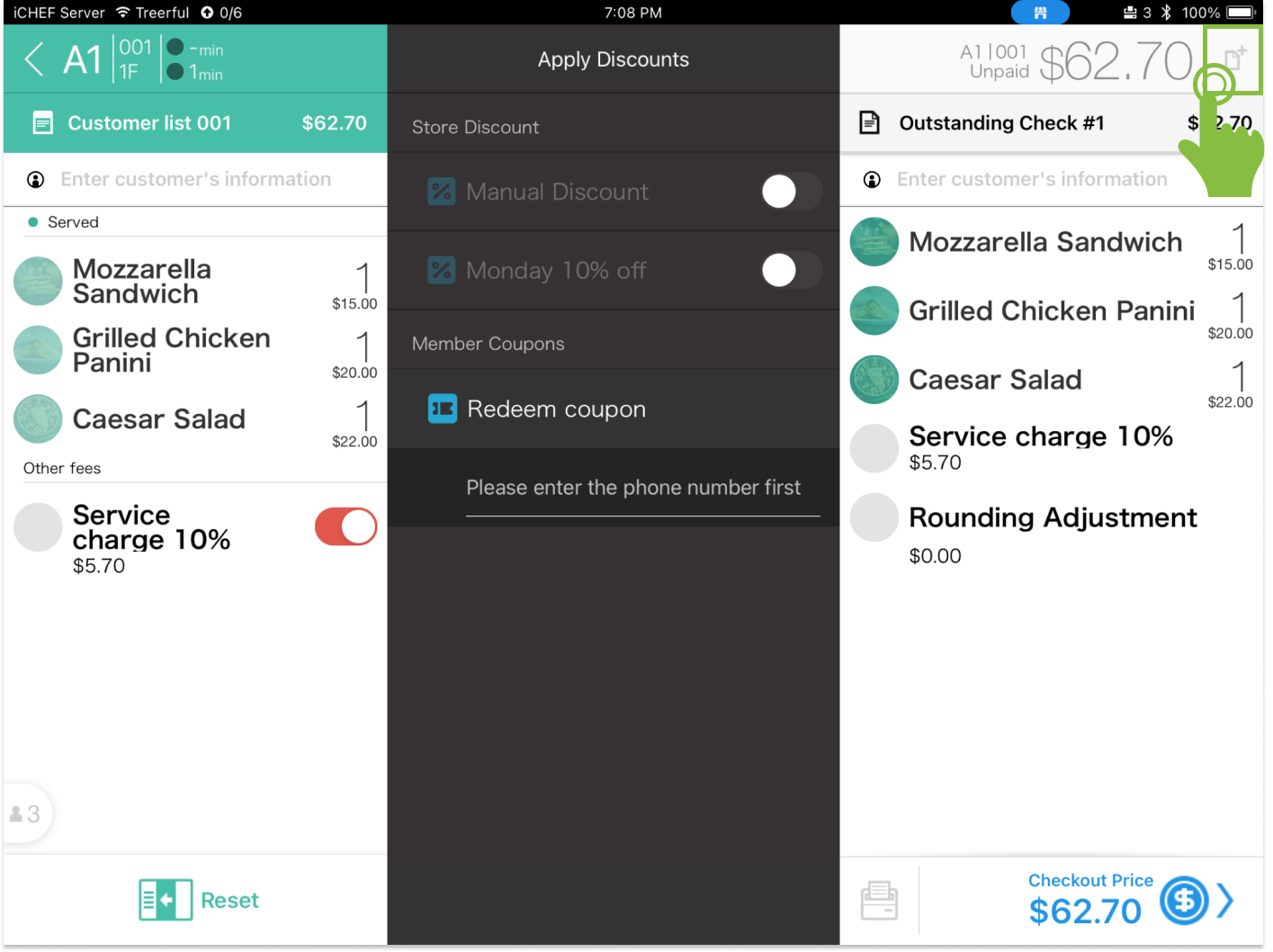
- After adding a new check, the total will be split evenly.

If the total is indivisible by the amount of checks, the remainder will be added to one of the outstanding check.
Split by Items
- Go to Discount Page
- Tap the icon [+add check]
- After adding a new check, the total will be split evenly.
- Tap [Reset] to re-assign the unpaid items
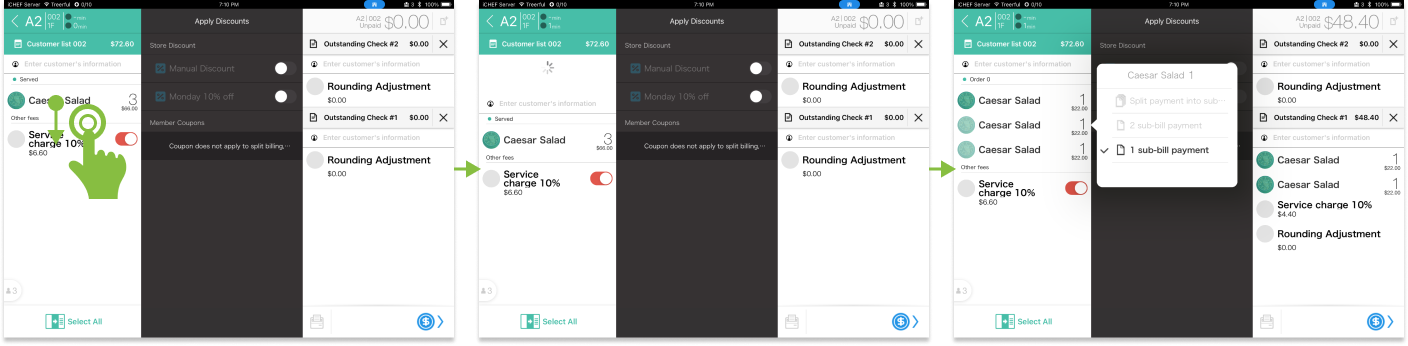
- Tap the item on the left, and assign to a check

When ordering multiple servings of a same item, you can swipe down the item to expand, and assign the item to different checks.