When closing out a shift, or closing out a day, iCHEF POS app will list your earnings for different payment methods. You can reconcile the total in iCHEF POS app with the amount on GrabFood’s backend. (What is Shift Closing?)

View Transaction Details
- Go to GrabMerchant portal and log in
- Click the [Finance] tab on the left
- Select any transactions to expand and view the transaction details.

Learn more in Grab Help Center:
- Where can I find my net total or earnings
- How do I view my transaction details
- How do I calculate my earnings
Resolve the Discrepancies
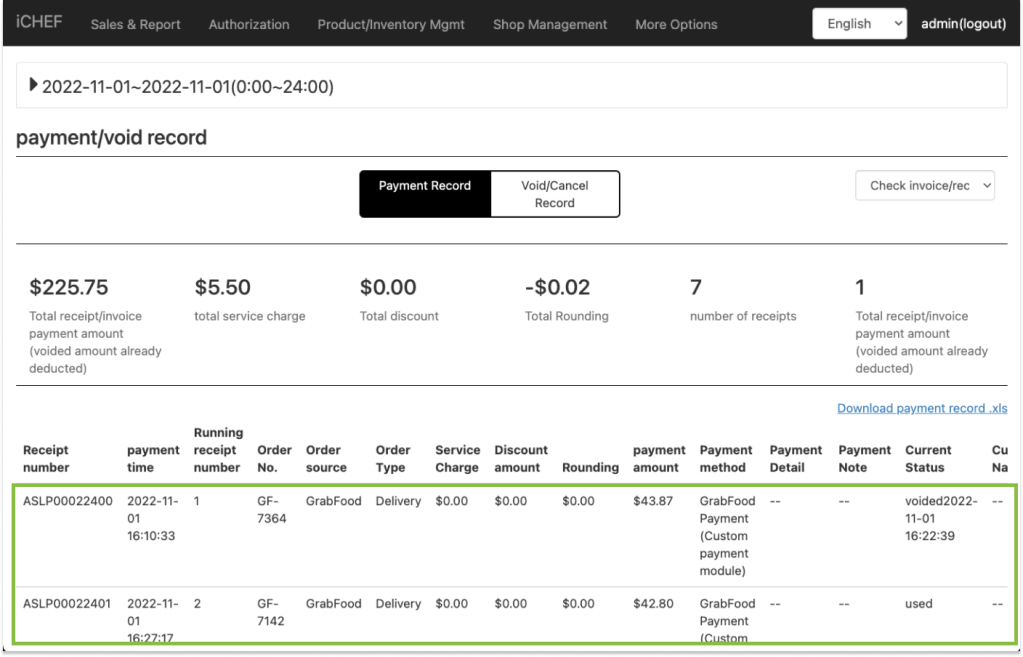
When finding discrepancies between iCHEF POS app and GrabMerchant, you can check your payment/void record to find out more.
- Go to Sales & Report > Payment/Void Record
- Filter by [today]
- Compare the transaction details with those on GrabMerchant one by one