
Learn how to customize the display of modifiers selection.

Number of Row Displayed
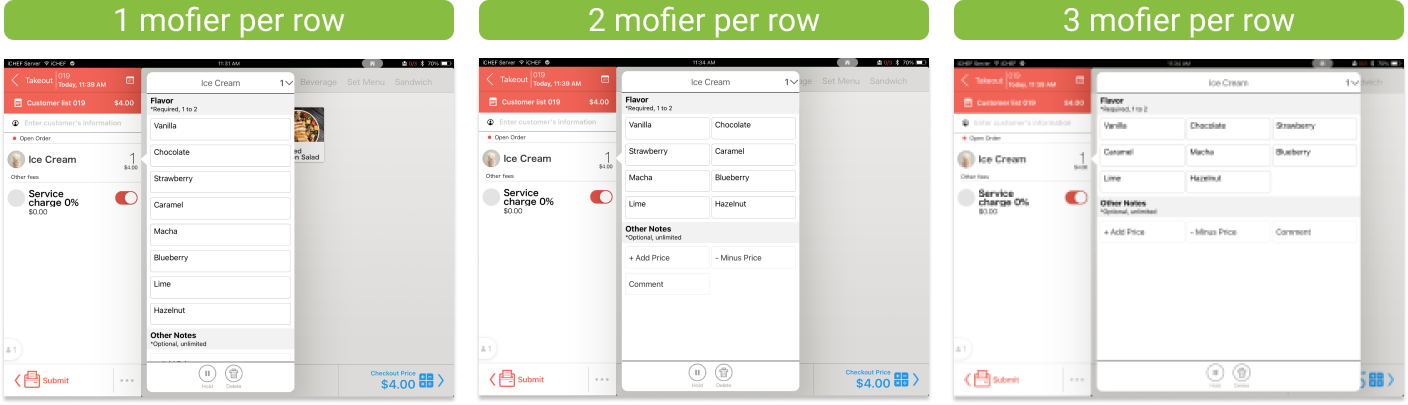
There are 3 options for the setting of modifier display in iCHEF POS app. You can manage it from the page of Restaurant Flow Setting or Modifier Settings. The settings will be synced automatically.
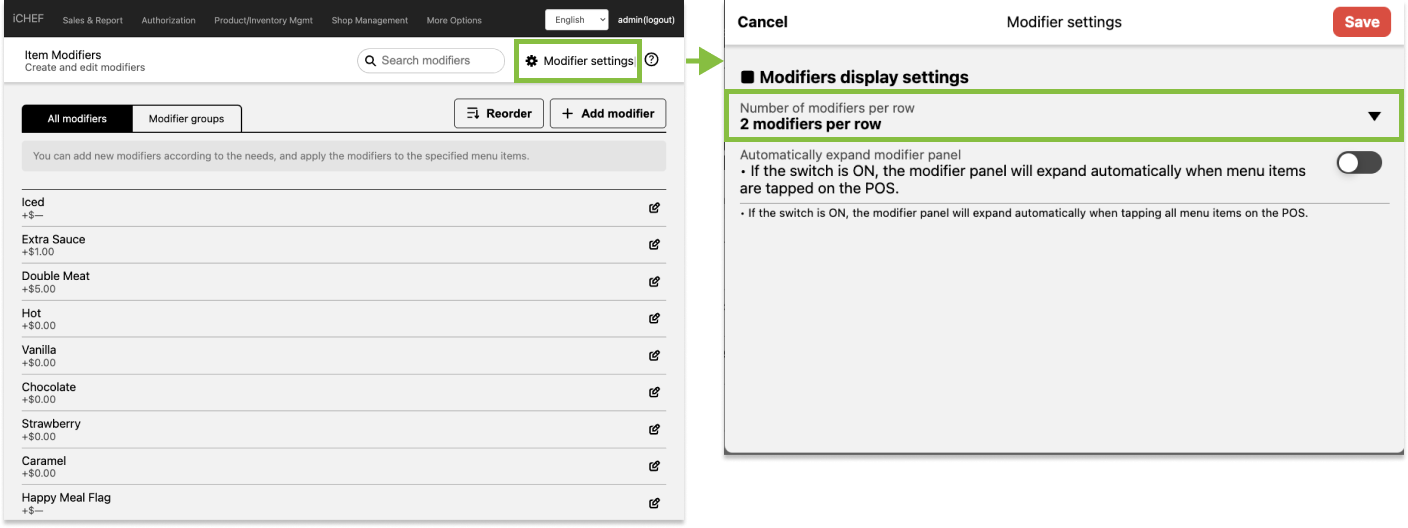
Method A: Set up from the page of Modifier Settings
- Go to Product/Inventory Mgmt > Item Modifiers
- Click [Modifiers Settings].
- Click [Modifier Settings].
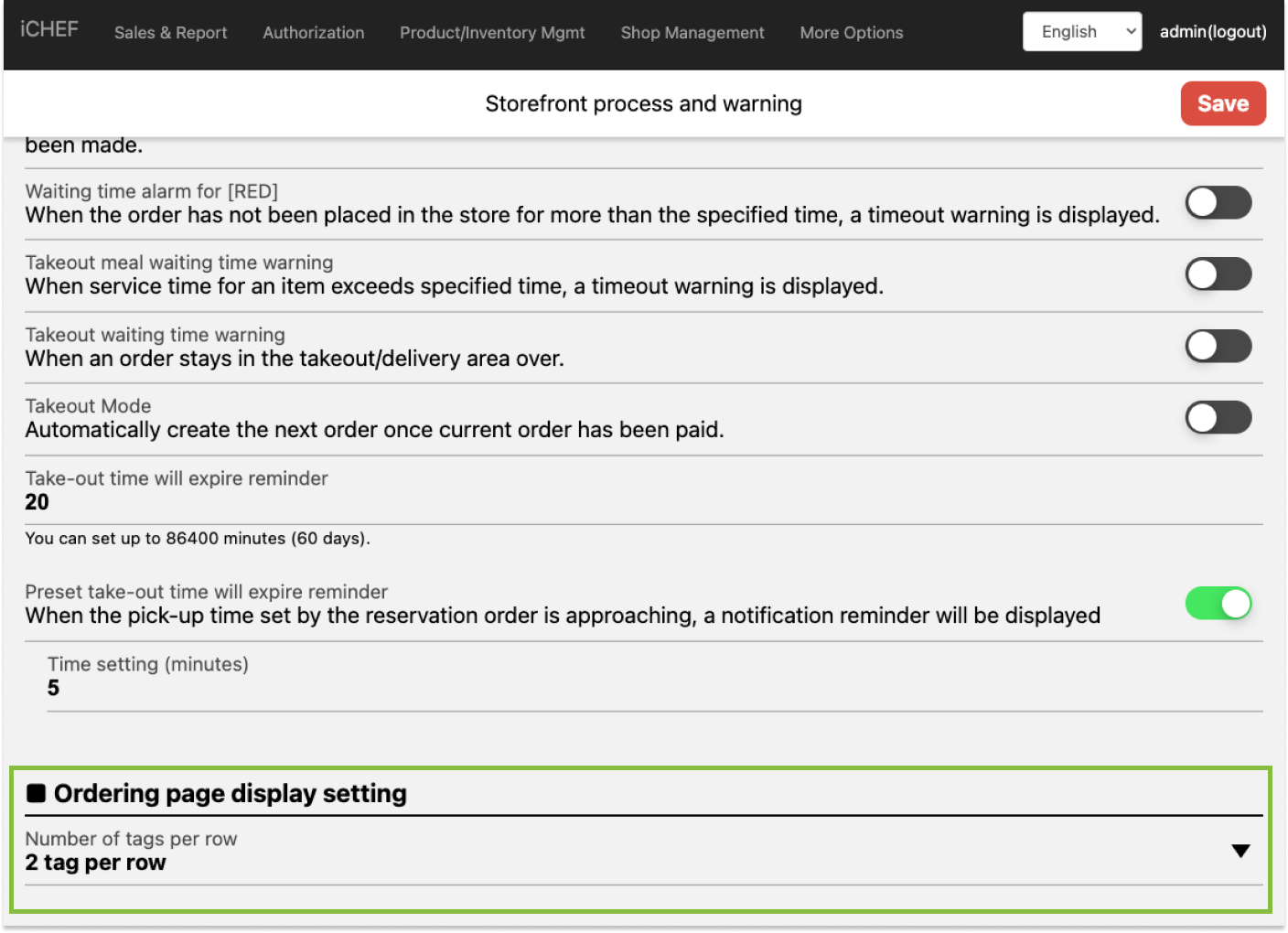
Method B: Set up from the page of Restaurant Flow Setting
- Go to Shop Management > Restaurant Flow Settings
- Select the desired option under [Number of modifiers per row].
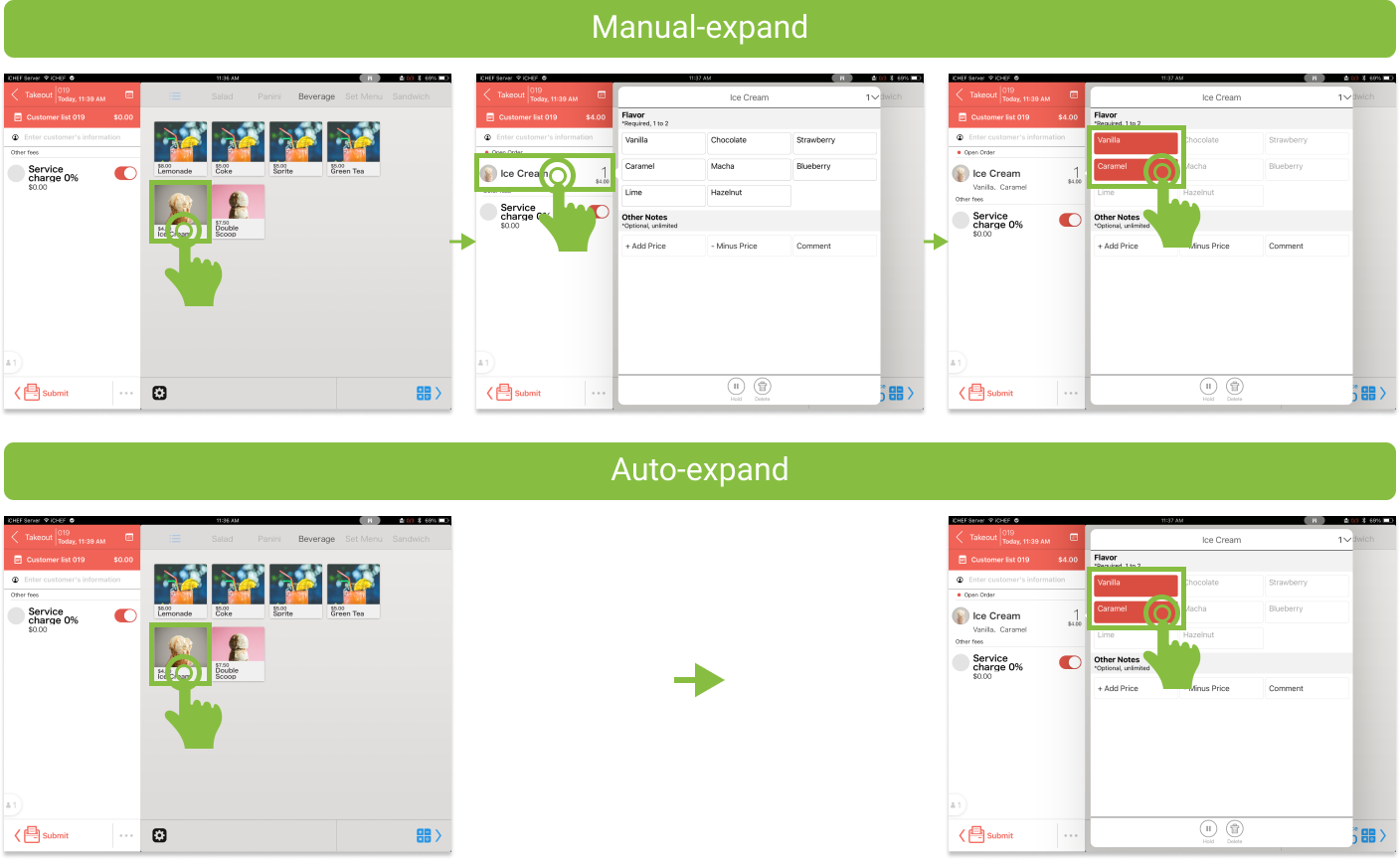
Auto-Expand Panel
If you enable this function, the system will automatically expand the modifier panel every time you tap an item and add it to the ordering list.
- Go to Product Management > Item Modifiers.
- Click [Modifiers Settings].
- Toggle on [Automatically expand modifier panel].
