
iCHEF POS supports the import and export of member list. The member base you strove to collect can be converted to a new POS system.
Fill in the member information in the template Excel file, set up the initial loyalty points for the members, and upload the file to iCHEF backend.
➤ iCHEF Backend : Customer Management > Customer Info
Import Member Info
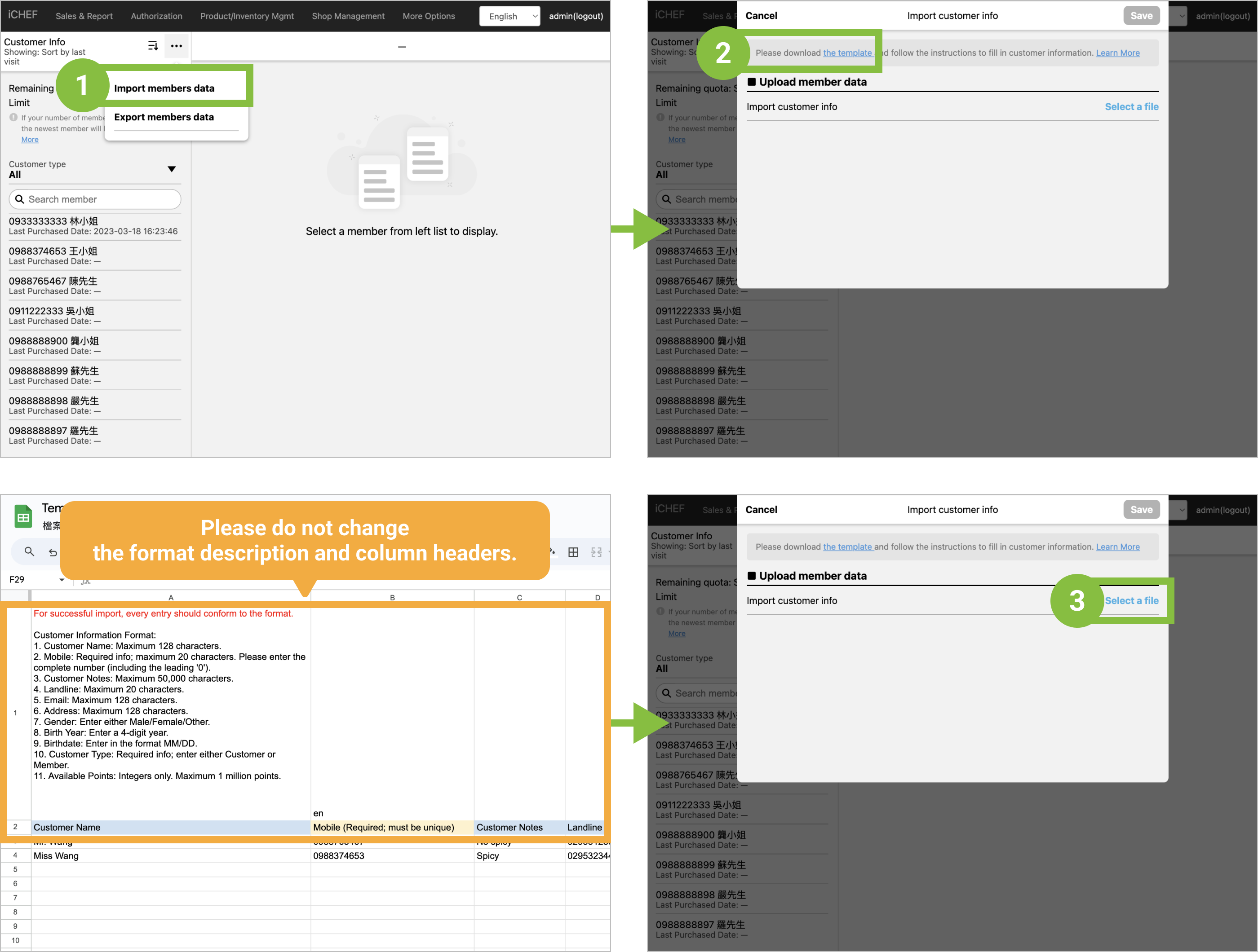
- Step 1 : Click the […] icon and select [Import members data].
- Step 2 : Please download「the template」and follow the instructions to fill in customer information.
- The template must be saved as an .xlsx file.
- The column headers in the file should match the template.
- The file must contain at least 1 customer entry. And up to 50,000 records can be imported at a time.
- Total customer data limit of 120,000 entries.
- Required:
- Mobile (Mmust be unique)
- Customer Type (Customer/Member)
- Step 3 : Back to iCHEF Backend Customer Info Click the [… > Import customer info > Select a file] and click [Save] to complete.
If the import cannot be successful, please adjust according to the prompt text. When the customer information does not comply with the rules, an “Error List” will be provided for download. The error fields and explanations will be clearly marked in the file. Please make corrections and re-upload.

Export Member Info
- Step 1 : Go to Customer Management > Customer Info.
- Step 2 : Click the […] icon and select [Export members data].
- Step 3 : Click [Confirm] to export.

If you wish to apply filters when exporting the member list, you can adopt advertising segmentation to accurately filter out the unwanted data and export the Excel file.