
After binding, you can edit the your business profile in iCHEF backend (including restaurant’s name, opening hours and cover image, etc.) to allow customers to access the information they are looking for.

This process comprises 2 steps:

Step 1: Confirm The Information
Before binding, please check the following first.
- You have already applied for a Google Business Profile and completed the verification.
- Your google account is the Primary Owner of the Google Business Profile.
Go to Google Business Profile, and click [Manage now] to log into your Google account.
If you have a Google Business Profile, the screen will be shown as below.

If you do not have a Google Business Profile, the screen will be shown as below. Please to apply for this first and then continue to bind your business profile with iCHEF backend. (Learn more)

- Go to Integration Settings > > Google Business Profile
- Click [Bind Google Business Profile]

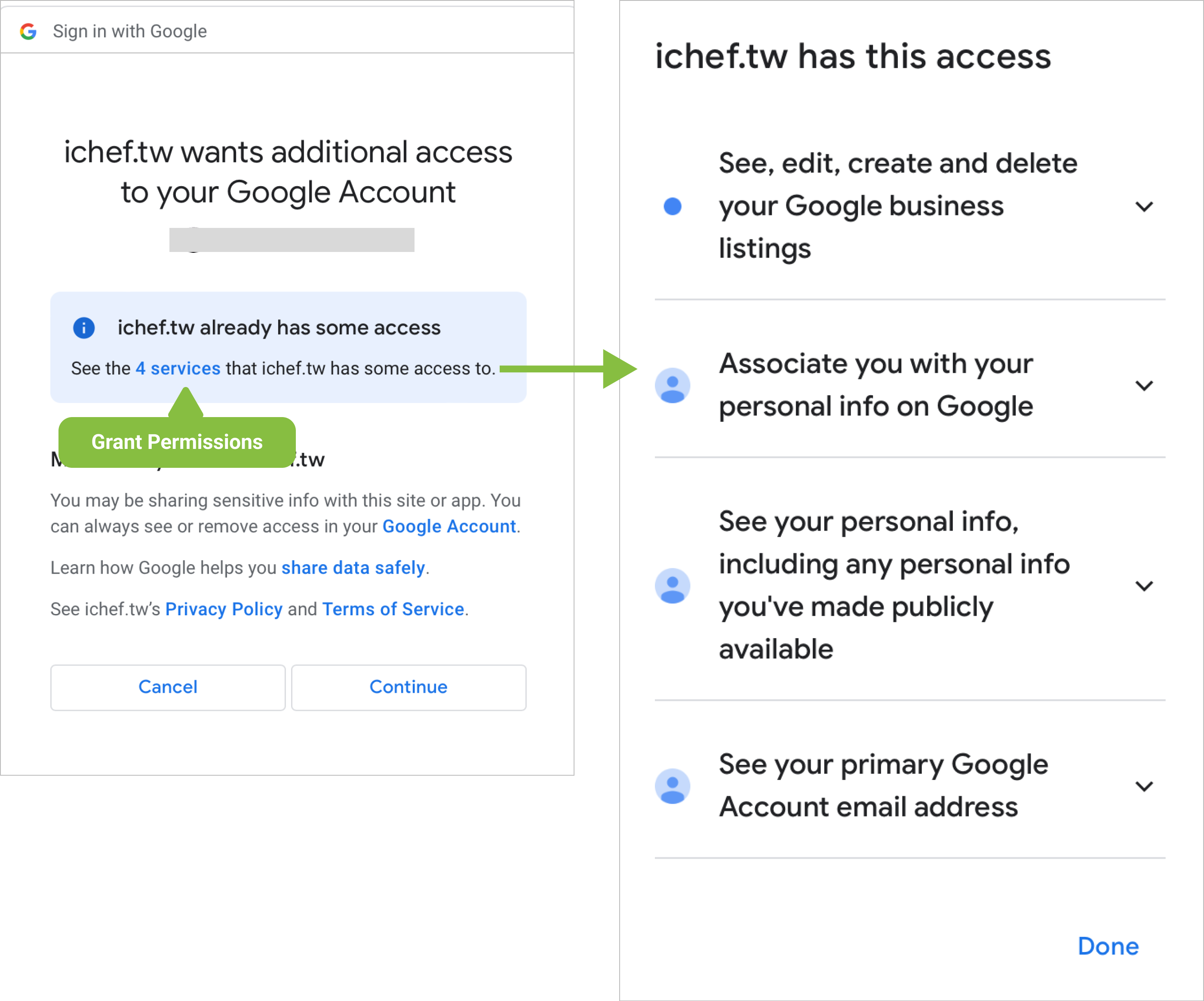
- After logging into your Google account, please accept the terms and grant iCHEF the authorization.

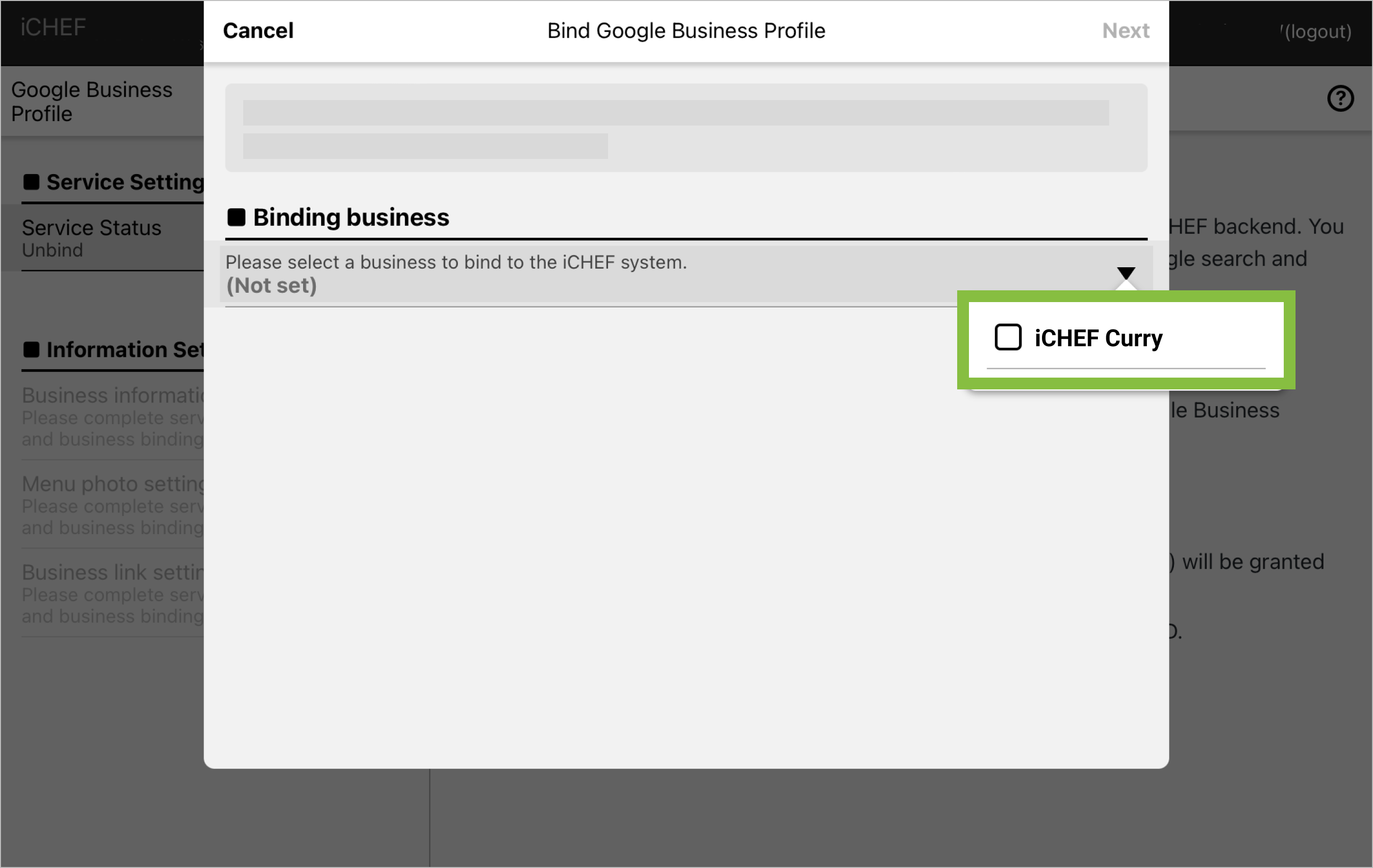
- Select the business profile you would like to bind.
There are a few reasons for this situation. Please check:
- if the Google account you log into accesses the business profile as an owner
- if the Google account you log into has a business profile, or its business profile has not completed the verification.

Reminder After Binding
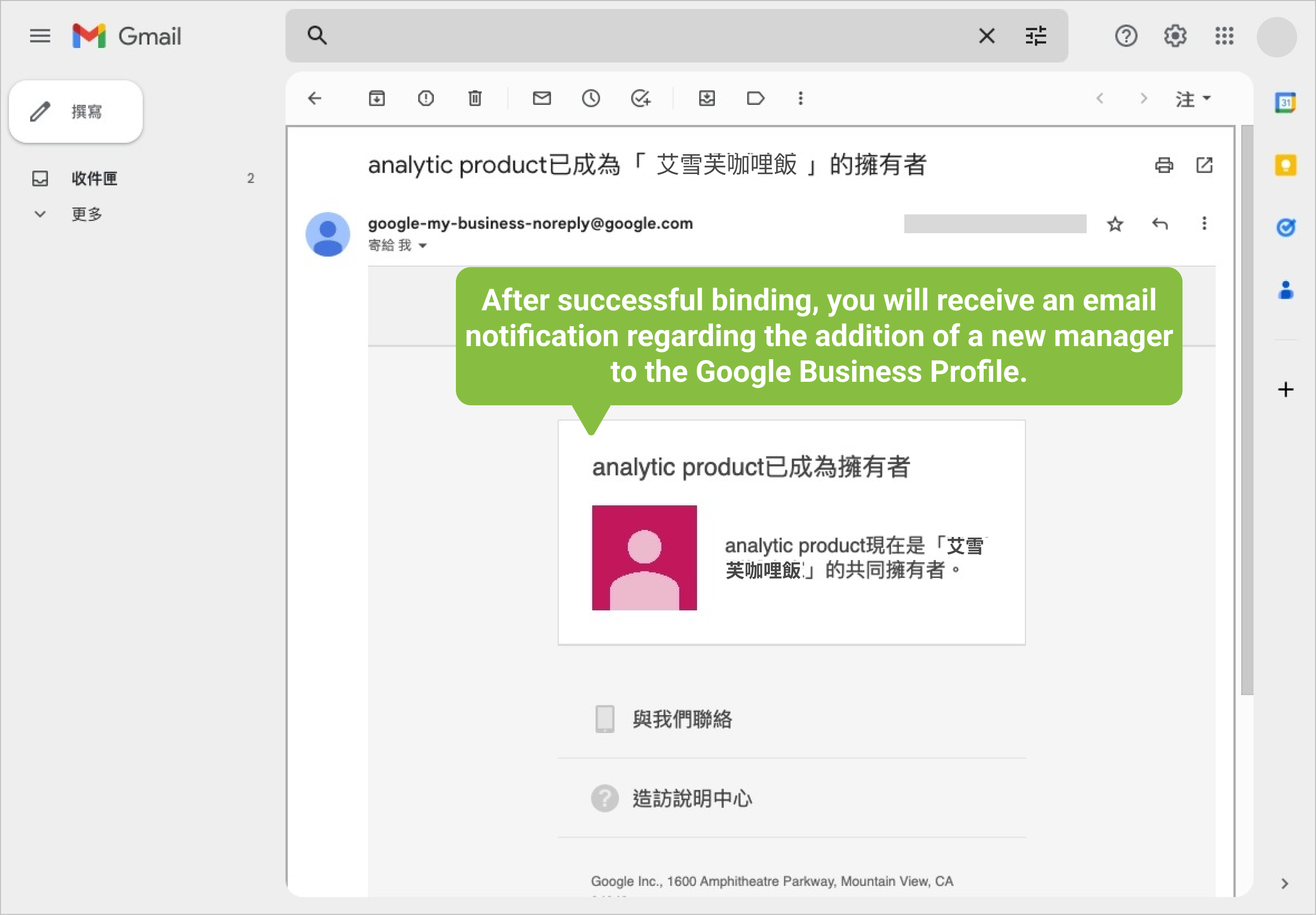
After you bind your Google Business profile with iCHEF backend, the Google account you use for binding will receive a notification of authorization. The Google Business profile will add iCHEF’s system account “analytic product” as an owner automatically. Please be assured that this account will only be used by iCHEF to synchronize the data of business profile.
Afterwards, you can adjust the information of your Google Business profile with iCHEF, and the changes will be automatically synced to your business profile.
You can unbind your Google Business profile with iCHEF anytime. For more instructions, please see Unbind Google Business Profile with iCHEF.