
The more complete your Google Business profile is, the more likely your restaurant is to appear in the search results or on the Google Map for customers to view.
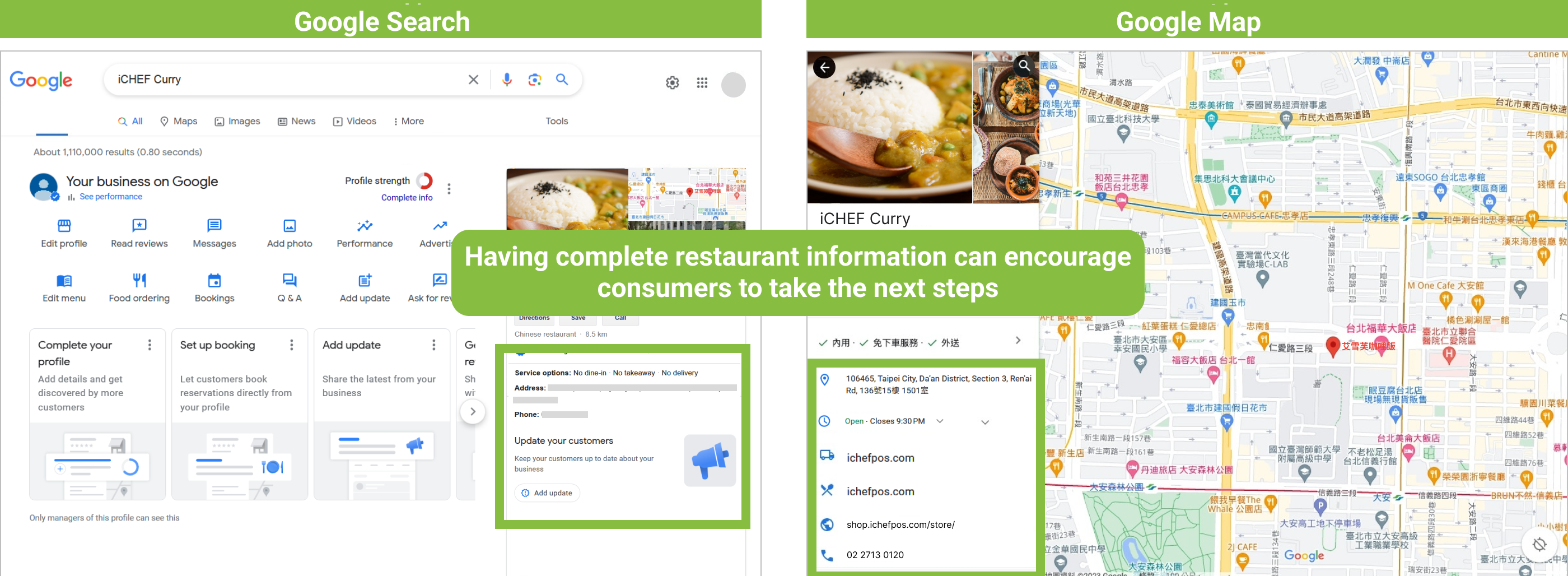
Edit Your Google Business Profile
- Go to Integration Settings >> Google Business Profile >> Business information settings
- The fields will be shown in the actual Google Business Profile as below.
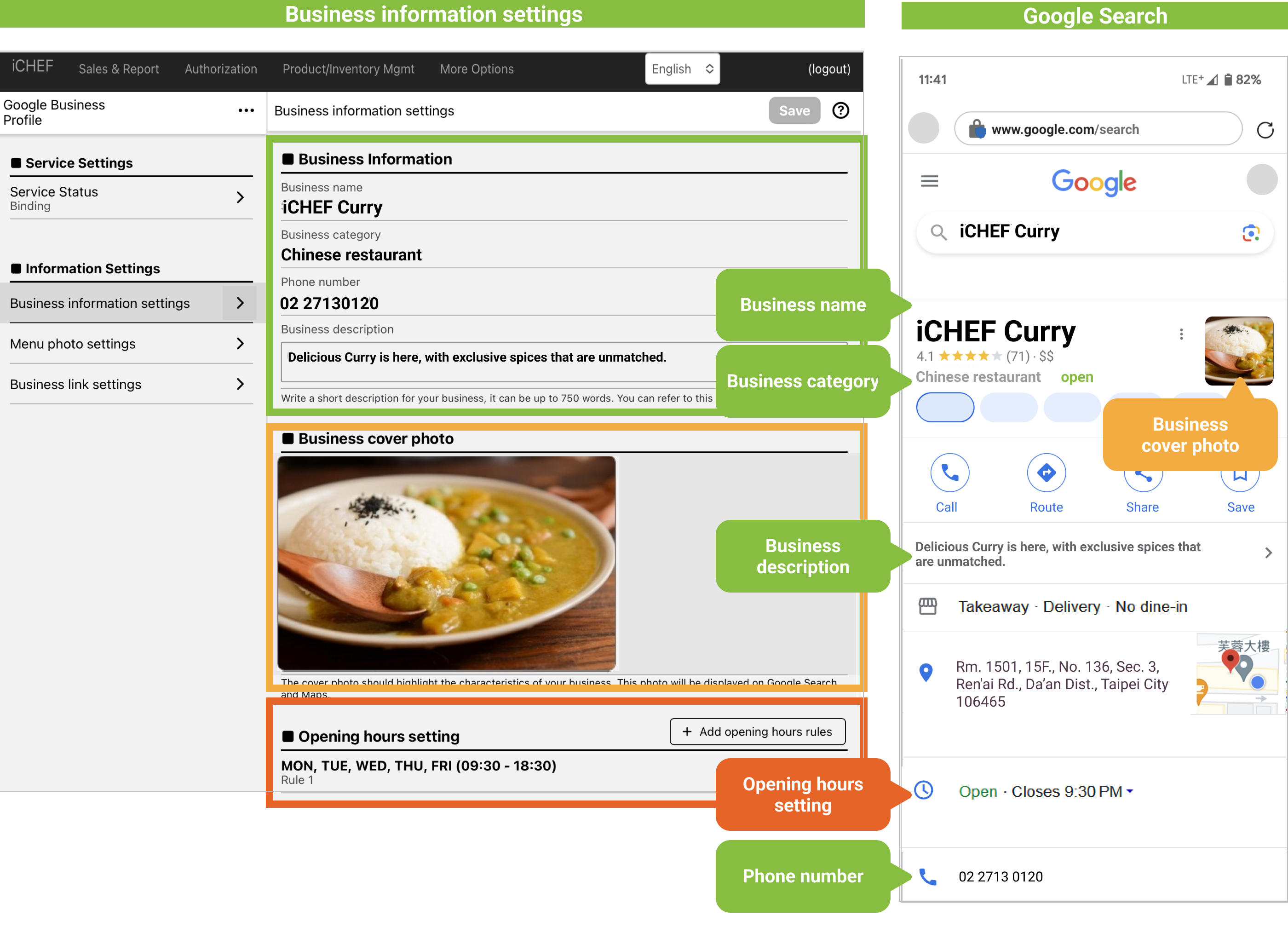
The business categories are imported from Google’s database. Just enter a keyword, and the system will show the matched categories. If the categories you prefer does not appear, please enter other keywords or select a category that matches your need the most from the available options.
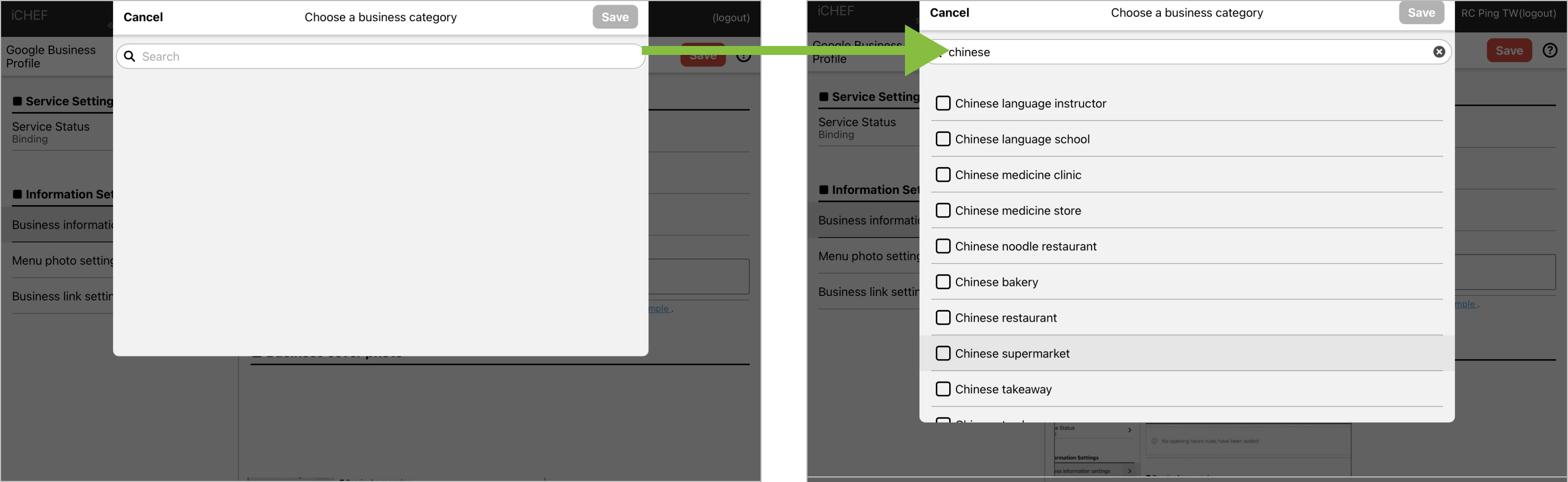
Set up overnight hours
If your restaurant opens from night to early morning the next day, please set up 2 consecutive periods to cover your opening hours. Here’s an example:
- Opening hours: 22:00 Monday to 04:00 Tuesday
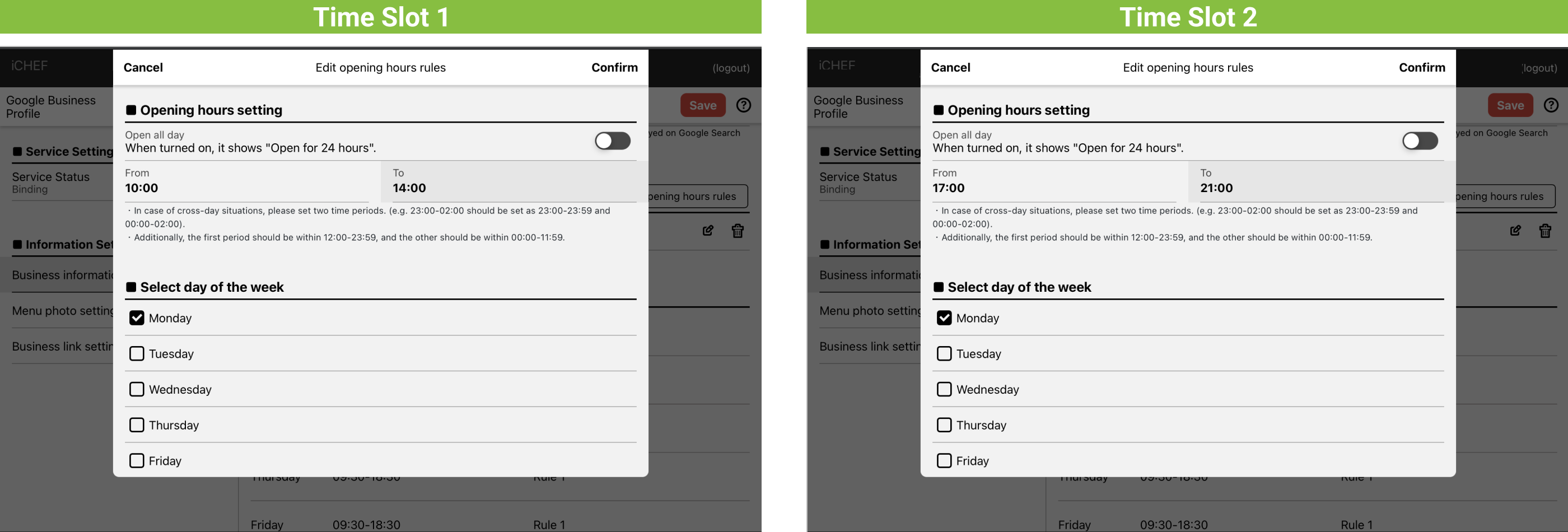
Set up opening hours with lunch break
If your restaurant takes a lunch break before dinner, you need to set up 2 separate periods. Here’s an example:
- Opening hours: 10:00 ~ 14:00|17:00 ~ 21:00 Monday
Increase Your Restaurant’s Attraction for Customers
After completing editing the information of your business profile, please continue to upload the menu photos to further impress customers with the features of your restaurant in addition to the basic business information.