
When changing Cashier iPad, you need to perform secure reset for the App to ensure that your business data is successfully uploaded to the cloud, and to restore the App to its default settings.
Notice
- It is required for the situation of changing Cashier iPad, such as the use of a new iPad or a backup device.
- To ensure proper data uploading, you need to complete the shift closing/daily closing before performing secure reset.
- Please patiently wait for the secure reset to complete and do not run the App in the background. The system will execute the following actions one by one:
- Upload the business data completely.
- Check and retrieve the unused Taiwanese e-invoice alphanumeric code numbers.
- Unbind the iPad.
- Clear the cache of iCHEF POS App on the iPad.
.stk-29362f1 {border-style:solid !important;border-color:#dfdad1 !important;border-top-width:1px !important;border-right-width:1px !important;border-bottom-width:1px !important;border-left-width:1px !important;padding-bottom:24px !important;}
.stk-dfdd229-container{padding-top:0px !important;padding-right:0px !important;padding-bottom:0px !important;padding-left:0px !important;}
After secure reset, the system will retrieve the unused Taiwanese e-invoice alphanumeric code by sets (50 serial numbers for 1 set). Next time when you log into iCHEF POS, the system will skip the remaining unused e-invoice alphanumeric code numbers of the last set and issue the invoices starting from first alphanumeric code number of the new set.
How to perform secure reset
Please operate on the Cashier iPad on which you have logged into iCHEF POS App.
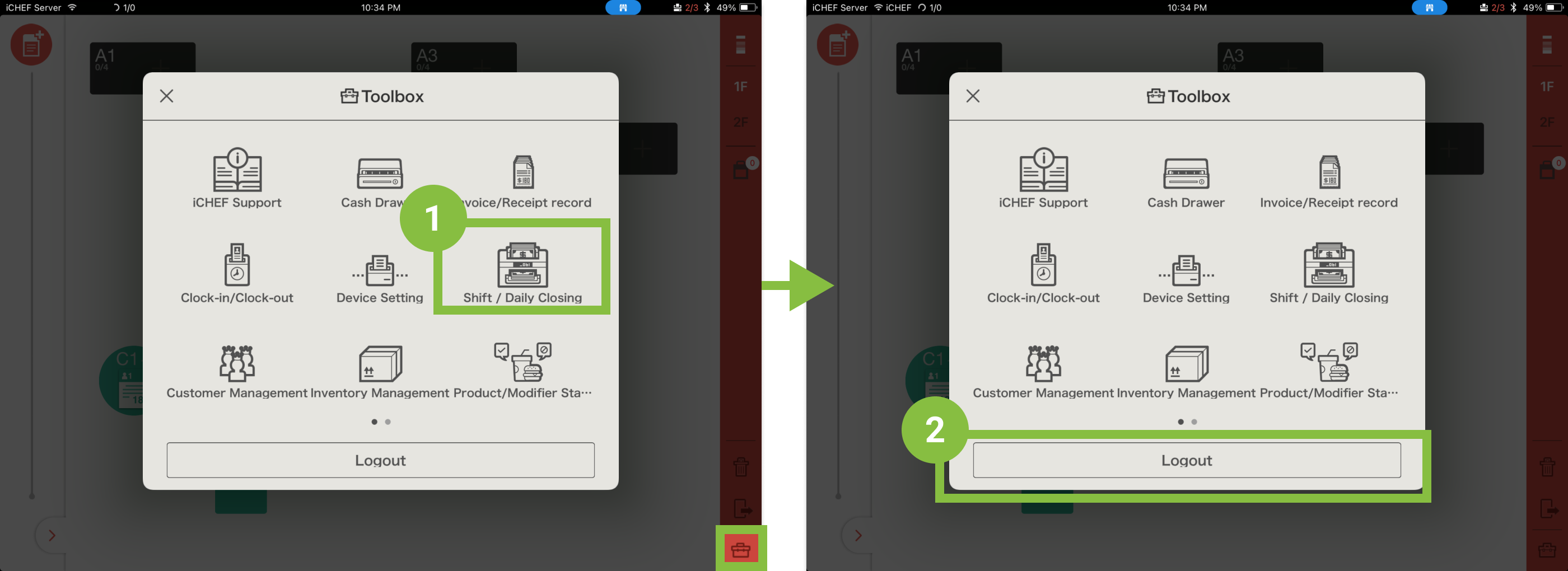
- Complete the shift closing/daily closing.
- Log out your account and return to the login page.
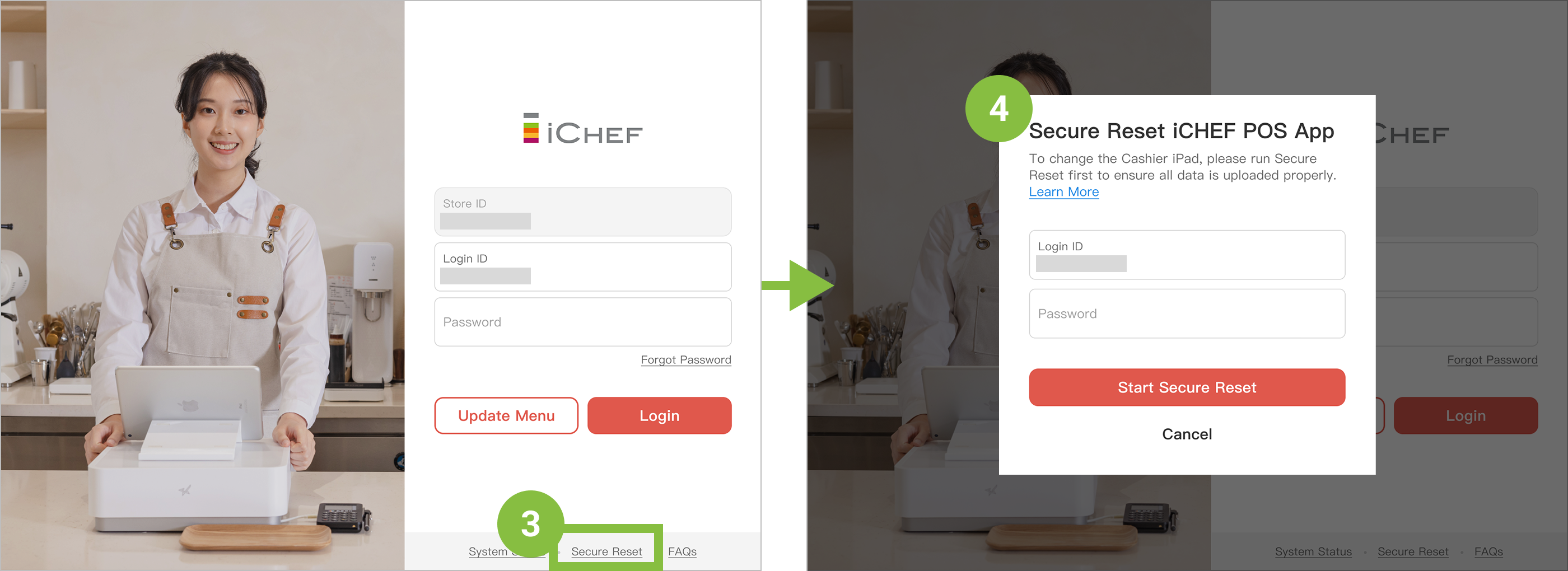
- Click [Secure Reset] at the bottom of the login page.
- Enter your password to perform it and wait for the system to complete the process.
Now, you can log into iCHEF POS App on the desired iPad and set it as the Cashier iPad!