Reorder Discounts
When applying multiple discounts to the same order, the deducted amount will be calculated from the top to the bottom.
- Go to Payment Settings > Discounts
- Click [Reorder Discounts]
- Drag a discount up/down to set up calculating priority

Service Charge Calculations
There is a variety of calculations when you are applying service charge & discounts at the same time. Depends on the setting of calculation method in Payment Settings > Service Charge and discount settings in Payment Settings > Discounts, the calculation will be done by the following:
–
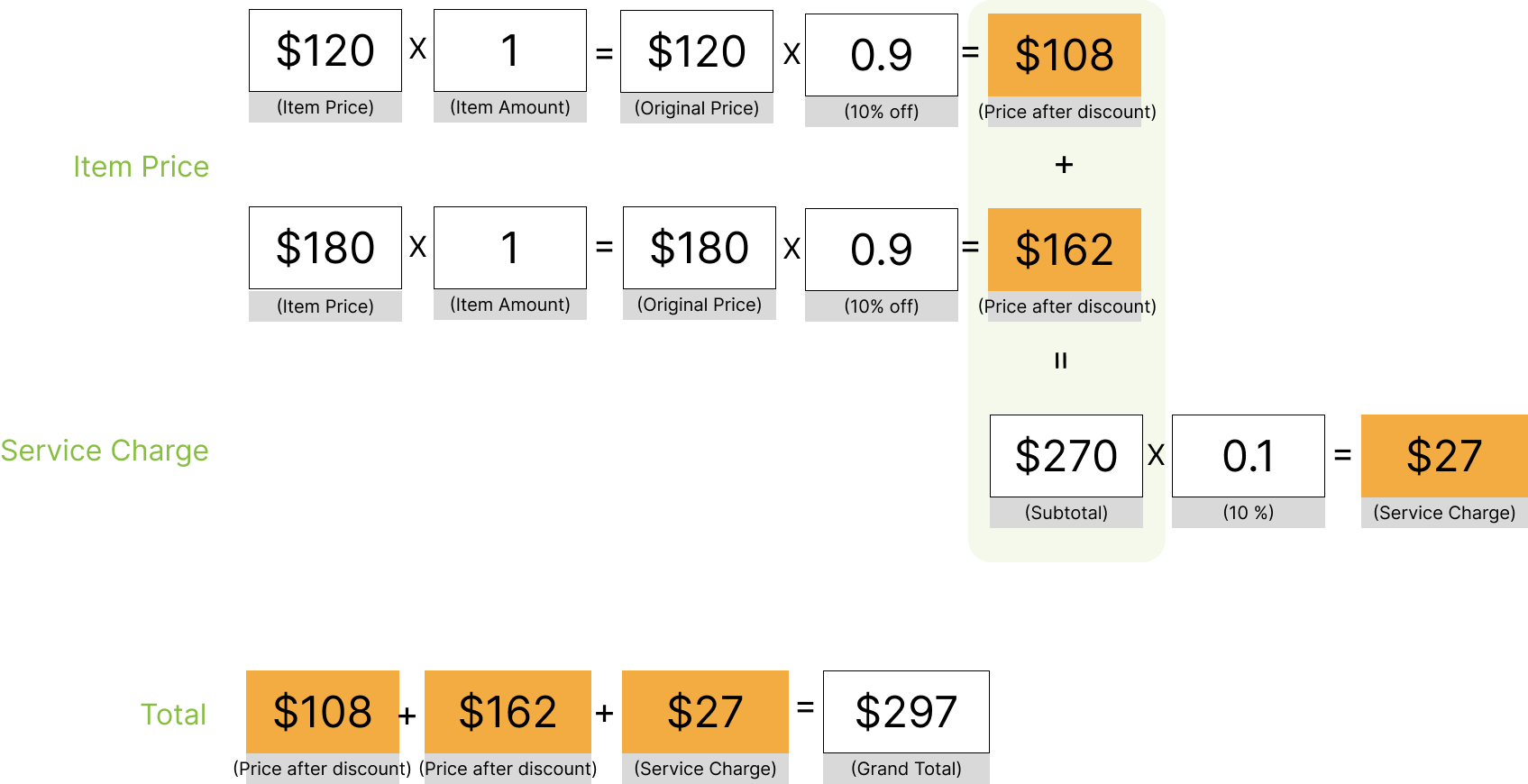
Settings:
- Payment Settings > Service Charge: select [calculate based on the item price after discount]
- Payment Settings > Discounts: No configuration for service charge

Example:
- An order for a $120 item and a $180 item
- Service charge percent: 10%
- Discount: get 10% off the entire order
Settings:
- Payment Settings > Service Charge: select [calculate based on the item price before discount]
- Payment Settings > Discounts: No configuration for service charge

Example:
- An order for a $120 item and a $180 item
- Service charge percent: 10%
- Discount: get 10% off the entire order

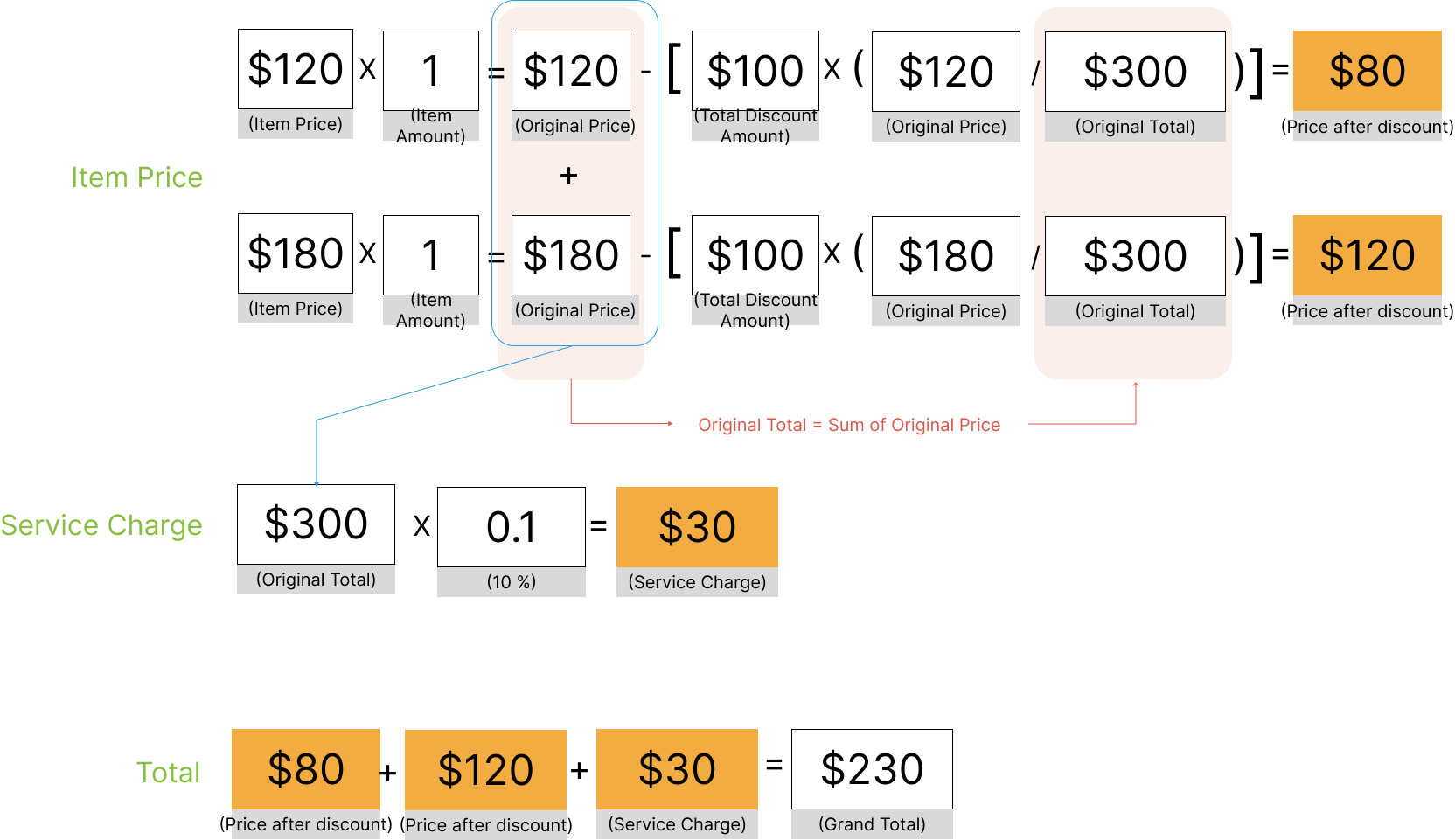
Settings:
- Payment Settings > Service Charge: select [calculate based on the item price after discount]
- Payment Settings > Discounts: Toggle ON [Discounts for Entire Order]

Example:
- An order for a $120 item and a $180 item
- Service charge percent: 10%
- Discount: get $100 off the entire order

Settings:
- Payment Settings > Service Charge: select [calculate based on the item price after discount]
- Payment Settings > Discounts: Toggle OFF [Discounts for Entire Order]

Example:
- An order for a $120 item and a $180 item
- Service charge percent: 10%
- Discount: get $100 off the entire order

Settings:
- Payment Settings > Service Charge: select [calculate based on the item price before discount]
- Payment Settings > Discounts: Toggle ON [Discounts for Entire Order]
or
- Payment Settings > Service Charge: select [calculate based on the item price before discount]
- Payment Settings > Discounts: Toggle OFF [Discounts for Entire Order]

Example:
- An order for a $120 item and a $180 item
- Service charge percent: 10%
- Discount: get $100 off the entire order