
When using 2 or more payment methods in one order, Mixed Payment can be used to complete it.
How to Use Mixed Payment
Please enable “Uee Multiple Payment Methods” on the iCHEF POS checkout page.
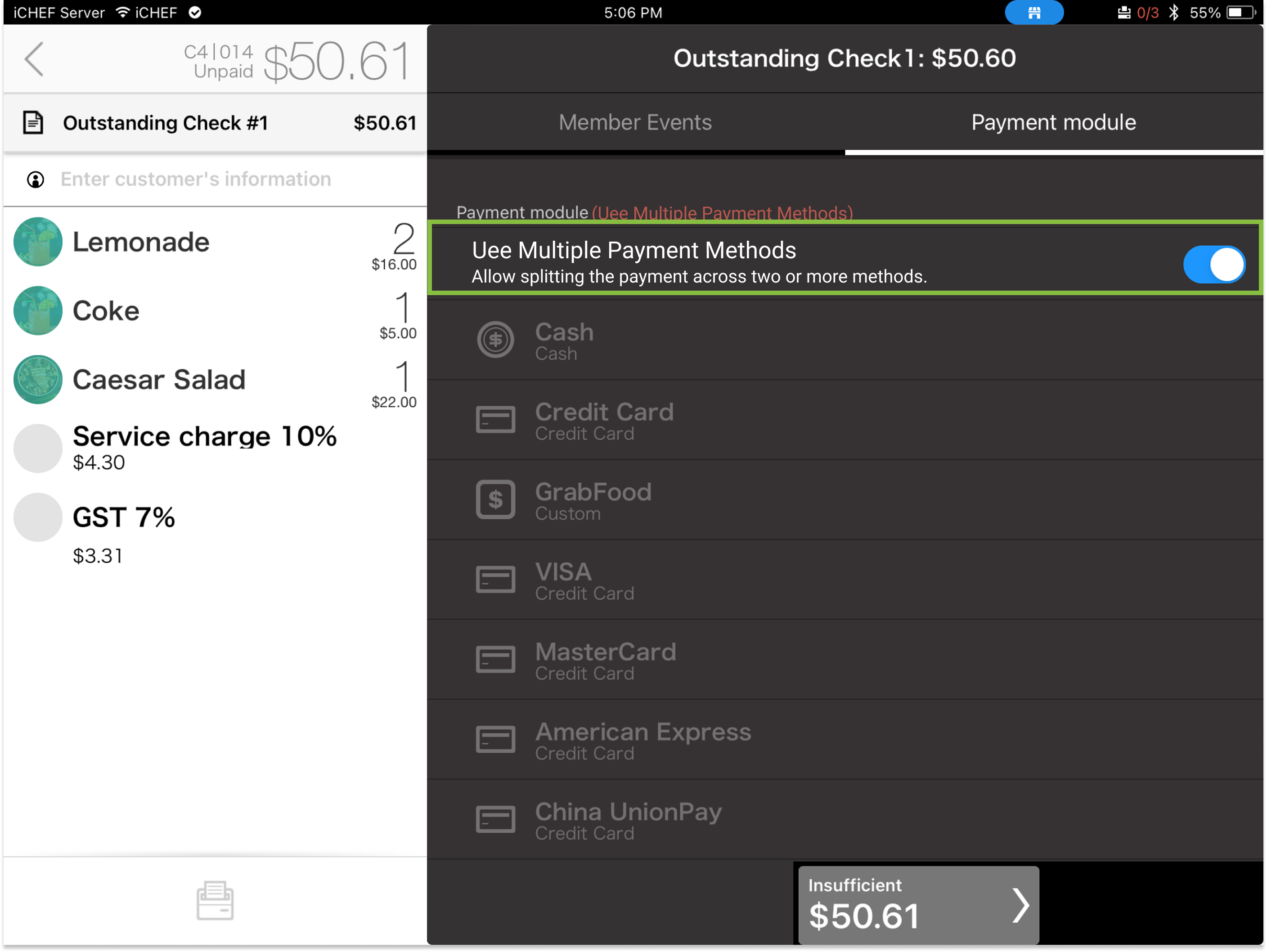
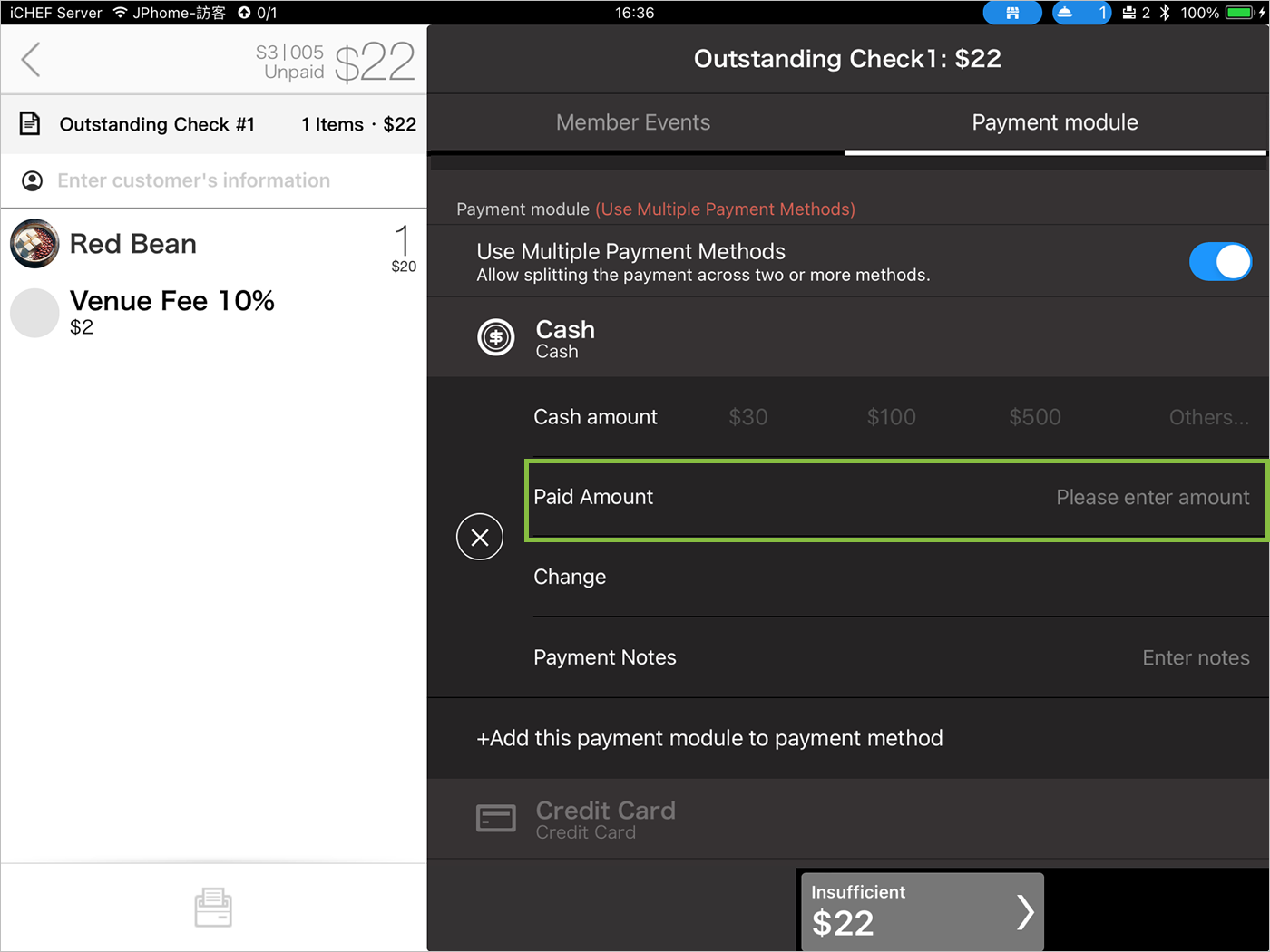
Tap the payment module you want to use, then manually enter the payment amount.

Cash Payment Module
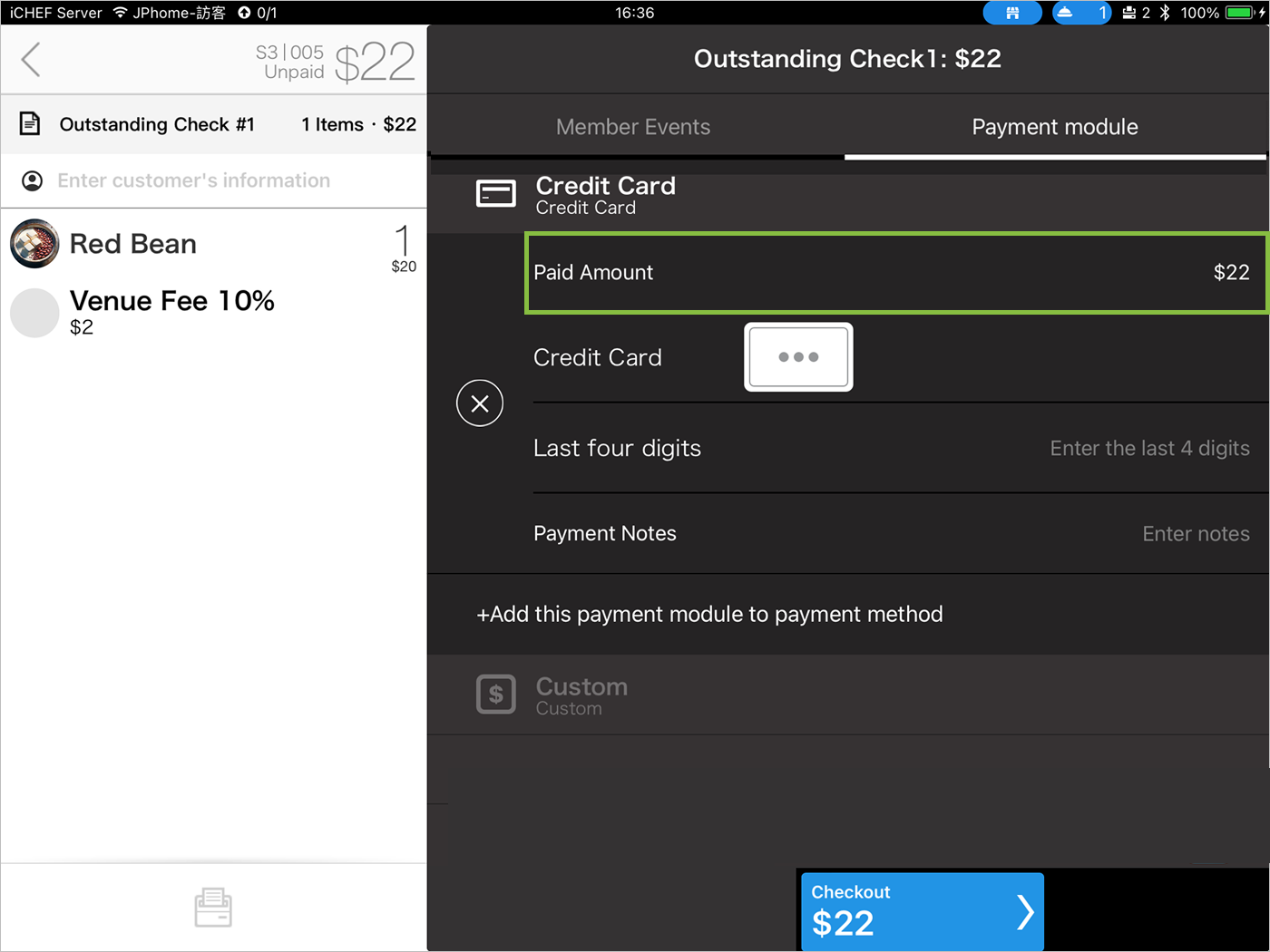
Credit Card Payment Module
Custom Payment Module
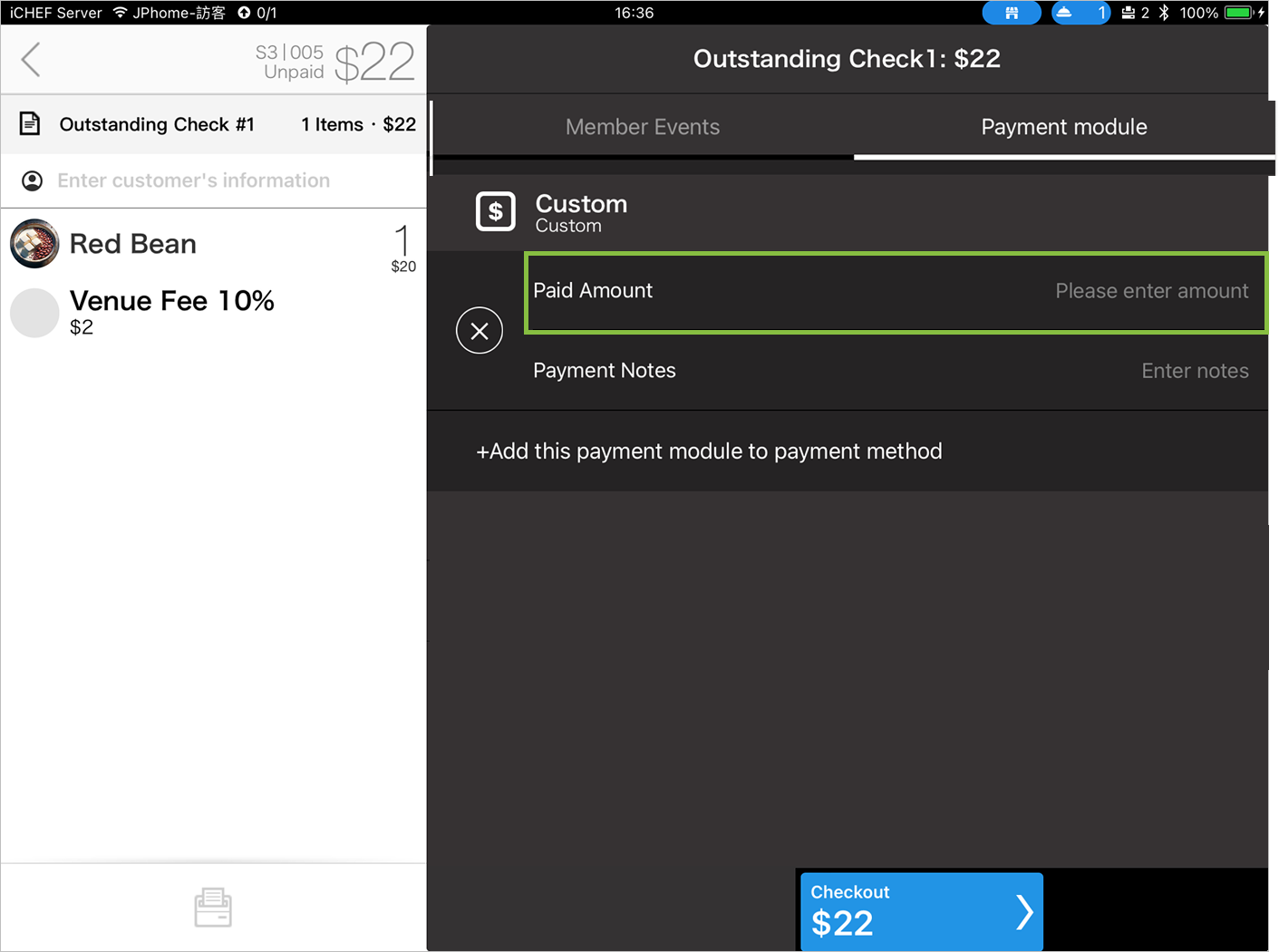
After entering the amount for the first payment method, the remaining amount will be automatically calculated and filled for the subsequent payment methods.
(For Taiwan only) When using Mixed Payment, only one online payment module (e.g., LINE Pay, JKO Pay, AllPay) can be used per transaction.
Use the same payment method
If customers need to use the same payment module, please click “+ Add Payment Module” to add it; click “X” to delete extra payment methods.
