
To close numerous orders at one time, you can use [Order Express Exit]. It might take some time to close lots of orders, so we suggest to do it out of opening hours.
Order Closing Express
- Go to Toolbox > Order Express Exit
- Tap [Start takeout/delivery orders express exit]

- You can filter the orders that are to be closed by order source or when the order is completed.
- Order source: filter by walk in, online store, or third-party delivery platform
- Order completed time: filter by pickup/delivery time listed on takeout/delivery page
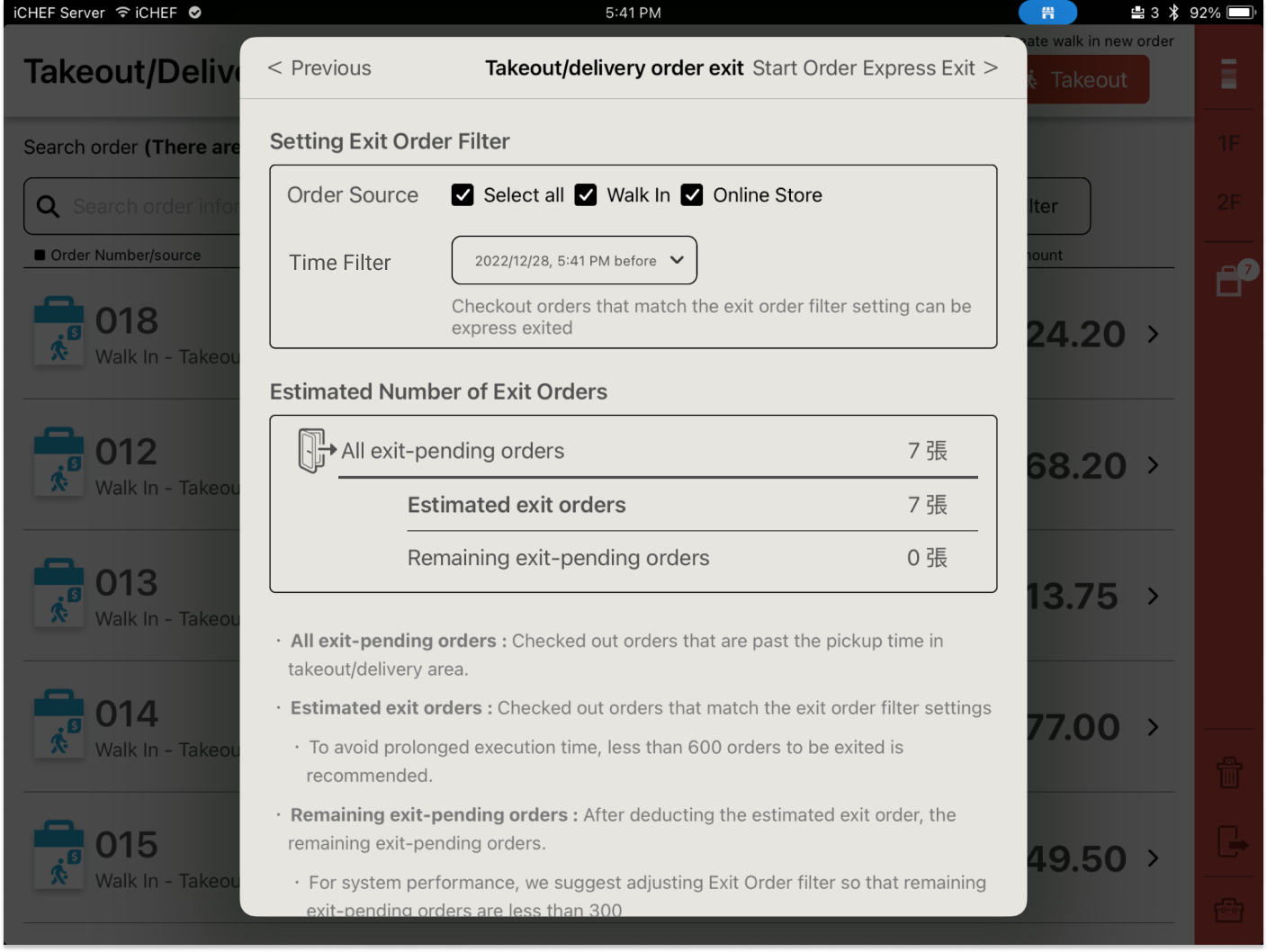
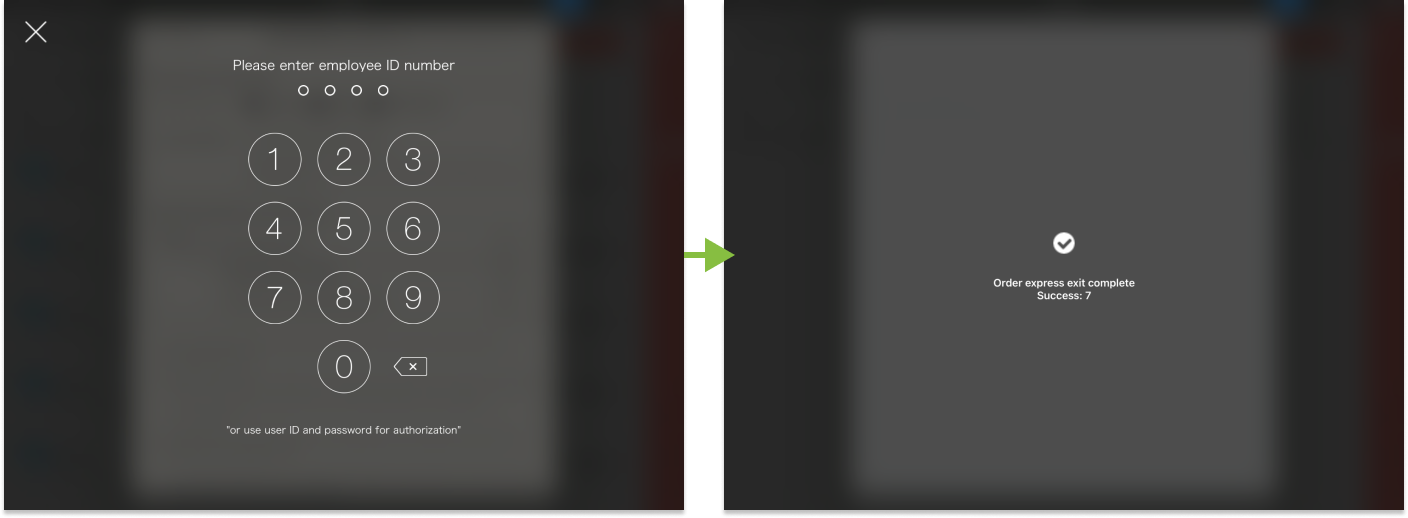
- Click [Start Order Express Exit] and complete the authorization verification.
- Only admin account can close orders by Express exit. To adjust access, go to Account & Authorization > Edit authorization and find [Order Express Exit].
To look up for the records of using order express exit or filters, go to Sales & Report > Authorization Record.
