
After completing editing the information of your business profile, please continue to upload the menu photos to further impress customers with the features of your restaurant in addition to the basic business information.

- Go to Integrated Settings >> Google Business Profile >> Menu photo settings
- Click [Add Photos]
Image size and format
- Size: 250 x 250 px or above
- File size: Less than 5MB
- Format: PNG and JPG

- Go to Integrated Settings >> Google Business Profile >> Menu photo settings
- Click [Remove Image]
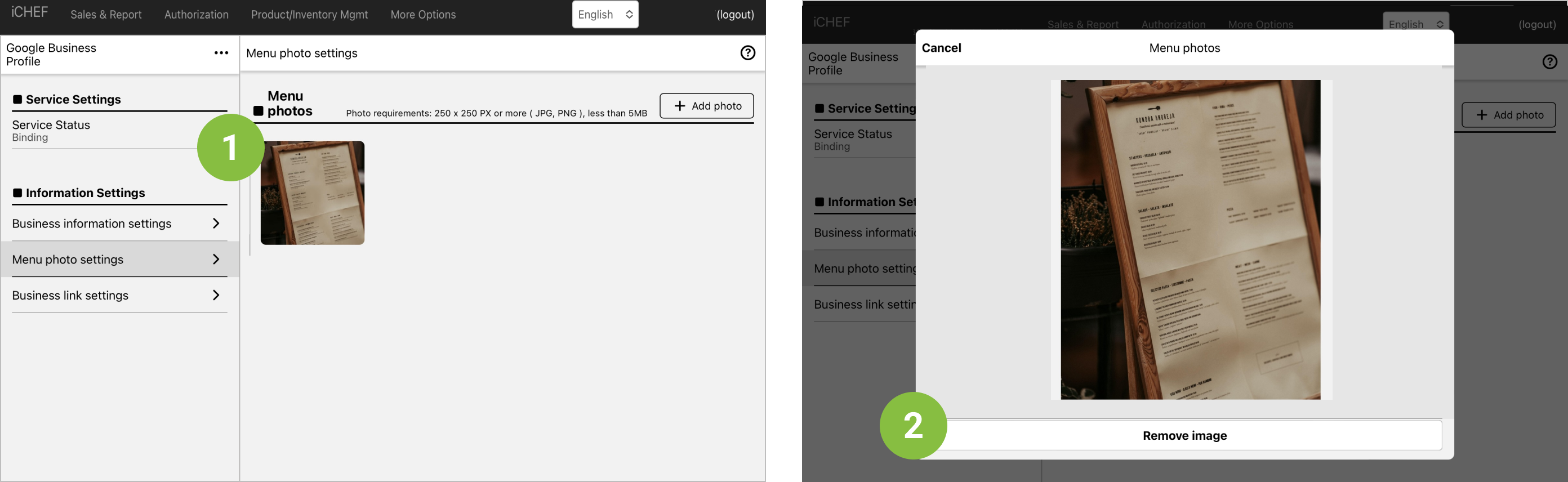
The menu images in the business profile will be displayed in the order of upload (the most recently uploaded will be at the front). If you want to adjust the order, you can remove the images and re-upload them.
Enhance Customer Experience
Customers usually choose a restaurant based on the business information and menu photos. If you are using iCHEF Online Store, you can include the link in your business profile for customers to place orders or view menus more conveniently.