
Have you completed the backend activation settings? Simply log into your in-store iCHEF POS App after [Update Menu], and you can start using the reservation feature to replace your reservation book!
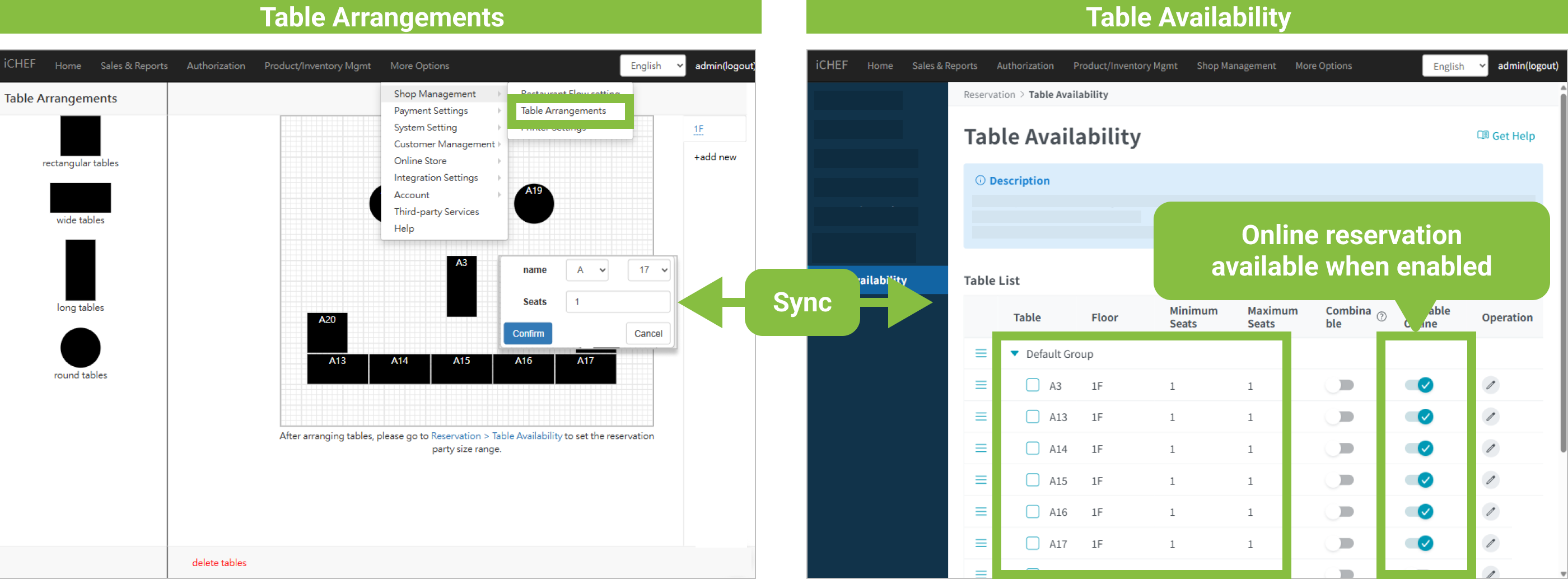
However, before applying the new settings, to ensure smoother reservation usage, please first confirm your [Table Availability].
Confirm Table Availability
➤ Backend Path: Online Store > Reservation > Table Availability
After enabling the feature, the system will automatically populate your dine-in tables and seating capacity as [Reservable Guest Count]. You can then adjust the number of guests yourself. Learn More
Once you have confirmed your [Table Availability], please log into your in-store iCHEF POS App after [Update Menu], and you will see the new [Reservation] page added to the right-side menu!
