
Display your store information on the reservation website for the customers to view. Just set up and save the store information in the backend, and the homepage, store information and reservation details of your website will be updated in real time.
➤ Backend Path: Online Store > Reservation > Store Information
There are two pages for setting up store information, as illustrated below.

1. Basic Settings
Build up the homepage of your reservation website here to make customers know and find your restaurant faster and easier.
- Store Information: It includes the store name, contact number and address for customers to view and reach your restaurant.
- Website Cover Images: It will be displayed on the homepage of your reservation website. You can upload 1 to 4 cover images to the homepage carousel.
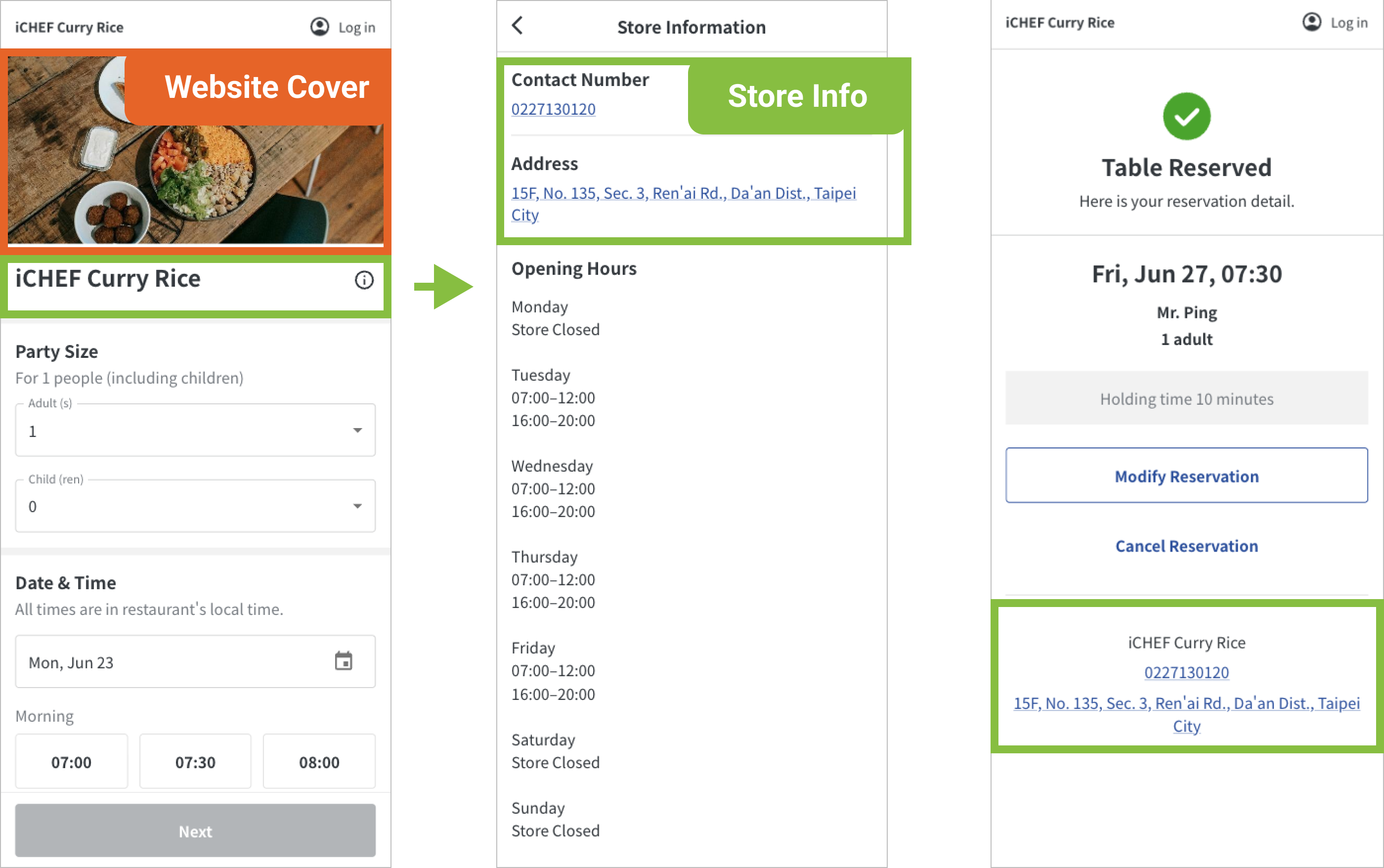
In addition, you can configure the settings in the page of [Announcements] to provide your customers with more information on the homepage and confirmation page.
2. Opening Hours
You can set up regular opening hours, which will be displayed on your reservation website.
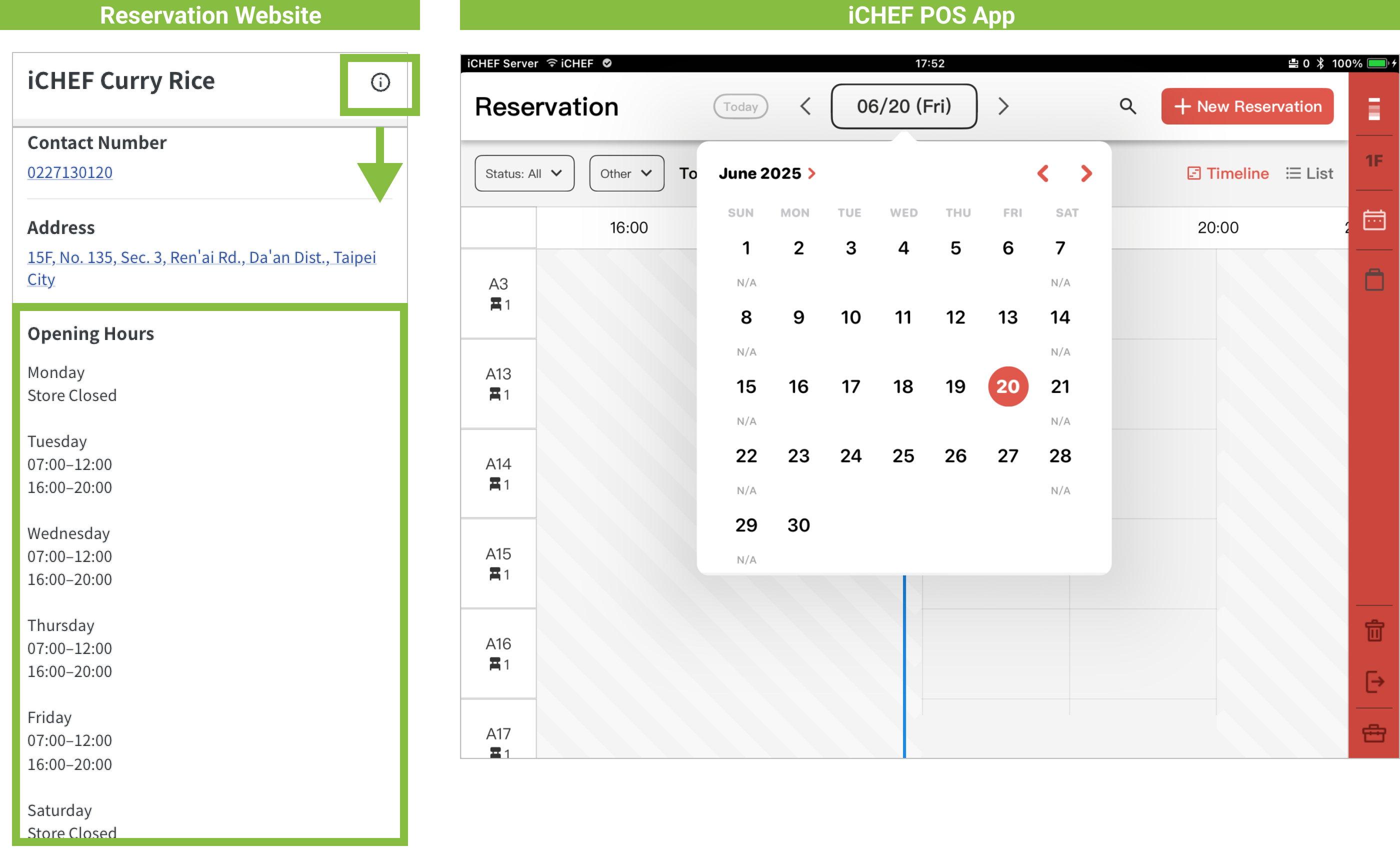
If you intend to allow the system to open or block certain time slots for reservation automatically, please make sure to configure the settings of [Reservation Hours] in [Reservation Rules].