
iCHEF POS can be integrated with the Global Payments Smart Terminal for checkout. However, disconnection may occur due to problems with the environment or devices, making the card reader unable to transmit the transaction result to iCHEF POS.
When the window below appears during the checkout, please make sure to manually confirm the transaction through the card reader, and then confirm it on iCHEF POS App and complete the checkout.
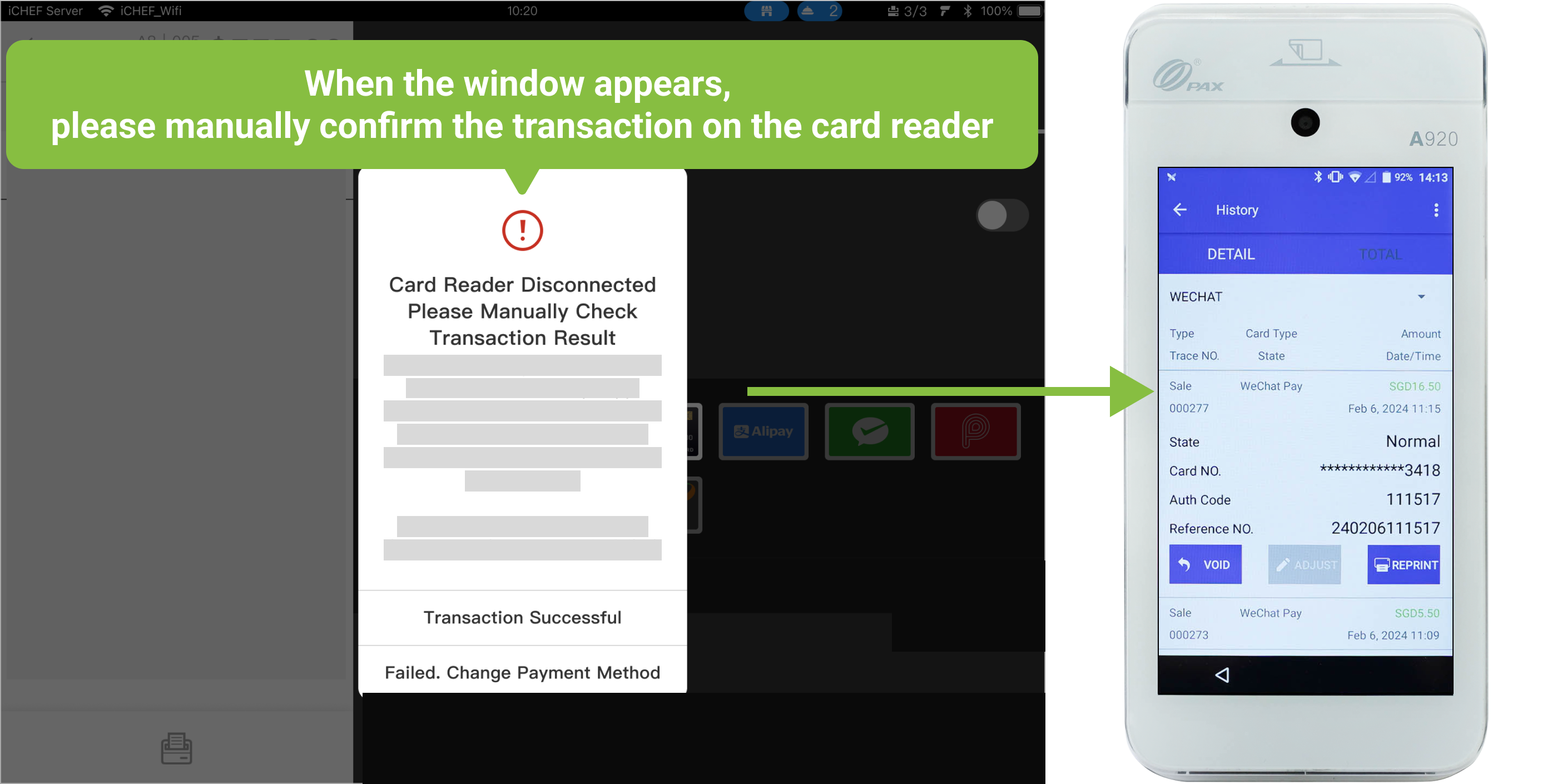
1. Check the transaction through the card reader for Global Payments
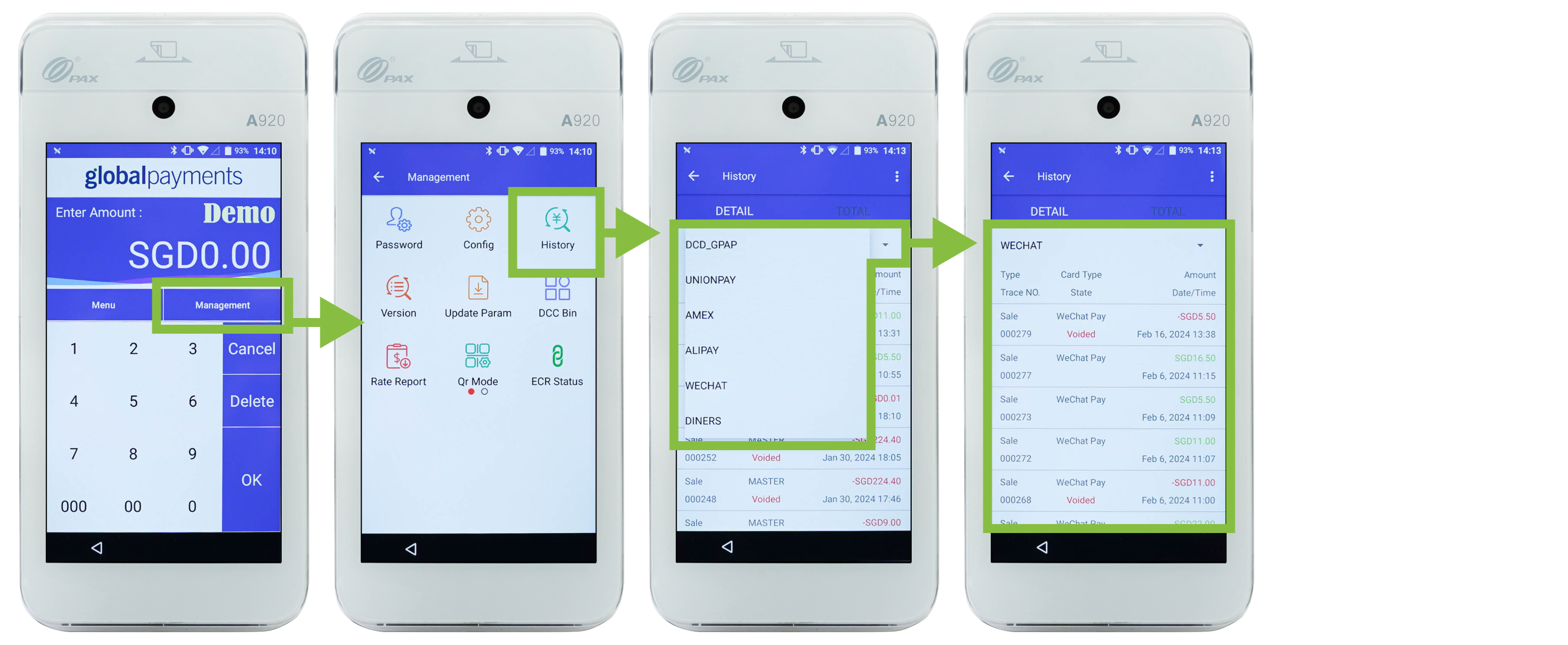
Operate on Global Payments terminal:
- Go to [Management] > [History].
- Filter by payment methods
- Check if the transaction is on the list. If the transaction is not found, it means that the payment is failed.
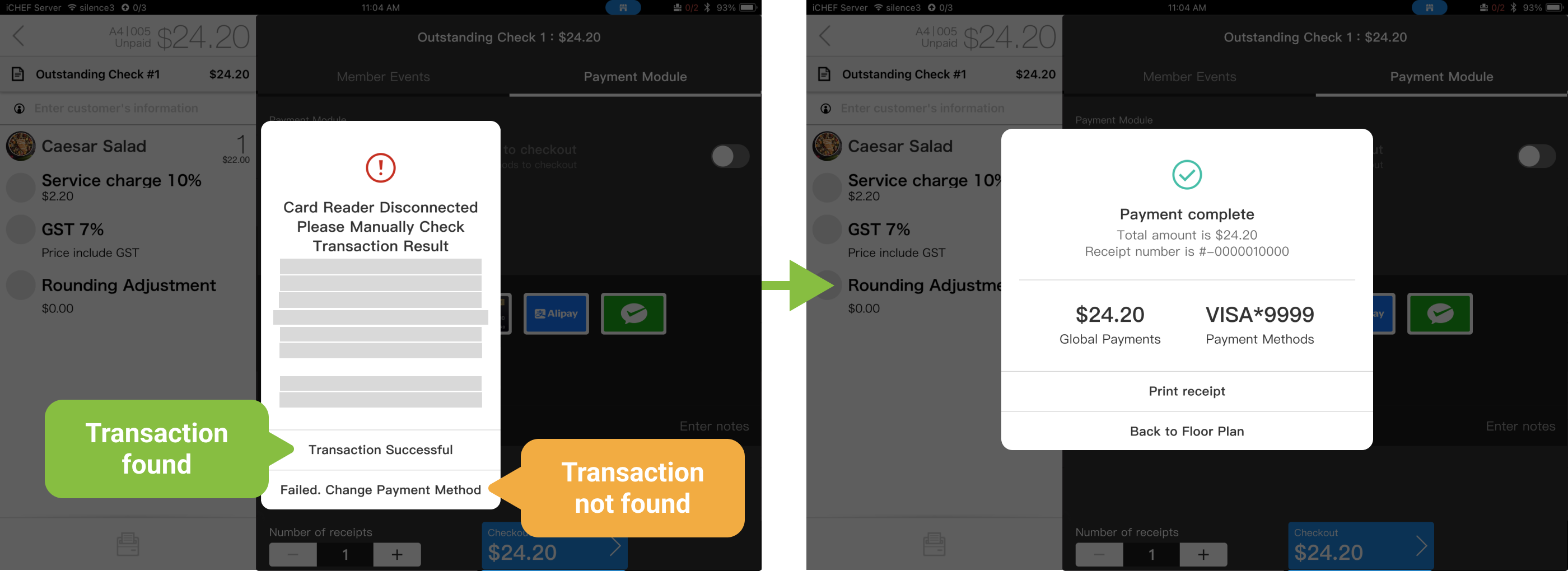
2. Manually confirm the transaction on iCHEF POS App
In the window for manual confirmation on iCHEF POS App, please operate according to the transaction status shown on Global Payments Smart Terminal.
- The transaction is found: Please select [Confirm Transaction] on iCHEF POS App to complete checkout.
- The transaction is not found: Please select [Transaction not found. Select another payment method.] on iCHEF POS App to go back to the checkout page.
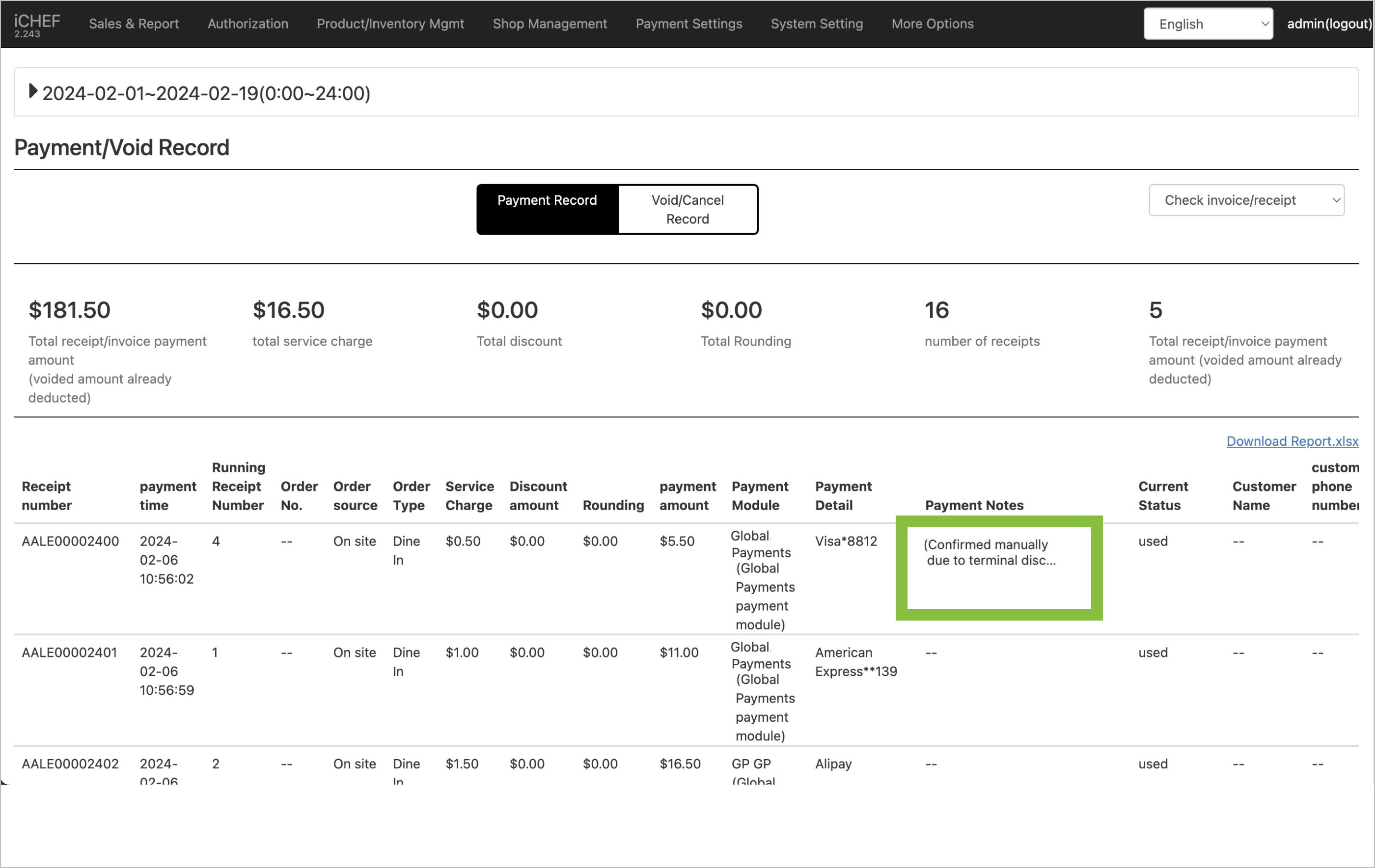
As iCHEF POS is unable to access the payment information of manually confirmed transaction, the void record in the backend will note it as [Card reader disconnected. Transaction manually confirmed].
To refund the manually confirmed transaction, you need to operate on Global Payments Smart Terminal as below:
- Go to [Management] > [History].
- Filter by payment methods
- Select the transaction on the list.
- Click [Void] and enter the password.
If the transaction is not found, please contact the customer service of Global Payments. (See the back of card reader for contact info.)

Manual refund / voiding may cause inconsistency between the payment records in iCHEF backend and that on Global Payment. Please refer to the instructions for manual refund / voiding