
Ordering with the iCHEF Online Store can be all digital and paperless! Learn how to get an e-receipt with simple clicks on your mobile.
How to Get An E-Receipt
As long as you select an online payment, you can find your e-receipt on the order status page.

Two key factors determine how e-receipts are handled:
- Online Payment: When you pay for your purchase online, an e-receipt will be created.
- Email Input: Providing your email during checkout determines whether your receipt is sent electronically or printed on-site.
3 Ways to View E-Receipts
Once the e-receipt is successfully generated, you can access them via 3 methods:
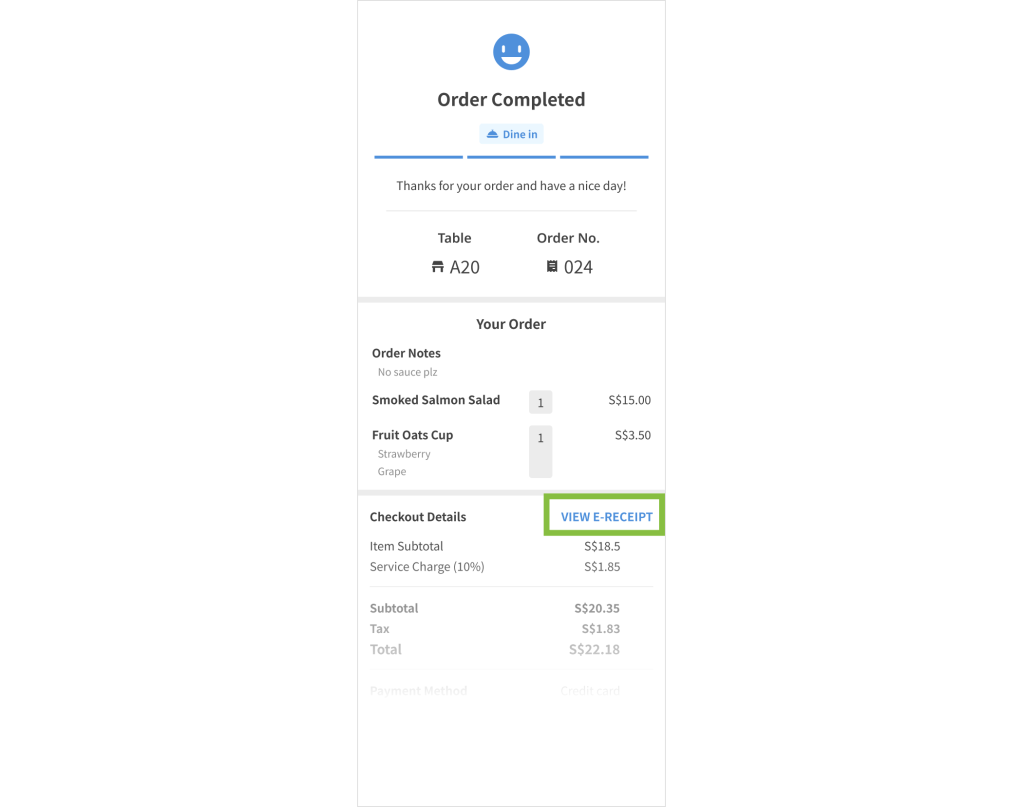
Right after you place the order, stay on the same page and access the “VIEW E-RECEIPT” button.
If you’ve paid online and provided your email address during checkout, you’ll receive the e-receipt once it is successfully generated.

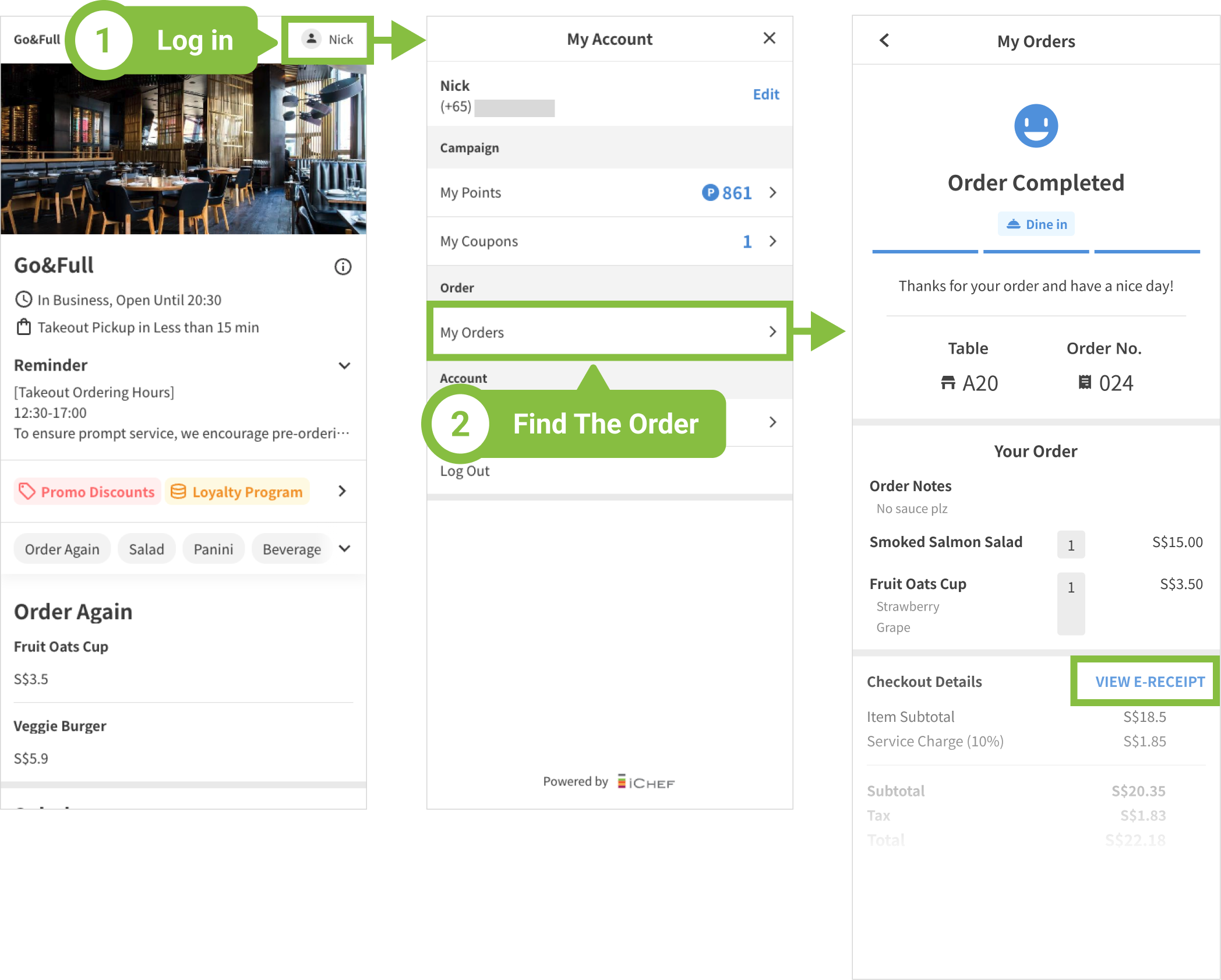
For logged-in members who successfully paid online, access receipts under “My Orders > Checkout Details”.
FAQ
You might see this popup message under 2 scenarios:
- Receipt Generation in Progress
Delay may occur if data upload is incomplete. Simply wait and check back later! - Transaction Incomplete
If the store has not accepted your order, or the order has been cancelled, there will be no e-receipt generated.
The e-receipt will be sent to you when
✅ The email address is provided during checkout.
✅ The e-receipt is successfully generated.
Please wait patiently if your email address is provided. You can also ask for a resend or a paper copy from the store.
If the store is GST-registered, you’ll get a tax invoice; otherwise, it’s a receipt.