
Starting April 28, 2025, update iCHEF POS to the latest version for an upgraded close out experience.
The Shift Closing and Daily Closing processes not only automatically summarizes your sales data and generates reports—with real-time breakdowns of revenue across different payment methods.
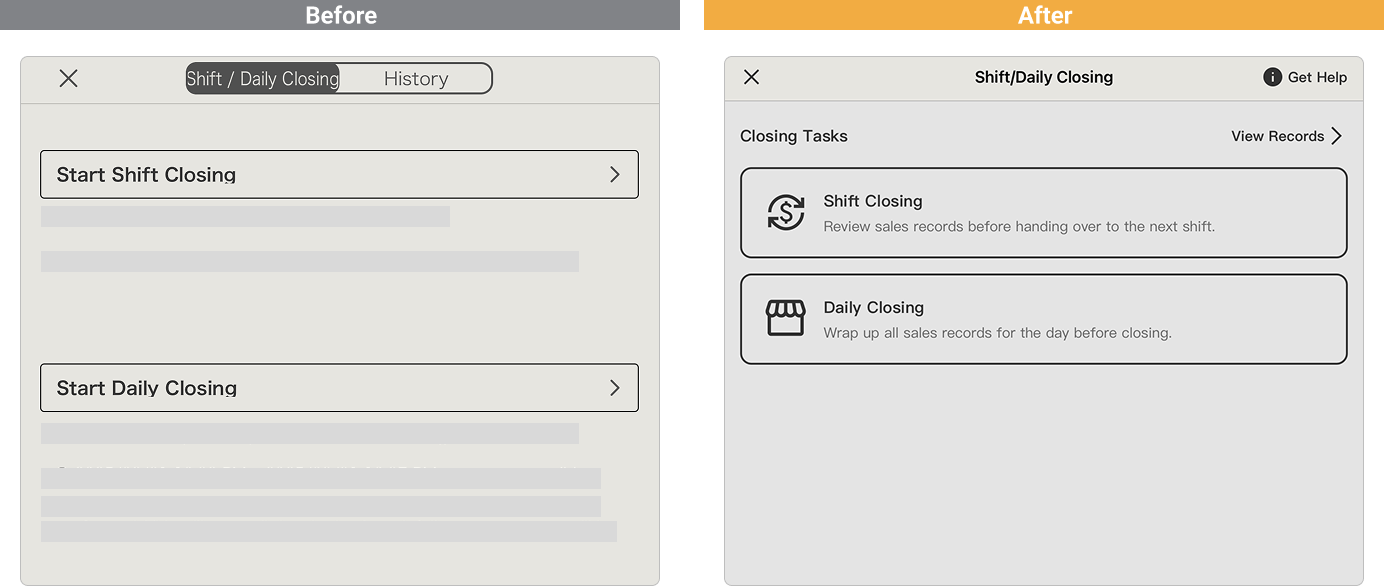
Based on real restaurant feedback, we’ve made 3 major improvements + 1 key update.
3 Key Improvements
➊ Smoother Cash Counting Flow
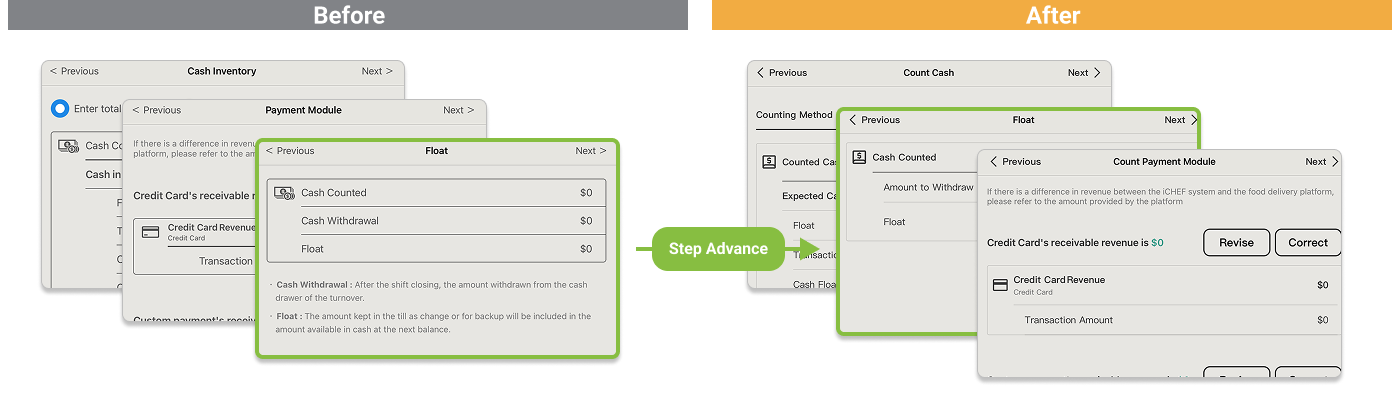
After entering the Counted Cash amount, you can now immediately enter the Cash Float for the next day. This streamlined process helps you close the cash drawer efficiently while keeping your cash safe.
➋ Clearer Shift Summary Info
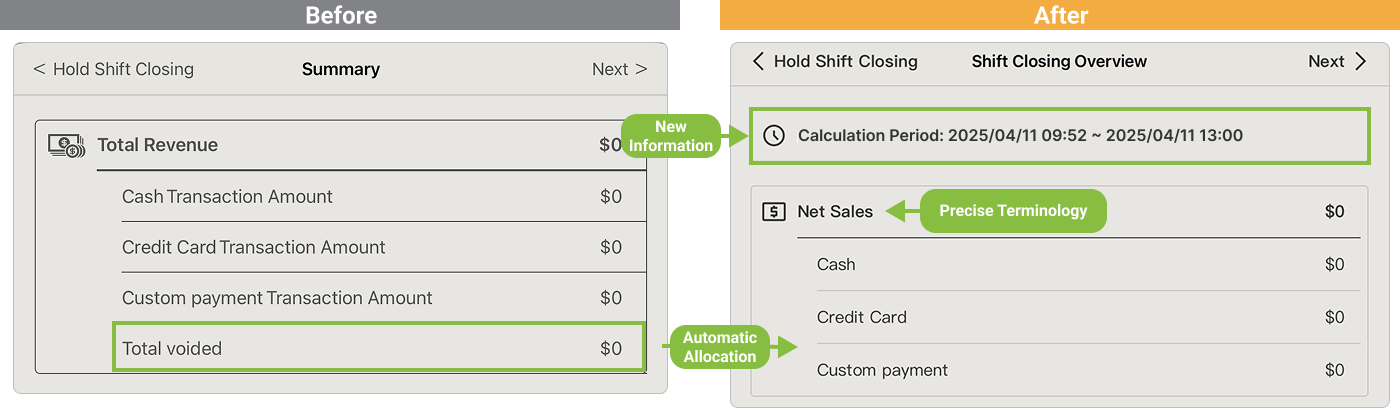
The summary now shows the Time Range of the closing session, so you always know which sales are included. Also, any voided transactions will now be deducted from the correct payment method and reflected in your Net Sales (previously shown as “Total Revenue”).
➌ Input Fields & Discrepancy Highlighting

Input fields are redesigned for better clarity—it’s easier to see what needs to be filled out. If there’s a difference between Expected Sales and Counted Amount, the system highlights it: shortfalls appear in red ; overages appear in green. You’ll spot any discrepancies at a glance.
Pro Tip
After closing for the day, you can review closing records not only in the POS and backend—but also have them automatically emailed to staff.Learn More
The Ordering iPad Stay Active During Shift Closing
Previously, when the main/cashier iPad started the Shift Closing process, all other iPads were temporarily locked.
With this update, sub-iPads (Ordering iPad) can continue operating normally (e.g., taking orders, checking out customers). Any transactions during this period will be included in the next closing session.
