
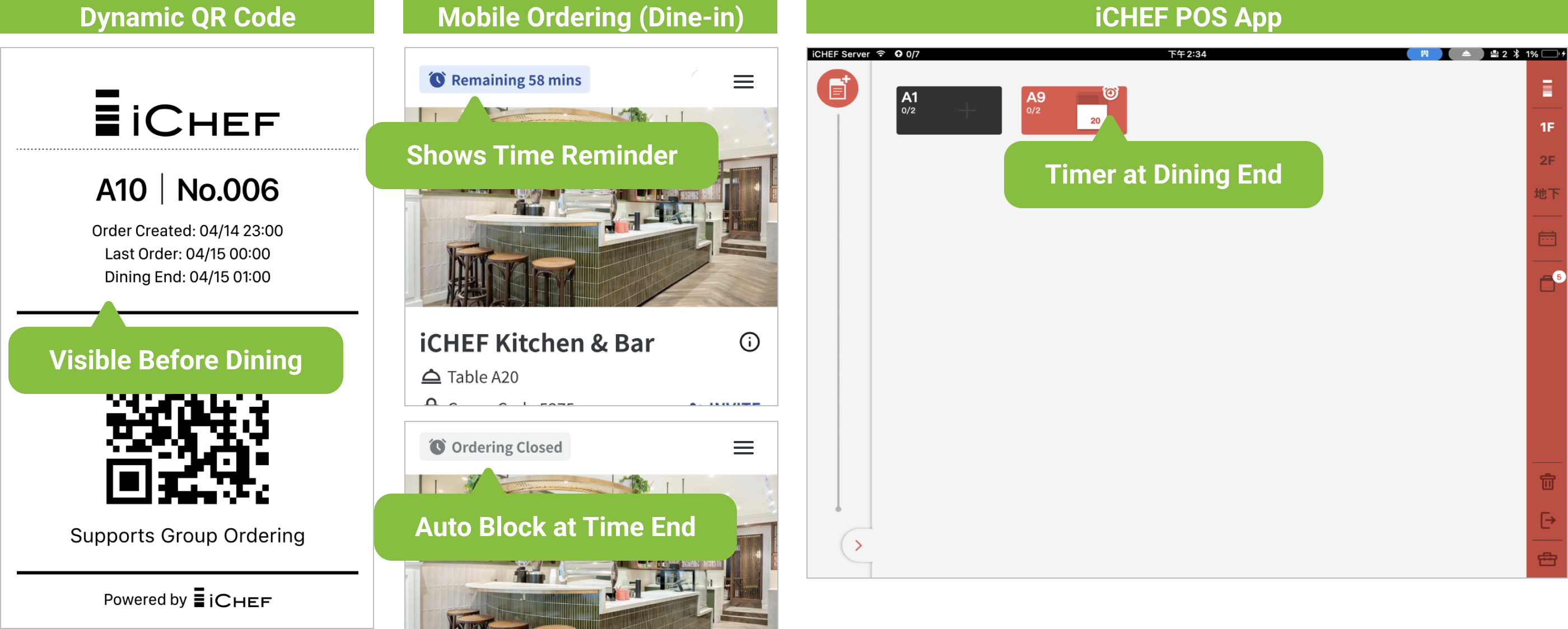
Set dining and ordering time rules for Mobile Ordering (Dine-in). Time reminders appear on the Dynamic QR Code and ordering page, and the system automatically blocks late orders. When dining time ends, a timer icon shows on the POS table—making table management easier and turnover more efficient.
Enable Feature
Set time rules in the iCHEF backend. The feature switch can be toggled from both the backend and POS.
| Location | Set Time Rules | Feature Status Switch |
|---|---|---|
| Backend | ✅ | ✅ |
| POS | ✅ |
Set Time Rules
➤ Backend: Online Store > Mobile Ordering (Dine-in) > Dining & Ordering Time Limit
Set the Dining Time Limit and Last Order times. The system will calculate the timing based on the order source: walk-ins from order time, bookings from reservation time. You can also set different rules for holidays.

| Setting Item | Indication | Displayed on |
|---|---|---|
| Dining Time Limit | Calculates the dining end time from the order time. | Dynamic QR Code, ordering page, POS table with timer |
| Last Order | Back-calculated from the dining end time. | Dynamic QR Code, ordering page |
Default: 120 mins dining time, 0 mins for last order.
– Set 0 mins for unlimited time.
– “Booked guests” refers to reservations made through iCHEF Booking and using Mobile Ordering (Dine-in) after arrival.
Scenario: No time limit on weekdays; 120-minute limit on holidays with last order 30 minutes before dining end time.
Order created at 12:00 — results vary based on weekday vs. holiday rule.

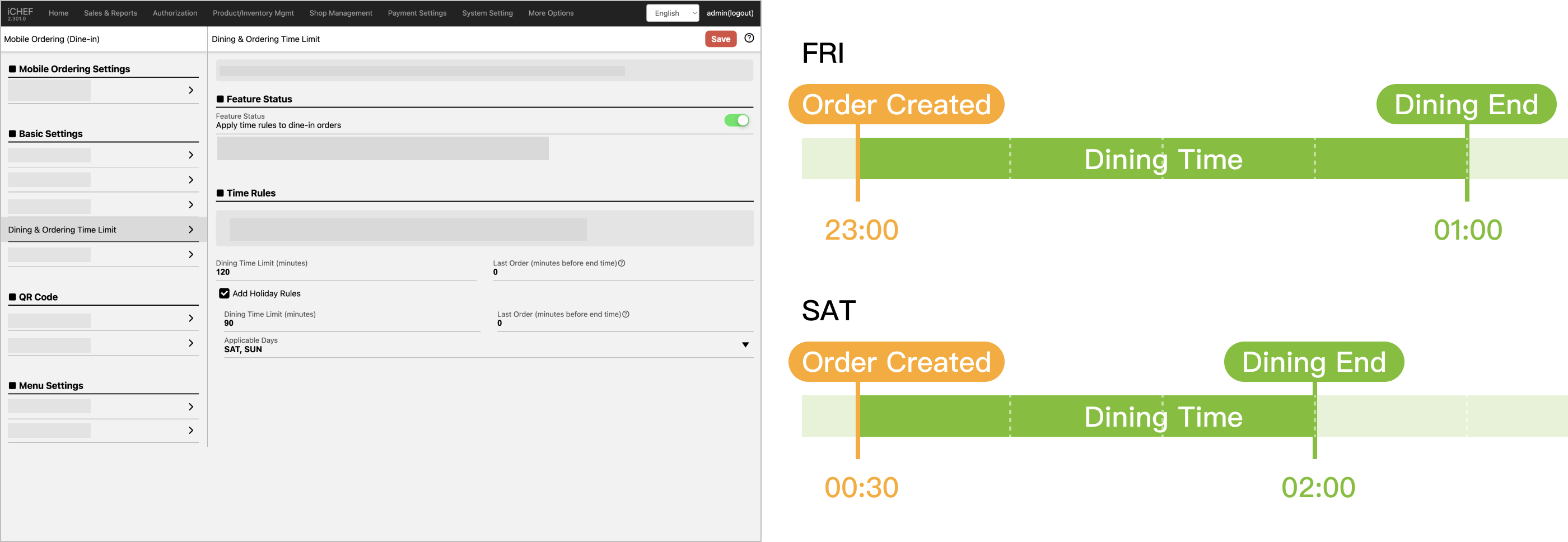
Scenario: Operating from 17:00–02:00. 120 mins on weekdays, 90 mins on holidays.
Example: Friday night into Saturday (holiday) — different limits apply.
Feature Status Switch
You can turn this feature on or off from the backend or POS. The setting syncs instantly after saving.
➤ Backend: Online Store > Mobile Ordering (Dine-in) > Dining & Ordering Time Limit
➤ POS: Toolbox > Mobile Ordering Management > Online Store – Mobile Ordering (Dine-in) > Dining & Ordering Time Limit
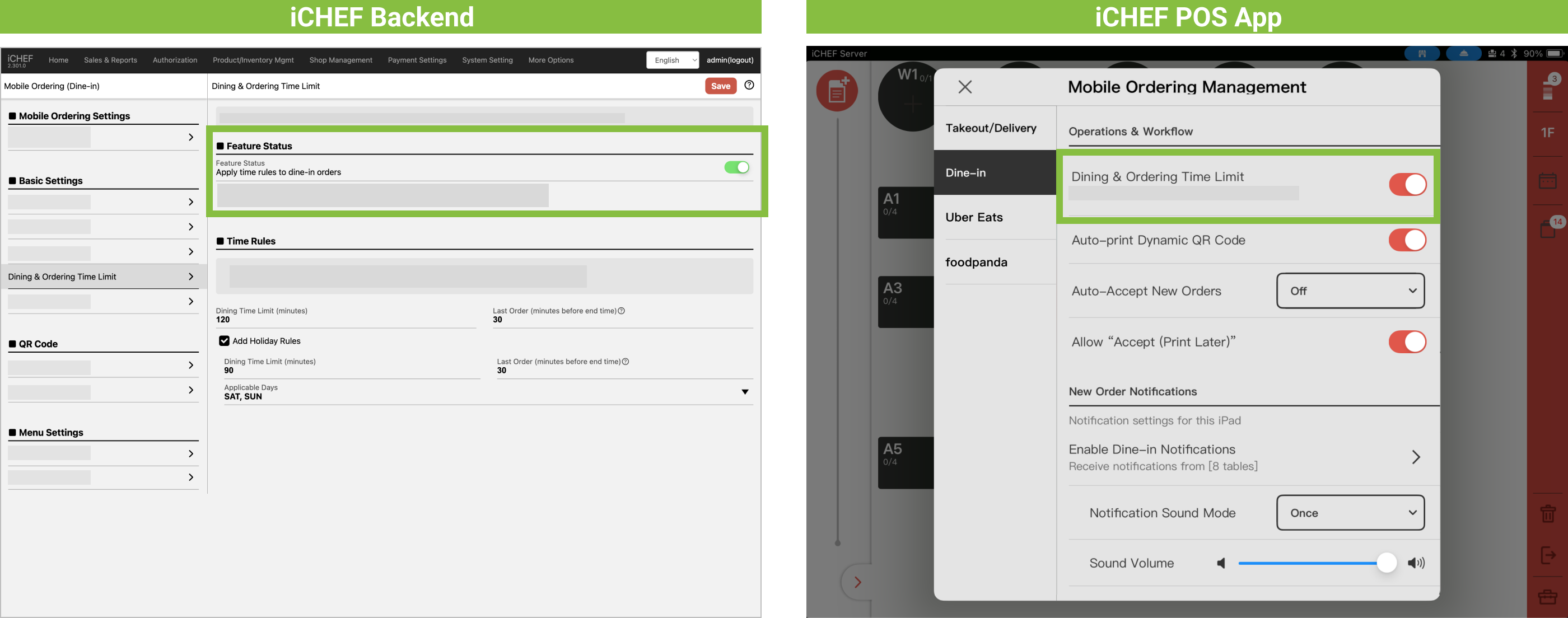
– When enabled, Dining Time Limit will override the alarm for total time setting。
– The POS switch shows today’s active rule below it.
– This is a manual switch. If turned off, it must be manually re-enabled the next day.
Time Display Reminders
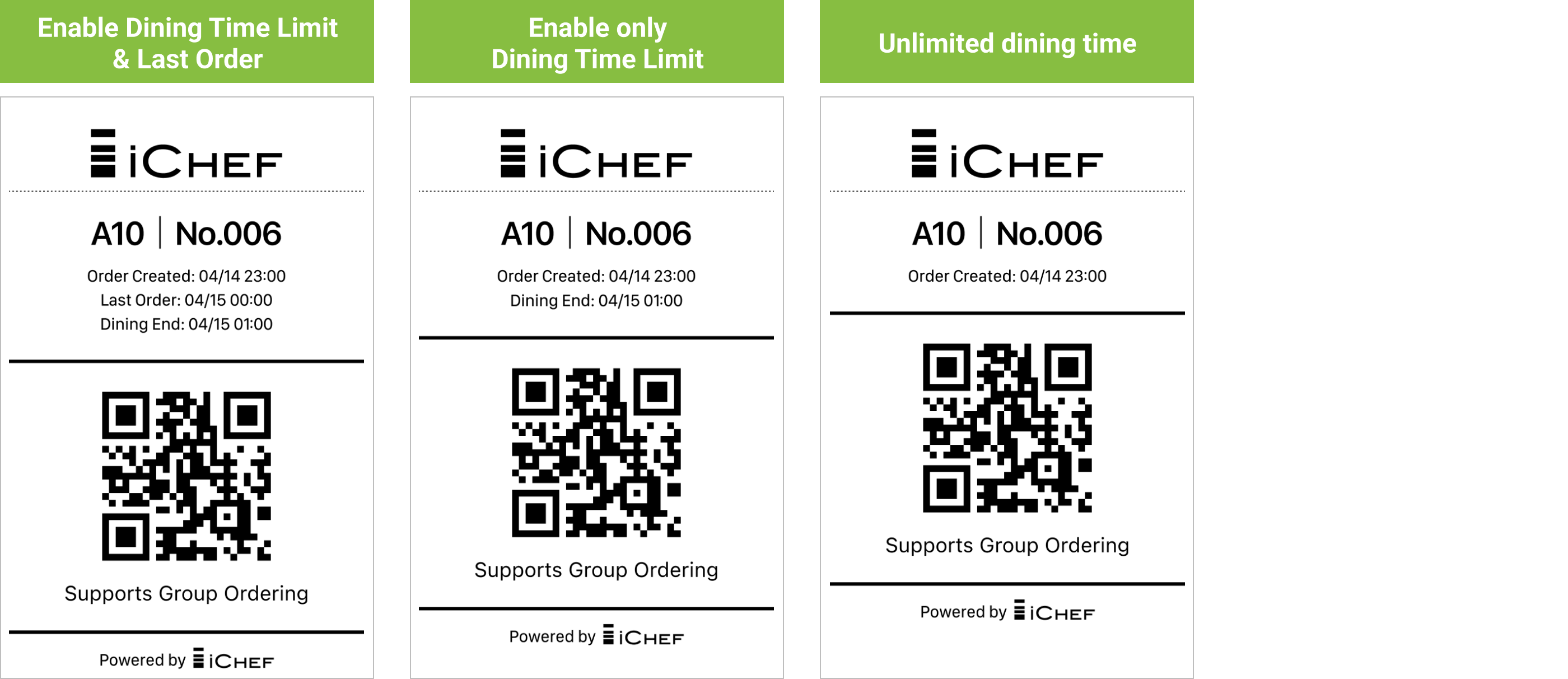
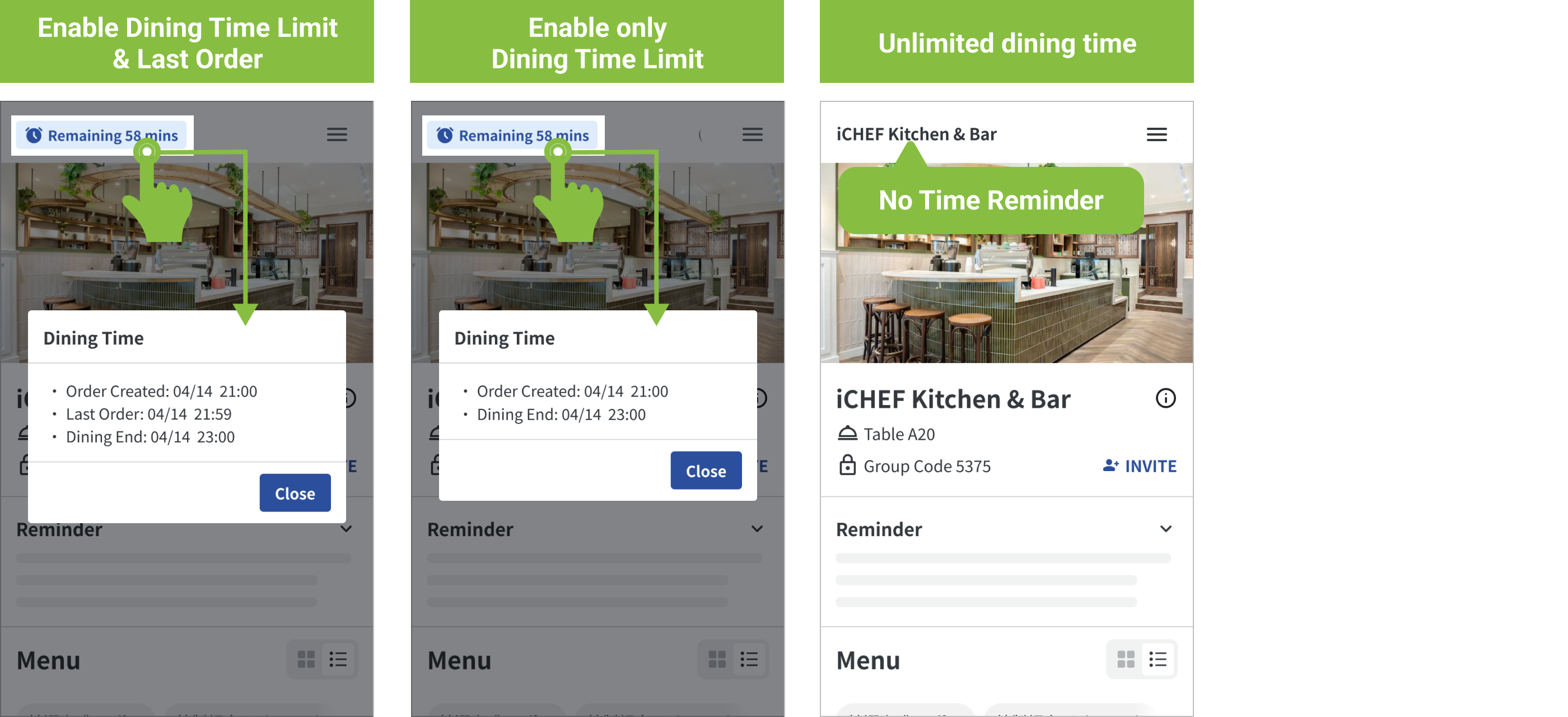
Time reminders will appear on the Dynamic QR Code, ordering page, and POS table based on your settings. Display varies as follows:
| Display Info / Rule Applied | ✅ Dining Time Limit ✅ Last Order | ✅ Dining Time Limit ❌ Last Order | ❌ Dining Time Limit ❌ Last Order |
|---|---|---|---|
| Order Created | ✓ | ✓ | ✓ |
| Last Order | ✓ | ||
| Dining End | ✓ | ✓ |
Dynamic QR Code
Shows rules before customers start dining.
Mobile Ordering (Dine-in) page
Live countdown during dining; blocks online ordering when time ends.
POS Table
Displays a timer icon when dining time ends.
