This article explains the Sales ledger in the multi-cashier feature. Before reading, please ensure that your in-store iCHEF POS meets the requirements.Learn More
Stores can assign Ordering iPads to specific Sales ledgers to record checkout info, making Shift Closings easier and enabling quick access to sales reports in the backend.
What is a Sales ledger?
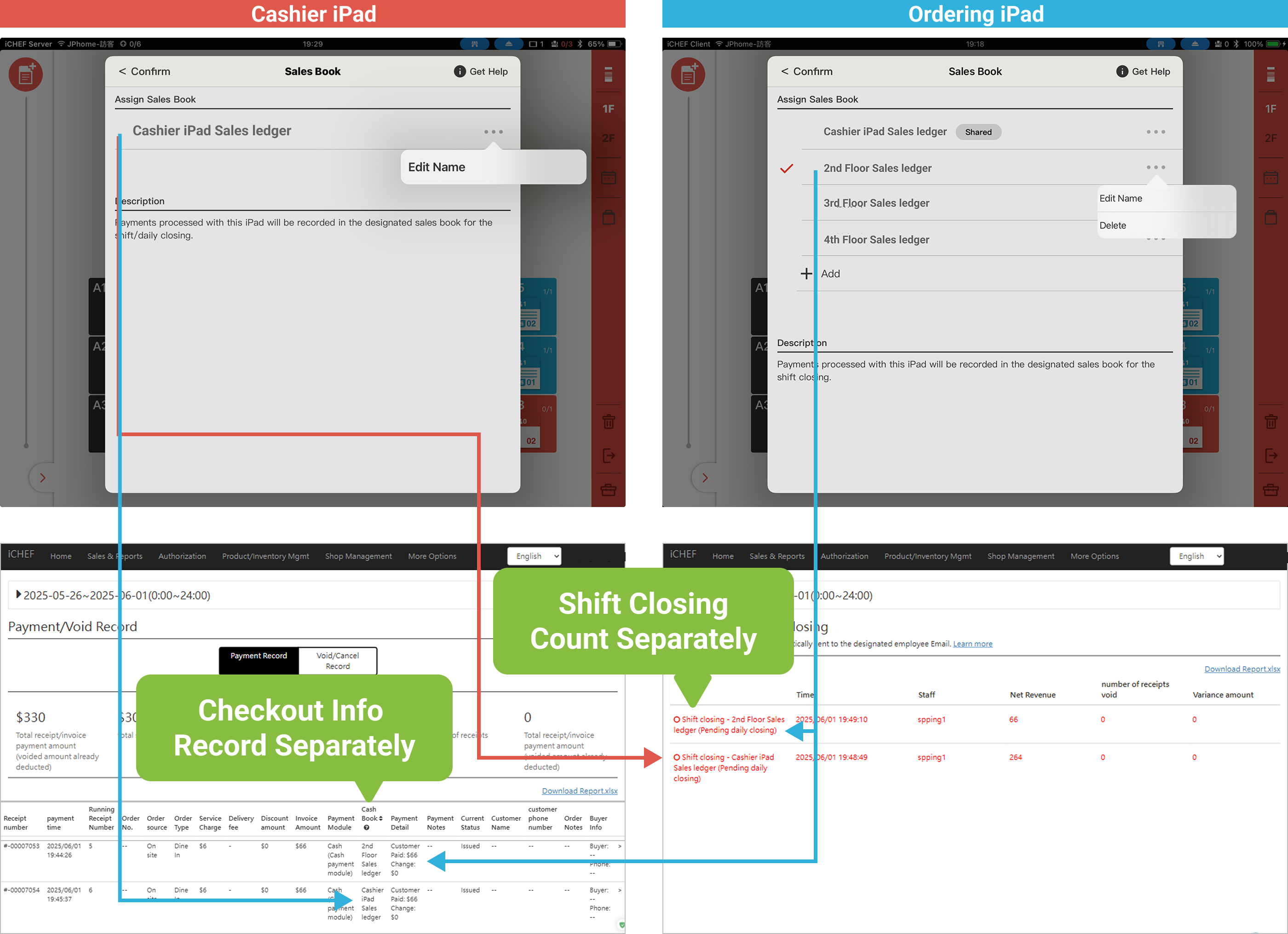
When stores use different iPads for checkout, the checkout info is recorded in the assigned Sales ledger.
Each Store ID can have up to 6 Sales ledgers. The “Cashier iPad” ledger is the default and fixed for the Cashier iPad; other ledgers can be added by the store according to the number of separate checkout counters.
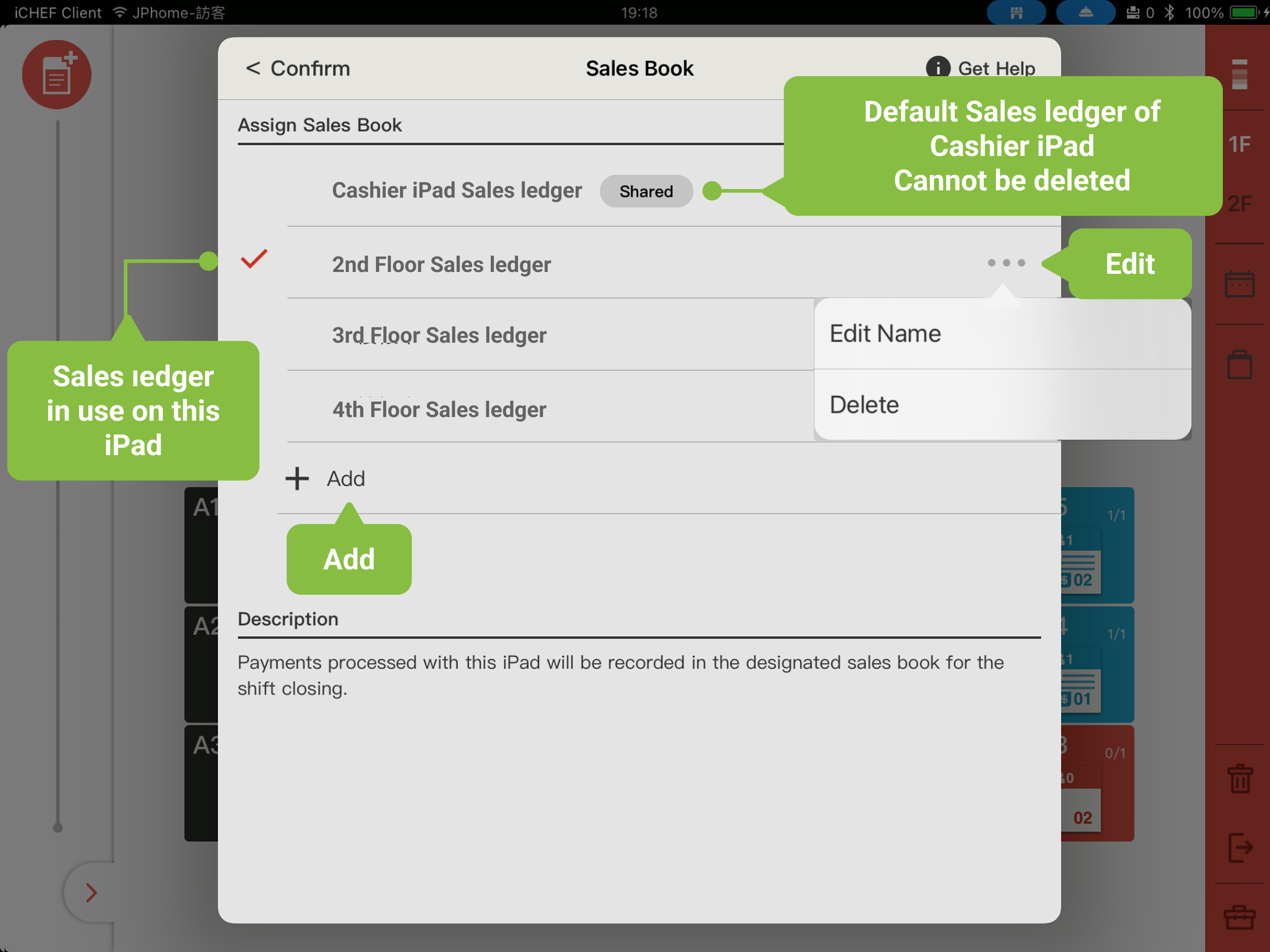
Sales ledger Settings
➤ iCHEF POS App Location: Toolbox > Shift Closing / Daily Closing > Sales ledger
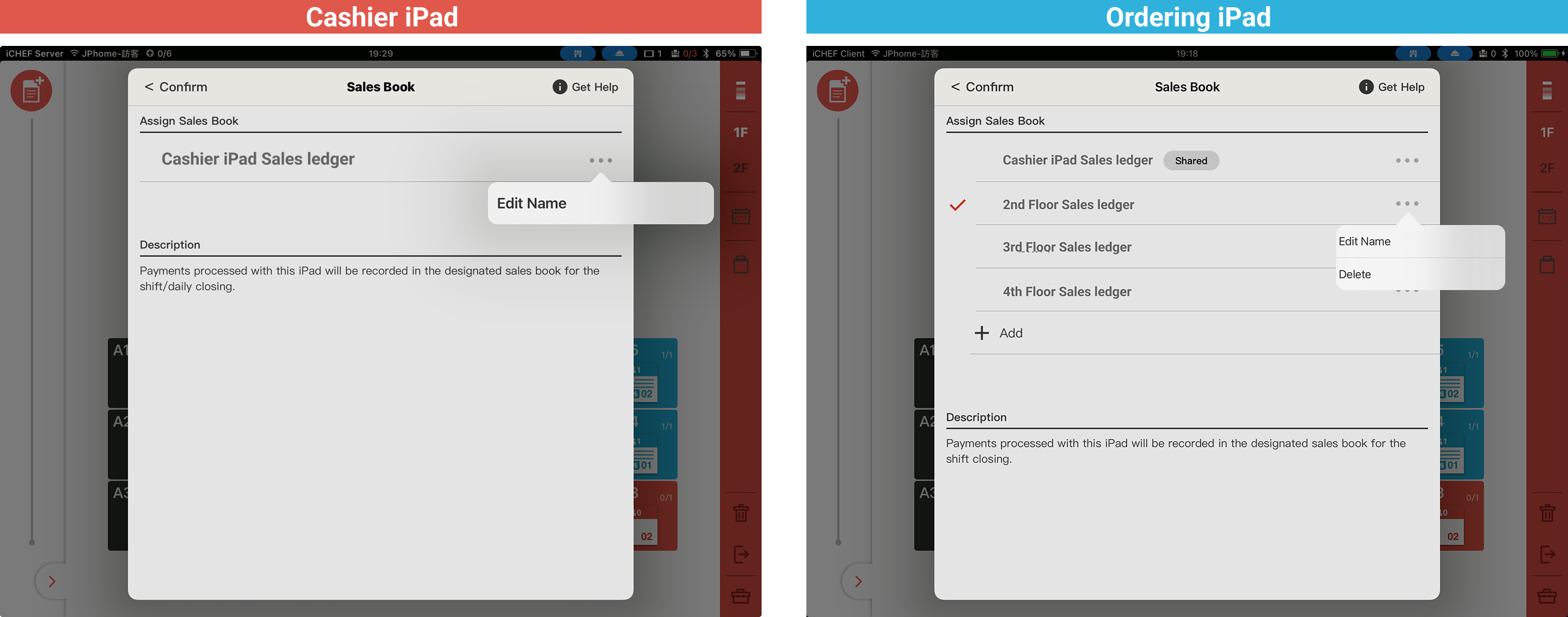
Sales ledgers can be added, edited, and deleted within the iCHEF POS App. Available actions vary depending on the iPad login mode (Cashier iPad / Ordering iPad).
| Managing Options | Cashier iPad | Ordering iPad |
|---|---|---|
| Add | — | ✅ |
| Edit (Change Sales ledger Name) | ✅ (Can only change the default Cashier iPad Sales ledger name) | ✅ |
| Delete | — | ✅ (The default Cashier iPad Sales ledger cannot be deleted) |
| Assign | — (Can only assign the default Cashier iPad Sales ledger) | ✅ (Default assignment shared on Cashier iPad Sales ledger) |
| Browse | Cannot view Sales ledgers created by Ordering iPads | Show all Sales ledgers |
By default, only Admins can add, edit, or delete Sales ledgers. To grant access to other staff, please adjust the “Sales ledger Management” permission in the backend.
Shift Closing of Sales ledger
When different iPads are assigned different Sales ledgers, checkout information is recorded separately in each ledger. Therefore, Shift Closing must be done separately. For the full Shift Closing process, please refer to “[Accounting Management] Shift Closing.”
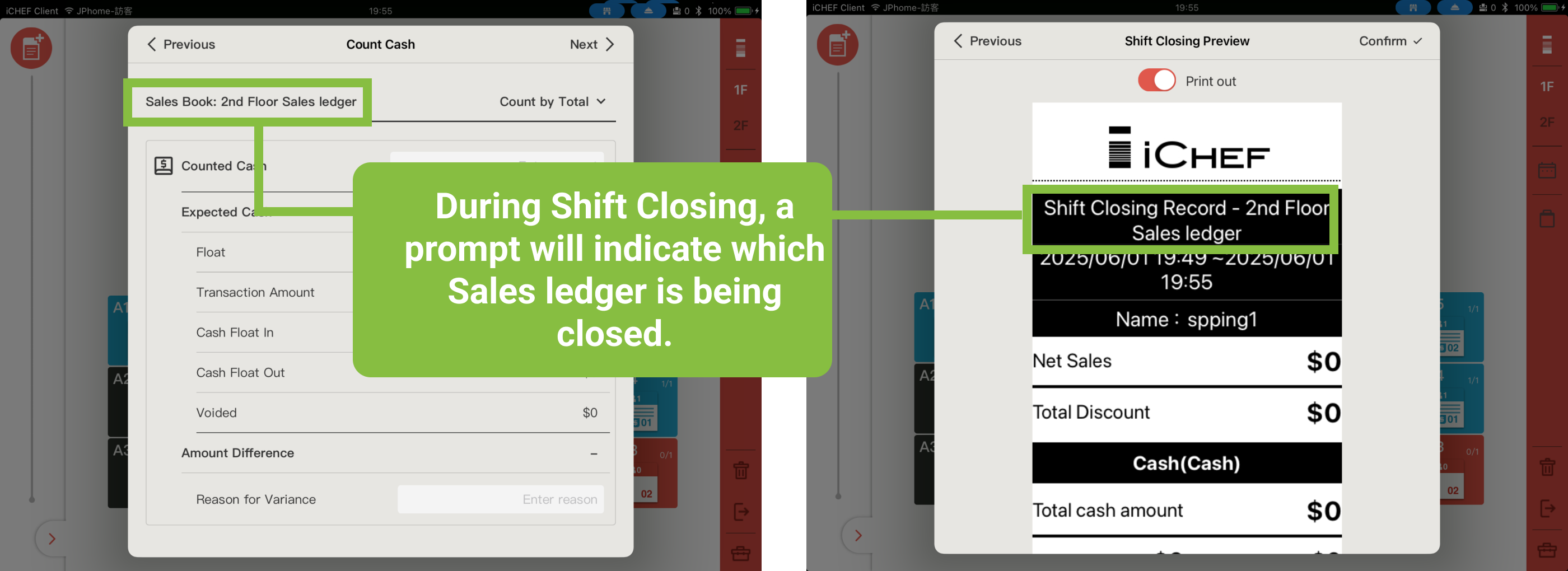
Additionally, when there are multiple independent checkout counters, text prompts will be provided during the Shift Closing process to clearly indicate the current Sales ledger being counted.
- When customers pay online by themselves, regardless of which iPad takes the order, the checkout information is always recorded in the Cashier iPad’s Sales ledger.
- (For Taiwan only) When customers pay onsite using LINE Pay, JKoPay, or AllPay, mobile payment providers cannot identify iCHEF Sales ledgers. It is recommended to total all mobile payment sales from all ledgers during Shift Closing, then reconcile with the providers’ backend reports.
Checkout Information Lookup in Sales Ledger Backend
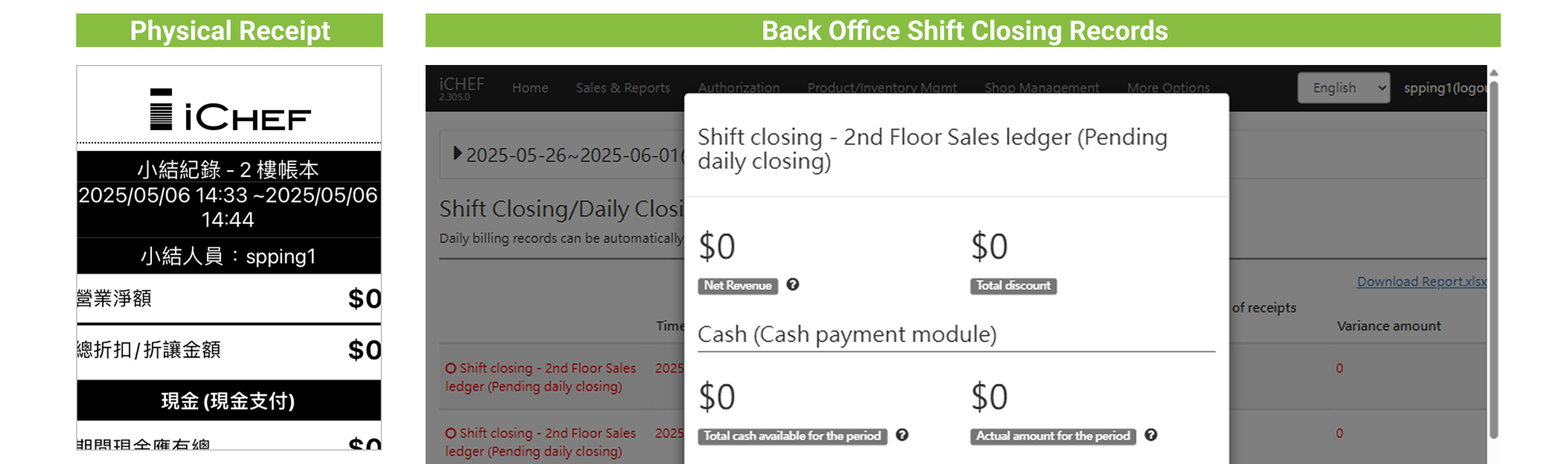
The ledger name will be printed on Shift Closing receipts, and you can also view the same information in the Shift Closing/Daily Closing records in the backend sales reports.
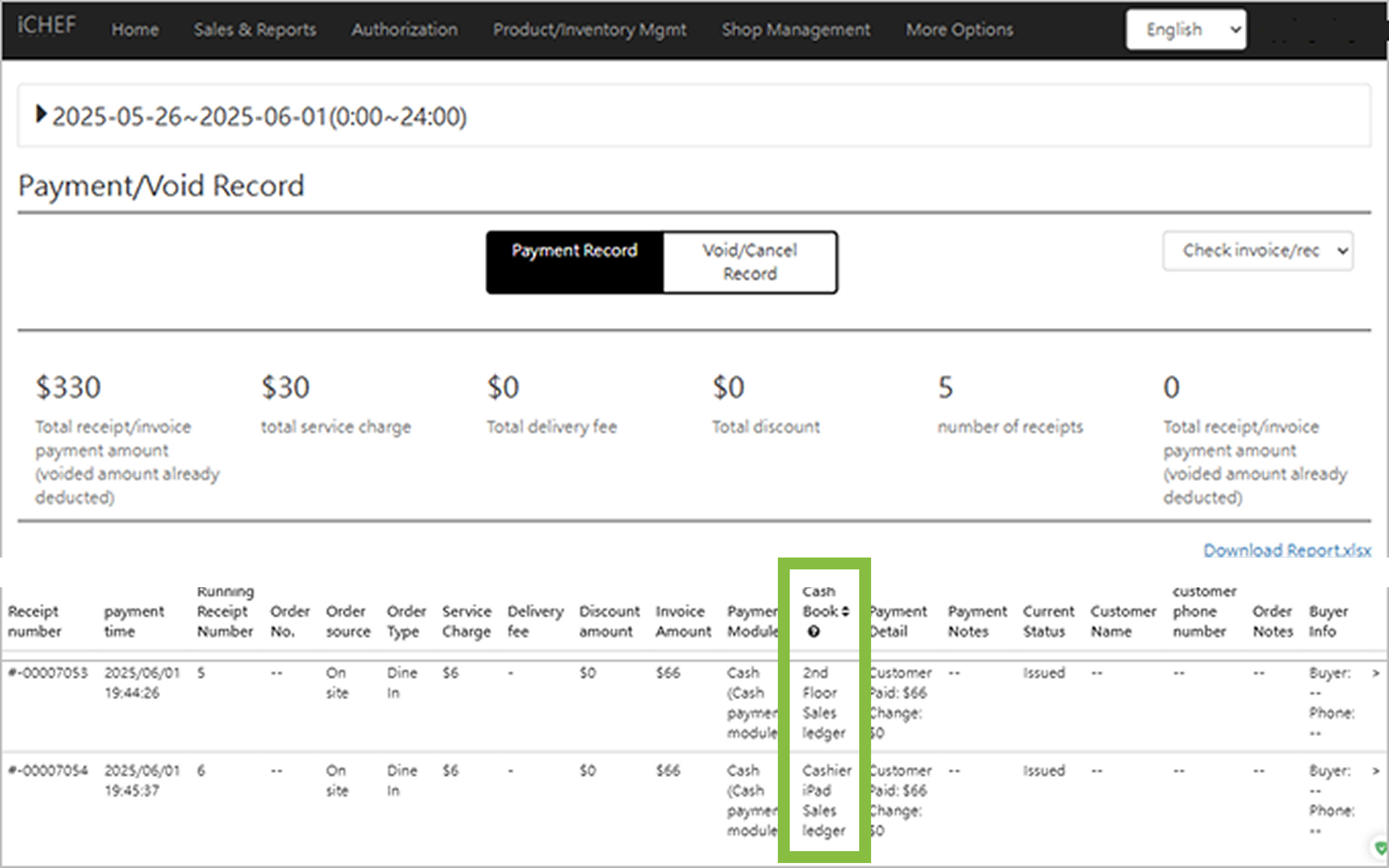
Of course! If you want to check detailed checkout information for each transaction and which Sales ledger it’s recorded in, you can find the ledger info in the Checkout – Voided Records section of the sales reports.