
Using online ordering? Worried that customers have trouble choosing and don’t complete their orders? Or that you can’t properly introduce popular items?
iCHEF Online menu has a built-in [Auto-Recommendation] feature, including Most Ordered and Popular Pairings. Based on sales data, the system will automatically and accurately recommend items on the menu page and in the shopping cart. This leads to faster orders and higher sales per customer!
If there are items you don’t want to promote, you can go to the backend to customize and exclude them, giving you the flexibility you need for your operations.
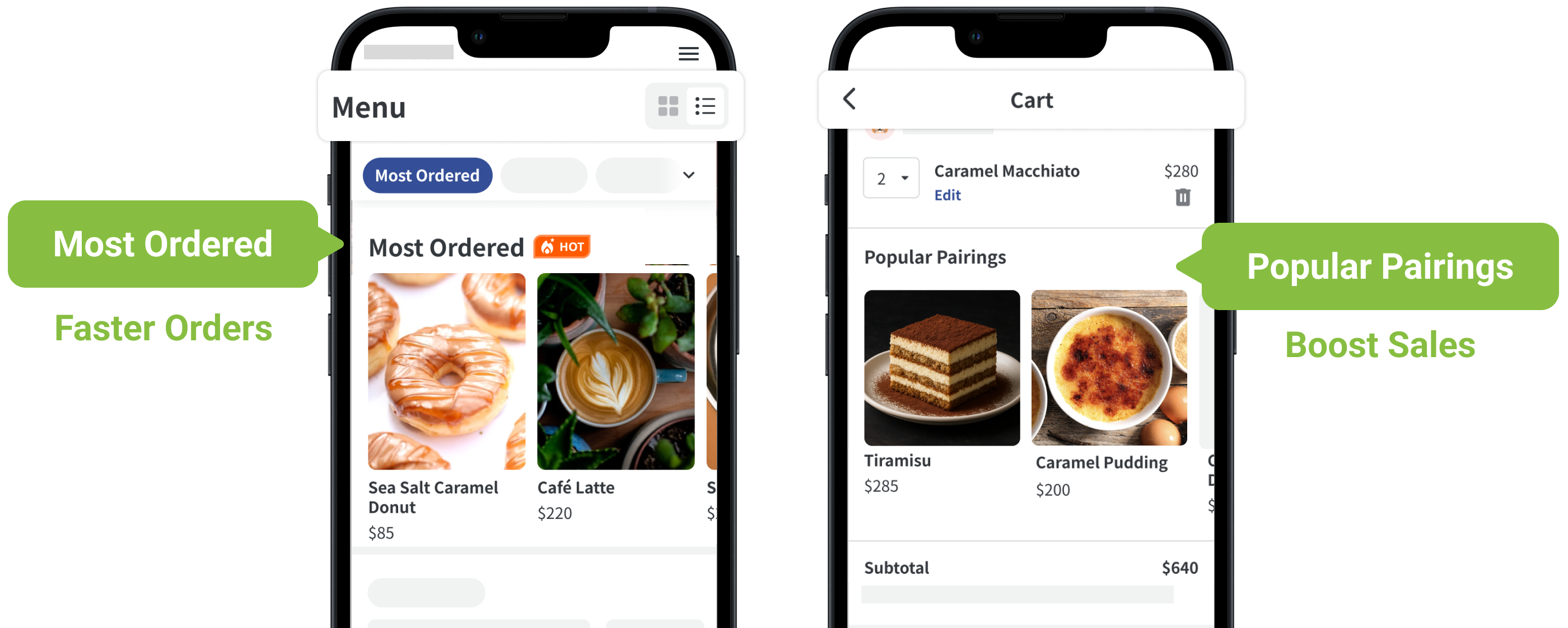
| Display Specifications | Most Ordered | Popular Pairings |
|---|---|---|
| Mechanism | Automatically recommends the Most Ordered items based on sales data. | Suggests Popular Pairings items below the cart based on current selections. |
| Location | Top of the menu page, as a new category. | Below the cart, as a new section. |
| Number of Items Displayed | 5~10 items (the section is hidden when there are fewer than 5 items) | 1~10 items (the section is hidden when there are 0 items) |
Auto recommendations by default
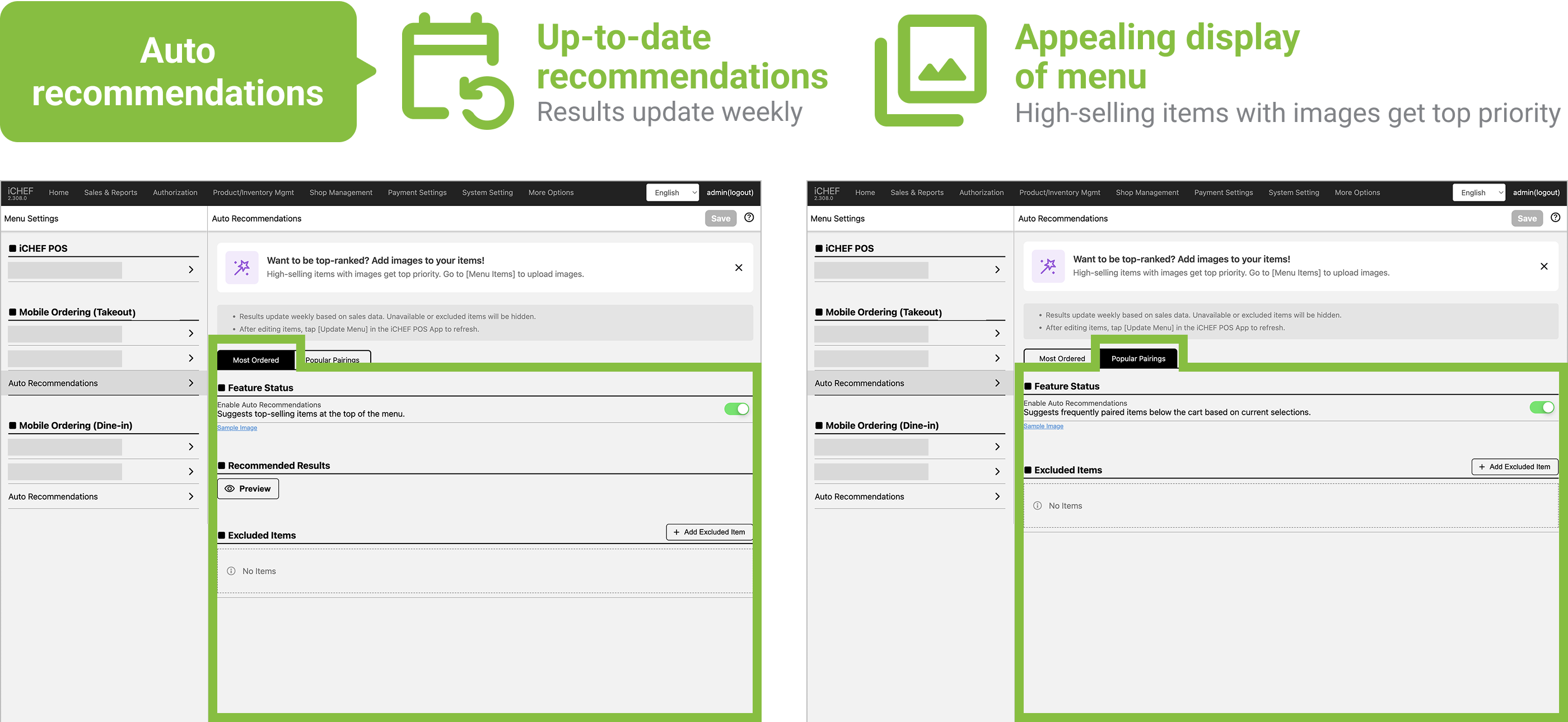
The feature is enabled by default. Restaurants just need to continue using online ordering to accept orders and accumulate sales data. The system will then automatically recommend items to customers. You can also adjust the feature’s on/off switch in the backend at any time.
➤ Backend:[Product/Inventory Management] > [Menu Settings] > Mobile Ordering (Takeout), Mobile Ordering (Dine-in) > Auto Recommendations
You can switch between different recommendation settings via the tabs. The differences in operational items are as follows:
| Operational Items | Most Ordered | Popular Pairings |
|---|---|---|
| ❶ On/Off Switch | ✅ | ✅ |
| ❷ Preview Recommendation Results | ✅ | ❌ (Because the recommendation results are based on the shopping cart content) |
| ❸ Customize Excluded Items | ✅ | ✅ |
✔︎ Stay Current with Trends
The system updates every week, pulling sales data from the last 45 days to ensure that it recommends the latest popular items and prevents seasonal items from taking up a spot.
The updates are based on:
- Number of orders: There must be at least 30 invoices/receipts issued on the platform.
- Limits: The restaurants based in Taiwan must purchase the Online Store – Mobile Ordering extension (Trial plan from NT$0) to enjoy this service.
In addition to items that truly sell well, the system also prioritizes recommending items with images! This helps you maintain your menu’s front. You can go to [Menu Items] at any time to upload images for items.
| Most Ordered | Popular Pairings | |
|---|---|---|
| Recommendation Sorting | ❶ High sales revenue ❷ High sales volume ❸ Has an item image | ❶ Has been ordered as a pairing before ❷ High pairing rate |
Retain Customization Flexibility
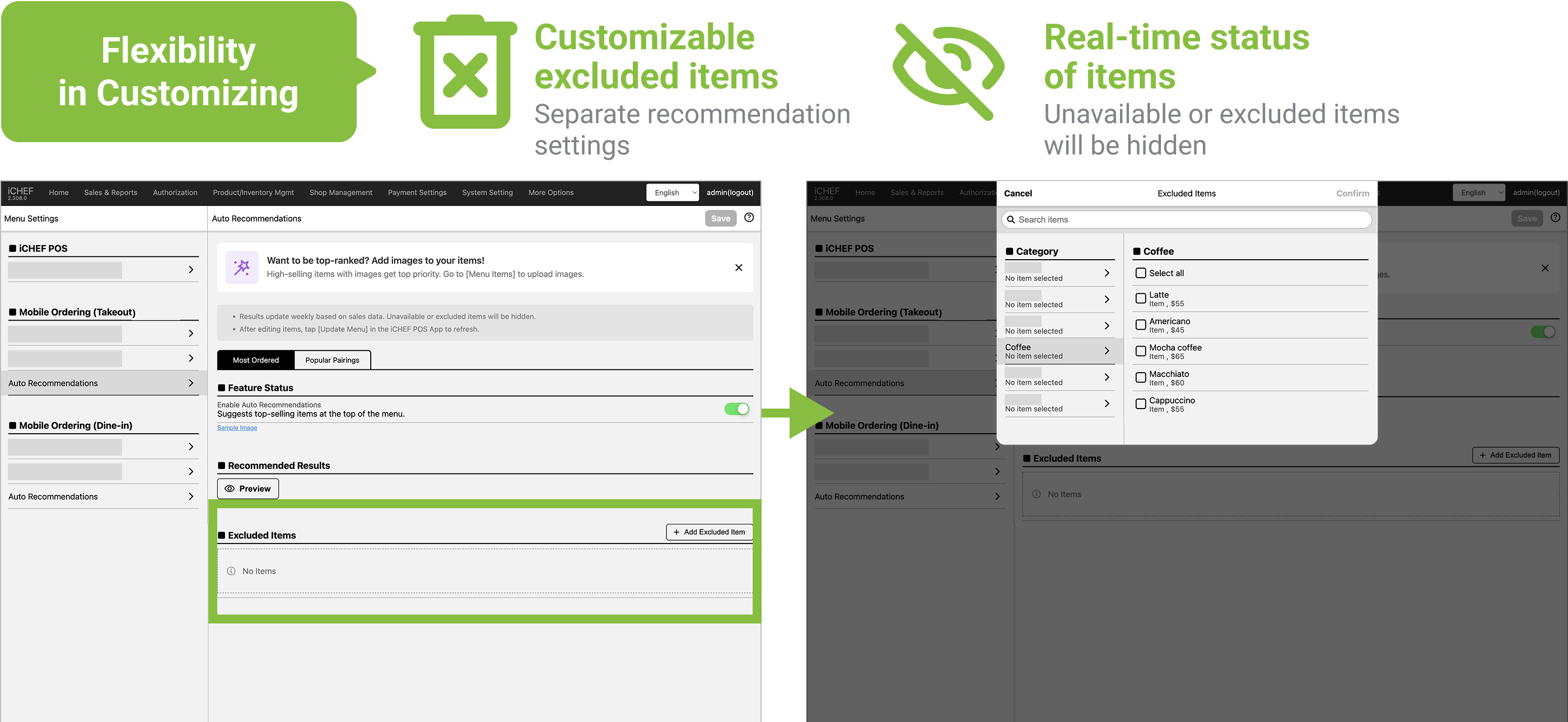
You can customize excluded items in the backend. For example, staple items like plain rice or plastic bags that are on almost every order, you can simply exclude them to free up recommendation slots, and they will be instantly updated to the online menu based on their item status.
➤ Backend:[Product/Inventory Management] > [Menu Settings] > Mobile Ordering (Takeout), Mobile Ordering (Dine-in) > Auto Recommendations
✔︎ Customizable excluded items
Check the box to add an item to the exclusion list; it will be instantly updated to the online menu after saving.
✔︎ Real-time status of items
In addition to your customized excluded items, items that are discontinued or delisted will also have their status instantly updated, ensuring the accuracy of the recommended content.
To retain flexibility, excluded items for Most Ordered and Popular Pairings are not linked.
Learn more about mobile ordering before using it