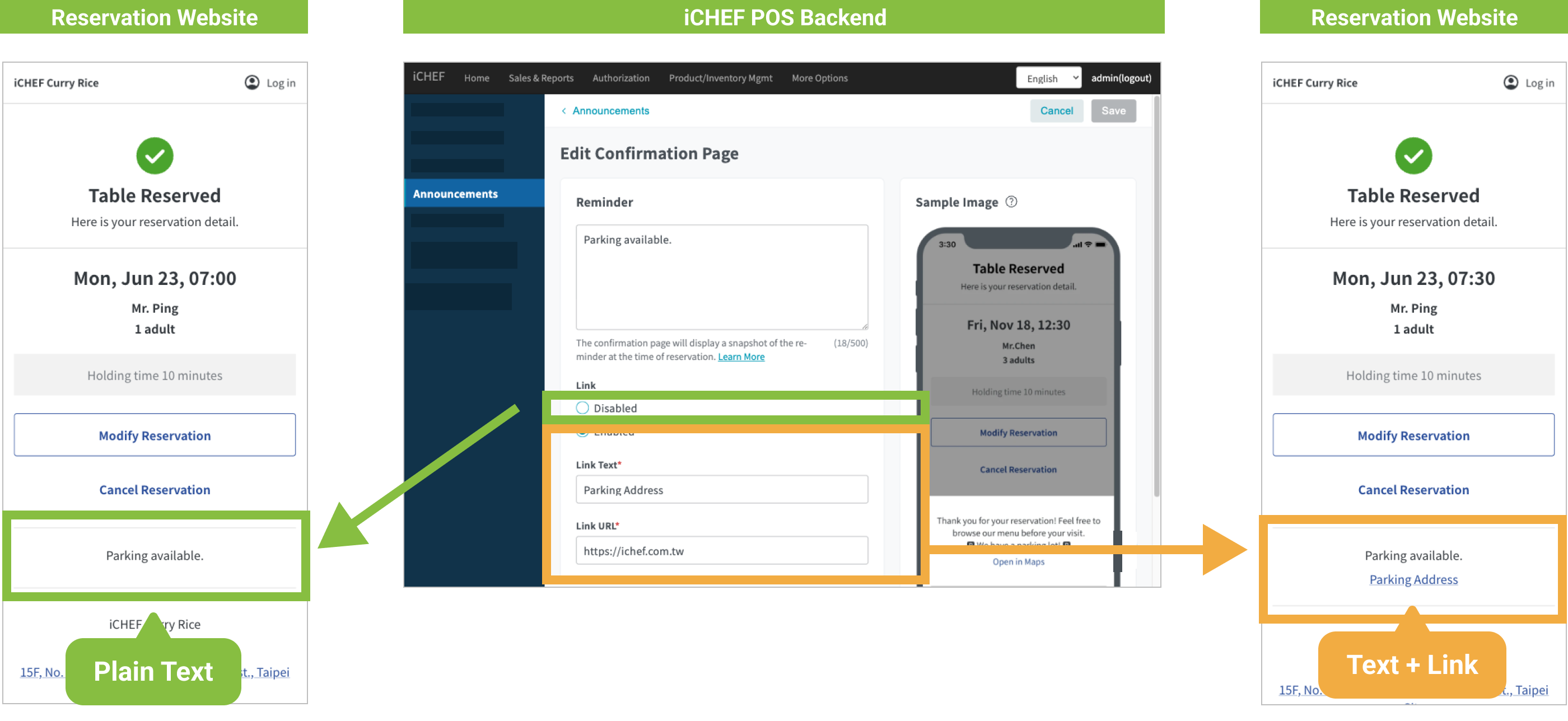
If there is any notice for reservation or marketing promotion by your restaurant, you can add the content or link under [Announcements] to provide customers with more information on your reservation website.

➤ Backend Path: Online Store > Reservation > Announcements
In the settings of [Announcements], you can configure the reminders displayed on the homepage and confirmation page by clicking [Edit] in their respective column and saving the content for real-time update. The content displayed on the homepage and confirmation page differs as indicated below:
| Location | Content |
|---|---|
| Homepage | Texts |
| Confirmation Page | Texts and link |
Homepage
- Reminder: This is displayed only when you have added information to the text field.
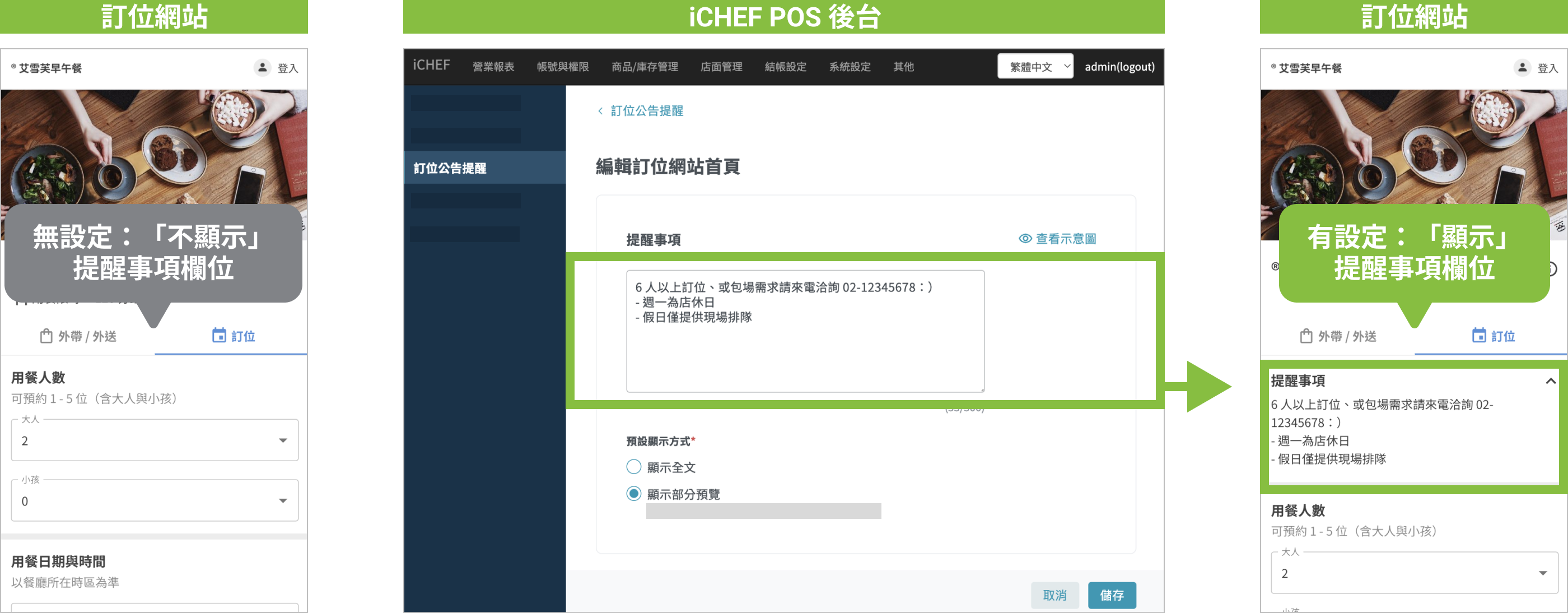
- Display Method: There are two options for you to choose depending on the content to be displayed.

Confirmation Page
- Reminder: This is displayed only when you have added information to the text field. It will be shown in the notification E-mail for foreign customers, who type in a non-local country code for the telephone number when making a reservation, as well.
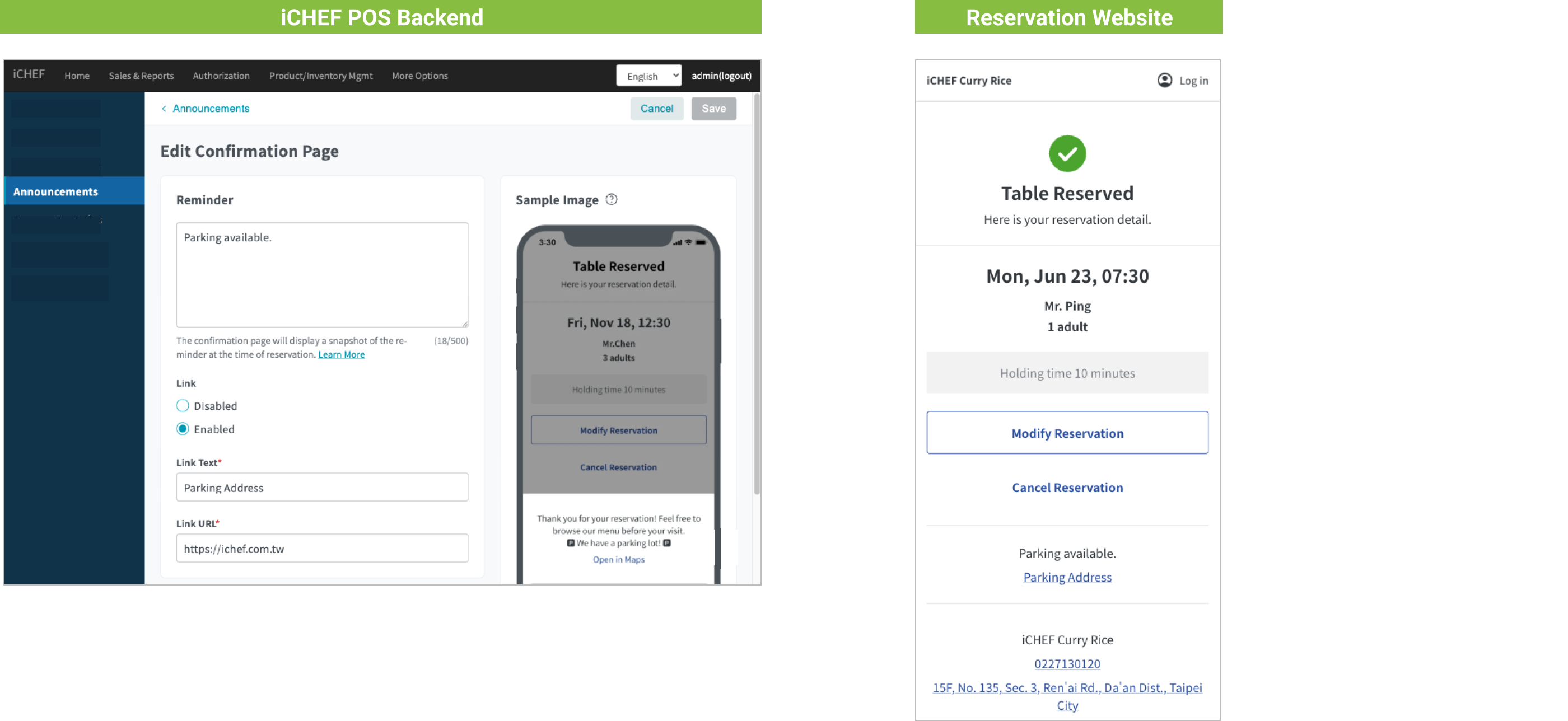
- Link: You can disable or enable the display of the link. To have the link displayed, you have to type in the text and URL of the link.