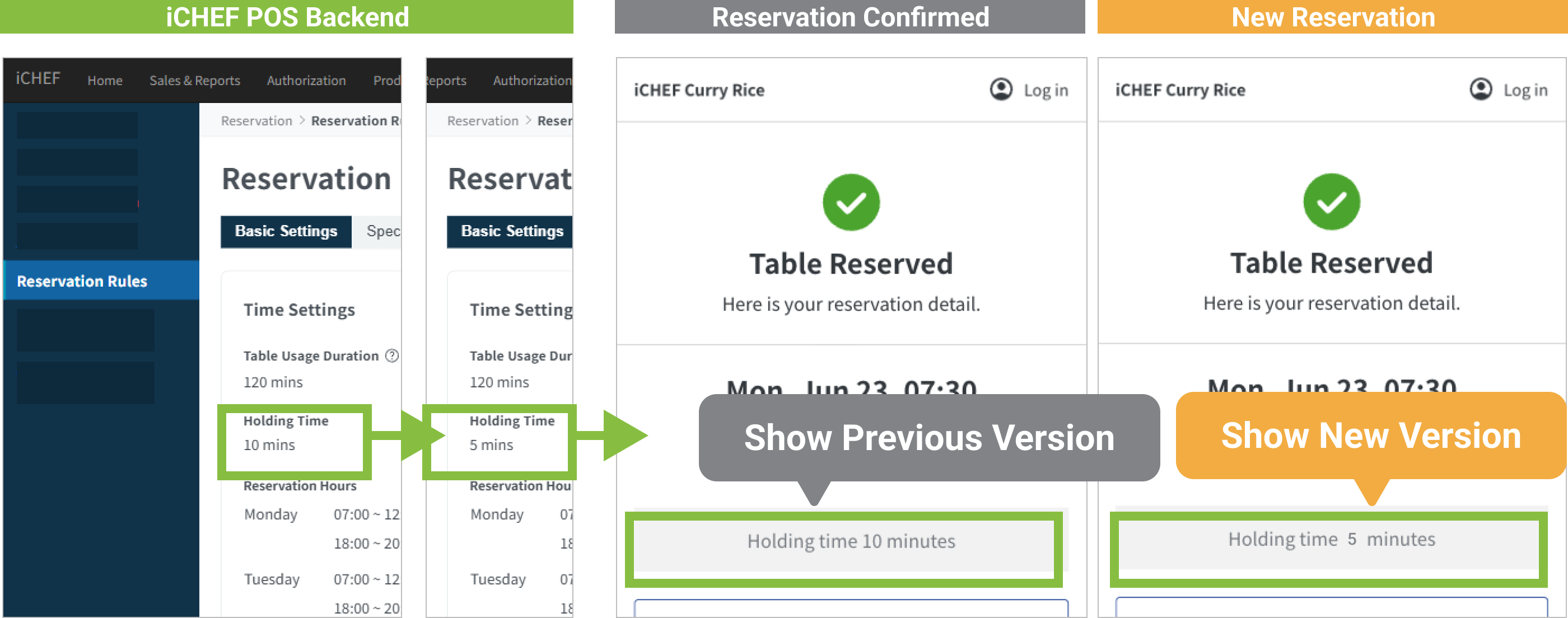
All information customers see on the reservation confirmation page is a “snapshot” of the content set in the restaurant’s backend at the time of reservation completion.
All information customers see on the reservation confirmation page is a “snapshot” of the content set in the restaurant’s backend “at the time of reservation completion”. Therefore, if the restaurant modifies [Reminders] content “after” this customer completes their reservation, customers who have already completed their reservation will still see the version from “at the time of reservation completion”. Only customers making new reservations will see the modified new version of the information.
What Information is a Snapshot?
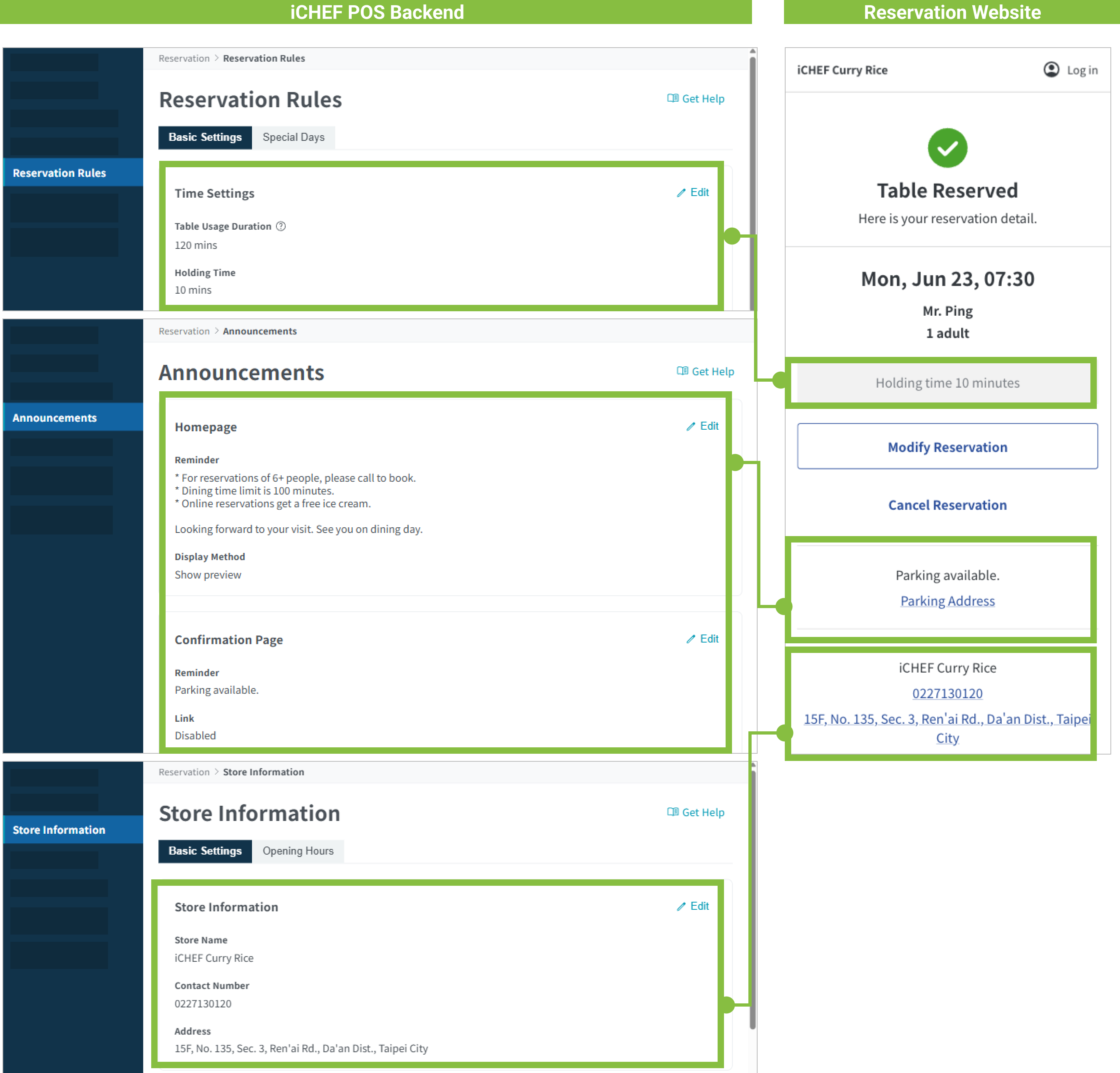
A snapshot refers to the state of the system at a particular point in time. In the iCHEF system, it refers to the state of content information set in the backend. Information displayed as a snapshot includes:
- Seat Hold Time
- Reminders
- Store Information
Example
Taking “Seat Hold Time” as an example:
- Original Backend Setting: Seat Hold Time was 15 minutes.
- At 11/1 10:00: Seat Hold Time was changed to 10 minutes.
Therefore, the differences customers see are as follows:
- Customers who completed reservations “before” 11/1 10:00: will see the Seat Hold Time as 15 minutes (pre-modification version).
- Customers who completed reservations “after” 11/1 10:00: will see the Seat Hold Time as 10 minutes (new version).