
Reservation slips can include [Internal Notes] entered via the iCHEF POS App and [Customer Notes] entered by customers during reservation. They will only appear on the reservation page if entered.
The display method varies depending on the mode: in [Timeline] mode, notes will be displayed uniformly; in [List] mode, the note content will be expanded directly.
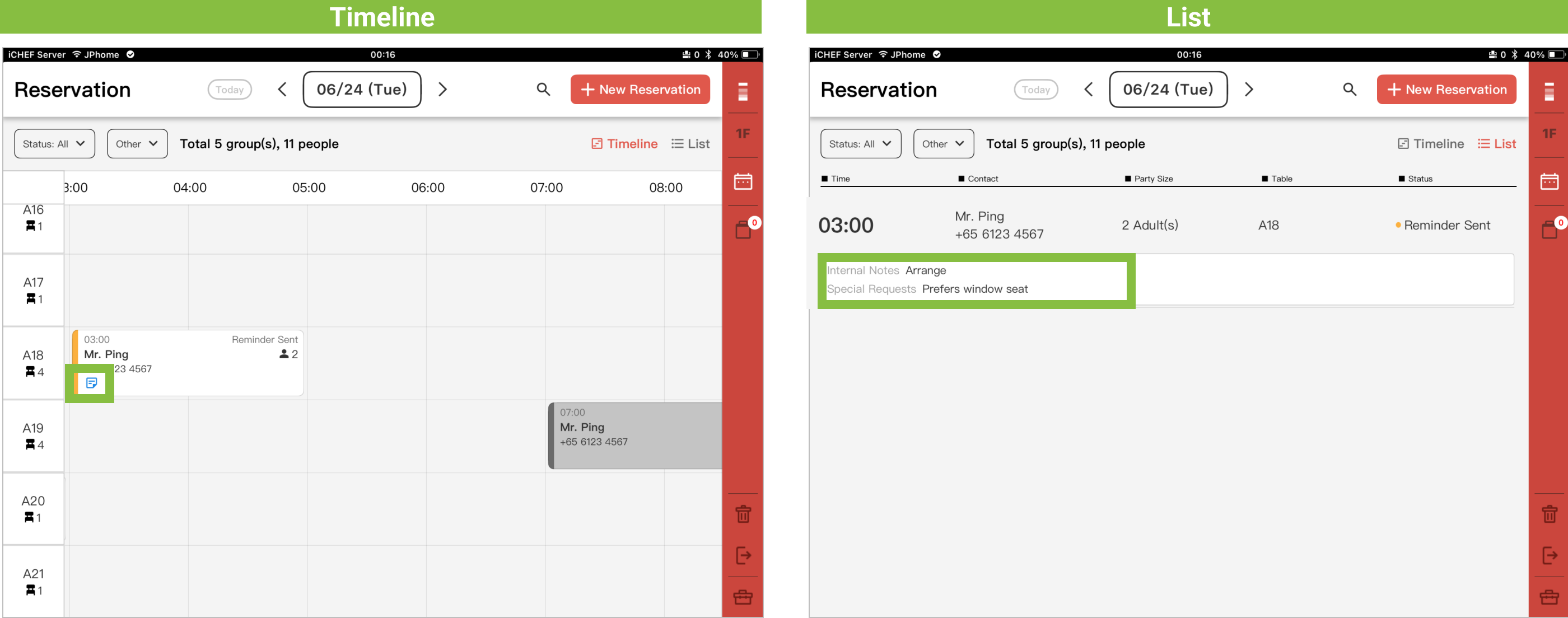
The source and differences of the two note fields are as follows:
Internal Notes
- Modification Permissions: Only editable by the restaurant.
- Input and Modification Location: Edit [Reservation Notes] in iCHEF POS App reservation details.
- Display Location: Only displayed on the [iCHEF POS App Reservation Page], customers will not see it.
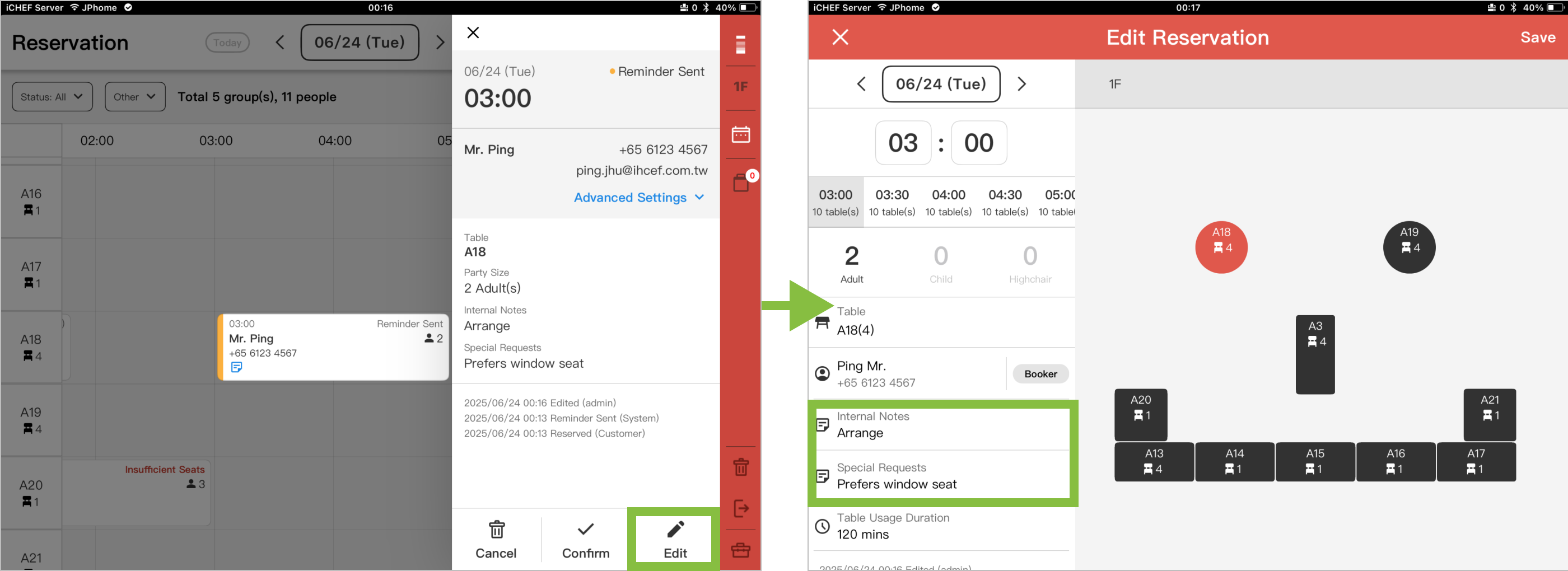
Customer Notes
- Modification Permissions: Only editable by the customer.
- Input and Modification Location: Entered by customers during reservation, or edited in [Modify Reservation] on the reservation information webpage.
- Display Location: Displayed on both the customer’s [Reservation Information Webpage] and the [iCHEF POS App Reservation Page].

[Seat Guests] Automatic Inclusion
When creating a customer order via [Seat Guests], reservation notes will also be automatically included. However, these are for viewing only and cannot be edited.
