
[Reservable Dining Time Slots] provide [Dining Time] options for the current day, while [Open Reservation Period] provides the range of [Dates] that can be reserved. After setting the [Open Reservation Period], the reservation website’s [Dining Date & Time] will, based on the current time, provide available period options for customers to book
You can set it to open as early as 1 minute from now, maximizing reservation intake! Don’t waste any of your tables; the longest you can open is up to 60 days, allowing you to easily pre-receive orders and better arrange staff.
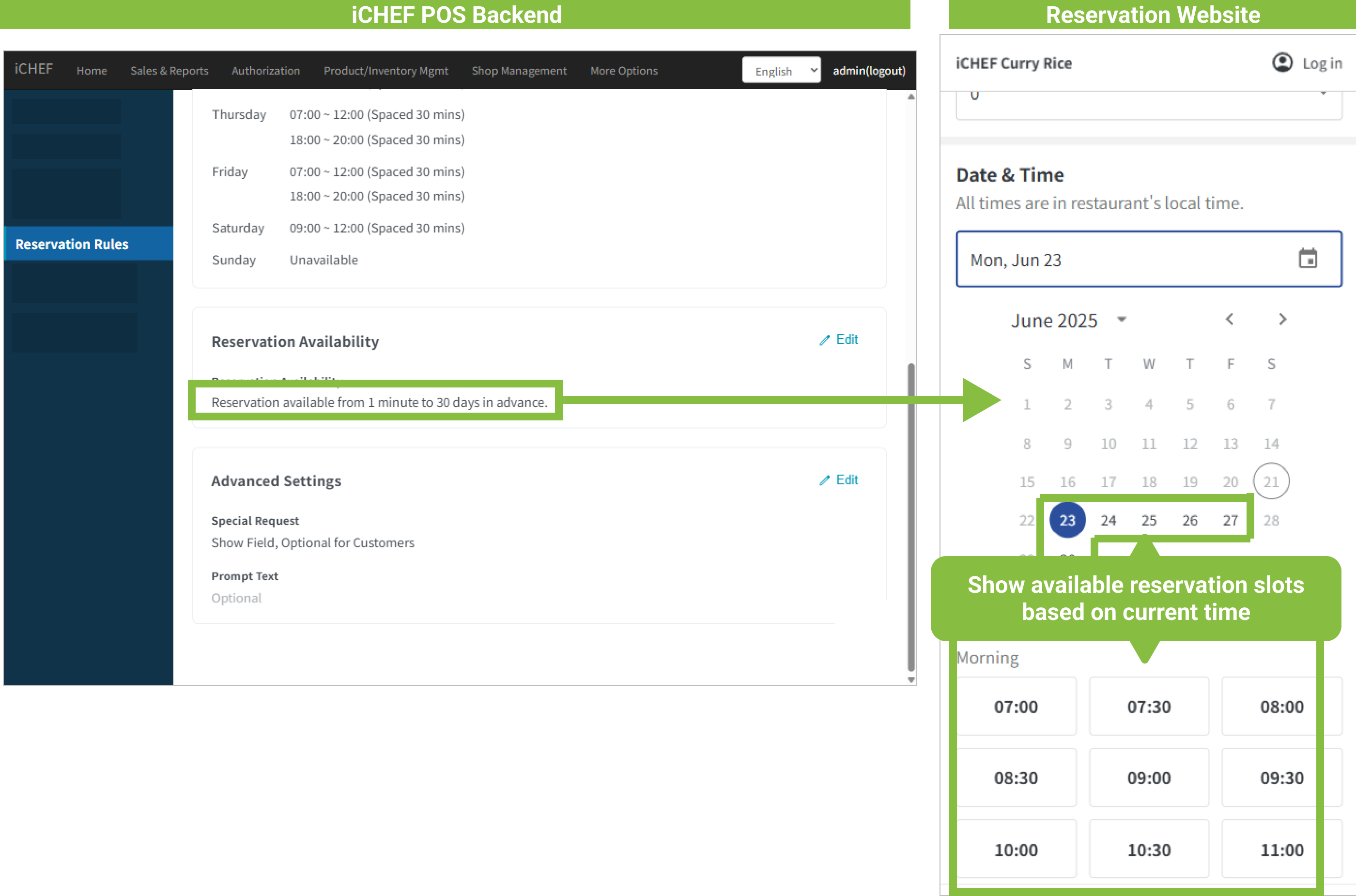
➤ Backend Path: Online Store > Reservation > Reservation Rules
Enter the [Reservation Rules] sub-page, tap [Edit] to the right of [Open Reservation Period] to start setting up. First, based on your in-store operational model, decide whether to accept same-day reservations. After confirming, proceed to set the length of the open period:

Do Not Accept Same-Day Reservations
- Start Date: Can only be set to 1 day (inclusive) or more.
- End Date: Must be greater than the Start Date, and a maximum of 60 days.
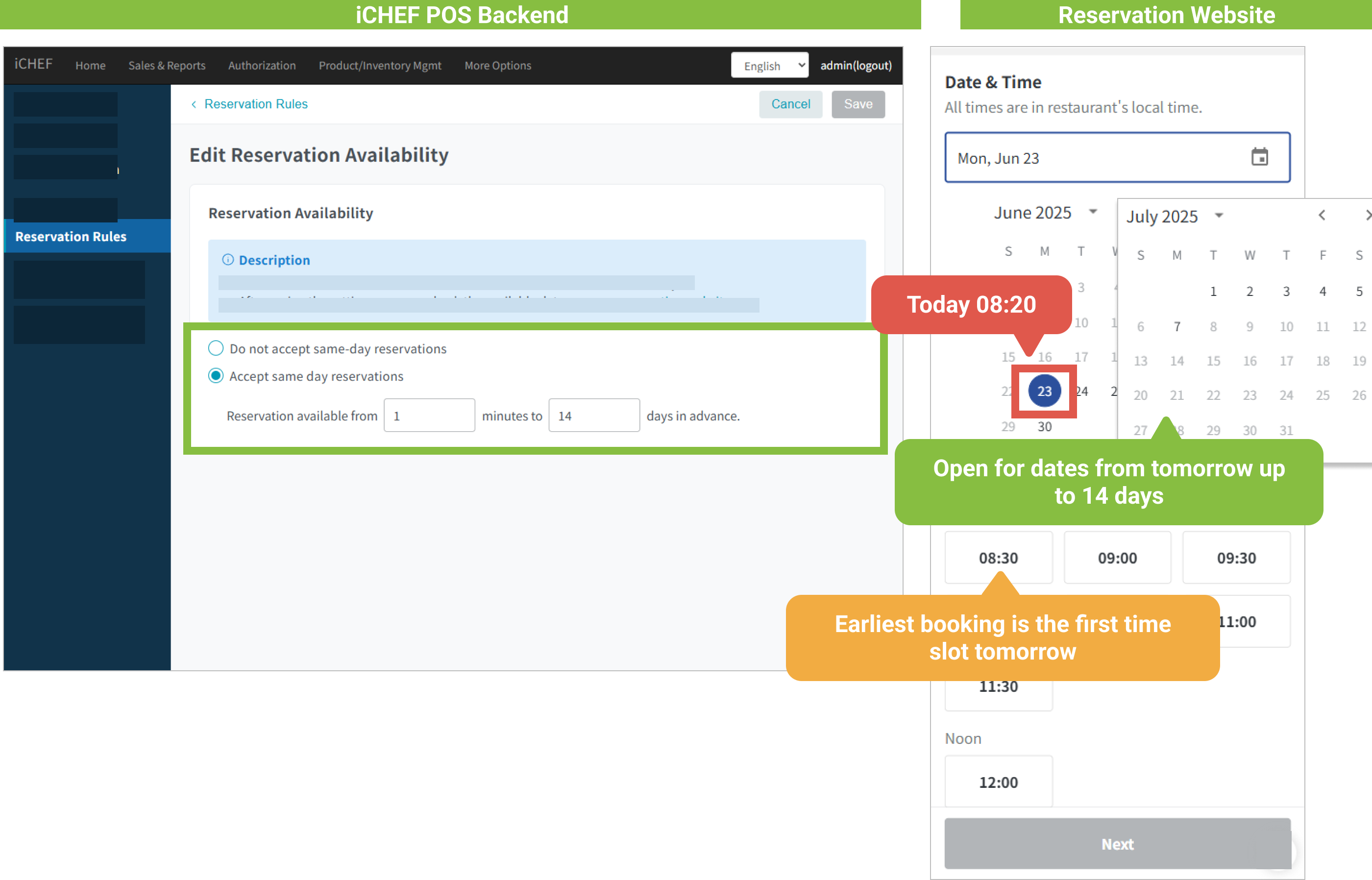
- Open Reservation Period Setting: Do Not Accept Same-Day Reservations open from 1 day after, up to 14 days ahead.
- Selectable Reservation Dates: 9/2 (1 day after) to 9/14 (within 14 days).
- Earliest Reservable Time: The first [Reservable Dining Time Slot] on 9/2 (1 day after).
Accept Same-Day Reservations
- Start Date: Can be set as early as 1 minute later, and the maximum minutes must be less than 1 day (if greater than 1 day, please choose Do Not Accept Same-Day Reservations instead).
- End Date: Can be set to a minimum of within 1 day, and a maximum of 60 days.

- Open Reservation Period Setting: Accept Same-Day Reservations open from 1 minute after, up to 14 days ahead.
- Selectable Reservation Dates: 9/1 (same day) to 9/14 (within 14 days).
- Earliest Reservable Time: The next [Reservable Dining Time Slot] on 9/1 09:21 (1 minute later) is 09:30.
- Reservable Dining Time Slots Explanation:
Set [Reservable Dining Time Slots] from 09:00 to 20:00; reservation time interval is 30 minutes.
➜ Fixed [Reservable Dining Time Slots] options are: 09:00, 09:30, 10:00… and so on.
➜ If the current time is 09:20, then the next available [Reservable Dining Time Slot] is 09:30.
- Reservable Dining Time Slots Explanation:

Reminder: When using the reservation feature, please ensure the iCHEF POS App maintains an external network connection, to prevent dine-in and online reservation information from not synchronizing in real-time, which could lead to on-site overbooking.