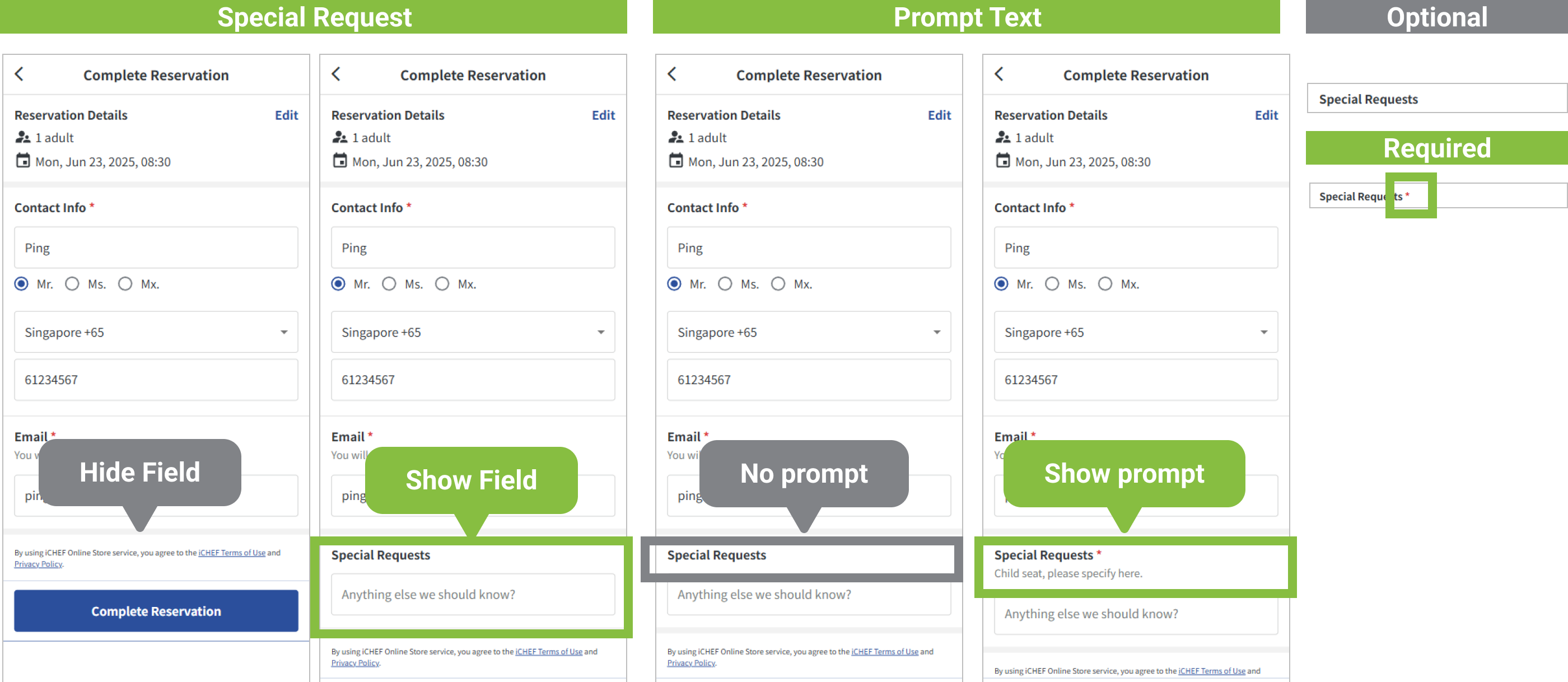
In the advanced reservation settings, you can set a [Notes Field] for the reservation website, allowing customers to provide additional information upfront when making a reservation, such as needing a high chair or having vegetarians.
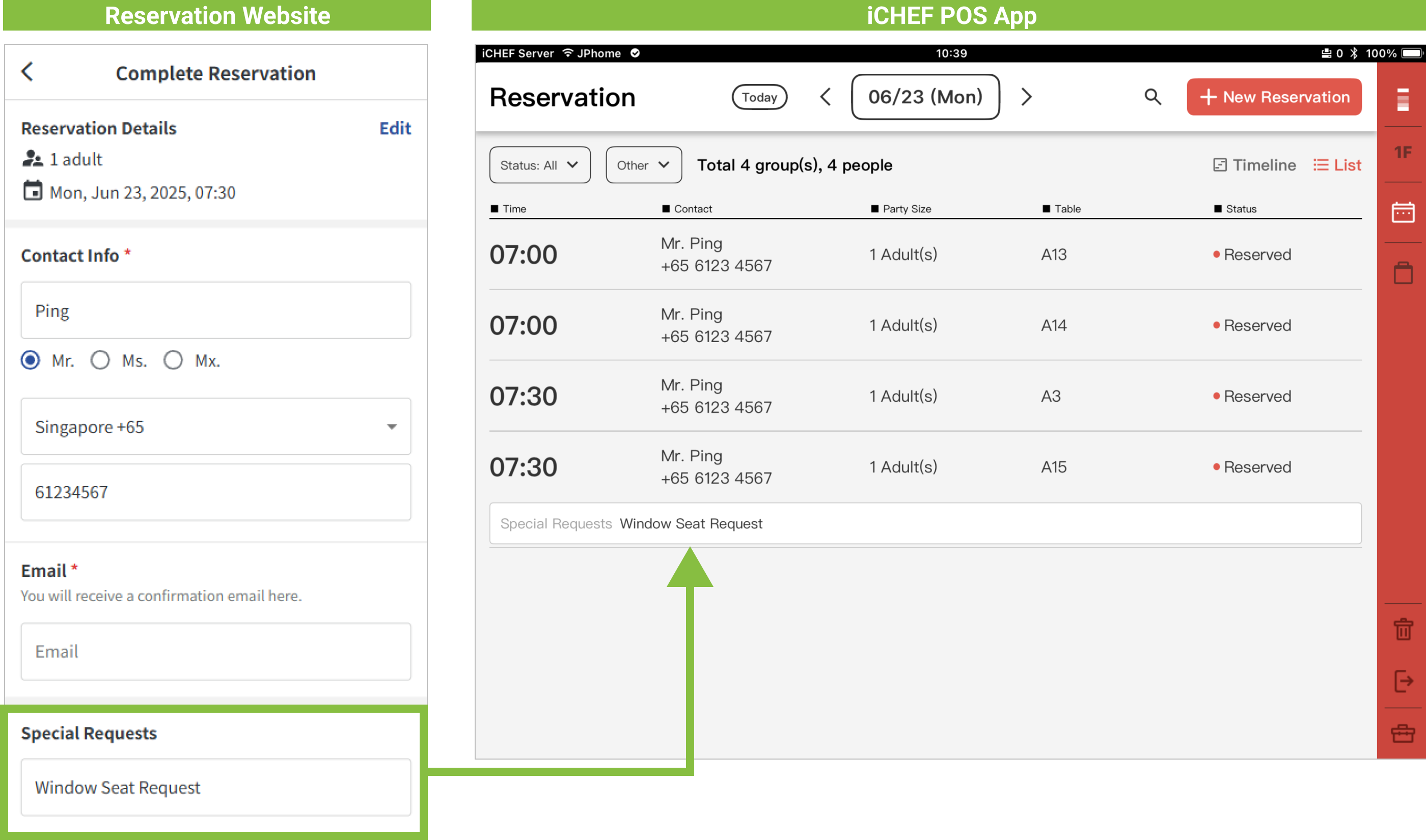
The [Notes] entered by customers will synchronize to [Customer Notes] in the iCHEF POS App reservation list, providing a heads-up for frontline staff.
➤ Backend Path: Online Store > Reservation > Reservation Rules
Enter the [Reservation Rules] sub-page, tap [Edit] to the right of [Advanced Reservation Settings] to begin setup. The [Notes Field] will be displayed as the last step in online reservation, and its display method can be determined by you.

Display Difference Comparison is as follows: