
[Opening Hours] refers to the restaurant’s daily fixed opening hour range (not [Reservable Dining Time Slots]), and will update in real-time after saving the settings, displayed in the Restaurant Information section of the reservation website.
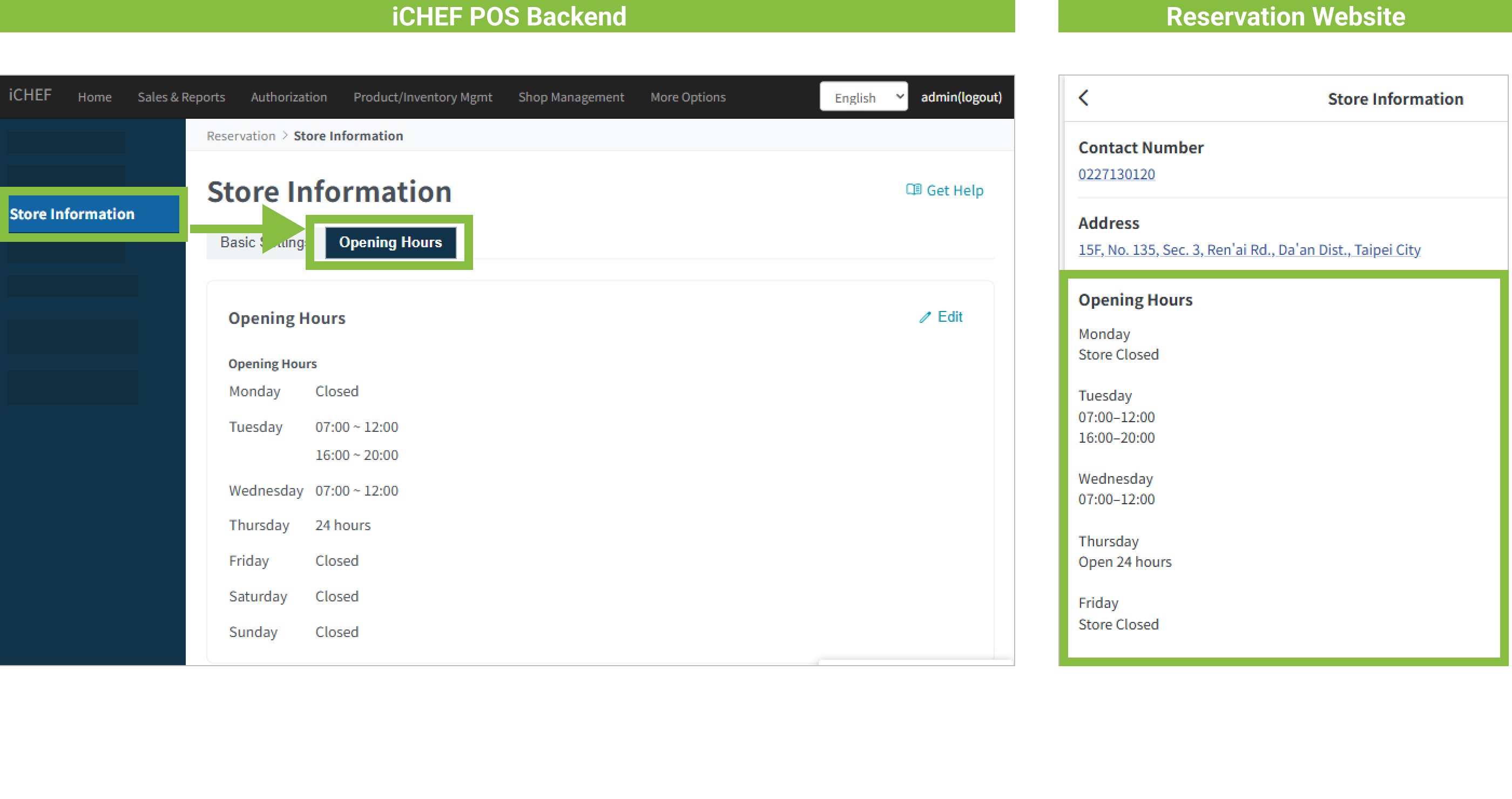
➤ Backend Path: Online Store > Reservation > Store Information > Opening Hours
Enter the Opening Hours sub-page, tap [Edit] to the right of [Opening Hours] to begin setup:
- Step 1: Check the days of operation.
- Step 2: Set opening hours.
- [+] button: To add a single time slot.
- [Duplicate Slot] button: To copy all time slots from this week to other weeks.
Four types of settings are as follows:
- Not Operating: Simply uncheck the day.
- Single Slot Operation: Edit the start and end times for a single slot.
- Multiple Slot Operation: Up to 6 time slots can be set per day.
- 24-Hour Operation: Simply check [24 Hours].

Reminder: For [Overnight Operation], simply set the time range from the start day. Example: If Friday operates from 20:00 to 10:00 the next day, please add [Friday 20:00-10:00].