
Give your reservation website an appealing online facade! Add images that best represent your restaurant or current promotions, so customers know the latest information at first glance.
The added cover images will be displayed on the [Reservation Website Homepage] and in [International Guest Reservation Notifications]. It’s also fine to upload multiple images; the website will present them in a carousel.
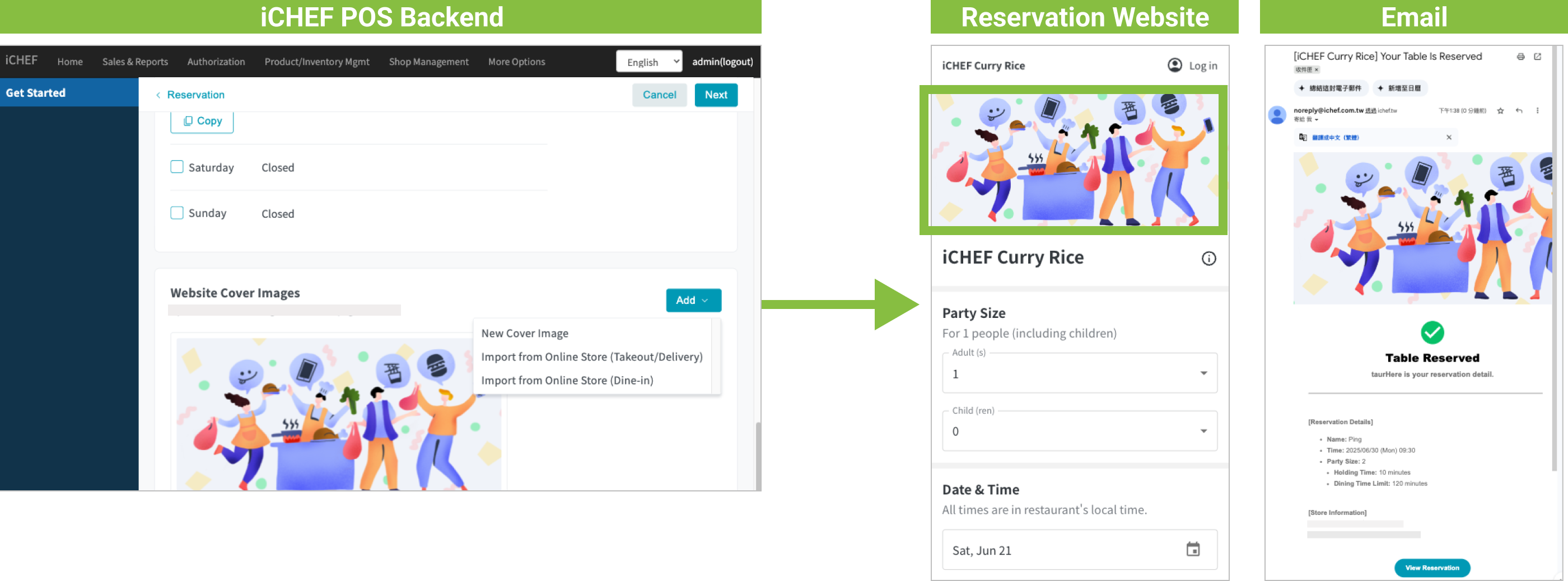
➤ Backend Path: Online Store > Reservation > Store Information > Basic Settings
Enter the [Basic Settings] sub-page, tap the [Add] button to the right of [Website Cover Images], to begin adding:
Add and Edit Images
At least one image is required. Before adding, the backend will display a default image. You can tap [Edit] to change it, or choose one of 3 ways to [Add]:
- Upload an image yourself
- Import Mobile Ordering (Takeout) cover images (requires Mobile Ordering (Takeout) cover images to be set)
- Import Mobile Ordering (Dine-in) cover images (requires Mobile Ordering (Dine-in) cover images to be set)
After adding images, you can return to this page to [Edit] or [Delete] images. Editable content includes:
- Adjust display size
- Re-select image
- Switch to default image
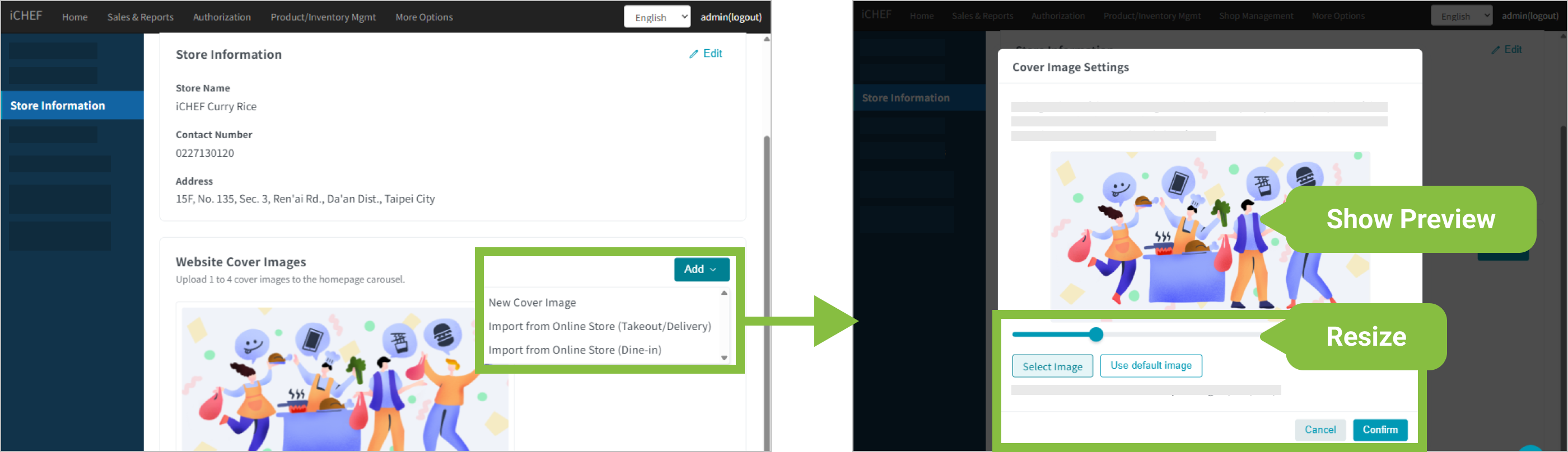
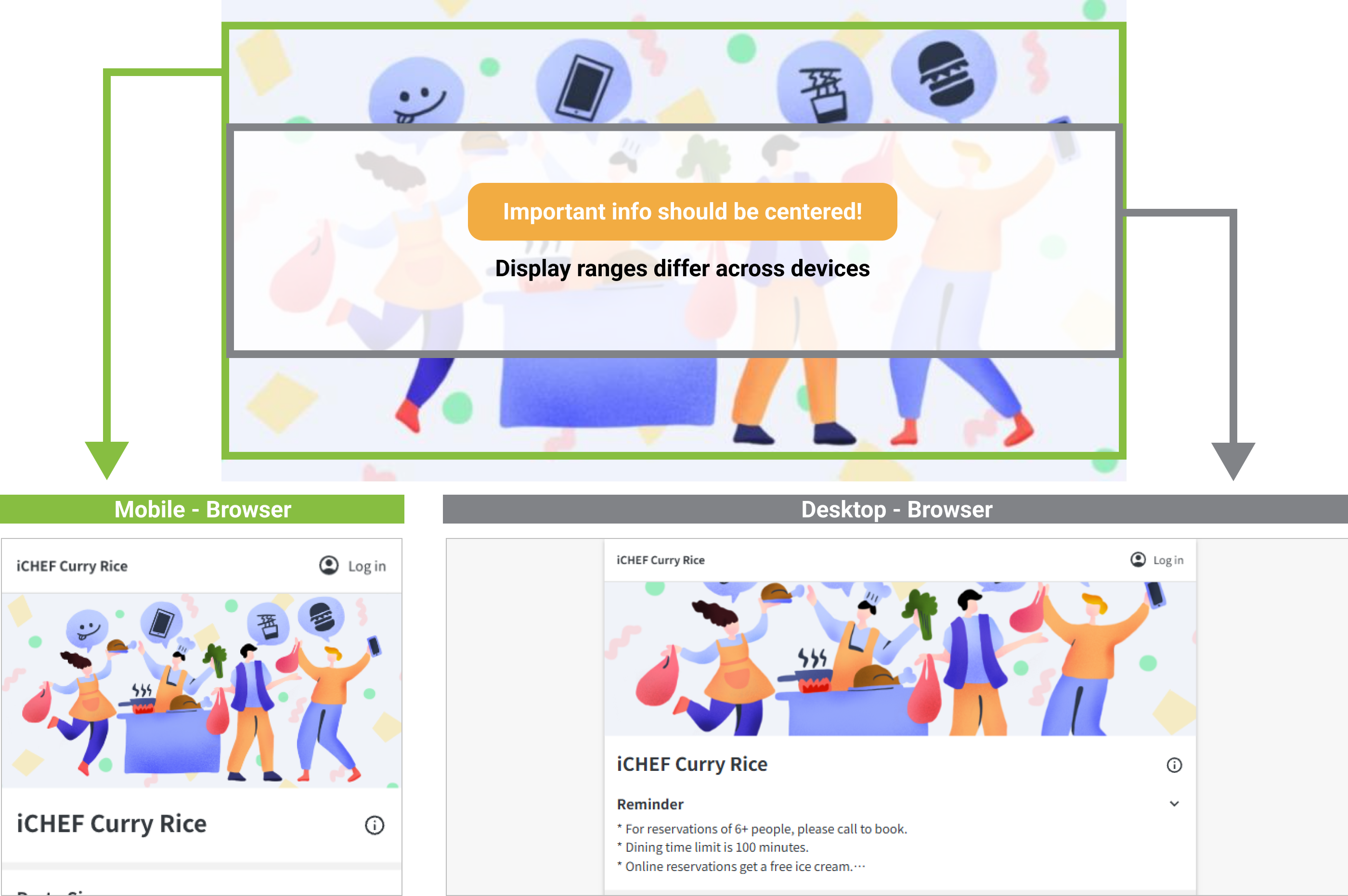
Image Specification Limitations
iCHEF Online Store is a responsive webpage, and will display in different aspect ratios on mobile phones and computers. Therefore, please remember to place important text and content in the center area, to prevent them from being obscured!
- Image Quantity: At least 1 image, up to 4 can be uploaded.
- Image Size: 750×400px or above.
- File Format: PNG, JPG.
Display Method and Location
The added cover images will be displayed on the [Reservation Website Homepage] and in [International Guest Reservation Notifications].
- Display method comparison is as follows:
| Reservation Website Homepage | Notification Email | |
|---|---|---|
| Single image | Fixed at the top of the homepage | Fixed at the top of the email |
| Multiple images | Carousel (Playback order is from top to bottom in the backend) | First image taken, fixed at the top of the email |
- Carousel Order: After adding in the backend, they are displayed from top to bottom; this order will be the left-to-right carousel order on the [Reservation Website].
