
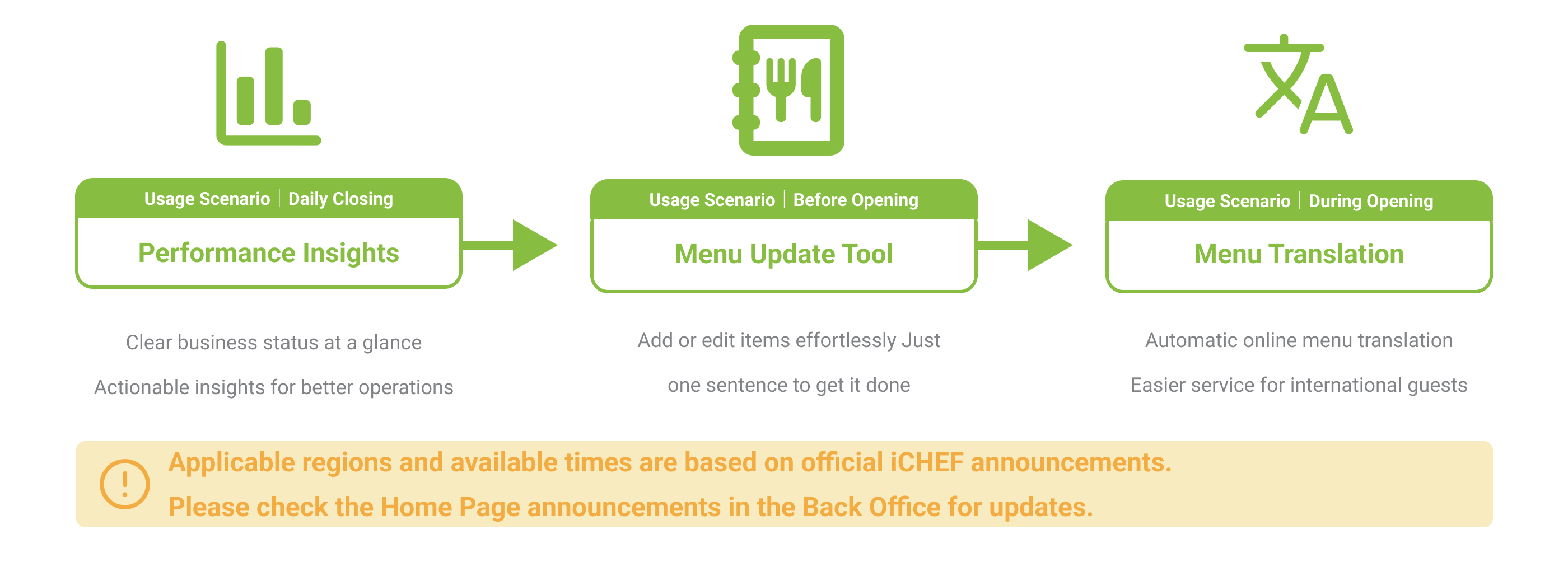
iCHEF AI is designed for restaurants to help analyze business data, offer management suggestions, and simplify menu management. Whether you’re adding or editing items, AI supports you every step of the way. In addition to internal management, AI can automatically translate online menus, making onsite ordering easier for international guests.
iCHEF AI is available 24/7 and always ready to help:
iCHEF AI Performance Insights (Beta)
2025/09/22
Early access for all iCHEF stores in Taiwan and Hong Kong
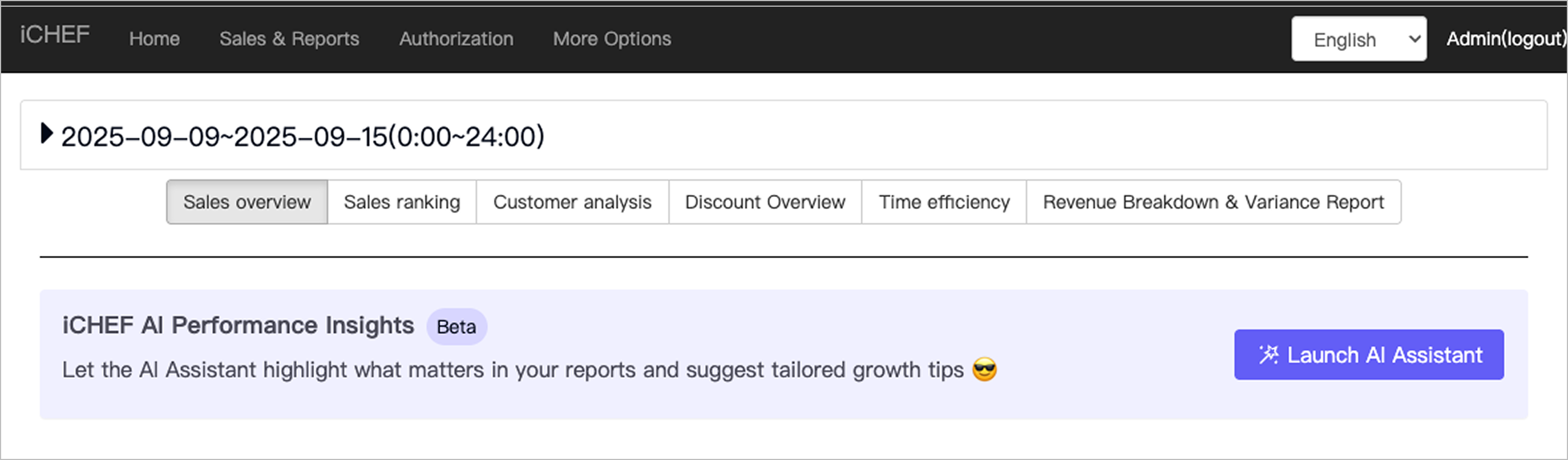
Too much report data and not sure how to use it? AI assistant highlights key points and offers tailored suggestions.
➤ Backend Location: Sales & Reports > Current Status or Sales Analysis > Launch AI Assistant
Getting Started
In just 2 steps, you can get your personalized business analysis report with key summaries and action recommendations, making it easy to understand your business direction.
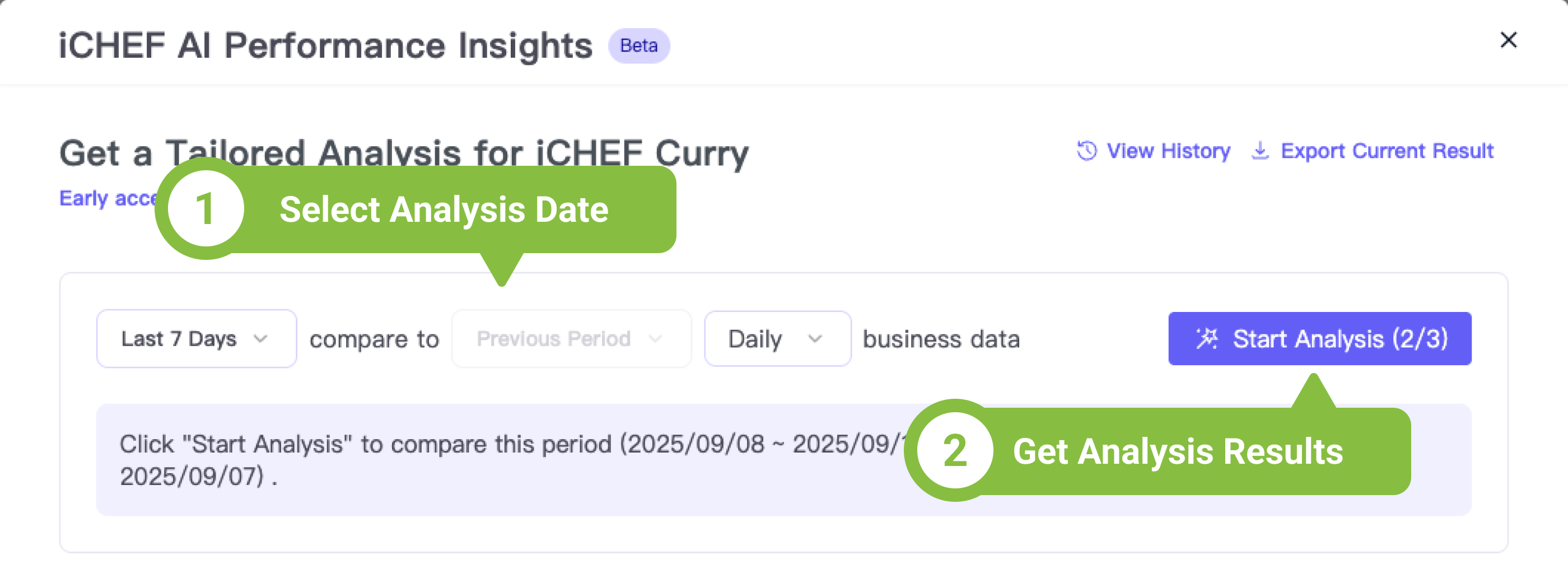
To ensure the most accurate analysis, AI only calculates using complete 24-hour data. Therefore, today’s business data can be analyzed the next day.
AI requires two time periods for comparison:
- Current period: The date range you mainly want to view
- Previous period: The date range used for comparison with the current period
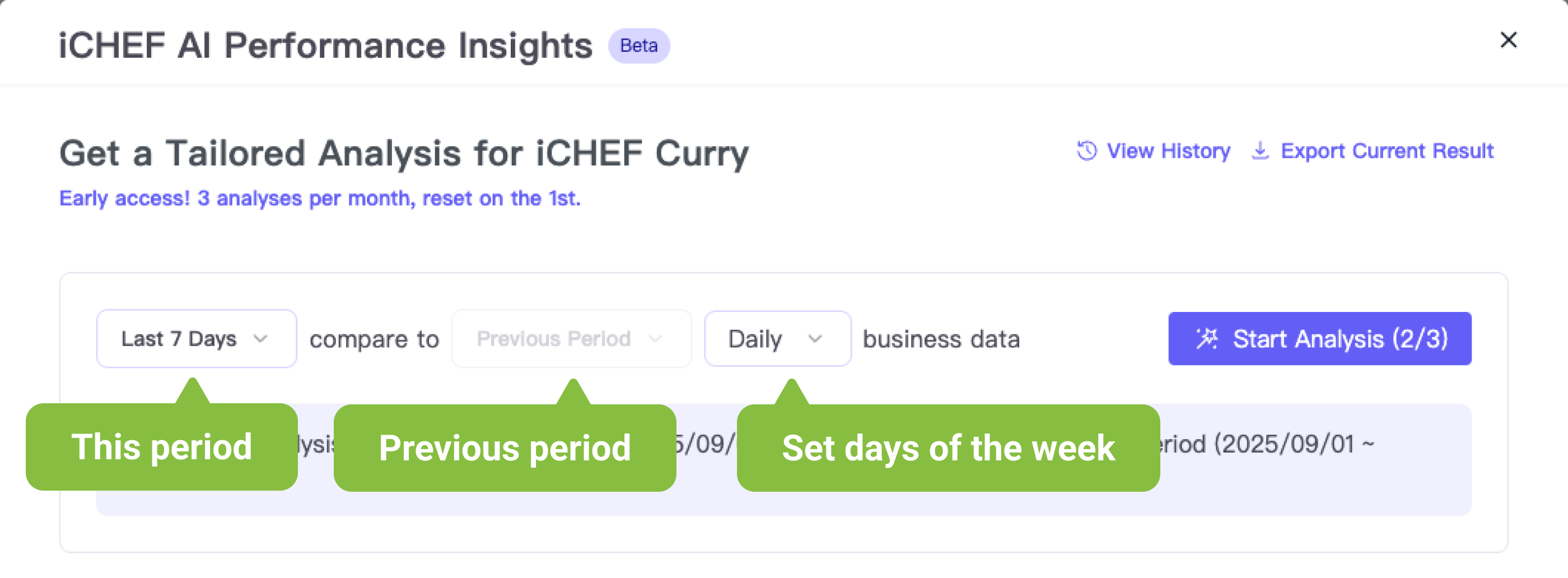
Things to note when selecting dates
* When “Last 7 days” or “Last 30 days” is selected for the current period, the previous period will be filled in automatically.
* When “Custom time” is selected for the current period, the selected period must be 7–93 days.
* When “Custom time” is selected for the current period, the number of days in the previous period must match in order to analyze.
If a specific weekday is selected, please use “Custom Period” for analysis. The starting weekday for the previous period must also match (e.g., Monday).
Analysis Results
After the AI completes the analysis, the results will be shown directly on the same page. Even if you close the window, the results of the last analysis will still be visible when you return.
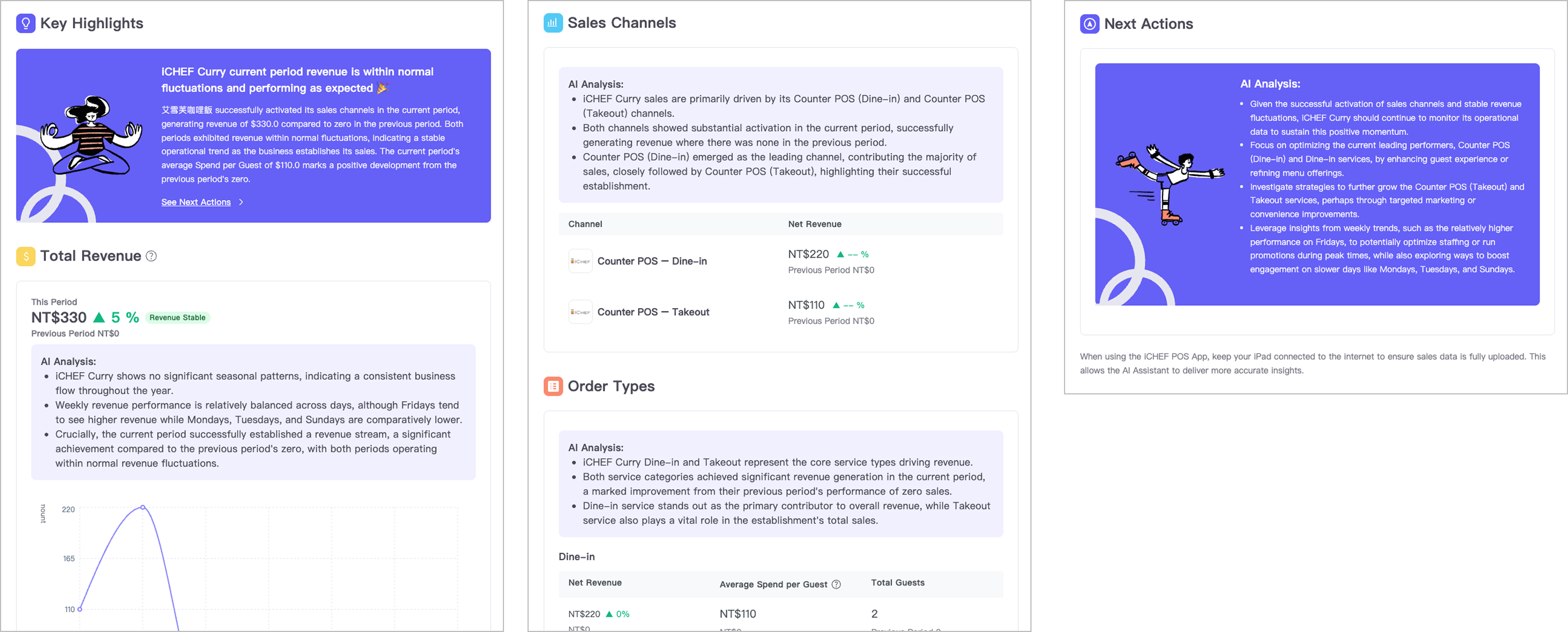
Key Highlights
The analyses of overall revenue, sales channels, and order types are consolidated into a clear summary to help you quickly understand your restaurant’s overall revenue situation.
Total Revenue
Data for both the current and previous periods will be presented in charts. The system will also reference sales data from the past year or more to calculate a reasonable range for total revenue (based on median and standard deviation), and label overall revenue performance as stable, increased, or decreased to help you track your restaurant’s long-term business trends.
Sales Channels
Based on completed orders, revenue is calculated for each channel (for example: Counter POS, Cloud Restaurant, and third-party delivery platforms), and current period revenue is compared with the previous period to help you understand the actual contribution of each sales channel.
Order Types
Unlike “Sales Channels,” revenue will be compiled separately for dine-in, takeout, and delivery, helping you observe the performance of different consumption types.
For example: “Dine-in” includes Online Store (mobile ordering (Dine-in)) and Counter POS (Dine-in).
Next Actions
Based on the results of all analyses, suggestions are provided to help you complete various operational optimizations with greater confidence.
Export and View History
Each analysis is automatically saved as a PDF. Simply click “Export Current Results” to download. You can also conveniently find and download past records by file name in the “View History” section.

2025/10/07
Select Taiwan stores invited for early access.
When adding or updating multiple items, you don’t need to handle each one individually. Just describe your needs in text and quickly complete setup—making daily management faster and more efficient.
➤ Backend location: Product/Inventory Management > Product Management > AI Menu Update Tool

For early access stores, switch the iCHEF backend language to Traditional Chinese to see the exclusive entry.
Getting Started
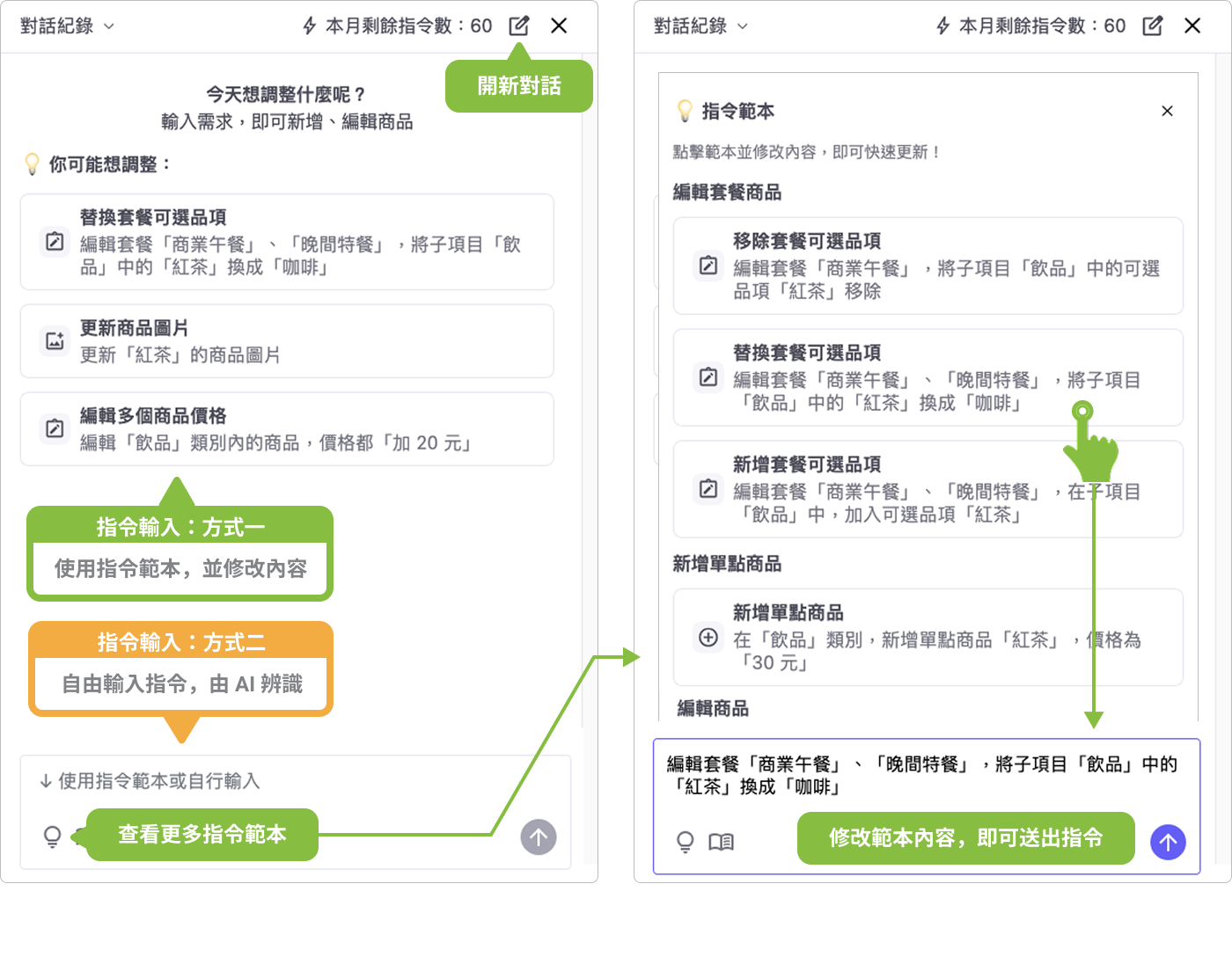
When using the AI Menu Widget, the window will split automatically, allowing you to simultaneously update the AI menu via the widget and search for product information.

You can set up products through text dialogue, with 2 input methods available for you to choose from:
- Prompt Templates: Retain key information and improve AI recognition accuracy by modifying default content.
- Free Input: Directly enter the settings you wish to complete, and let the AI analyze them.
Whether adding items, batch renaming, changing prices, or uploading images, the AI Menu Update Assistant can help you get it done. Before making any changes to backend settings, the AI will confirm with you again, ensuring every operation is secure and accurate.
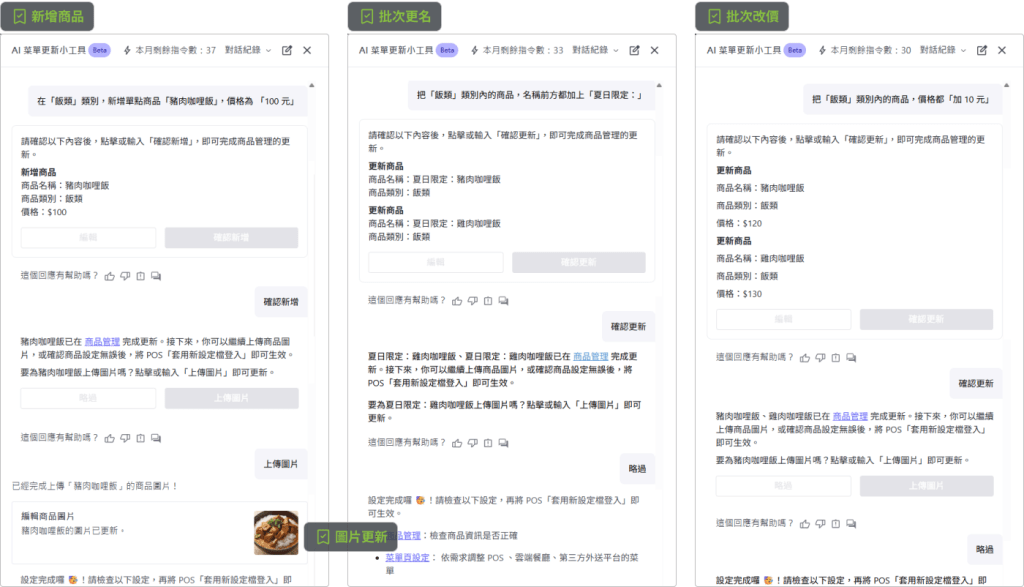
Tip: Enter multiple similar requests at once to let the AI handle them together.
As the AI tool “cannot” refresh the page in the left window, please refresh manually to view the latest product information.
Supported tasks
Supports most “Product Management” settings; only “Available Notes” and “Inventory Consumption” require manual adjustment.

Provide feedback
During the interaction, the AI’s responses may not always meet your expectations. We welcome your suggestions to help us continuously optimize the experience.

2025/10/07
Available for all iCHEF stores in Taiwan and Hong Kong
The Mobile Ordering website interface supports multiple languages for easy browsing. However, product names and descriptions are not translated, so while foreign customers can navigate the site, they often order the wrong items because they can’t read the menu.
With AI menu translation, foreign customers can finally view the full menu in their own language.

Supported languages
When the browser language is set to English, Japanese, Korean, Vietnamese, Thai, Indonesian, Malay, or Filipino, the website automatically switches to the corresponding interface. The AI menu translation button will also be shown, allowing foreign customers to choose whether to translate the menu.
AI menu translation can be toggled on or off in the iCHEF back office (enabled by default).Learn More