Your online menu is more than just a digital form! By integrating your restaurant’s style and experience from the moment customers enter the site to the point of placing an order, you truly enhance service and boost revenue! Master these 3 key strategies for a fail-proof ordering experience and effortless upselling:

❶ Immersive Experience
Have you ever visited a dazzlingly decorated restaurant only to find the online ordering page looks like a plain survey form?
Once consumers have found you online or stepped into your store, they’ve already shown initial interest. At this moment, your ordering website becomes a crucial second storefront! Maintain your brand’s style to ensure an immersive experience.

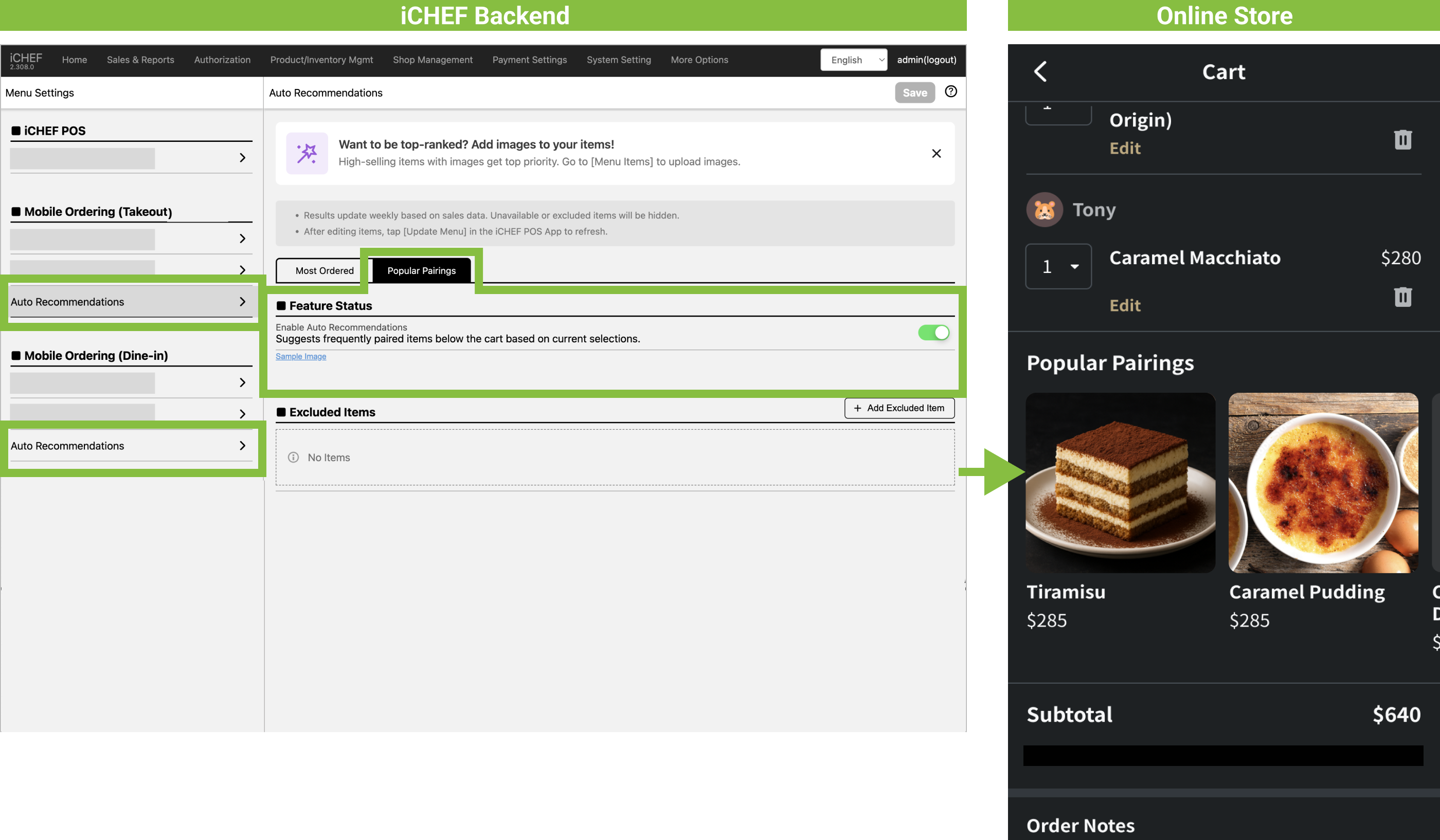
💡How to set this up in iCHEF:
Go to the Backend Online Store > Website & Member Area, and choose a color scheme that best matches your restaurant’s style! The setting will instantly sync across the Mobile Ordering (Takeout), Mobile Ordering (Dine-in), and Reservation websites.
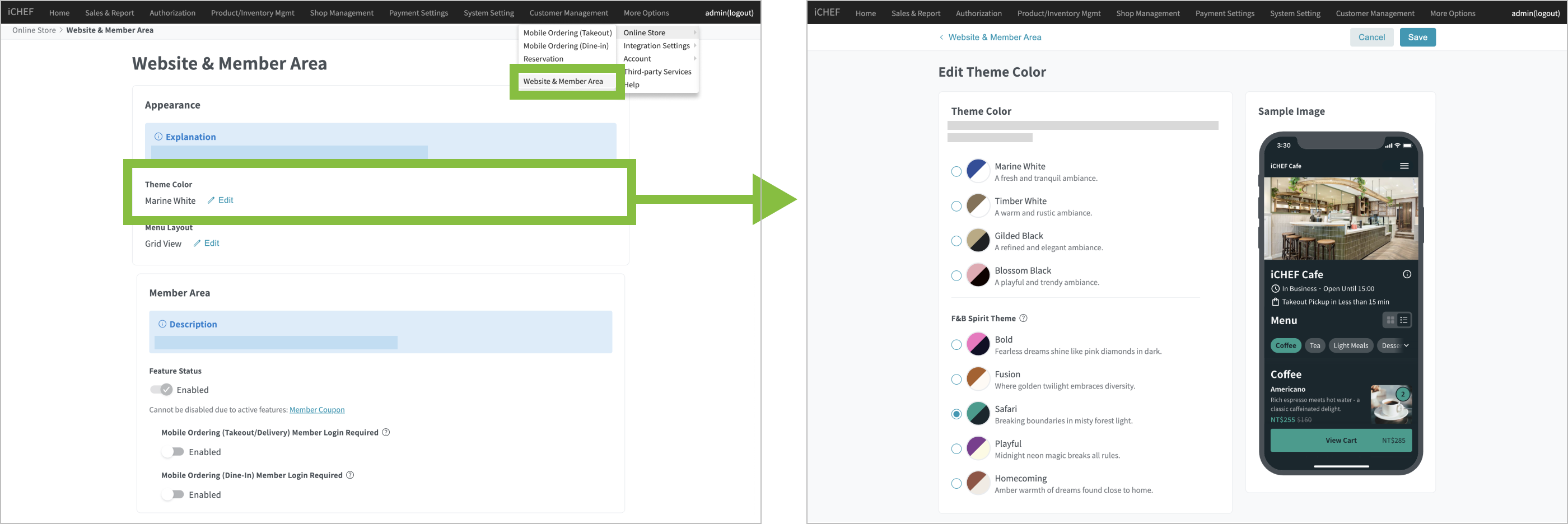
Maximize the largest space on your online menu website! You can use your brand logo, key visuals, or current promotion materials. You can even upload multiple images, and the webpage will automatically cycle through them.
➤ Backend: Online Store > Mobile Ordering (Takeout)/ Mobile Ordering (Dine-in) > Store Information> Cover Image
❷ Effortless Ordering
“Too many choices? Confused about how to order?” Have you encountered this experience or feedback?
When customers enter the [heavy selection] stage of ordering, the most important thing is to allow them to choose effortlessly! Too many options can cause decision fatigue and lengthen the ordering process. Both clear categorization and advanced use of images to differentiate items can effectively reduce decision difficulty.
💡How to set this up in iCHEF:
Whether categorized by dish type (Appetizers, Main Courses, Desserts, Drinks), combination method (Set Menu, A La Carte), or recommendation level (Signature, Side Dishes), the categories should clearly guide the customer’s selection! Paired with serving time settings, what they see is what they can order.
➤ Backend: Product/Inventory Mgmt > Menu Settings > Mobile Ordering (Takeout)/ Mobile Ordering (Dine-in) > Menu Items

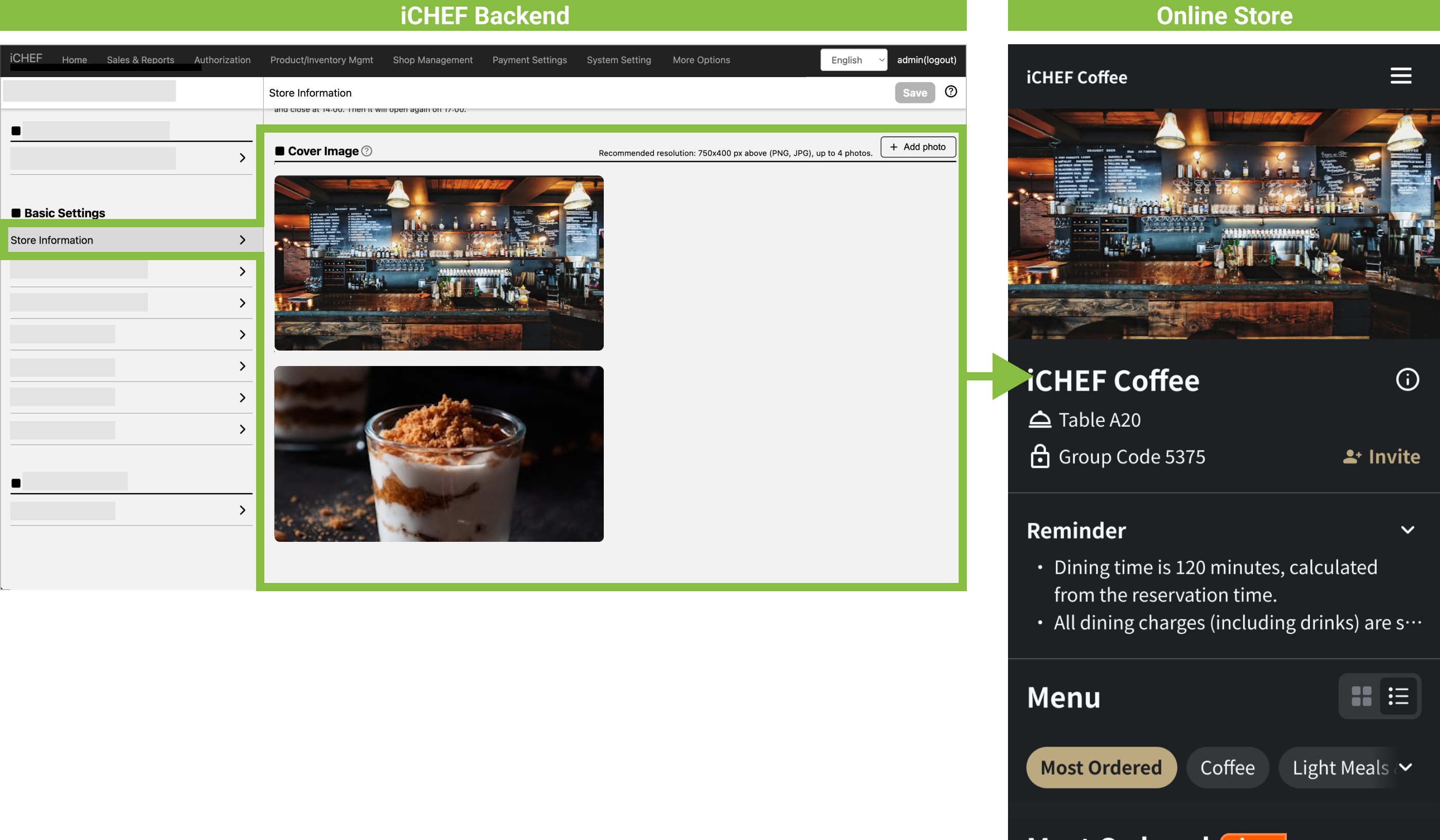
Food pictures transcend language and cognitive barriers better than text, even for international guests! However, note that filling every slot with a picture may not be ideal! Selectively adding images to specific items can focus visual attention on your most promoted dishes or those needing visual support, leveraging the advantage of images while avoiding visual clutter.
➤ Backend: Product/Inventory Mgmt > Menu Settings > Mobile Ordering (Takeout)/ Mobile Ordering (Dine-in) > Menu Items

People are social and seek group affirmation. Give them a big nudge by enabling the system’s “real” ranking through Auto Recommendations on your online menu! Give decision-fatigued consumers an option to follow—Can’t decide? Just follow the crowd!
➤ Backend: Product/Inventory Mgmt > Menu Settings > Mobile Ordering (Takeout)/ Mobile Ordering (Dine-in) > Auto Recommendations [Most Ordered]

❸ Gentle Upselling
“Would you like to add a side dish? Want to try our new item?” Have you been hit with sequential, indiscriminate recommendations?
Too many or indiscriminate recommendations often result in negative customer experiences and lost sales opportunities. To achieve a higher average basket value, you need gentle, strategic upselling to encourage customers to order more!

💡How to set this up in iCHEF:
The first and last things seen are the most memorable! Placing high-priced, high-margin items upfront increases the chance they will be selected. Even if they are not chosen, they serve as a subtle push for other items, making items at other price points seem like a better deal.
➤ Backend: Product/Inventory Mgmt > Menu Settings > Mobile Ordering (Takeout)/ Mobile Ordering (Dine-in) > Menu Items[Batch Settings > Reorder products

If you have unique in-store pairings or a “best way to eat,” proactively create a Set Menu! Combining the store’s signature items makes them easier to choose, instantly boosting the average basket value from single-item pricing to the set price.
➤ Backend: Product/Inventory Mgmt > Items [Add Set Menu]
After adding, remember to return to Menu Settings > Mobile Ordering (Takeout)/ Mobile Ordering (Dine-in) > Menu Items to list the item on the Online Store!

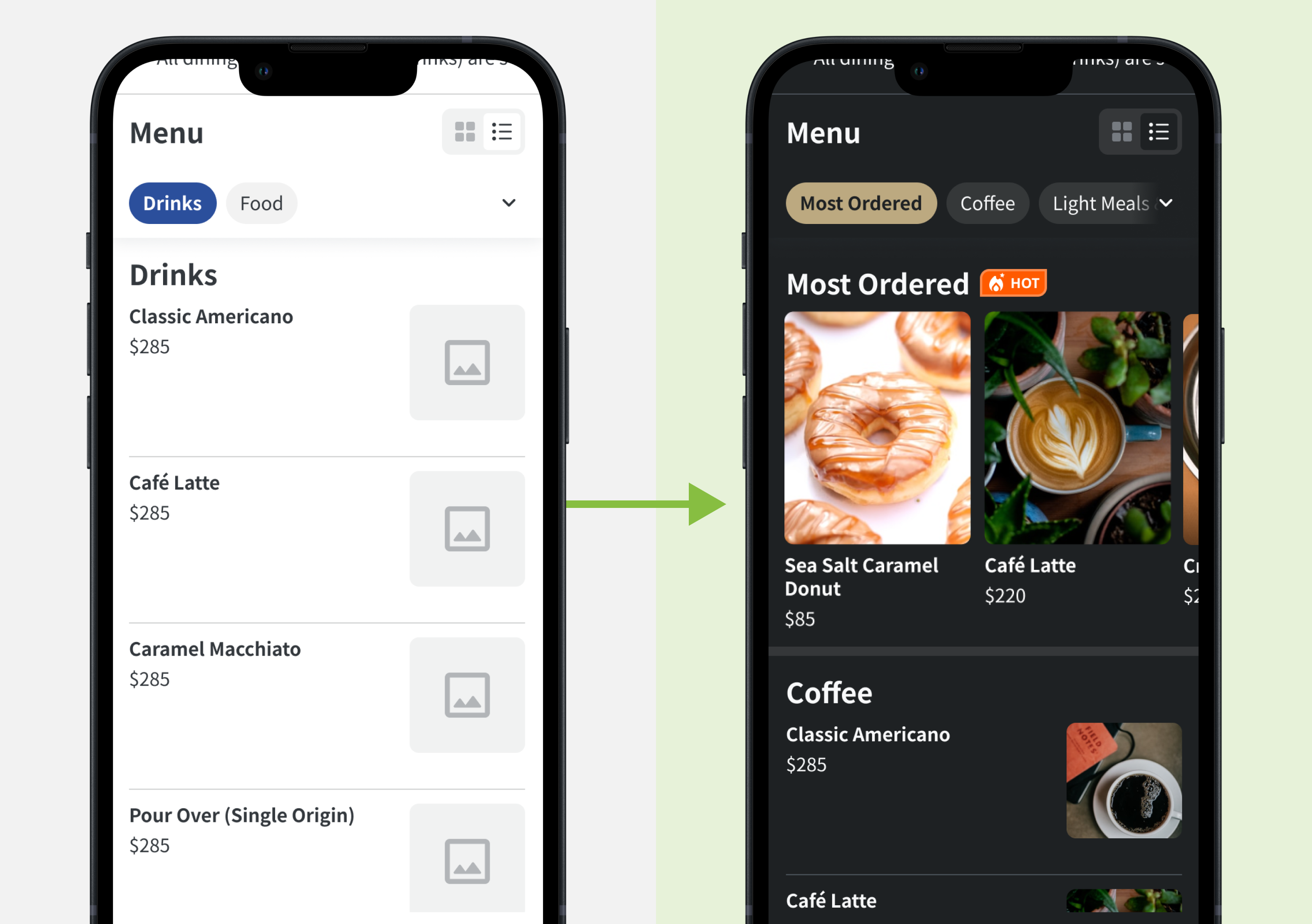
To make recommendations meaningful, enable Popular Pairings. This allows the system to automatically suggest highly correlated items based on past data and the customer’s current cart items. Higher relevance makes the add-on more likely to happen.
➤ Backend: Product/Inventory Mgmt > Menu Settings> Mobile Ordering (Takeout)/ Mobile Ordering (Dine-in) > Auto Recommendations [Popular Pairings]