The Current Business Status for Takeout Ordering is automatically adjusted based on the settings in Store Information > Opening Hours.If you encounter situations where you are too busy and need to temporarily close online ordering, take a sudden break, or extend operating hours, you can manually adjust this instantly in the Backend or on the POS.

Temporary Adjustment Notes
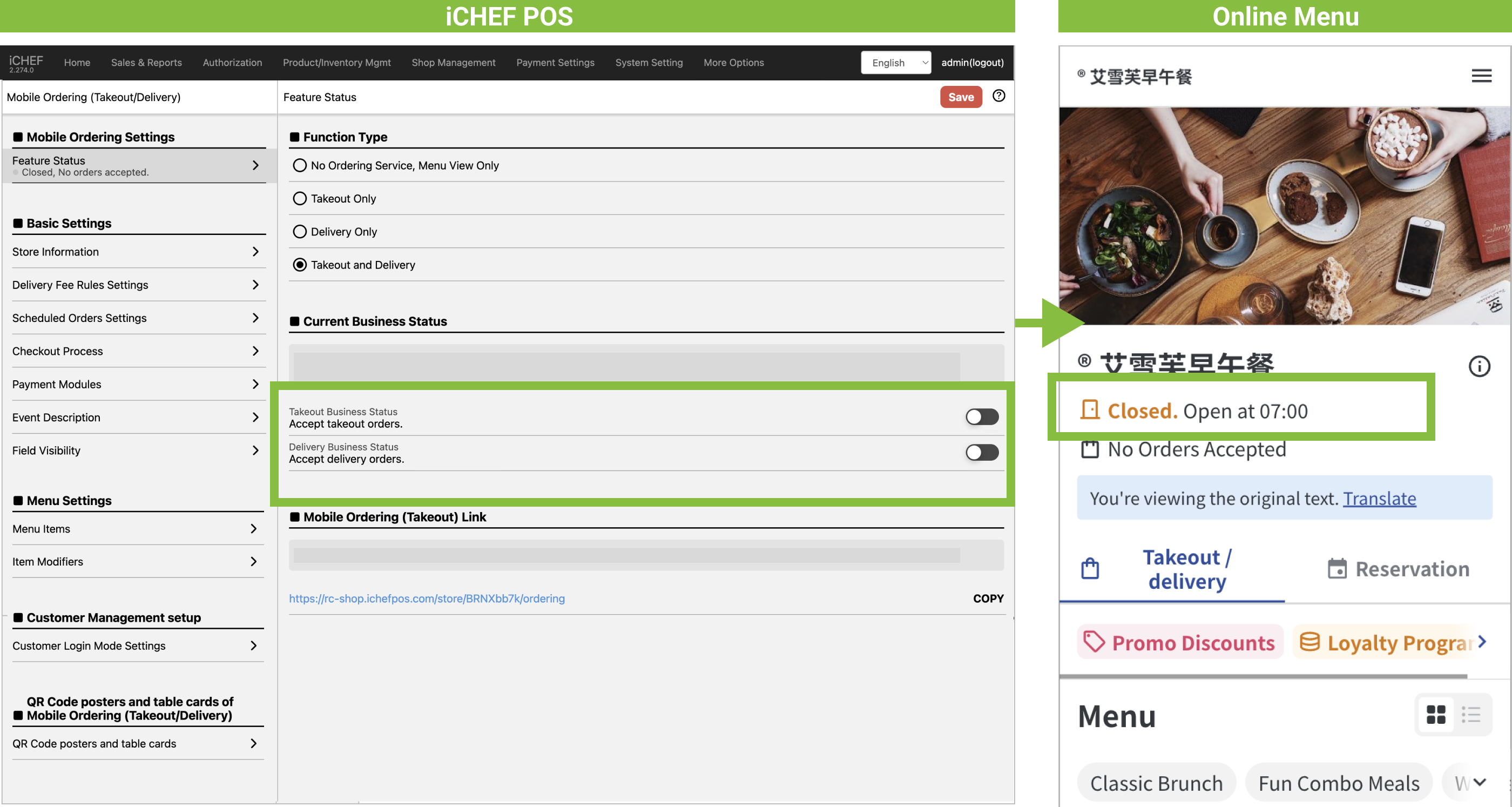
Temporarily Close
After closing, the Online Menu will immediately change to [Closed], preventing customers from placing online orders. If the [Scheduled Orders] feature is active, the reservation status and time slots will be subject to the Pre-Order Settings.
Temporarily Open
When manually opening Current Business Status (temporarily extending Opening Hours), the system will automatically Auto Extend Opening Hours from the current time to the next scheduled closing time.
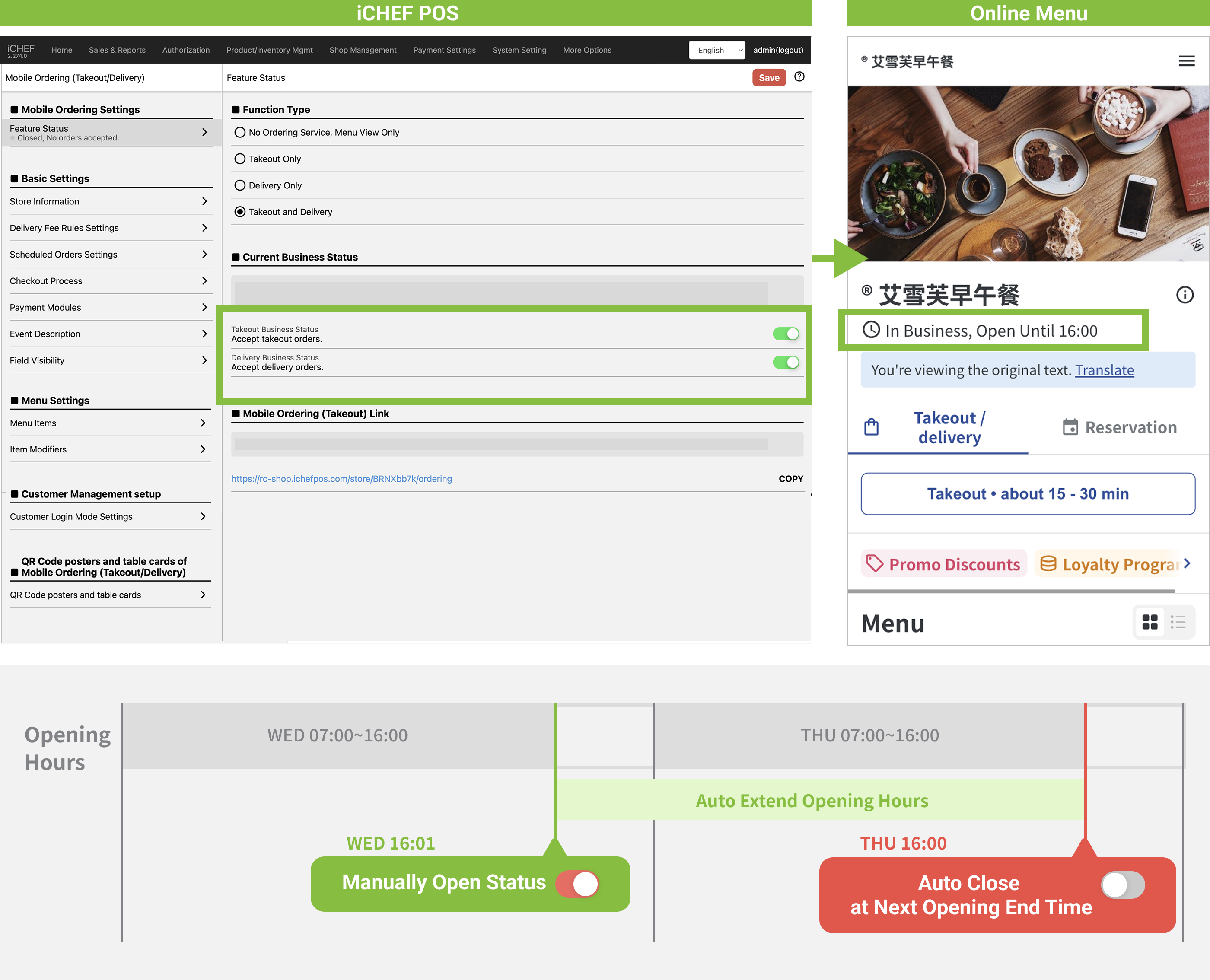
Please note that because the entire extended period is considered [Opening Hours], the system will simultaneously check if there are available items during this entire period. If an alert is displayed, resolve the No Available Items time slots below and complete the operation.
Manually Adjust Current Business Status
You can adjust the Current Business Status in the Backend and on the POS. Settings at both locations will sync instantly and update the Online Store.
➤ Backend: Online Store > Mobile Ordering (Takeout) > Feature Status
➤ POS: Toolbox > Mobile Ordering Management > Dine-in
Resolve No Available Items Time Slots
When a time conflict occurs, resulting in No Available Items during certain periods, the system will display the [No Available Items] time slots above Mobile Ordering (Takeout) > Feature Status].
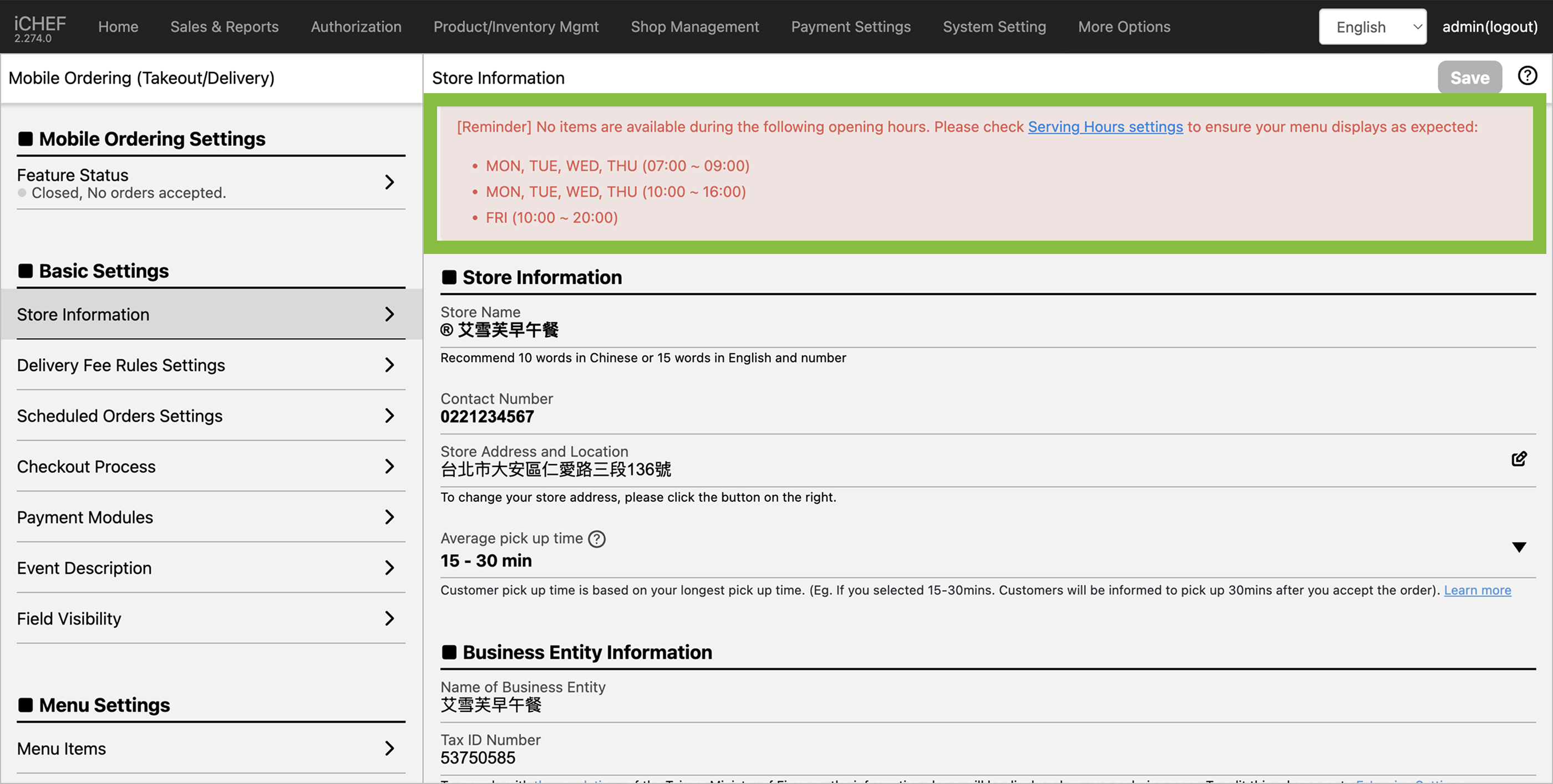
Follow these steps to meet your business needs and ensure the menu displays as expected:
- If the displayed period is expected and you do not want customers to order ➜ You can directly ignore this alert.
- If the period is not expected and you want customers to be able to order, please check in order:
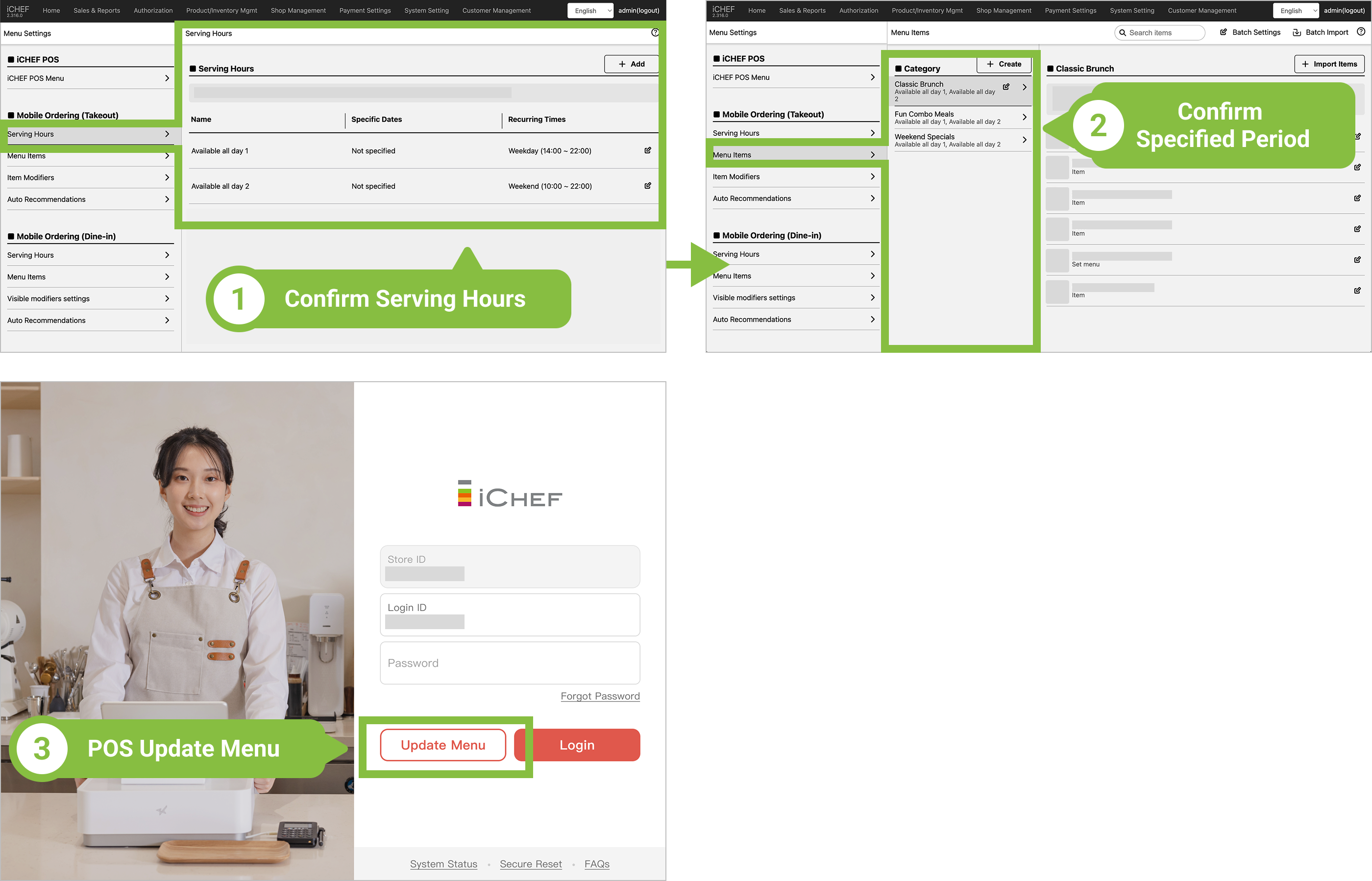
- ❶ Are Serving Hours established?
- ❷ Are the Items Categories specified under Menu Items?
- ❸ After confirming the above settings, please Update Menu on iCHEF POS App for the changes to take effect.