
Store Information
The store name, contact number, and address will be displayed on the [Mobile Ordering (Dine-in)] website. To make changes, go to[[[Online Store > Mobile Ordering (Dine-in) > Store Information] to adjust the displayed information.

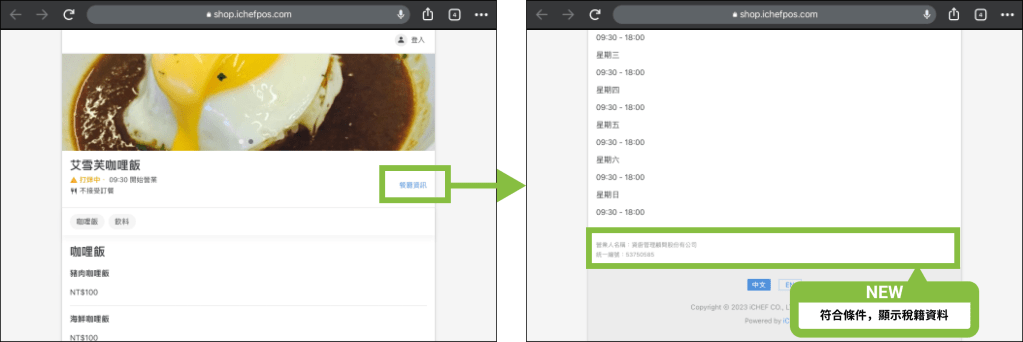
According to the regulations of the Ministry of Finance on online sales operators from January 1, 2023, when a store provides online sales services, it should disclose the “name of the business person” and the “unified number” of the tax registration, so if the following conditions are met, the information will be displayed in the restaurant information of the cloud restaurant.
Display conditions
- Condition 1: Have enabled takeout/delivery ordering or internal QR code ordering (either)
- Condition 2: Have issued Taiwan e-invoices through iCHEF POS or have not used iCHEF POS to issue Taiwan e-invoices but have signed a contract with iCHEF as a “legal person”.
What should I do if the information is incorrect?
Please adjust the display information according to the instructions below the Business Person field.
Reminders
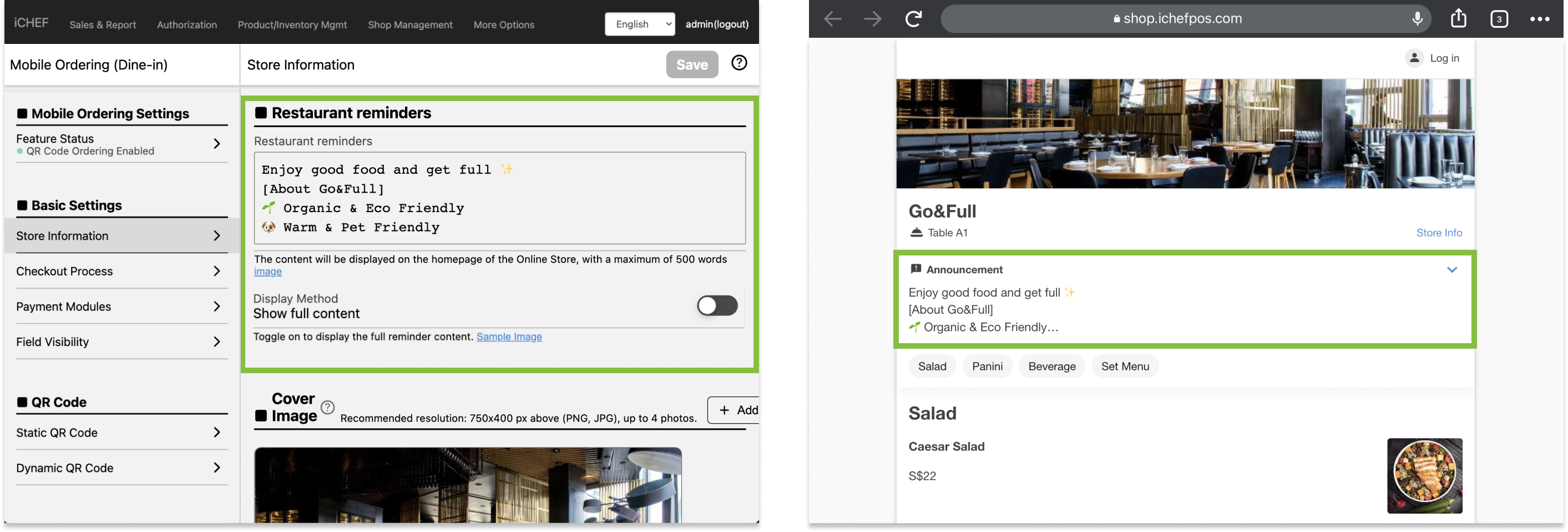
You can fill in the [Restaurant reminders] in the [Online Store > Mobile Ordering (Dine-in)> Store Information] , the information will be displayed on the website , and the default display will be 3 rows. Consumers can expand the reminders manually, or you can open the “Show full content” to display the full content automatically.
Cover Image
The cover image can be uploaded with up to 4 pictures in the [Online Store > Mobile Ordering (Dine-in)> Store Information] , when there are more than 2 pictures, the pictures will be displayed in a carousel on the website where the scan code is ordered, and the cover images will be sorted according to the time of uploading, if you want to adjust the order of picture display, you need to delete the pictures and then upload them in order.

Please place important information in the center in case the messages cannot be fully displayed on different devices.

- Central position: 602 x 255 px
- Tablet display size: 768 x 255 px
- Mobile display size: 602 x 411 px