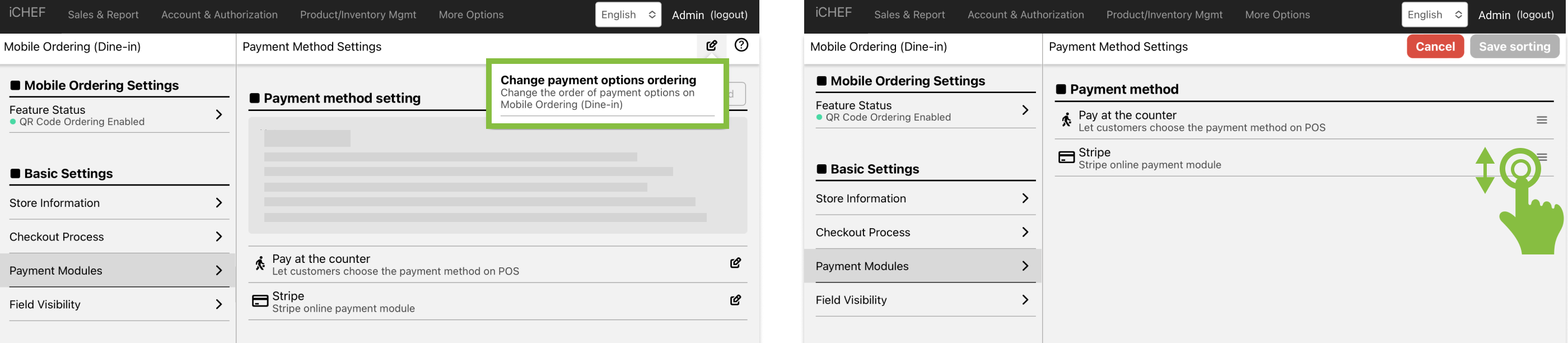
In addition to the preset on-site payment, the store can add other payment modules for consumers to use, and this article will explain the steps to add a payment module and how to adjust the order displayed in the shopping cart.
Supported Payment Methods
| Payment Methods / Instructions | Supported Regions |
|---|---|
| Pay at Counter | Taiwan, Hong Kong, Singapore |
| LINE Pay | Taiwan |
| Cards (NewebPay) | Taiwan |
| Allinpay | Hong Kong |
| Cards (Stripe) | Hong Kong (Applications suspended)、Singapore |
Added payment module
➤ Backstage location: Cloud restaurant > with scan code to order > payment module setting
- Click “+ Add” and select “Payment Module” to join.
- Fill in the display name: It is recommended to enter the name of the channel that you can recognize.
- Set up relevant integration information.

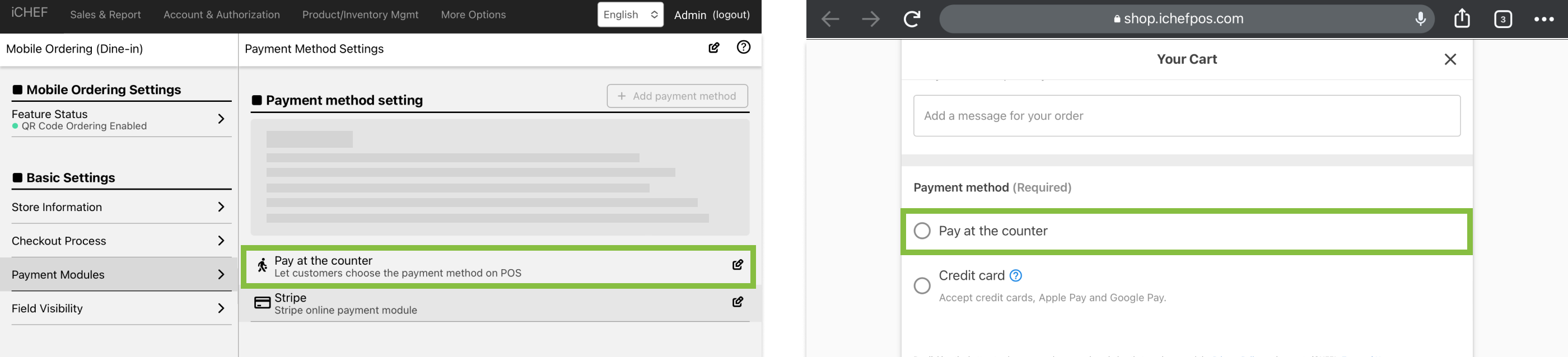
Pay at Counter
When customers select [Pay at Counter], order status on iCHEF POS will show as an unpaid order. This order should be checked out on iCHEF POS by your staff.
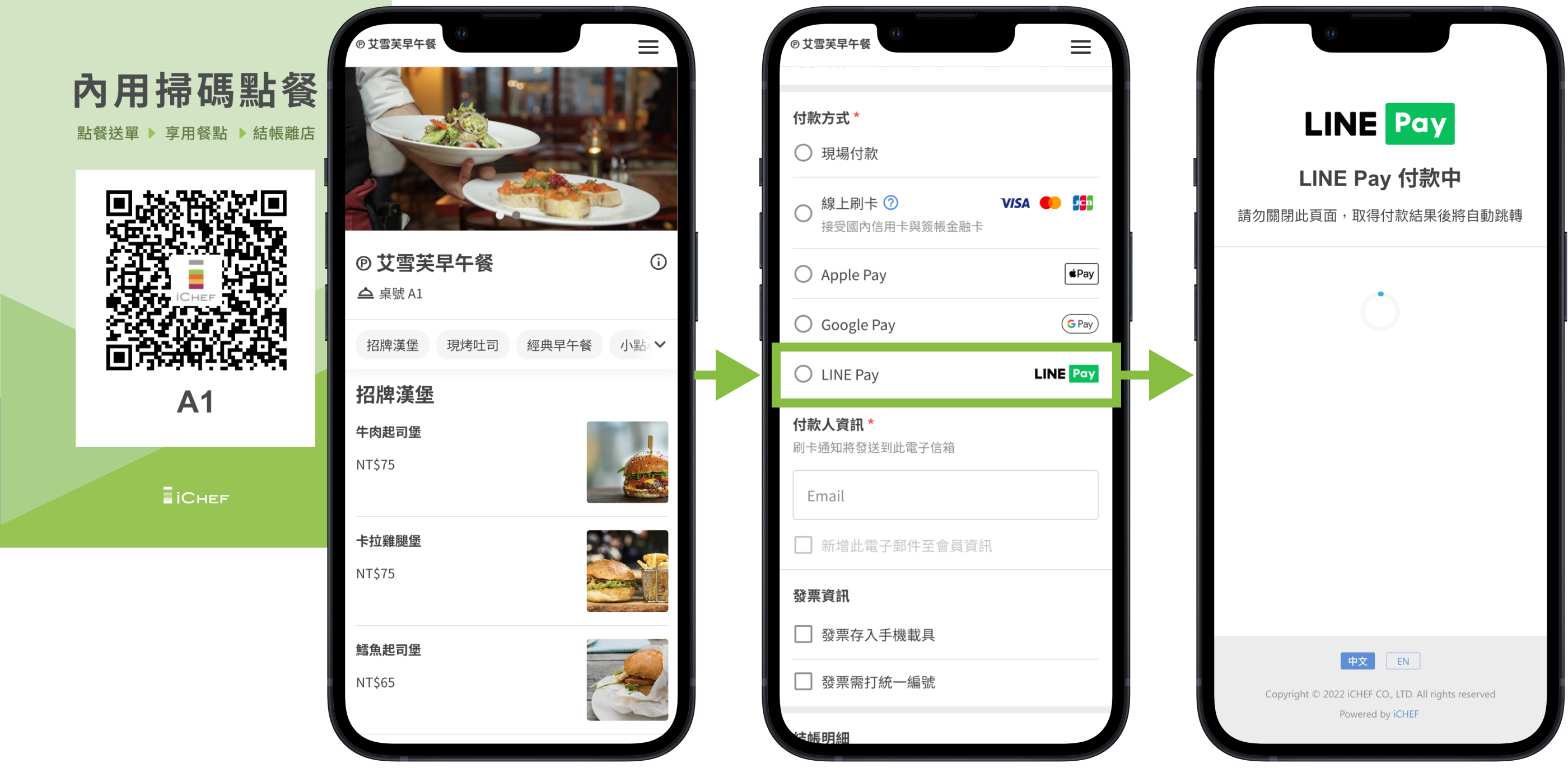
LINE Pay
LINE Pay, which is the most widely used among all age groups, not only has more than 10 million users, but also has the largest payment base in Taiwan.
If you use iCHEF POS, you can use the integration to provide LINE Pay payment at your counter POS, in-house ordering, and takeaway/delivery ordering, making it easy to grasp the payment opportunities of LINE Pay!
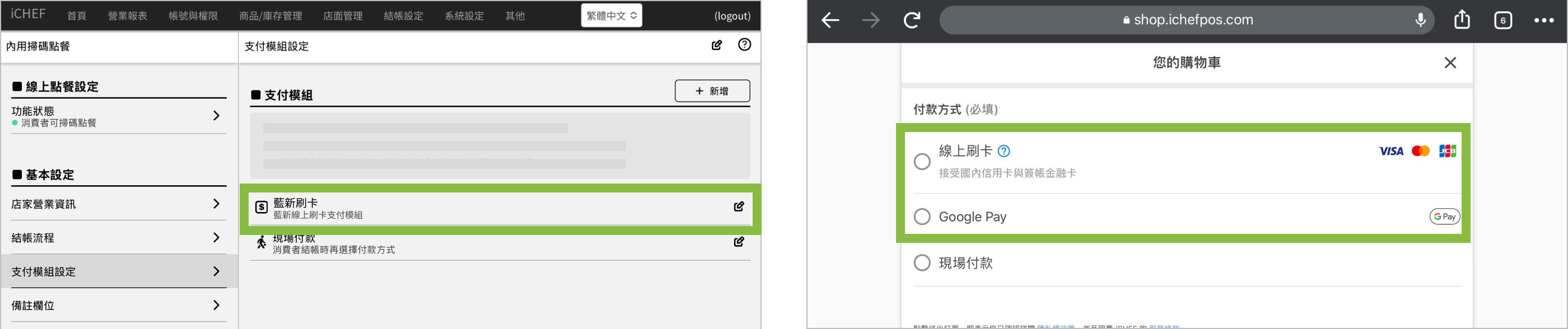
NewebPay Credit Card (Taiwan Region Only)
Consumers can choose to swipe their cards online, Google Pay, and Apple Pay at checkout, and will be automatically directed to the pages of each card platform, where the options of Google Pay and Apple Pay will be displayed differently depending on the browser of the device used by the consumer.
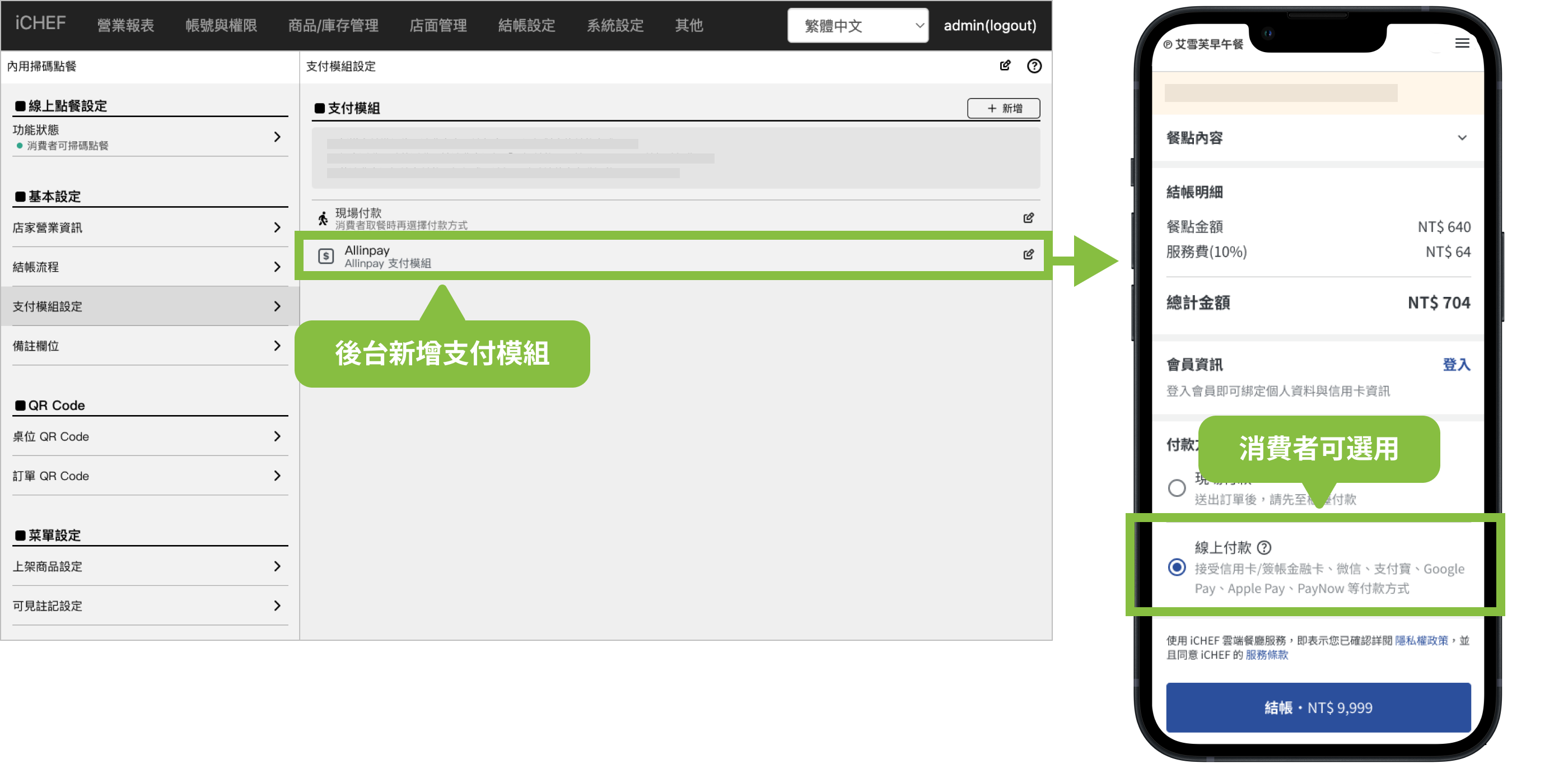
Allinpay (Hong Kong only)
Upon selecting online payment at checkout, customers will be redirected to the Allinpay platform, where they can complete their purchase using multiple options, including credit cards, WeChat Pay, and Alipay.
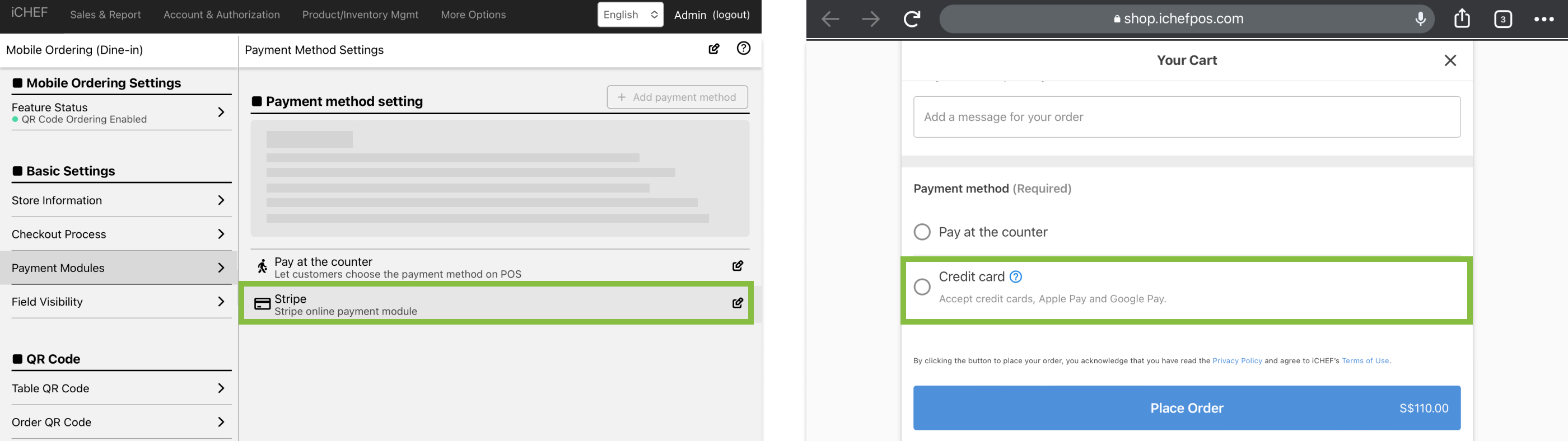
Stripe (Hong Kong(Application Closed)、Singapore)
When customers select [Credit or Debit Card], the ordering page will redirect to Stripe payment portal.
Adjust the sorting of payment modules
When there are more than 2 payment modules, you can go to the cloud restaurant > and order food with the QR code > The payment module settings click “Adjust the order of payment methods”, and the sorting will affect the order of the payment methods displayed on the website by dragging and dropping.