
Payment Settings
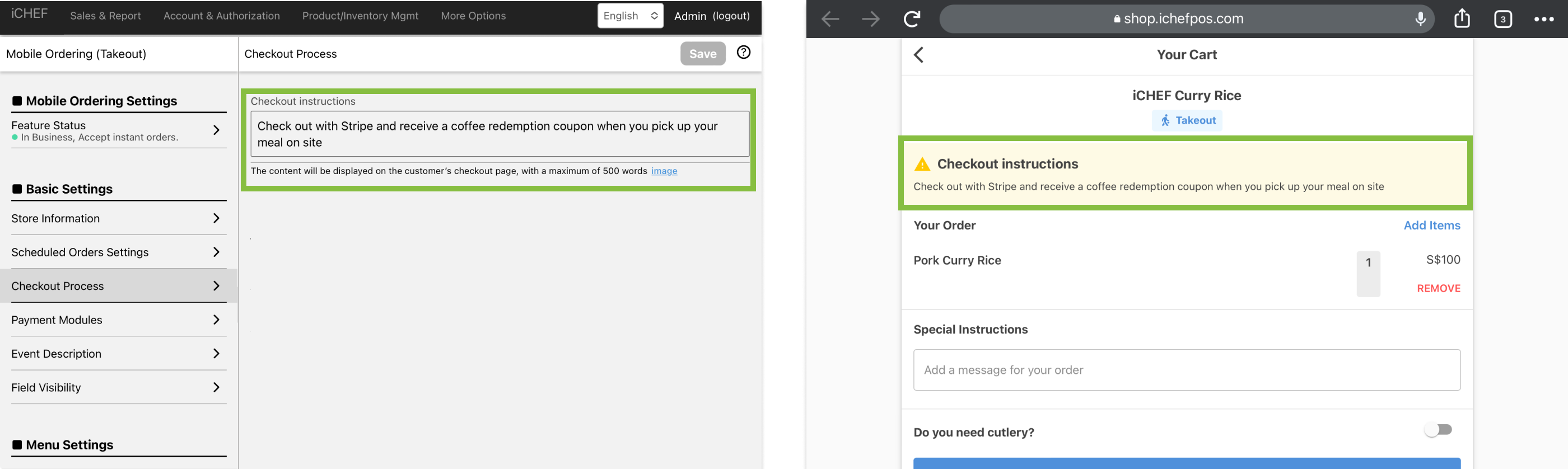
Checkout instructions
The checkout instructions will be displayed in the shopping cart on the takeaway/delivery website, and the store can enter the “checkout instructions” in the checkout process column of the cloud restaurant > > (e.g., using LINE Pay to checkout, you can get a coffee voucher when you pick up your food on-site).
Tax ID number Column (Taiwan Region only)
When toggled on, customers are allowed to enter Tax ID on checkout page. If you are issuing E-invoice through iCHEF POS, the Tax ID will be auto applied to the invoice.
- Please go to Cloud Restaurant > Takeaway/Delivery Ordering > Checkout Process
- Toggle on [Display settings for the Tax ID number input field]
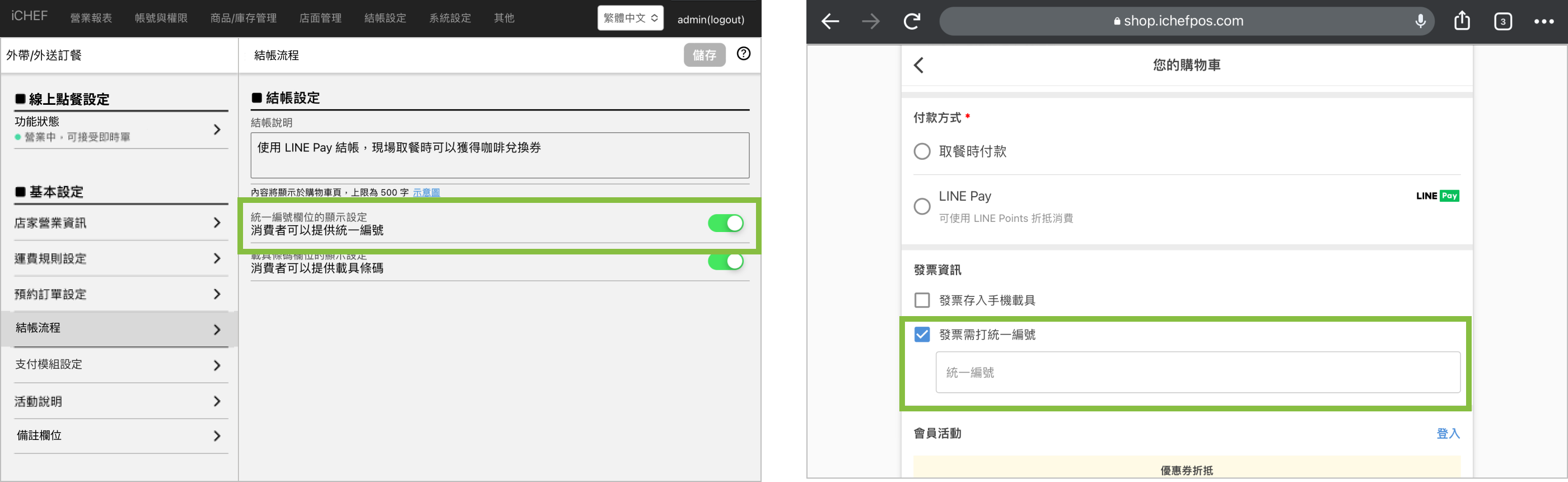
If you are not issuing E-invoice but the column is toggled on, customers can still enter Tax ID Number on checkout page. The Tax ID Number will be displayed in order details on iCHEF POS. Please provide your customer receipt with Tax ID Number at checkout.

Display settings for vehicle barcode columns (Taiwan only)
If you are issuing Taiwanese E-invoice, [Store Invoice on Carrier] will be auto-enabled. Customers can enter their mobile barcode on the cart page of Online Store to store E-invoice. To configure this field:
- Please go to Cloud Restaurant > Takeaway/Delivery Ordering > Checkout Process
- Toggle on/off [Enable Invoice Carrier Field on Cart Page]

When customers enter their mobile barcode on Online Store, there are 2 possible scenarios:
- Unpaid order: the mobile barcode will be synced on iCHEF POS at checkout.
- Paid order: the E-invoice will be stored on the carrier, no invoice will be printed out.

If you also use the internal QR code ordering function of the cloud restaurant, it is recommended to adjust the checkout process (unified editing and vehicle field display function) to the same as takeout/delivery ordering, which not only speeds up the checkout process, but also saves the use of paper rolls.