General
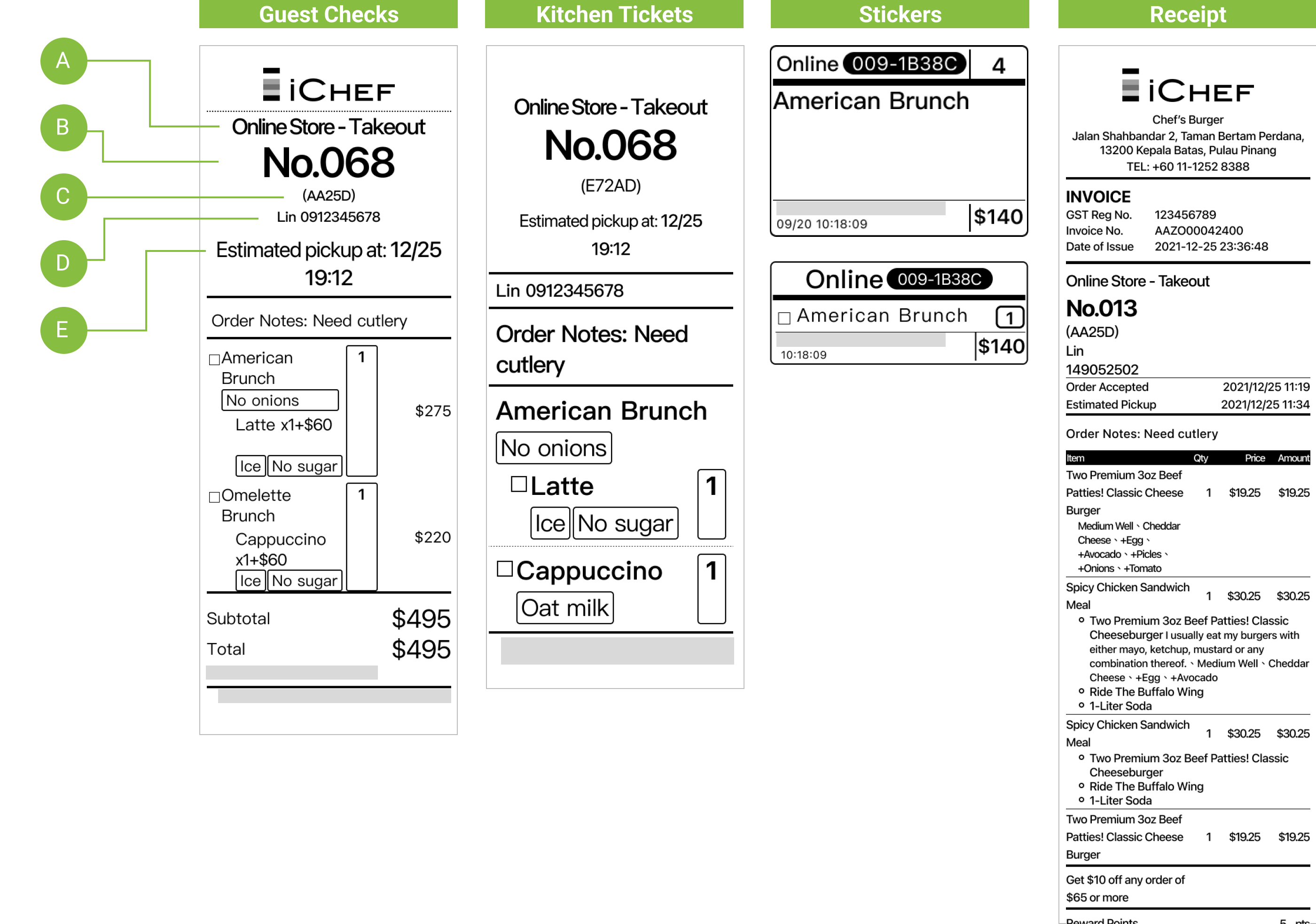
Field Explanations
- A: Order Source and Type
- B: Order Serial Number (numbered by POS acceptance sequence, e.g., 001-100)
- C: Online Store’s dedicated alphanumeric ID (randomly composed, e.g., 229F3)
- D: Customer Information
- E: Estimated Pickup (takeout)
- F: Delivery Address (TW Only)
The amount of subtotal and total on guest check does not include discounts/loyalty points and delivery fee.
E-invoice (TW Only)
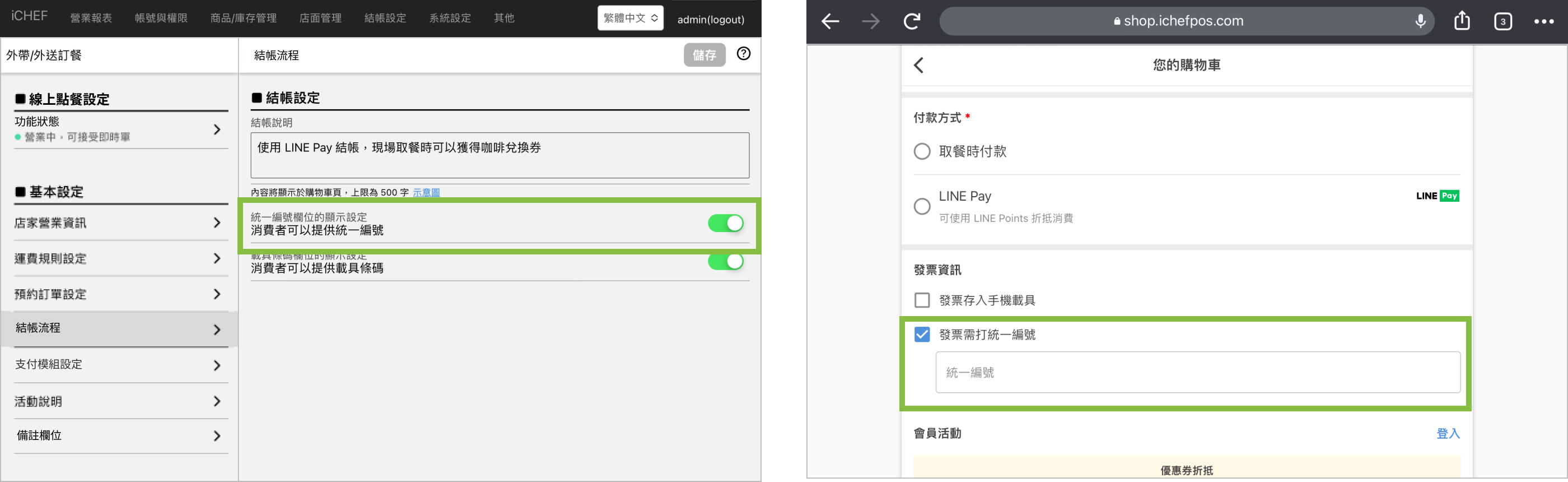
When toggled on, customers are allowed to enter Tax ID on checkout page. If you are issuing E-invoice through iCHEF POS, the Tax ID will be auto applied to the invoice.
- Please go to Cloud Restaurant > Takeaway/Delivery Ordering > Checkout Process
- Toggle on [Display settings for the Tax ID number input field]
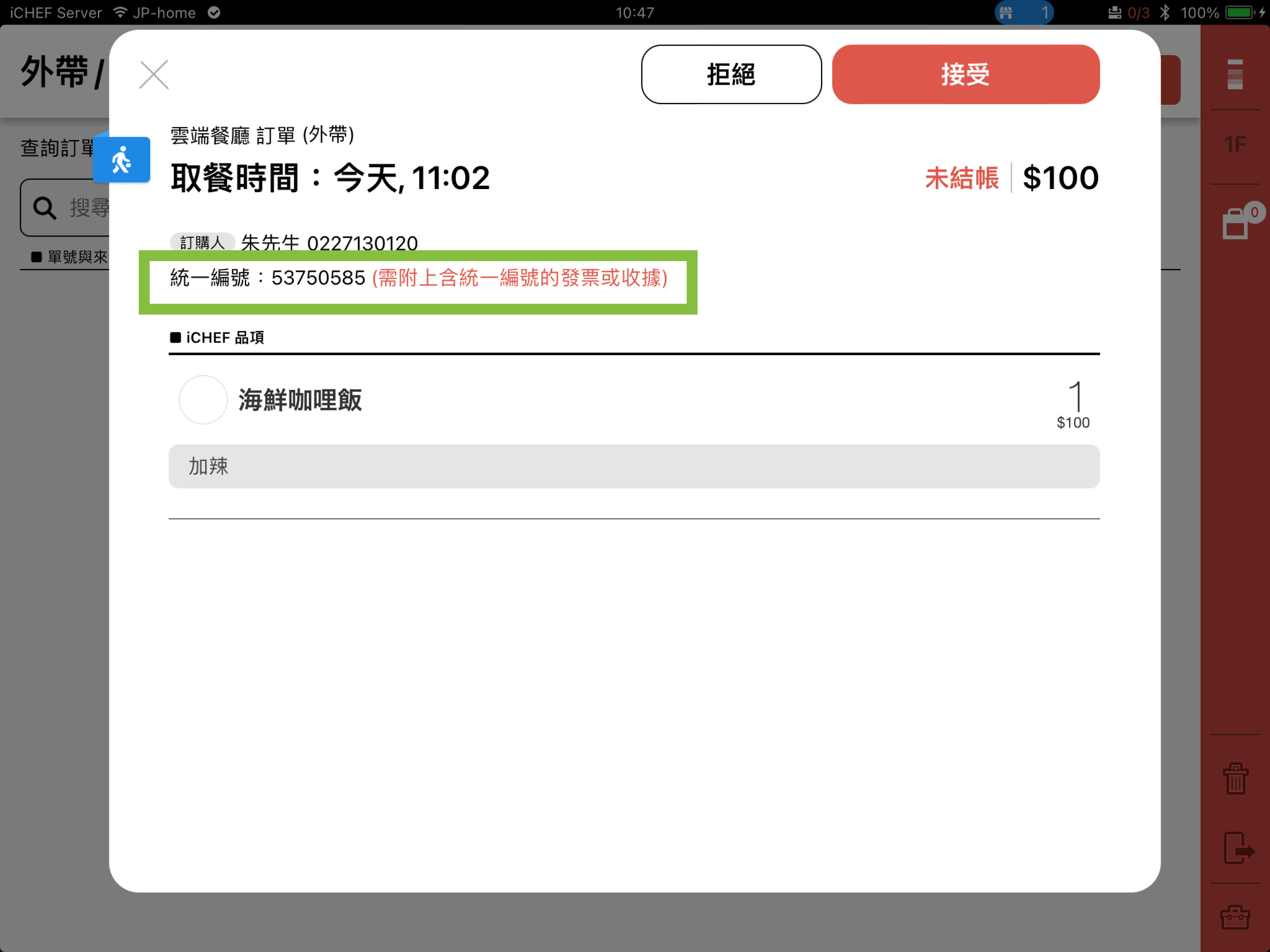
If you are not issuing E-invoice but the column is toggled on, customers can still enter Tax ID Number on checkout page. The Tax ID Number will be displayed in order details on iCHEF POS. Please provide your customer receipt with Tax ID Number at checkout.