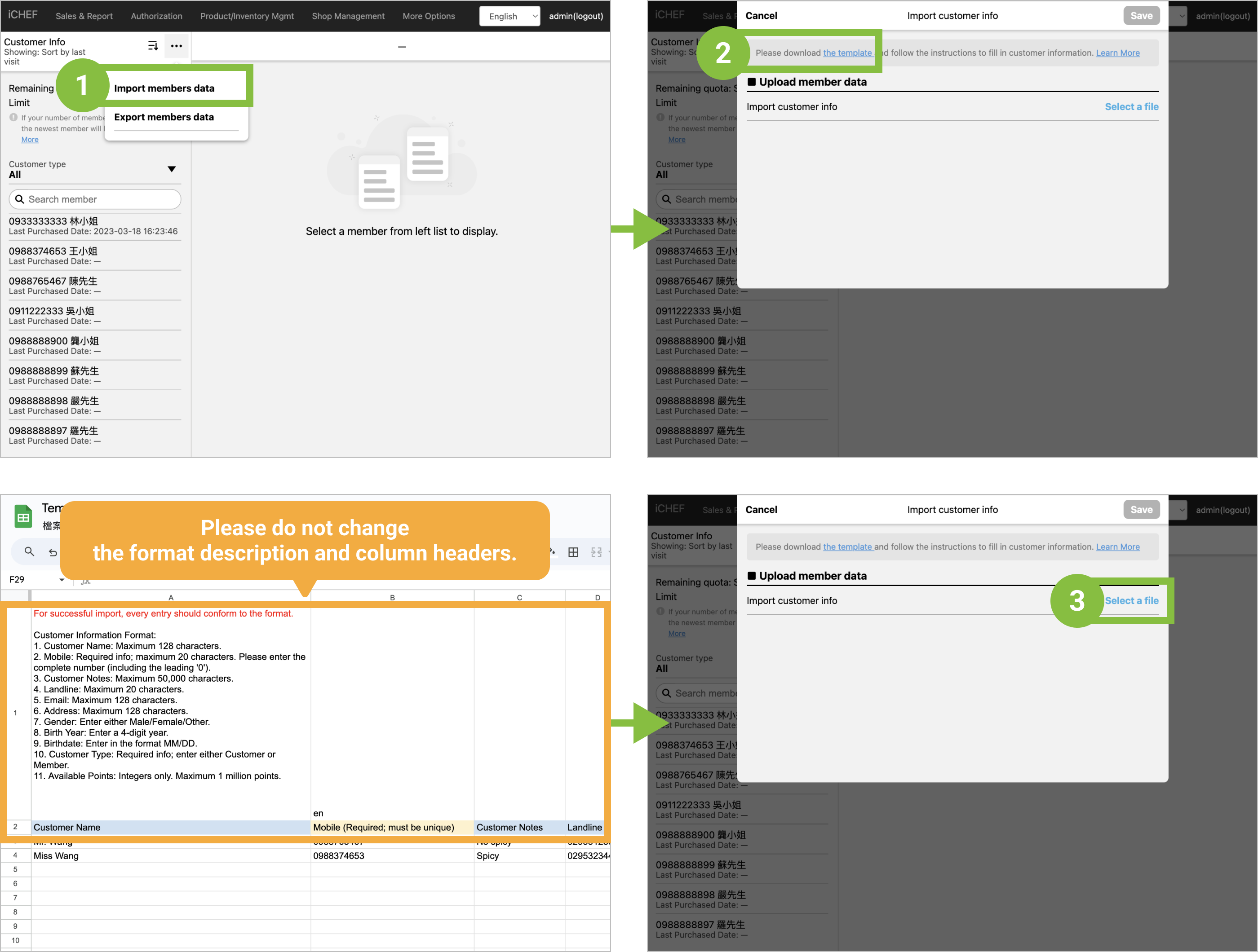
Learn how to sign customers up for membership via iCHEF POS, or by importing the data.
Sign up via iCHEF POS
When a customer waits for a seat and places orders, you can enter the customer’s mobile phone number to sign him/her up as a member. During the checkout, the system will identify and fill in the information automatically.

After you enter the mobile phone number, iCHEF POS app will identify the data and display the customer’s information and preferences.
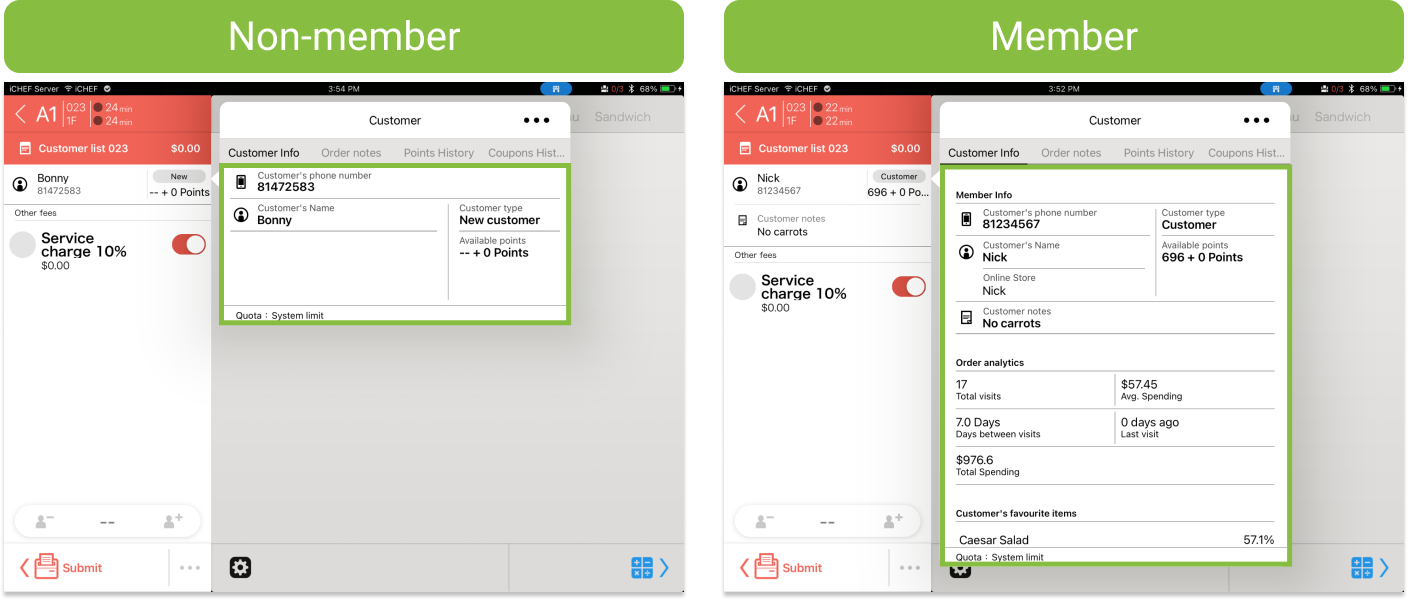
Under the non-checkout situation, you can sign a customer up as a member through the following steps:
- Go to Toolbox > Customer Management
- Tap [+ New customer]
- Enter the information and tap [Save]
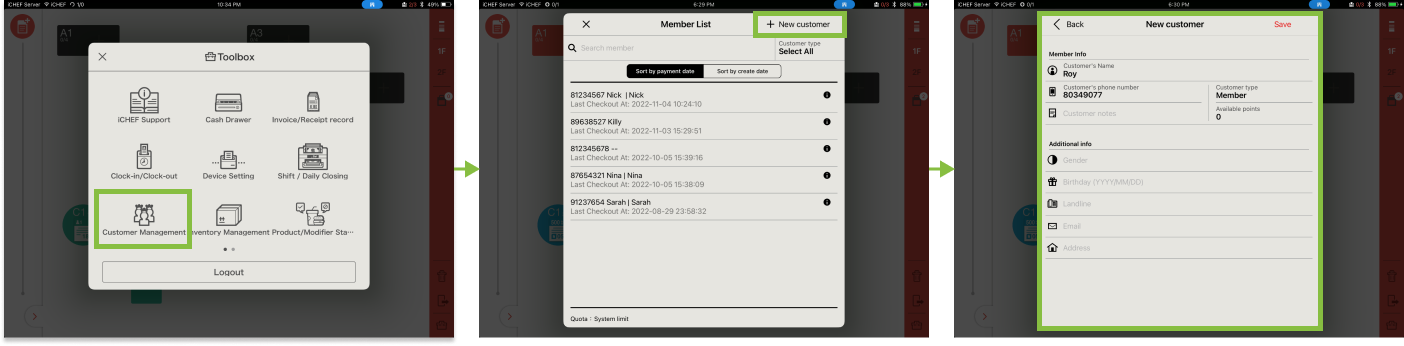
When you sign a customer up as a member through this way, the customer type is set as Member by default.
Sign up via Online Store
Online store is a platform where customers can view the menus and place orders. They can also sign up as a member of the store here. (More about Website and Member Area)

Import Member Data
iCHEF POS supports the import and export of member list to help you transfer the members’ info conveniently. (More about Import/Export Member Data)