
iCHEF POS analyzes member’s consumption history. You can get a grasp of customers’ preferences and check the available coupons and loyalty points.
Check Member Analysis
In iCHEF POS App
When placing an order, you can enter a member’s mobile phone number, and iCHEF POS will display member information, including the consumption frequency, order preference, spent amount, etc.
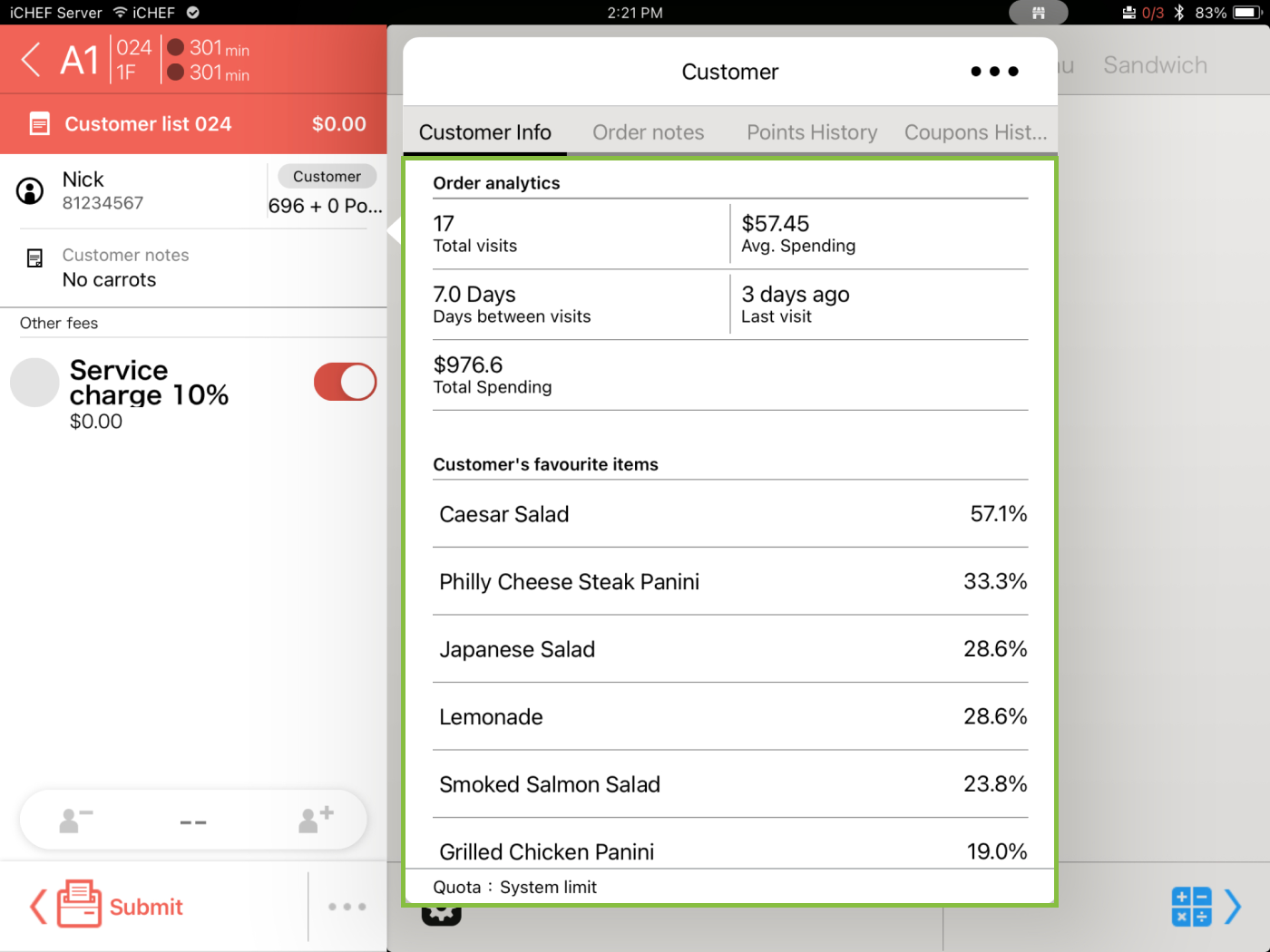
To access the consumption analysis of specific members under other situations, go to [Toolbox > Customer Management], and enter the mobile phone number to search for the members’ information.
On iCHEF Backend
- Go to Customer Management > Customer Info.
- Enter the mobile phone number in the search column and select the desired member.
- Select the tab [Purchase Analytics].
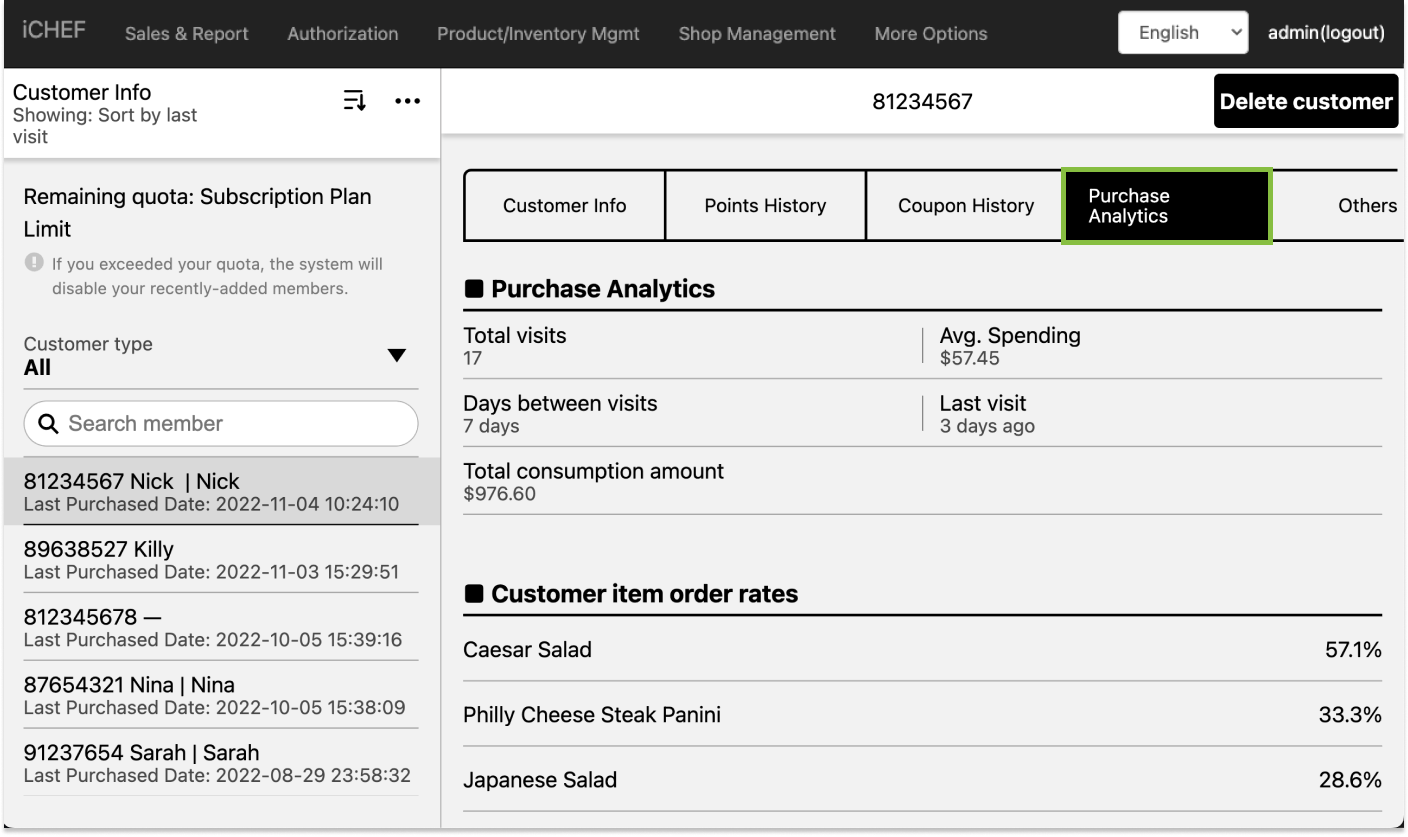
Member Analysis Data
Purchase Analytics
The data is summarized according to the member’s consumption history.
| Column | Description |
|---|---|
| Total Visits | Times of Placing Orders and Completing Checkout |
| Cumulative Consumption Amount | Total amount of all of the member’s orders. |
| Average Consumption Amount | Calculation Formula: Accumulated expenditure divided by total number of transactions. |
| Average Days Between Visits | Calculation Method: (The last consumption time – The first consumption time) / (Total consumption times – 1) |
| Last Visit | When the member’s last visit is. |
| Item Order Rates | The member’s preferences for meals. |
History of Points And Coupon
When accessing a member’s information, you can also take a look at how he/she uses the points and coupons. To know more about loyalty point programs and discounts, please refer to the following articles.
- Read: Loyalty Point Programs
- Read: Discounts