
iCHEF POS system can help you sending marketing messages to the right audience. Learn how to filter your target audience by advertising segmentation.
Feature Advantages
- Achieve Accurate Segmentation & Elevate Advertising Effectiveness
Delivering messages to the members who may be interested in the promotion based on the analysis of member information and preferences.
- Upload the Audience List to the Distribution Platform with A Click
The target audience list can be directly uploaded to FlyDove (messaging) and LINE platforms. There is no need to produce a list from scratch. (TW only)
- Renew & Reuse the Audience List for Regular Events
Set up the filter conditions once and you can update the list with just one click.
Perform Advertising Segmentation
Step 1: Add Segmentation Condition
- Go to Customer Management > Advertising Segmentation> Segmentation Conditions
- Click [+ Add a segmentation condition]

- Enter the name and select the conditions for filtering, and click [Save] to complete.
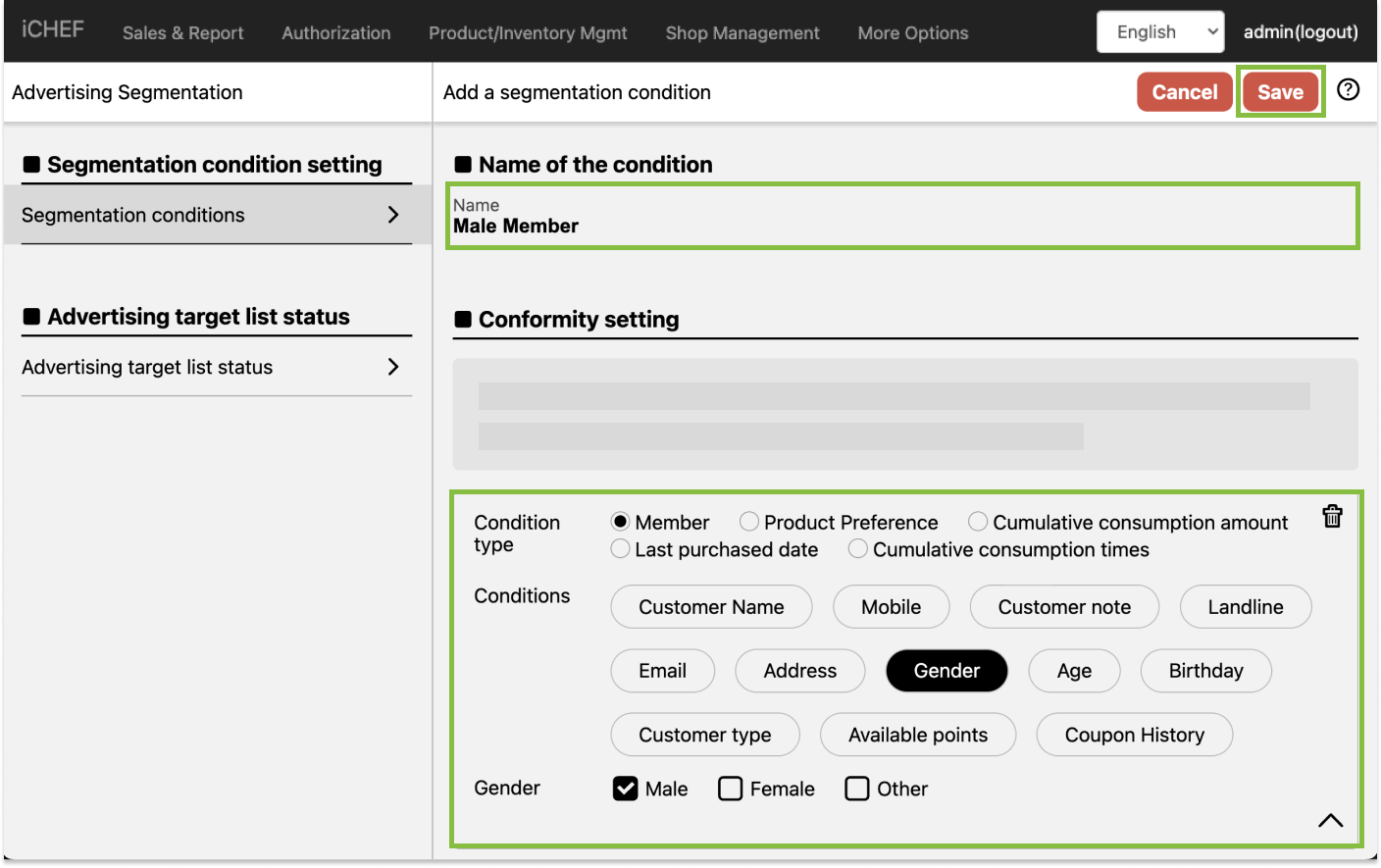
- Member Info
- Member basic info
- Customer name, mobile phone number, customer note, landline, E-mail, address, gender, age, birthday, customer type
- Available points
- Coupon history
- LINE OA
- Member basic info
- Product preference
- You can target at the members who bought the specified items within the last 180 days.
- Cumulative consumption amount
- You can target at the members whose consumption amounts exceed the specified amounts within the last 365 days.
- Last purchased date
- You can target at the members who shopped at your store within the last 365 days.
- Cumulative consumption times
- You can target at the members whose consumption times exceed the specified number within the last 365 days.
Click [+ Add more conditions] to add other conditions for filtering. The conditions for each rule cannot be repeated. To delete a condition, simply click the trash bin icon.


For a created segmentation condition, you can click the [pen] icon and select [Edit name and browse conditions] to adjust the condition’s name. However, the content of the condition cannot be edited. To delete a segmentation condition, please click [Delete permanently].

Step 2: Add an Audience List
- Go to Customer Management > Advertising Segmentation> Advertising target list status
- Click [+ Add audience list]
- Enter the name and select the conditions and sending method.

You can choose from sending FlyDove text messages, sending LINE OA official messages and downloading customer list. To send out messages through 3rd-party services, please refer to the following articles:
- Click [Count the people]. The system will calculate the number of customers who meet the conditions.
- Click [Confirm], and the page will redirect to the corresponding platform.
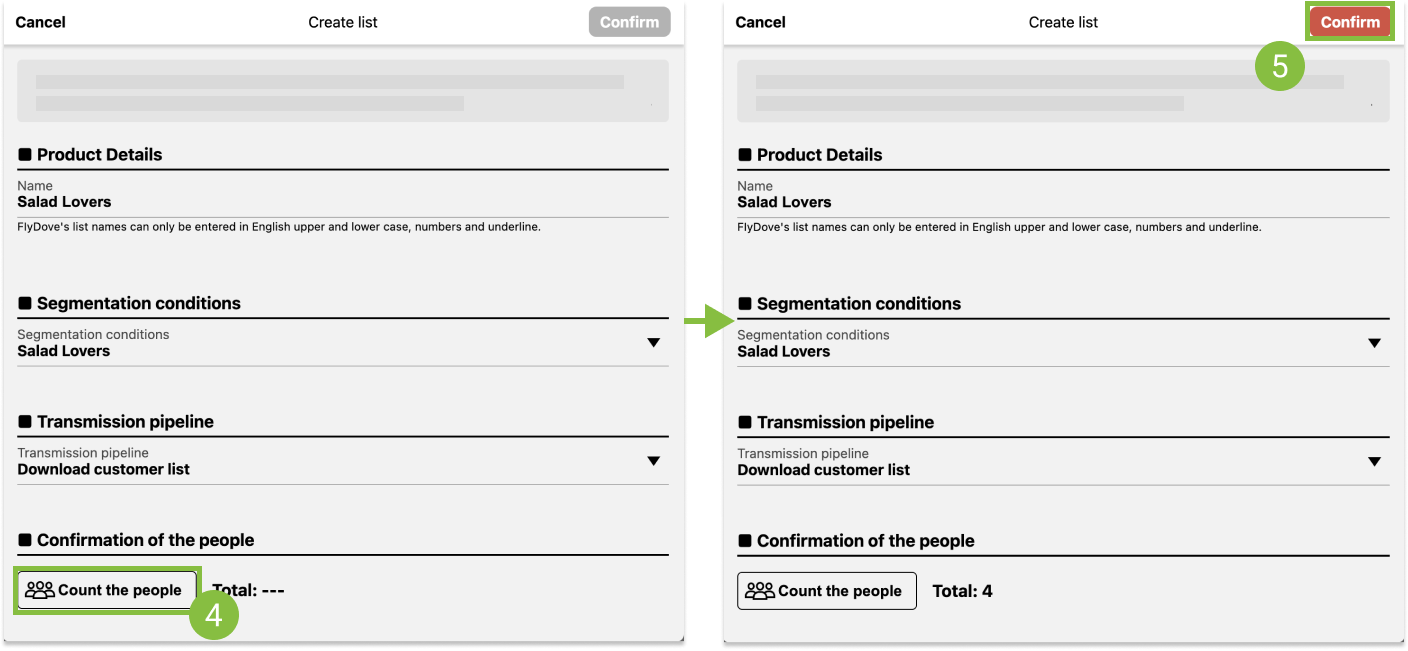
You can upload the audience list to the distribution platform only when the total number ≥ 1. The actual list and the number of messages are subject to the distribution platform.
Update the Audience List
You can create a segmentation that meets your needs. Once set up, you can renew the audience list with the same filter condition.
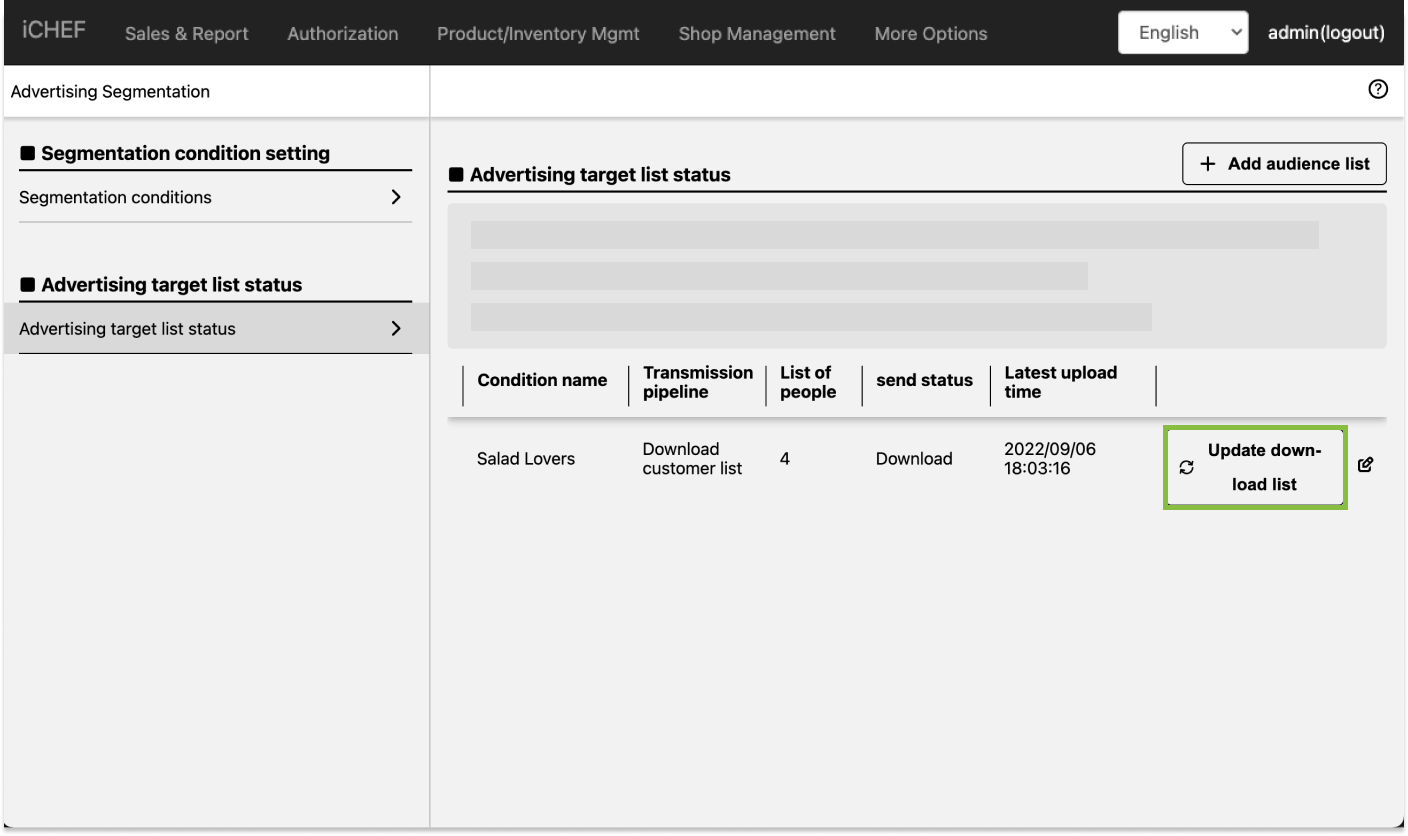
Click the pen icon of an audience list to perform the following actions:

Download
Download the filtered audience list.
Permanently Delete
Delete the advertising target list.