Count inventory through your iCHEF POS app, and pull reports from iCHEF backend.
Count Inventory
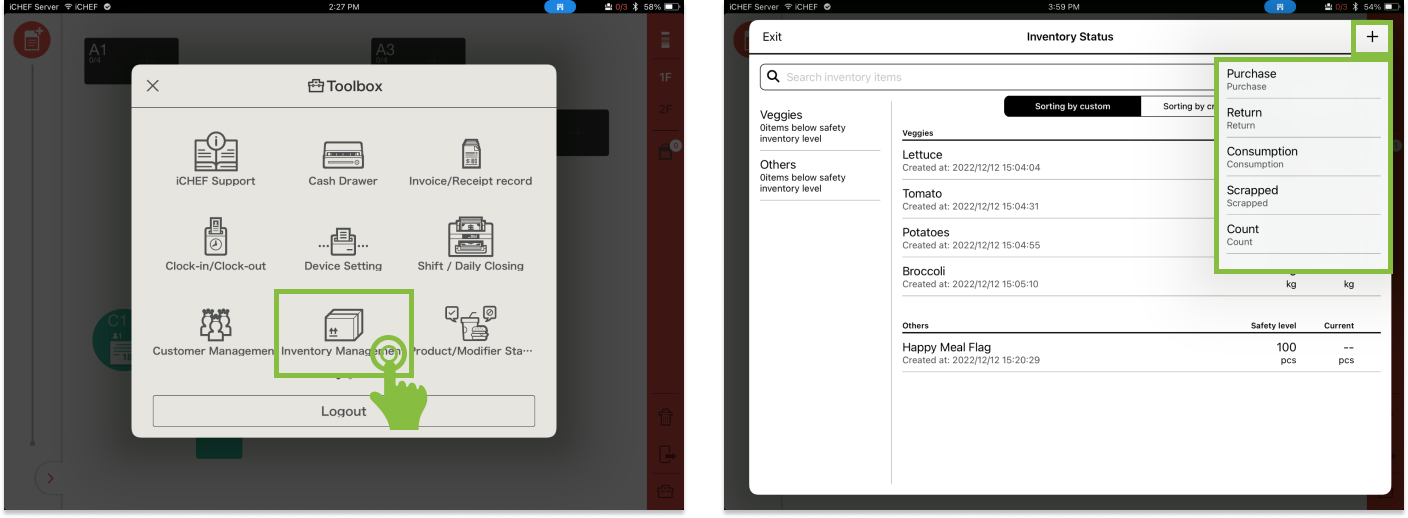
- Go to Toolbox > Inventory Management
- Tap [+] to select the action
Purchase
When you restock your shelf, add a purchase record and have a quick view of your cost.
Return
If you are returning something to your vendor, add a return record to deduct your current quantity of the inventory. The cost of returned inventories will be deducted.
Consumption
Take stock and add a consumption record to deduct your current quantity of the inventory. You can also set up an auto-deducted logic on iCHEF backend.
Scrapped
Add a damage record to deduct your current quantity of the inventory. Note that the cost of damaged inventories will not be deducted.
Count
Take stock by re-count the inventory to make sure the quantity on the records is accurate.
Purchase
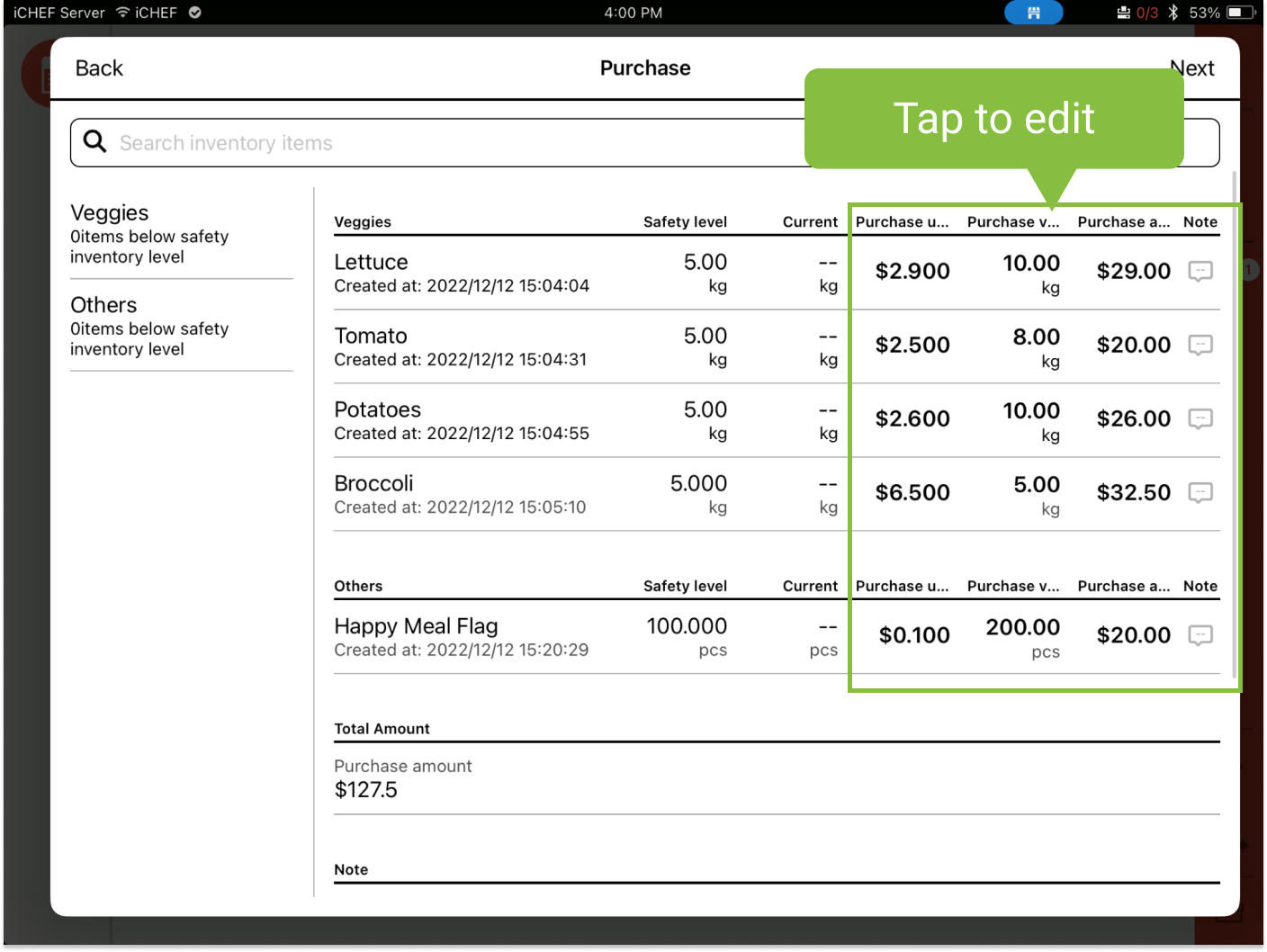
- Select [Purchase]
- Enter the quantity or the price of the item
- You can edit the price per unit, the quantity of item, or the price of item.
(Purchase amount = price per unit x quantity of item)
- You can edit the price per unit, the quantity of item, or the price of item.
Return
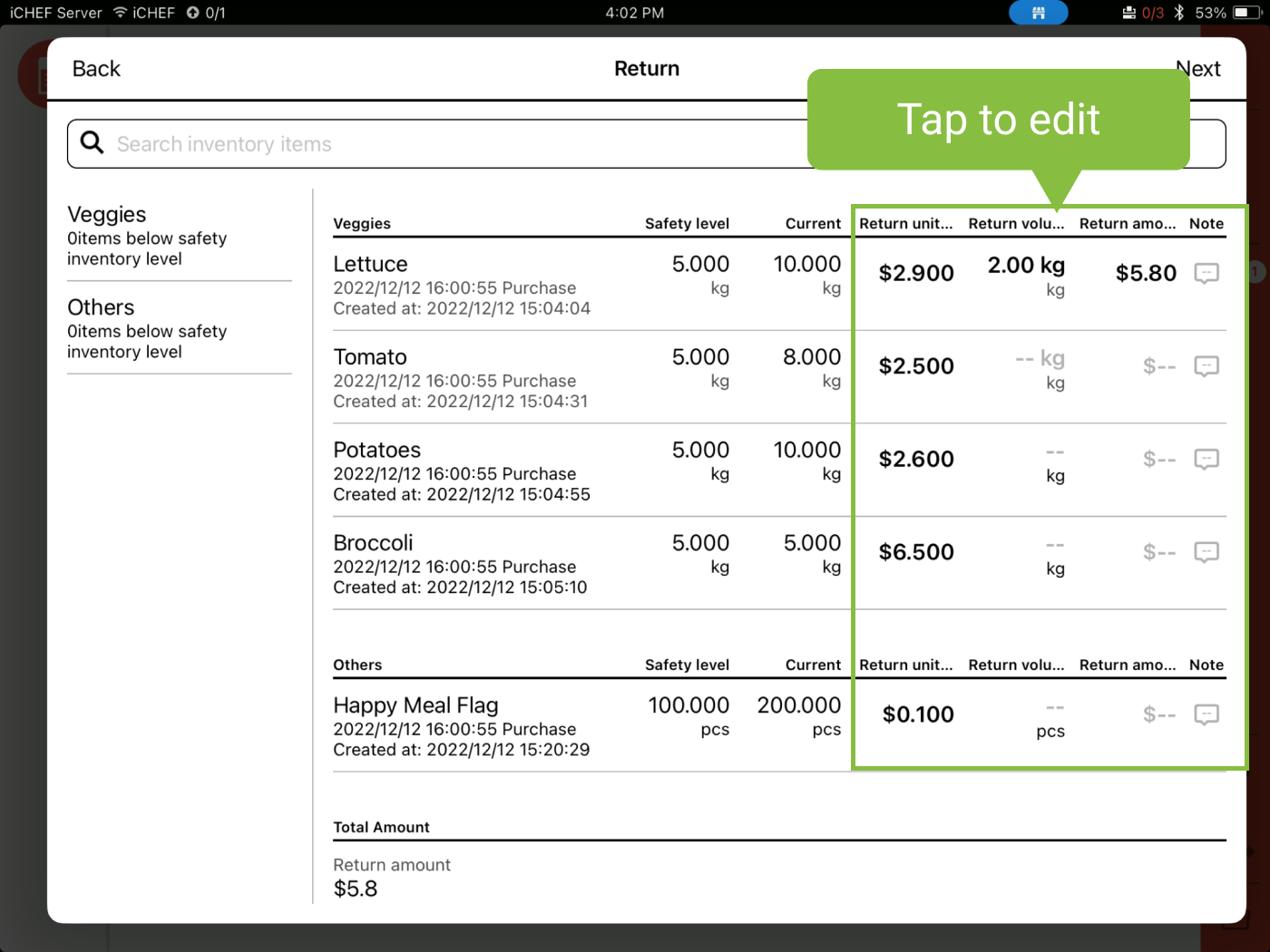
- Select [Return]
- Enter the quantity or the price of the item
- You can edit the price per unit, the quantity of item, or the price of item.
(Return amount = price per unit x quantity of item)
- You can edit the price per unit, the quantity of item, or the price of item.
Consumption
- Select [Consumption]
- Enter consumed quantity or the final quantity
- You can edit either consumed quantity or the final quantity.
(Final quantity = current quantity – consumed quantity)
- You can edit either consumed quantity or the final quantity.

Set up an auto-deducted logic on iCHEF backend, and whenever you submit an order, the inventory quantity will be auto-deducted. (More about: Ingredient Consumption)
Scrapped
- Select [Scrapped]
- Enter wastage quantity or the final quantity
- You can edit either the wastage quantity or the final quantity.
(Final quantity = current quantity – wastage quantity)
- You can edit either the wastage quantity or the final quantity.

Count
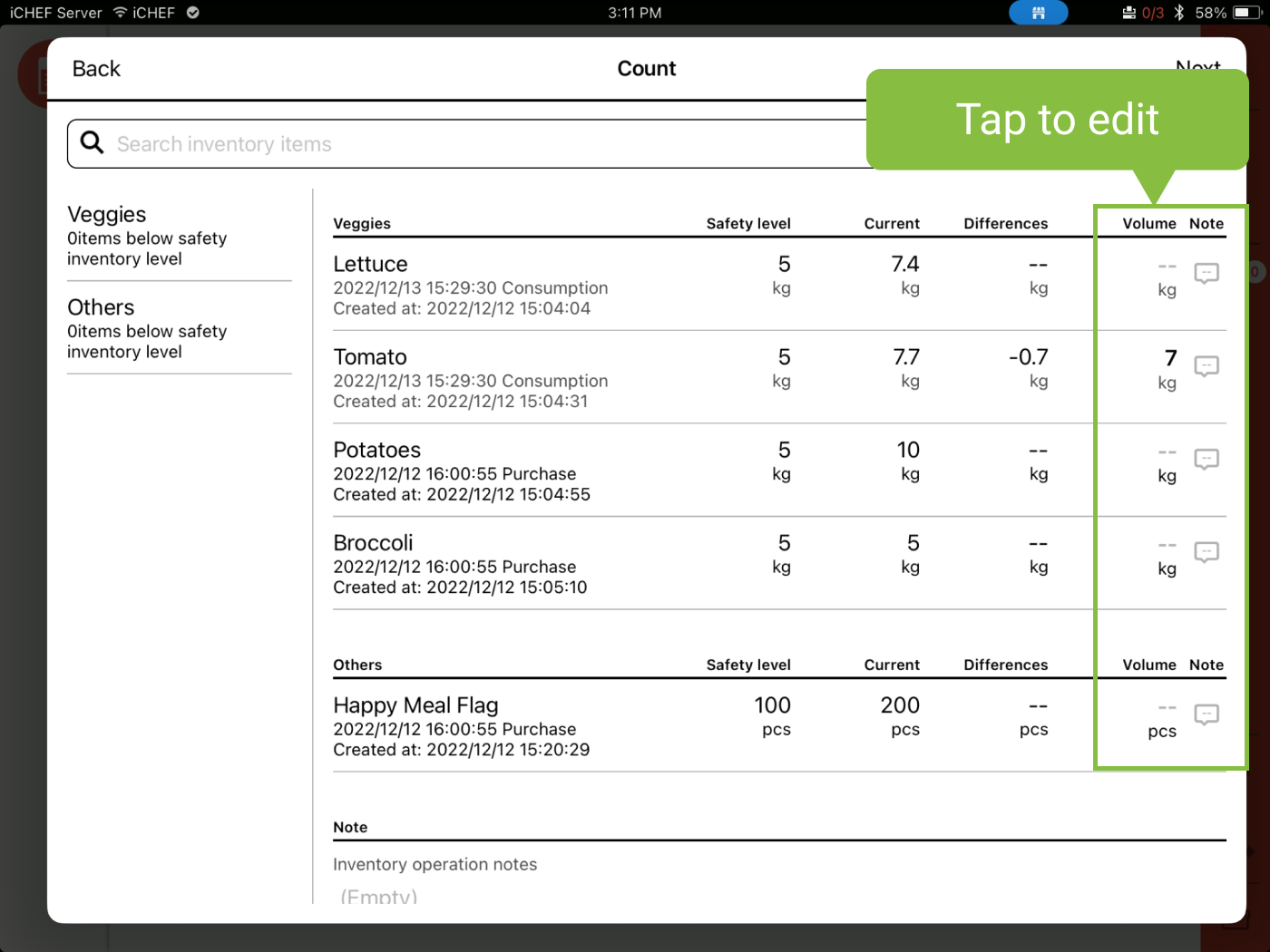
- Select [Count]
- Enter [Volume]
- The differences will be calculated by the system.
(Final quantity = current quantity – difference)
- The differences will be calculated by the system.