
Regular cleaning of the printer helps maintain print quality and extend the equipment’s lifespan. If you notice blurry printing on receipts, you can clean the print head first to improve printing performance.
Printer Thermal Head Cleaning
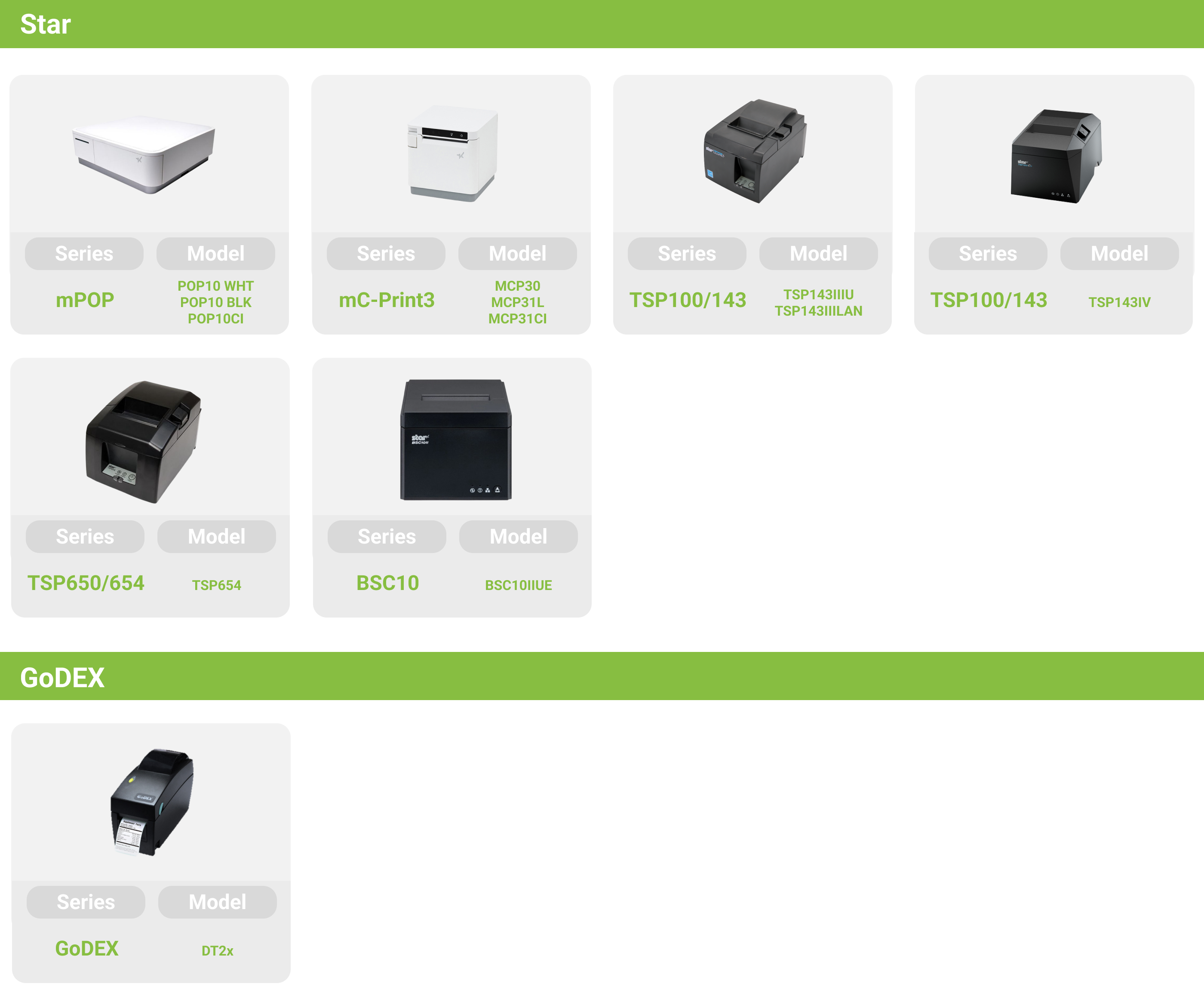
The Star and GoDEX printers supported by iCHEF both use thermal printing technology, which does not require ink and avoids issues with clogged print heads. However, paper debris may be produced during printing, which can affect print quality and cause receipts to be blurry.
Since the print head is a consumable part, if the print quality remains unclear after cleaning, please contact iCHEF Customer Service. We will assist with factory inspection and replacement according to the “Receipt Printer Repair Policy” (Applicable to Taiwan only; for other regions, please contact your local iCHEF dealer).
Supported order printer models vary by restaurant location with iCHEF.Learn More
Please power off the printer, open the paper roll cover, and gently wipe the print head with a cotton swab dipped in diluted alcohol.

When cleaning the paper roll roller, use an alcohol wipe to clean it while rotating the roller.

[CAUTION]
。The thermal print head is easily damaged. Please use a soft cloth or cotton swab to clean it carefully, avoiding scratches.
。Do not clean the print head immediately after printing because it is still hot and can cause burns.
。Static electricity may be generated during cleaning, so please be careful to avoid damaging the print head.
。Only turn the power back on after the alcohol has completely dried.
Please power off the printer, open the paper roll cover, and gently wipe the print head with a cotton swab dipped in diluted alcohol.

When cleaning the paper roll roller, use an alcohol wipe to clean it while rotating the roller.

[CAUTION]
。The thermal print head is easily damaged. Please use a soft cloth or cotton swab to clean it carefully, avoiding scratches.
。Do not clean the print head immediately after printing because it is still hot and can cause burns.
。Static electricity may be generated during cleaning, so please be careful to avoid damaging the print head.
。Only turn the power back on after the alcohol has completely dried.
Please power off the printer, open the paper roll cover, and gently wipe the print head with a cotton swab dipped in diluted alcohol.

When cleaning the paper roll roller, use an alcohol wipe to clean it while rotating the roller.

[CAUTION]
。The thermal print head is easily damaged. Please use a soft cloth or cotton swab to clean it carefully, avoiding scratches.
。Do not clean the print head immediately after printing because it is still hot and can cause burns.
。Static electricity may be generated during cleaning, so please be careful to avoid damaging the print head.
。Only turn the power back on after the alcohol has completely dried.
Please power off the printer, open the paper roll cover, and gently wipe the print head with a cotton swab dipped in diluted alcohol.


When cleaning the paper roll roller, use an alcohol wipe to clean it while rotating the roller.

[CAUTION]
。The thermal print head is easily damaged. Please use a soft cloth or cotton swab to clean it carefully, avoiding scratches.
。Do not clean the print head immediately after printing because it is still hot and can cause burns.
。Static electricity may be generated during cleaning, so please be careful to avoid damaging the print head.
。Only turn the power back on after the alcohol has completely dried.
Please power off the printer, open the paper roll cover, and gently wipe the print head with a cotton swab dipped in diluted alcohol.

When cleaning the paper roll roller, use an alcohol wipe to clean it while rotating the roller.

[CAUTION]
。The thermal print head is easily damaged. Please use a soft cloth or cotton swab to clean it carefully, avoiding scratches.
。Do not clean the print head immediately after printing because it is still hot and can cause burns.
。Static electricity may be generated during cleaning, so please be careful to avoid damaging the print head.
。Only turn the power back on after the alcohol has completely dried.
Open the paper roll cover and use a cotton swab dipped in diluted alcohol to gently wipe the printer’s print head.

When cleaning the paper roll roller, use an alcohol wipe to clean it while rotating the roller.

[CAUTION]
。The thermal print head is easily damaged. Please use a soft cloth or cotton swab to clean it carefully, avoiding scratches.
。Do not clean the print head immediately after printing because it is still hot and can cause burns.
。Static electricity may be generated during cleaning, so please be careful to avoid damaging the print head.
。Only turn the power back on after the alcohol has completely dried.
Please power off the printer, open the paper roll cover, and gently wipe the print head with a cotton swab dipped in diluted alcohol.

[CAUTION]
。The thermal print head is easily damaged. Please use a soft cloth or cotton swab to clean it carefully, avoiding scratches.
。Do not clean the print head immediately after printing because it is still hot and can cause burns.
。Static electricity may be generated during cleaning, so please be careful to avoid damaging the print head.
。Only turn the power back on after the alcohol has completely dried.
External Maintenance
When dirt or oil stains appear on the printer surface, it is recommended to dampen a soft cloth with a small amount of diluted neutral detergent, wring it out thoroughly, gently wipe the areas to be cleaned, and then use a dry soft cloth to remove any moisture. Do not use undiluted detergent directly to avoid discoloration or damage to plastic parts.
Paper Roll Storage Tray Maintenance
If there is dust inside the printer paper slot, it is recommended to gently clean it with a soft brush. Do not use compressed air or air blowers to avoid damaging the parts.