
Always need to move your iPad due to limited space of the cashier’s counter when scanning the barcodes for invoice and checkout? Craving to facilitate the checkout process to handle a high customer flow better?
iCHEF POS now provides you with an optional wireless barcode scanner besides the default option of scanning with your iPad. This newly-released device enables you to speed up the checkout process more flexibly and intuitionally with quick scanning for invoice carriers, mobile payments, and more!
More flexibility
The wireless barcode scanner can be connected to your iPad through Bluetooth. It is small, handy and freely movable.
To scan the barcode shown on a customer’s mobile phone, simply reach your hand with the wireless scanner and enjoy the hassle-free process! No more inconvenience of moving the iPad due to its specific position or the limited space of your cashier’s counter.

Supported models
- Socket Mobile S700/S720
- Newland BS80
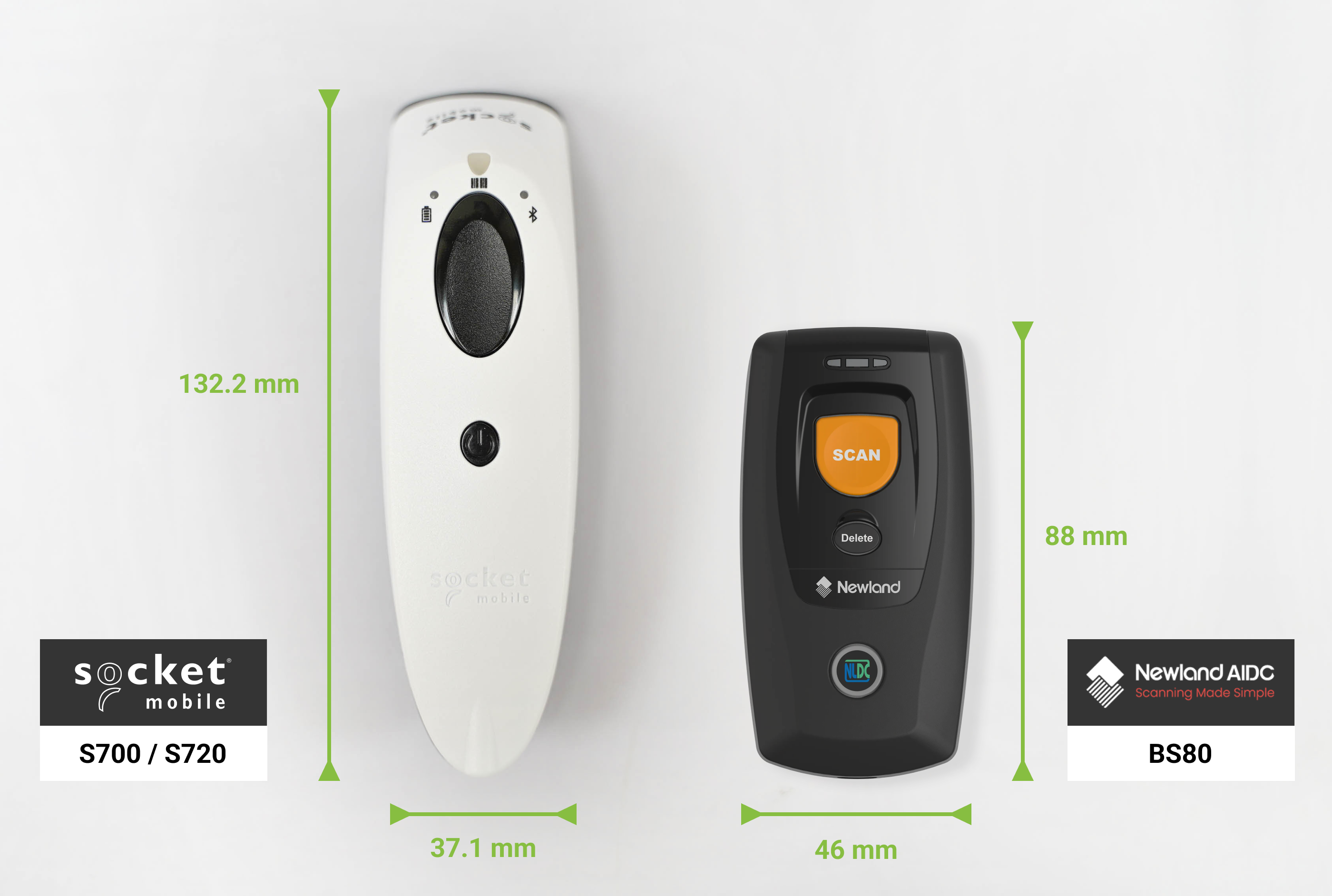
| Model | Socket Mobile S700 | Socket Mobile S720 | Newland BS80 |
|---|---|---|---|
| Supported Scanning Formats | 1D Barcode | 1D Barcode, Mobile Payment QR Code | 1D Barcode, Mobile Payment QR Code |
| Size | 132.2(L)×37.1(W)×40.1(H)mm | 132.2(L)×37.1(W)×40.1(H)mm | 88.0(L)×46.0(W)×24.5(H)mm |
| Reading Distance | 3.5 ~ 41 cm | 3 ~ 49.5 cm | 5 ~ 20 cm |
| Connection | Bluetooth (a maximum range of 100 meters) | Bluetooth (a maximum range of 100 meters) | Bluetooth (a maximum range of 50 meters) |
| Battery | 2000mAh (last for up to 14 hours after being fully charged) | 2000mAh (last for up to 14 hours after being fully charged) | 900mAh (last for up to 5 hours after being fully charged) |
| Weight | 118g | 118g | 63g |
| Accessories | Wrist Strap, Charging Cable | Wrist Strap, Charging Cable, Charging Cradle | Wrist Strap, Neck Strap, Charging Cable |
More intuitional feedback
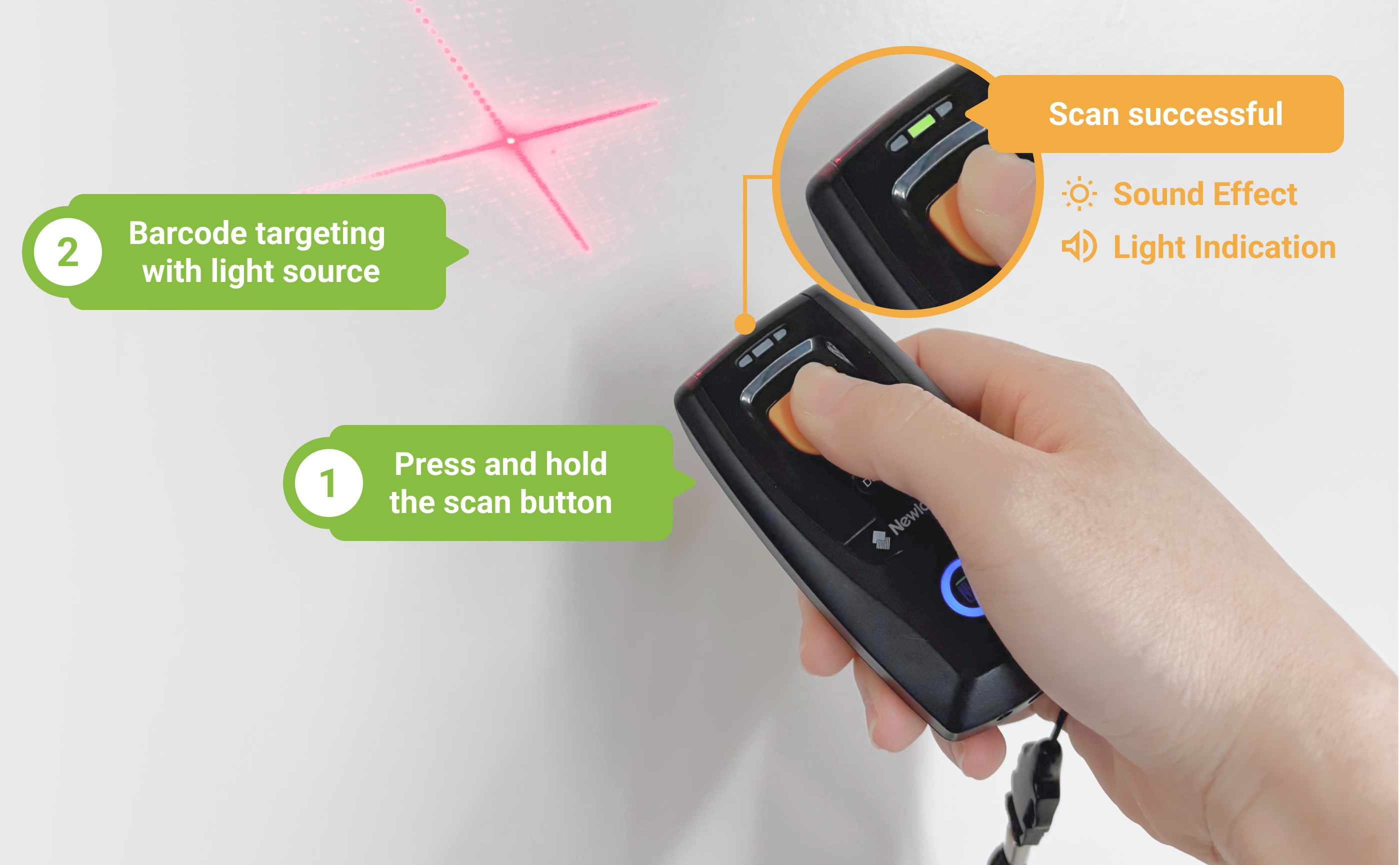
The wireless barcode scanner gives you more intuitional feedback with light and sound effect when scanning.
Press and hold the scan button to scan the barcode. When the scanner successfully scans a barcode, there will be a beep sound and the green light on this device will be on.

Freely switch
iCHEF POS scans a barcode with iPad’s camera by default. After installing a wireless barcode scanner, you can choose to scan with your iPad or the scanner during checkout.

| Scanning Method / Supported Functions | Invoice Carrier | Mobile Payments | Void | Member Coupons |
|---|---|---|---|---|
| Scanner | ✅ | ✅ | ||
| iPad Camera | ✅ | ✅ | ✅ | ✅ |
Try the wireless barcode scanner now to enjoy a more convenient way of scanning with your iCHEF POS App for faster checkout!
Already purchased? View connection and troubleshooting guides.