For the reservation function, you can check the real-time reservation list in the backend aside from the page for managing reservation on iCHEF POS App. In this way, whenever you receive a reservation request via social media or other channels, you can easily add or edit the reservation info with your mobile phone anywhere!
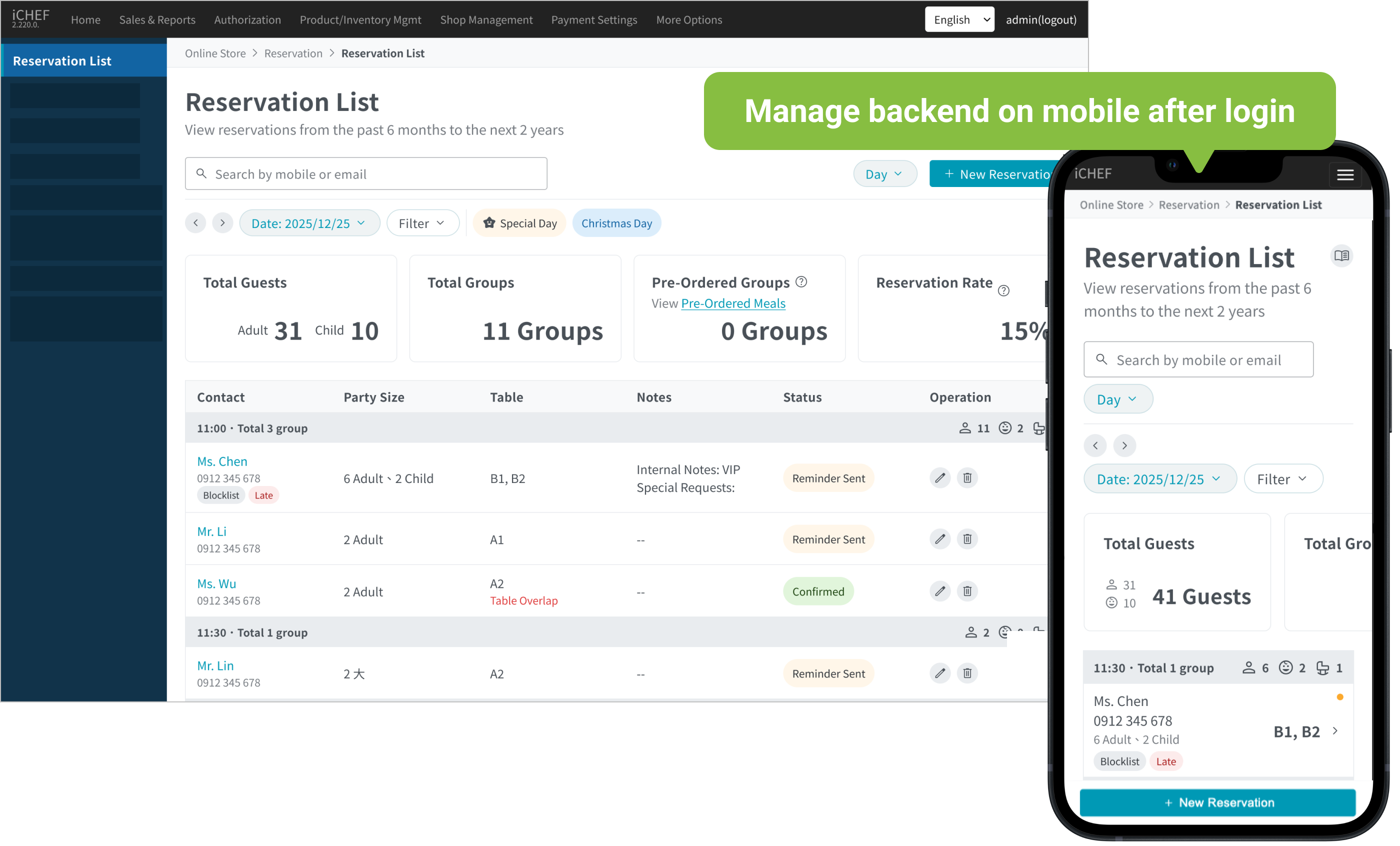
➤ Backend Path: Online Store > Reservation > Reservation List
1. View Reservation Details
The system defaults to today’s reservations. Use the filter to view specific bookings from the past 6 months to the next 2 years. There are three ways to view reservations on this page:
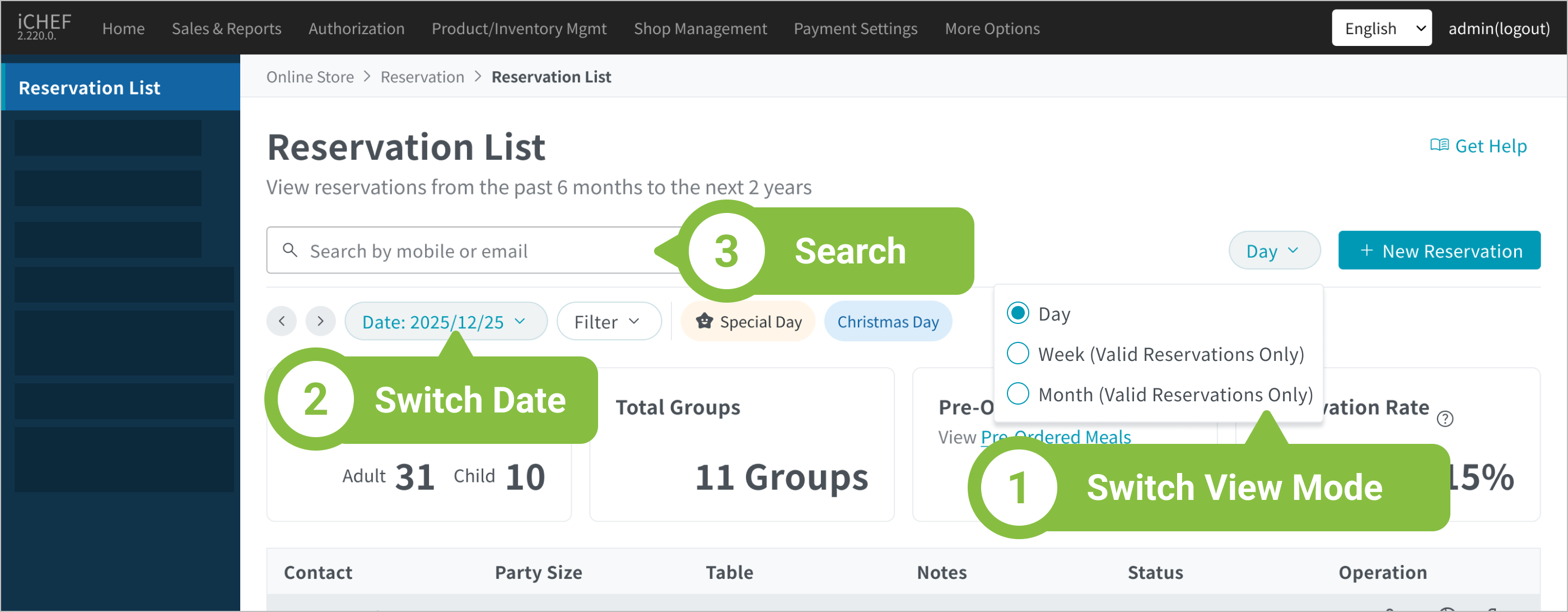
➊ Switch View Mode
There are 3 modes: Day, Week, and Month, which you can switch between freely. The data and display differences are as follows:
| Day | Week | Month | |
|---|---|---|---|
| Content | View detailed reservation info by time slot for each date. | View daily summaries of total guests and reservation counts by week. | View daily summaries of total guests and reservation counts by month. |
| Exclusive Features | ✅ Booking Rate labels ✅ Filter reservation status and criteria | ✅ Booking Rate labels ✅ Holiday labels * Valid Reservations Only | ✅ Booking Rate labels ✅ Holiday labels * Valid Reservations Only |
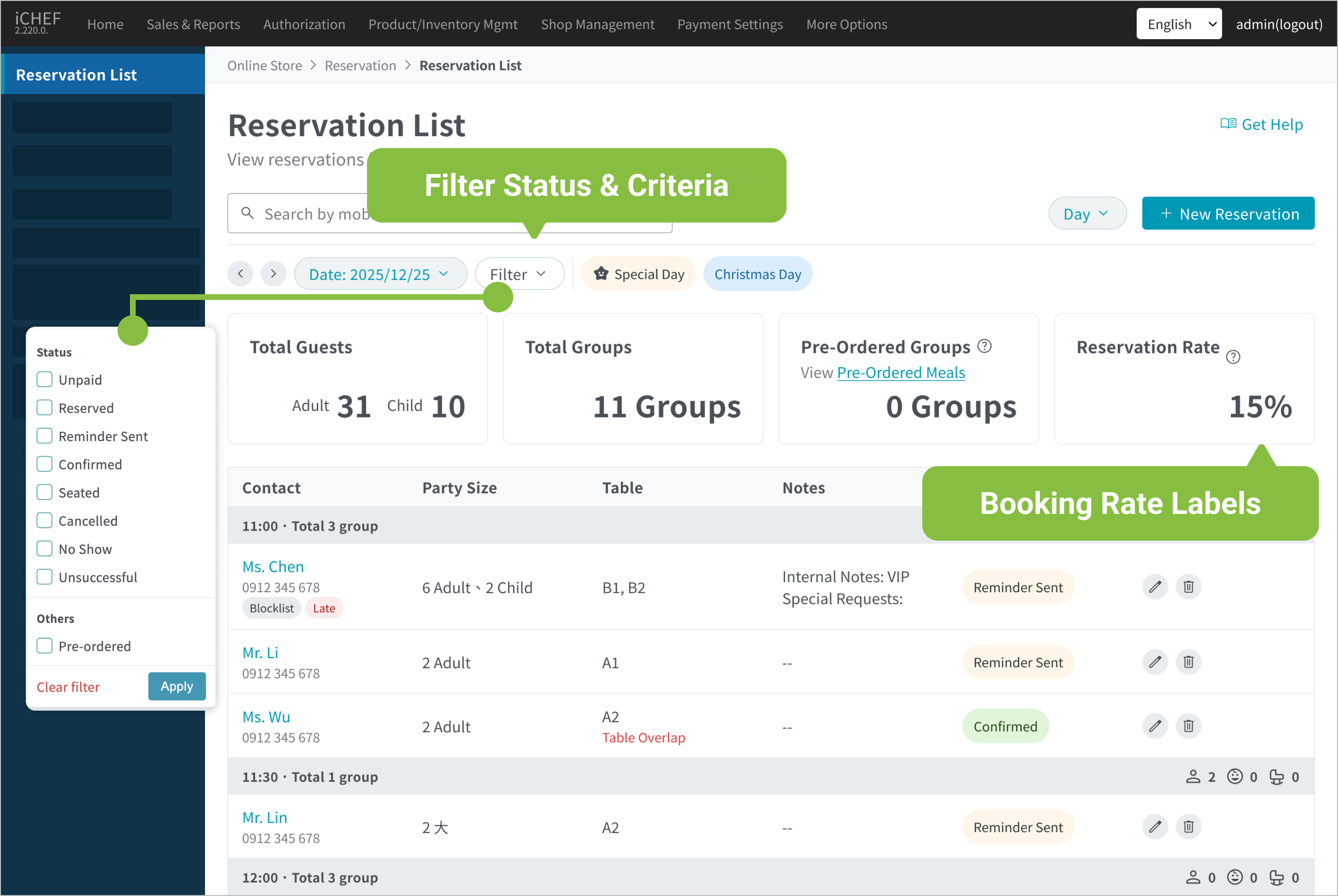
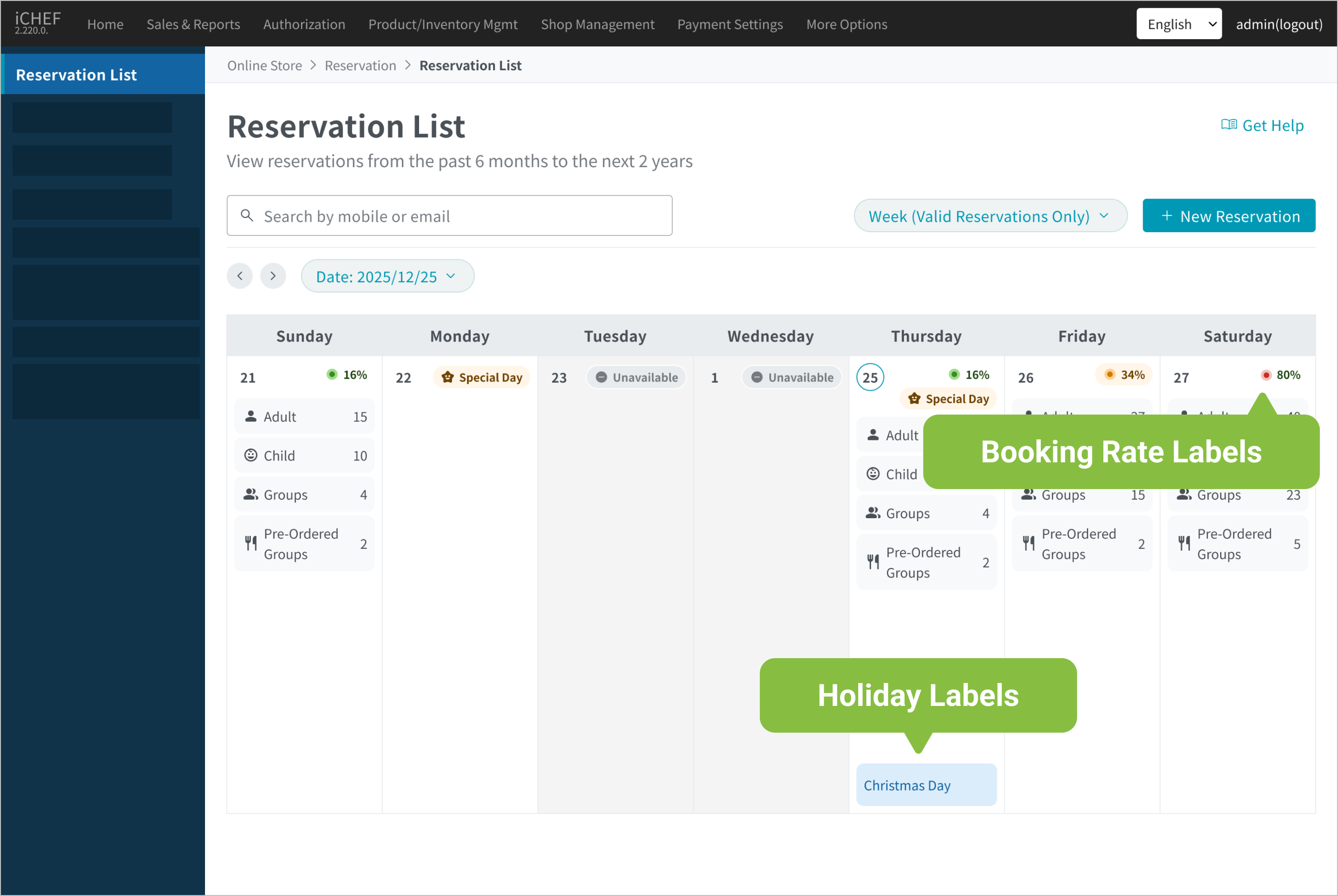
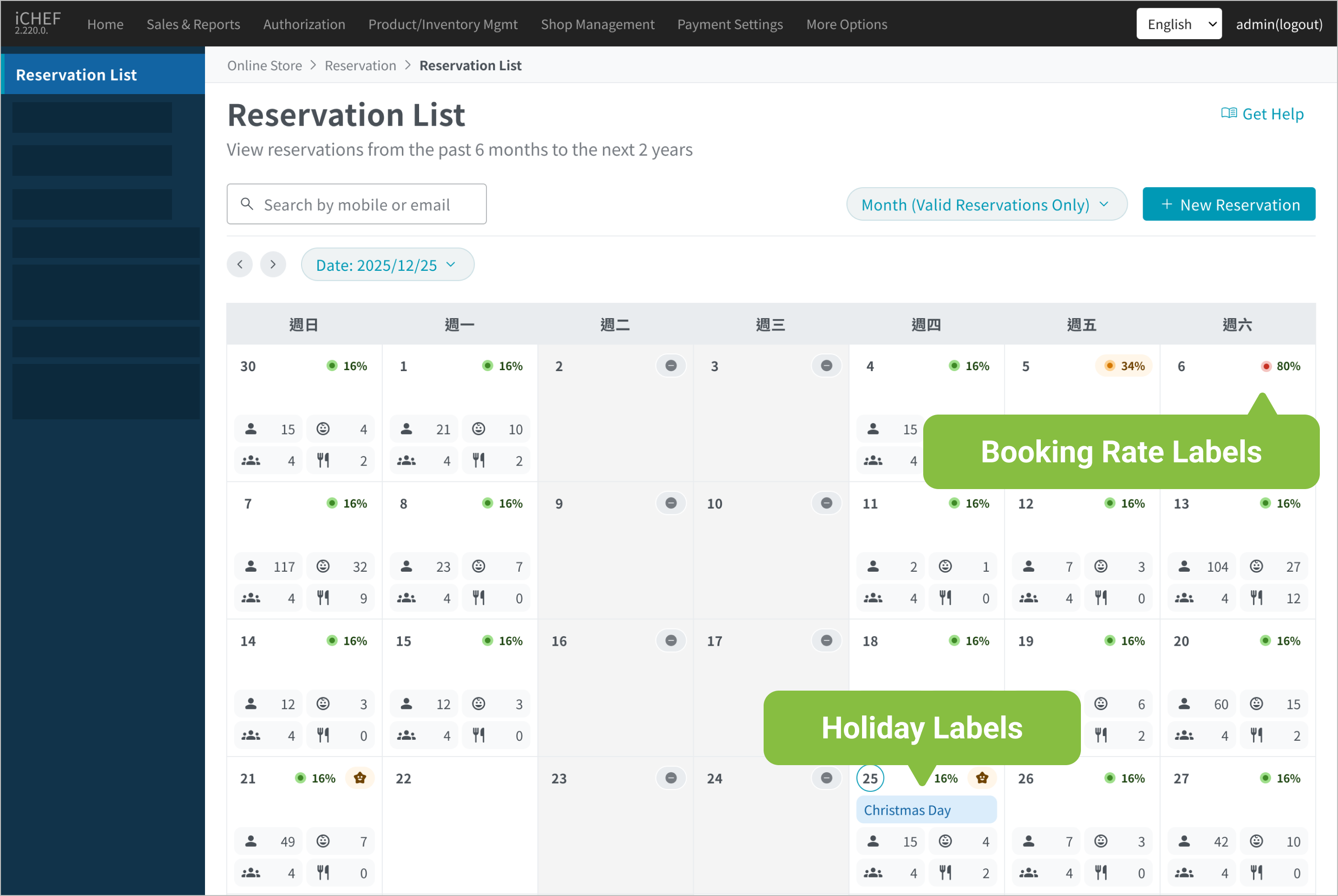
In Week and Month views, the system only Valid Reservations Only, which include the following statuses:
- Unpaid
- Reserved
- Reminder Sent
- Reservation Held
- Seated
In Week and Month views, the percentage shown in the top-right corner of each date block is the Booking Rate.
Booking Rate: :It calculates the percentage of the reserved tables to the tables available for reservation online.(The percentage of “Total Reserved” out of “Total Available for Booking “).
Color Indicators: 0% – 10%: Green Light|11% – 50%: Yellow Light|51% – 100%: Red Light.
Examples:
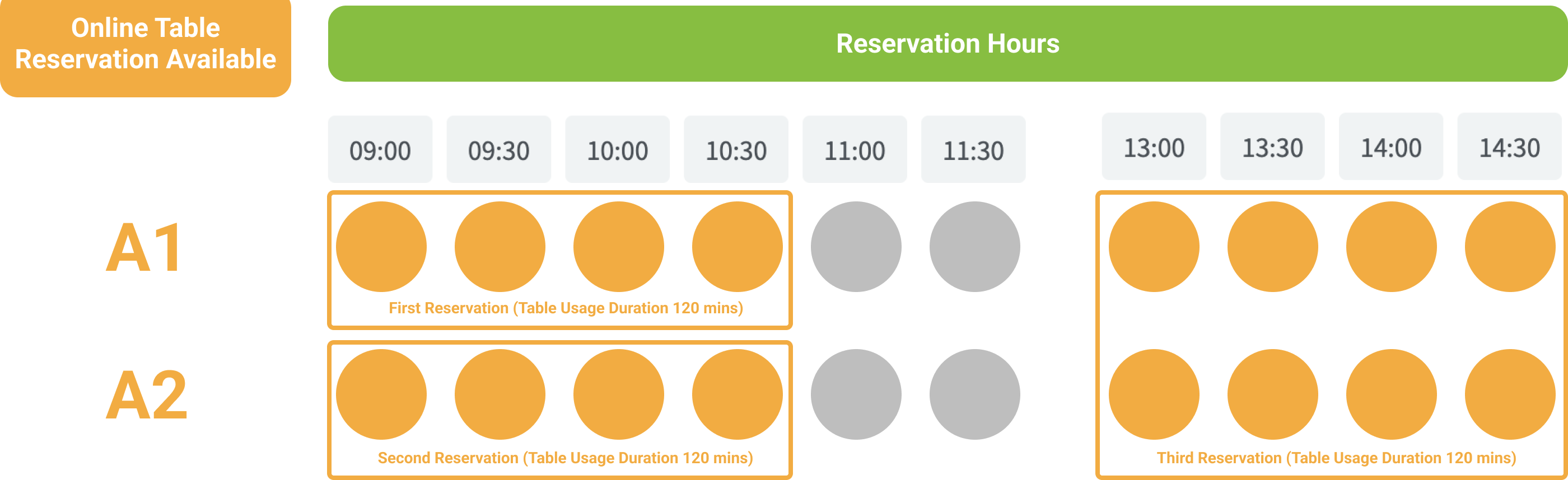
The available amounts = The number of tables available for reservation online x The number of available hour options
- Reservation rules settings:
- Table Usage Duration: 120 minutes
- Tables available for reservation online: 2 (A1, A2)
- Reservation hours:
- 09:00 ~ 11:30, spaced 30 minutes between each (6 options)
- 13:00 ~14:30, spaced 30 minutes between each (4 options)
- Amounts of available table:2 tables x 10 options of available hours = 20

- Tables available for reservation online: The tables for which the [Available Online] option is enabled under the settings of [Table Availability].
- Available hour options: The options generated by customizing the time slots under the settings of [Reservation Hours].

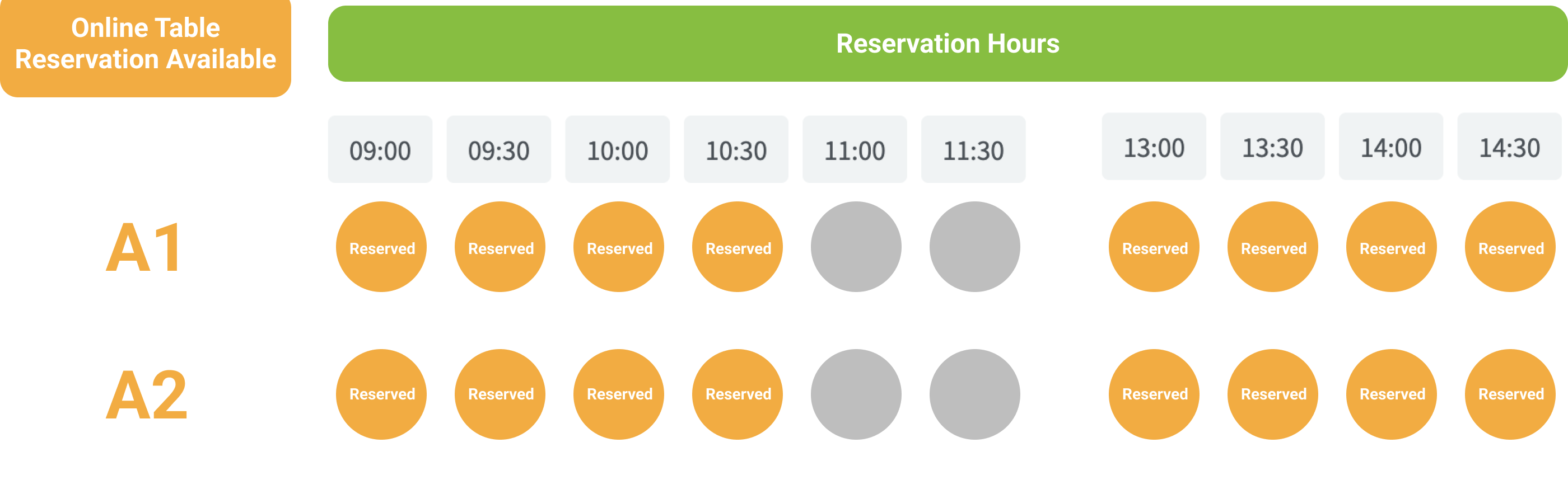
The amounts of reservation = The number of tables reserved x (Table usage duration/spaced time)
- Reservation:
- Group 1: 09:00, 1 table (A1)
- Group:2 09:00, 1 table (A2)
- Group:3 13:00, 2 table (A1, A2)
- The amounts of reservation= 4 (The number of reserved time slots of Group 1) + 4 (The number of reserved time slots of Group 2)+ 8 (The number of reserved time slots of Group 3)= 16
- Table usage duration: The duration configured in the settings of [Reservation Rules] for the system to reserve a table accordingly.
- Spaced time: The time interval between each option configured in the settings of [Reservation Hours].

In this case, the reservation rate =The percentage of the reserved amounts of 16 to the available amounts of 20 = (¹ ⁶ ⁄ ₂ ₀) is 80% .
➋ Switch Date
The system defaults to the current date’s range. You can switch dates as follows:
- Tap “Left/Right Arrows”: Switch to the previous or next Day/Week/Month.
- Tap “Date”: Select a specific date.

➌ Search Reservations
Enter the customer’s phone number or email in the search bar (top left) to search for reservation records from the past 6 months to the next 2 years.
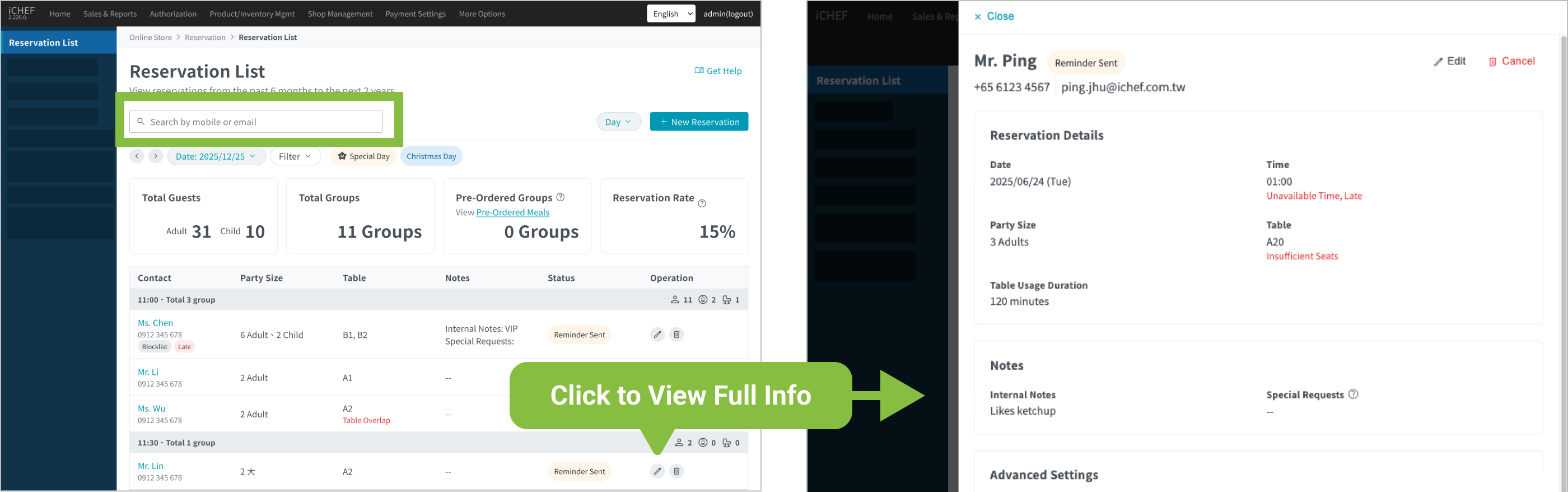
The view will automatically switch to “Day” mode when viewing a single reservation’s details.
2. Manage Reservations
You can Edit or Cancel bookings in the list before the customer arrives or before the reservation day ends. The instructions are as follows:
❶ Add & Edit
Tap “New Reservation” or tap “Edit” on a single reservation to enter the details page and update the information.

Reservation status cannot be changed via Backend; it will be adjusted based on the actual situation of the customer and the staff.
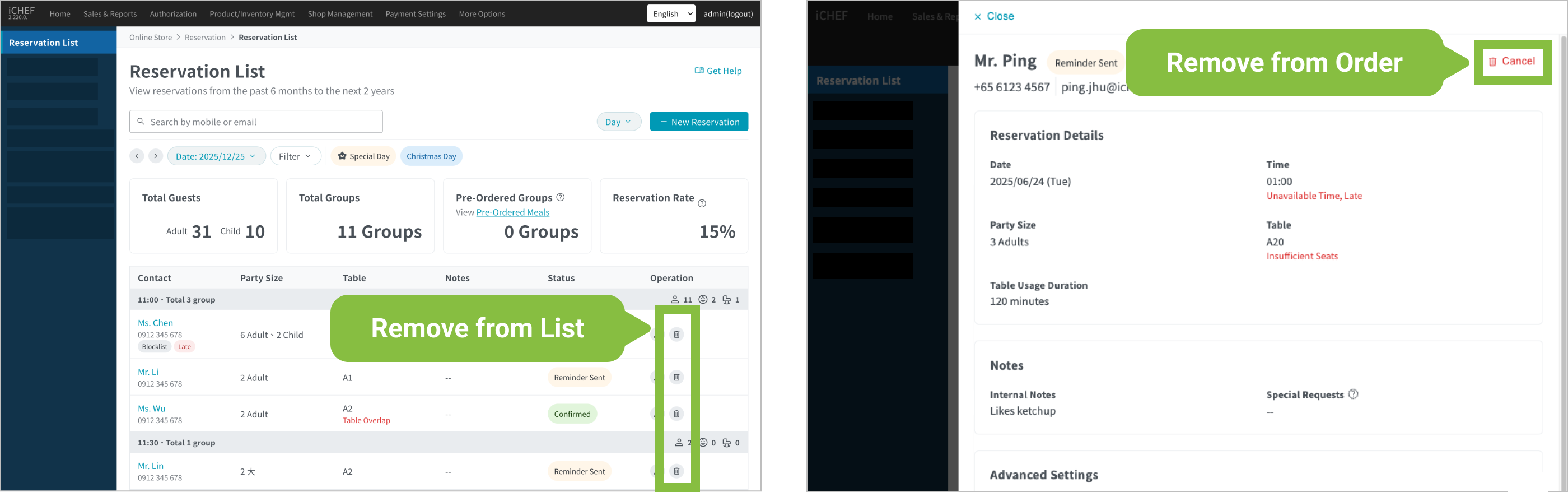
❷ Cancel Reservation
To cancel a booking, tap the “Trash Can” icon in the list, or tap “Cancel Reservation” within the reservation details.