
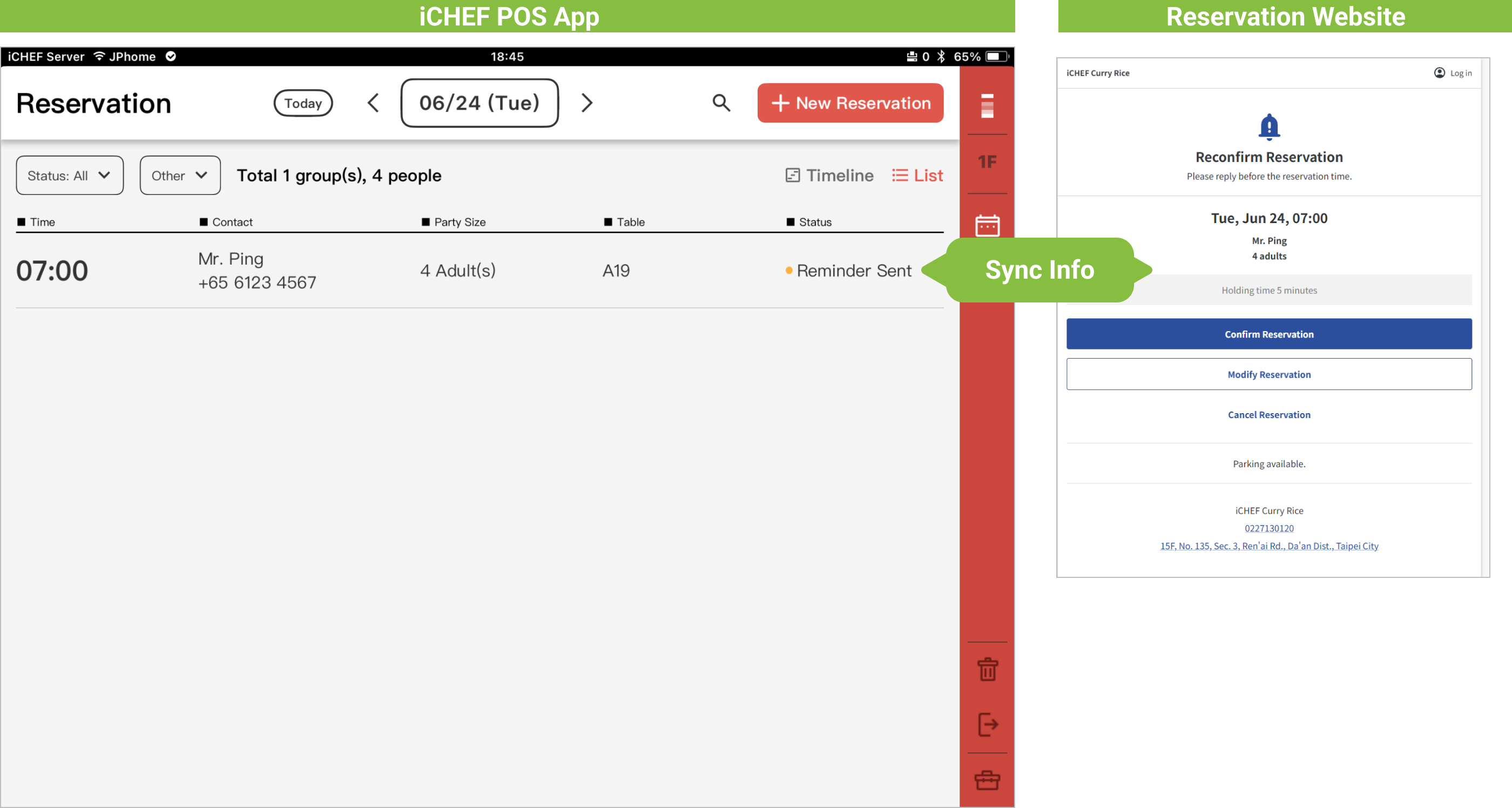
To help restaurants reduce no-shows and boost attendance, iCHEF automatically sends notifications to customers upon successful reservation and the day before dining, including a link to their exclusive [Reservation Information Webpage], allowing customers to synchronize reservation status with the restaurant.
Reservation status, can be changed by either the restaurant or the customer before the end of the dining date, and is updated in real-time on the restaurant’s [iCHEF POS Front and Backend] and the customer’s [Reservation Information Webpage].
1. Customer Notifications
After a reservation is successfully made, the system will automatically send two notifications to the customer: [Reservation Successful] and [Reservation Hold]. Both notifications include the customer’s reservation information webpage. Delivery method and content are as follows:
Delivery Method
The delivery method will depend on the information provided during booking, sending either [SMS] or [Email].
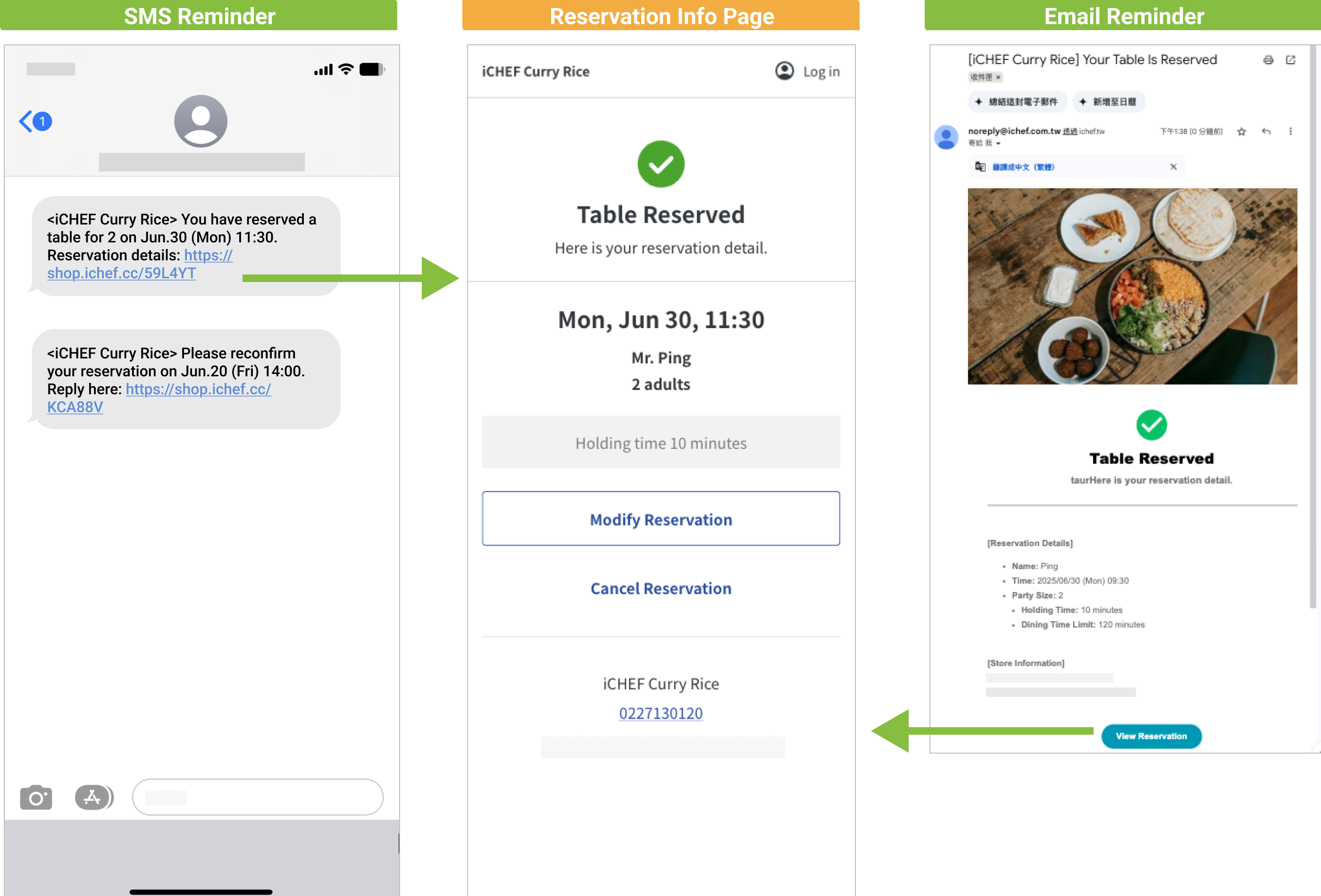
Customers who choose to operate in the English interface will receive notification content in English.
Delivery Content
| Delivery Time | Notification Content | Includes editable items | |
|---|---|---|---|
| Notification 1: [Reservation Successful] | Sent immediately upon reservation completion | Date & Time, Guest Count, Reservation Information Webpage Link | Modify Reservation, Cancel Reservation |
| Notification 2: [Reservation Hold] | Sent at 9:00 AM the day before dining | Date & Time, Reservation Information Webpage Link | Reservation Hold, Modify Reservation, Cancel Reservation |
For same-day reservations, the [Reservation Successful] notification will not be sent; instead, the [Reservation Hold] notification will be sent immediately.

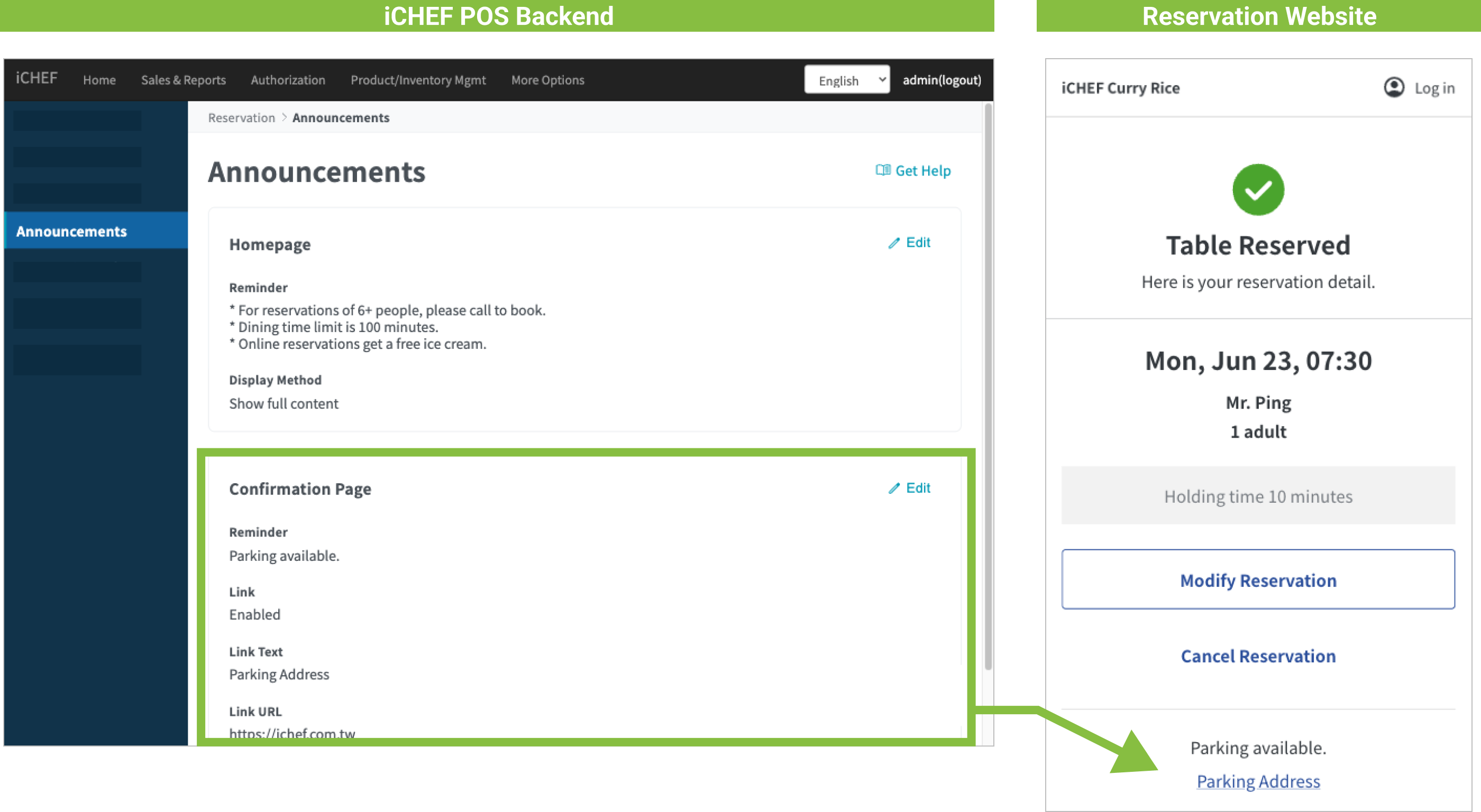
In addition to fixed reservation information, you can also add [Reminders] to provide customers with more restaurant information.
2. All Reservation Statuses
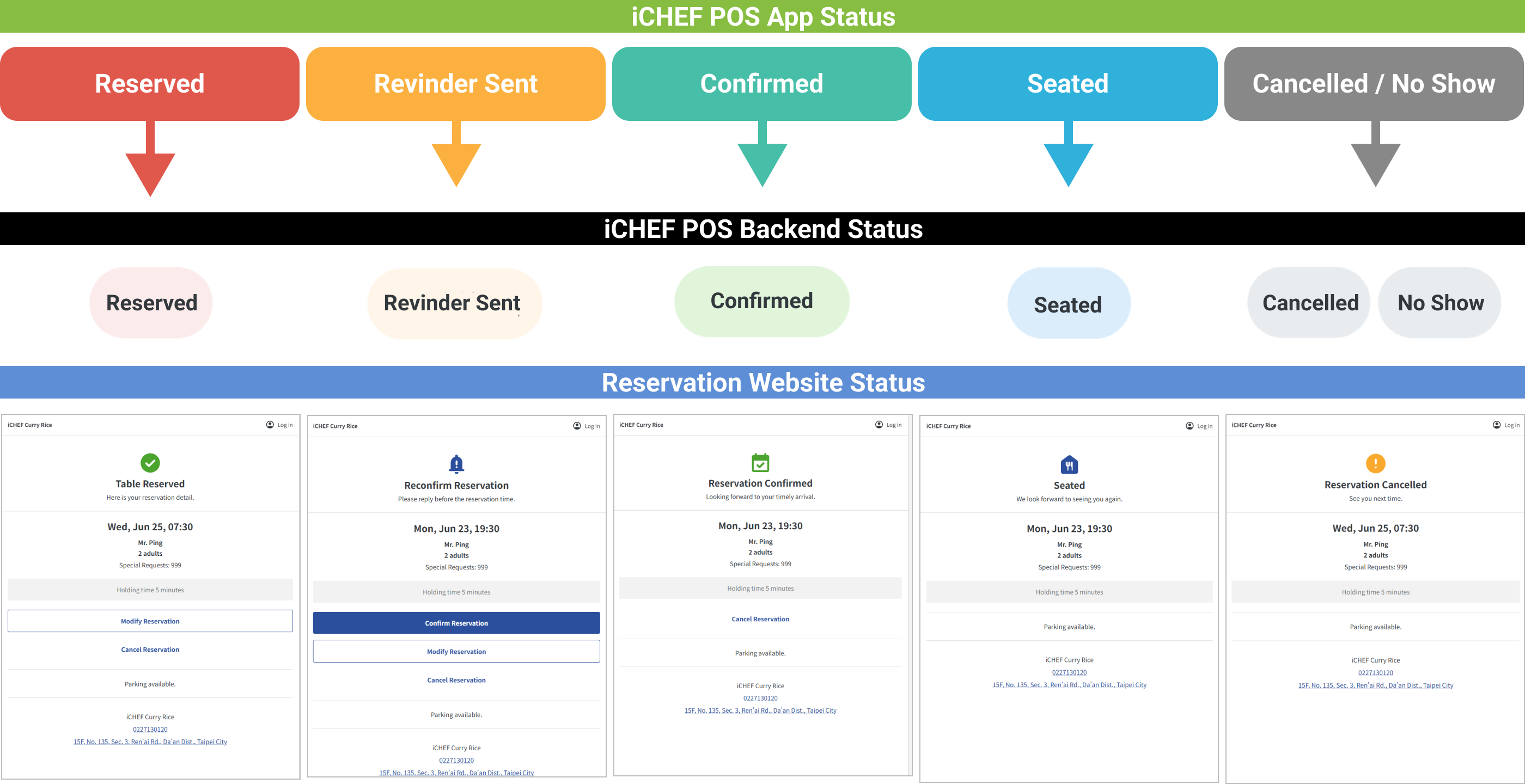
To accommodate different viewing needs of restaurants and customers, the iCHEF system reservation statuses and colors seen by the restaurant are compared with the customer’s [Reservation Information Webpage] statuses as follows:
Status Synchronization Comparison Chart
| Restaurant Side: iCHEF POS App | Reserved | Reminder Sent | Reservation Held | Seated | Cancelled | No Show |
| Restaurant Side: iCHEF POS Backend | Reserved | Reminder Sent | Reservation Held | Seated | Cancelled | No Show |
| Customer Side: Reservation Information Webpage | Reservation Successful | Confirm Reservation Hold | Reservation Held | Seated | Reservation Cancelled | Reservation Cancelled |
Under different statuses, the editable items for the restaurant and customer sides will also differ. A detailed comparison and display locations are as follows:
Editable Item Differences
| Add Reservation | Modify Reservation | Hold Reservation | Seat Guests | Seated | Cancel Reservation | No Show | |
|---|---|---|---|---|---|---|---|
| Restaurant Side: iCHEF POS App | v | v | v | v | x | v | v |
| Restaurant Side: iCHEF POS Backend | v | v | x | x | x | v | x |
| Customer Side: Reservation Information Webpage | v | v | v | x | x | v | x |

If a reservation exceeds its booking time, and [Seat Guests] or [Cancel Reservation] is not completed, the reservation will automatically be adjusted to [No Show] at 1 AM two days later.