
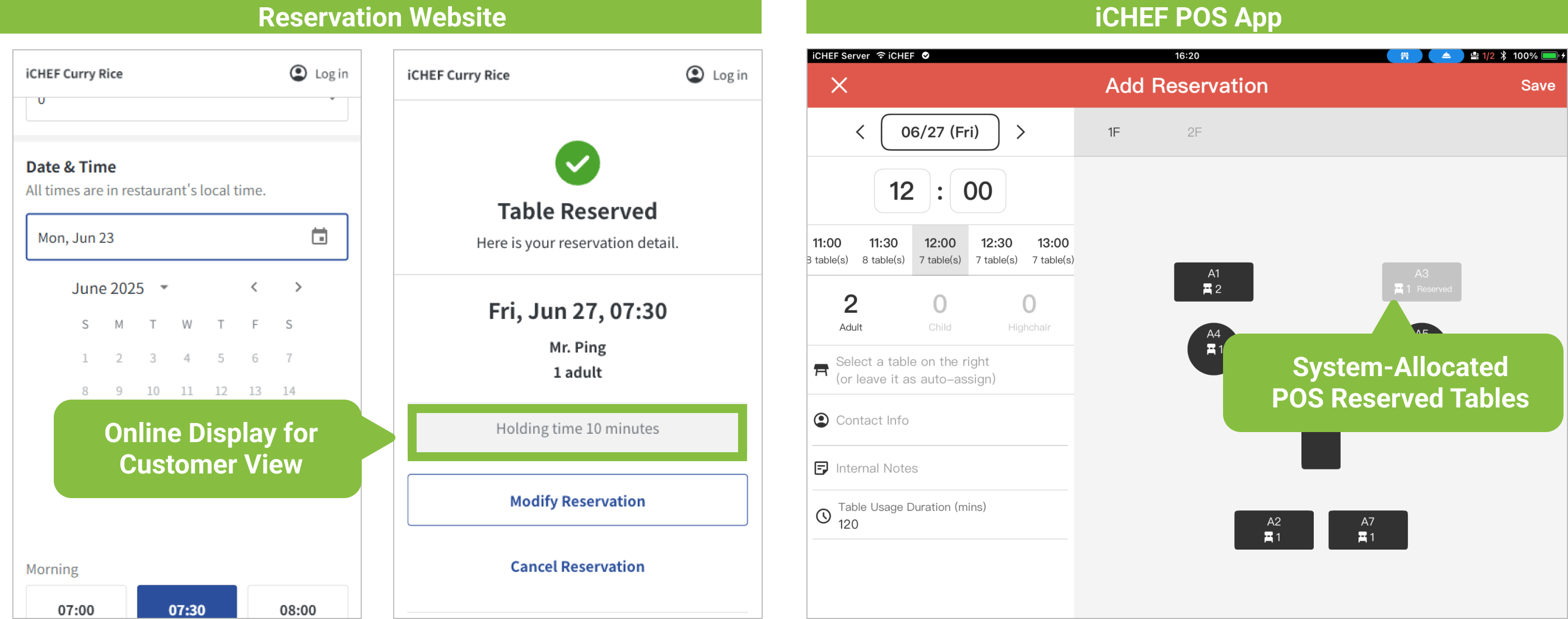
By setting your restaurant’s [Table Usage Duration] and [Seat Hold Time], the system will determine table usage and display these on the reservation website. This ensures the website only shows available time slots, and the POS displays [Reserved] indicators, holding tables for you.
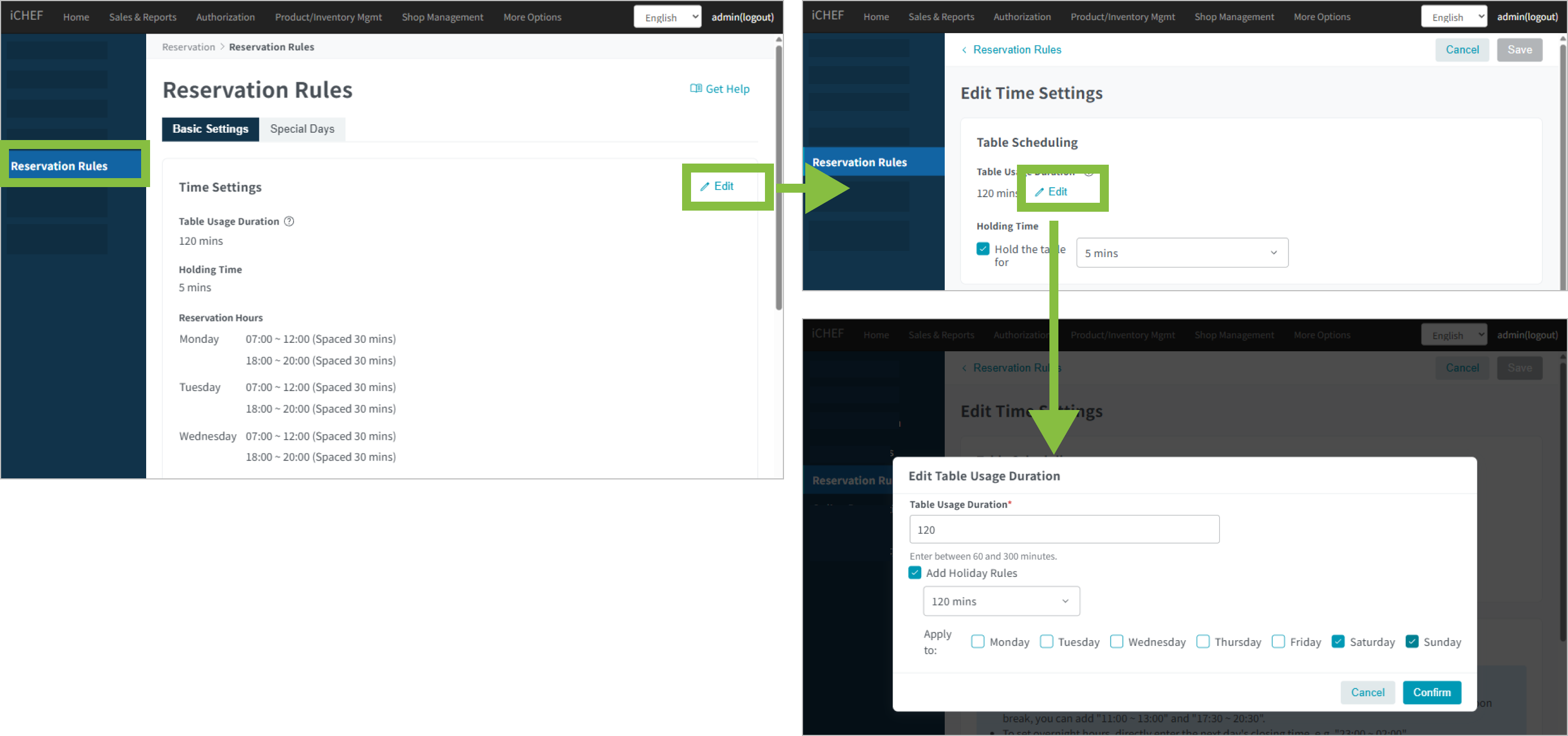
➤ Backend Path: Online Store > Reservation > Reservation Rules
Enter the [Reservation Rules] sub-page, tap [Edit] to the right of [Time Settings] to begin setup:
Table Usage Duration
Simply check [Add Holiday Rules], and you can set different [Table Usage Duration] for weekdays and holidays. This allows the system to accurately reserve tables for you based on dining time length, preventing overbookings.
When setting [Table Usage Duration], please consider dining and table cleanup time, ensuring enough preparation time after each group finishes dining, without immediately rushing the next reservation.
- Duration: You can select 60-240 minutes (with 30-minute intervals between options).
- Scope of Impact: The system will reserve tables for you based on this time slot.
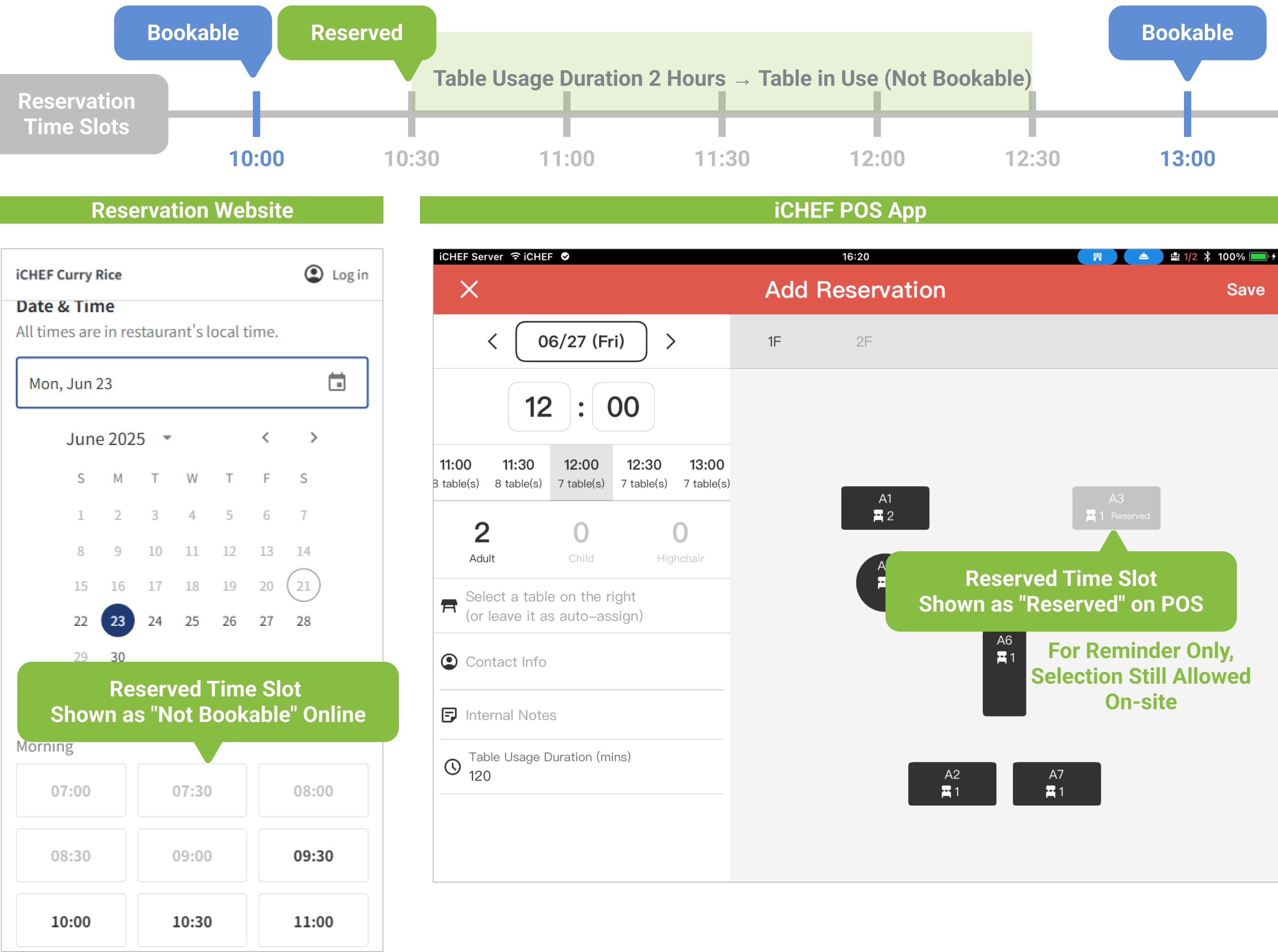
- Reserved: Table A2, 10:30 dining
- Dining Time: 2 hours (10:30-12:30)
So when adding a new reservation:
- Online Reservation: 10:30 ~ 12:30 will all be displayed as gray text [Unavailable for Reservation].
- In-store POS: Table A2 will be marked as [Reserved] (still selectable based on on-site arrangement).
If you want customers to understand dining rules before making a reservation (e.g., dining time limit, etc.), you can write [Reminders] in [Reservation Announcements].
Seat Hold Time
You can decide whether to provide [Seat Hold Time] to customers based on in-store regulations; checking the box will enable this feature.
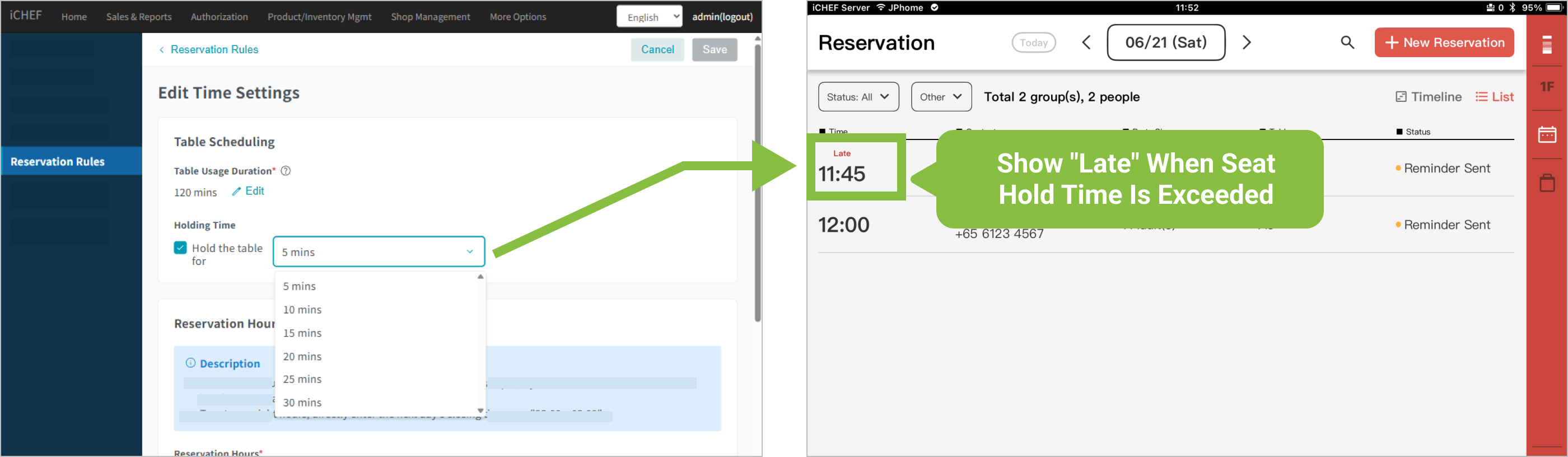
- Duration: You can select 5-30 minutes (with 5-minute intervals).
- Scope of Impact: When a reservation slip’s booking time is reached and the hold time is exceeded, the iCHEF POS App seating alert will display [Late] on the POS.
After saving the above settings, they will be immediately updated to your reservation website.