Before Started
If you want to use the “takeaway/delivery ordering” or “internal QR code ordering” function of the cloud restaurant, please purchase the “Cloud Restaurant Online Ordering” function module first.
No. iCHEF feature modules are expansion services under the iCHEF POS system. You must be within your [iCHEF POS System Contract Period] to purchase feature modules.
If you are a new iCHEF POS user, to allow for system transition and setup buffer time, feature module plans can start 1 month earlier than your [iCHEF POS System Contract Period]. Simply select [Activate Now] when purchasing the module to start using the feature module in advance.
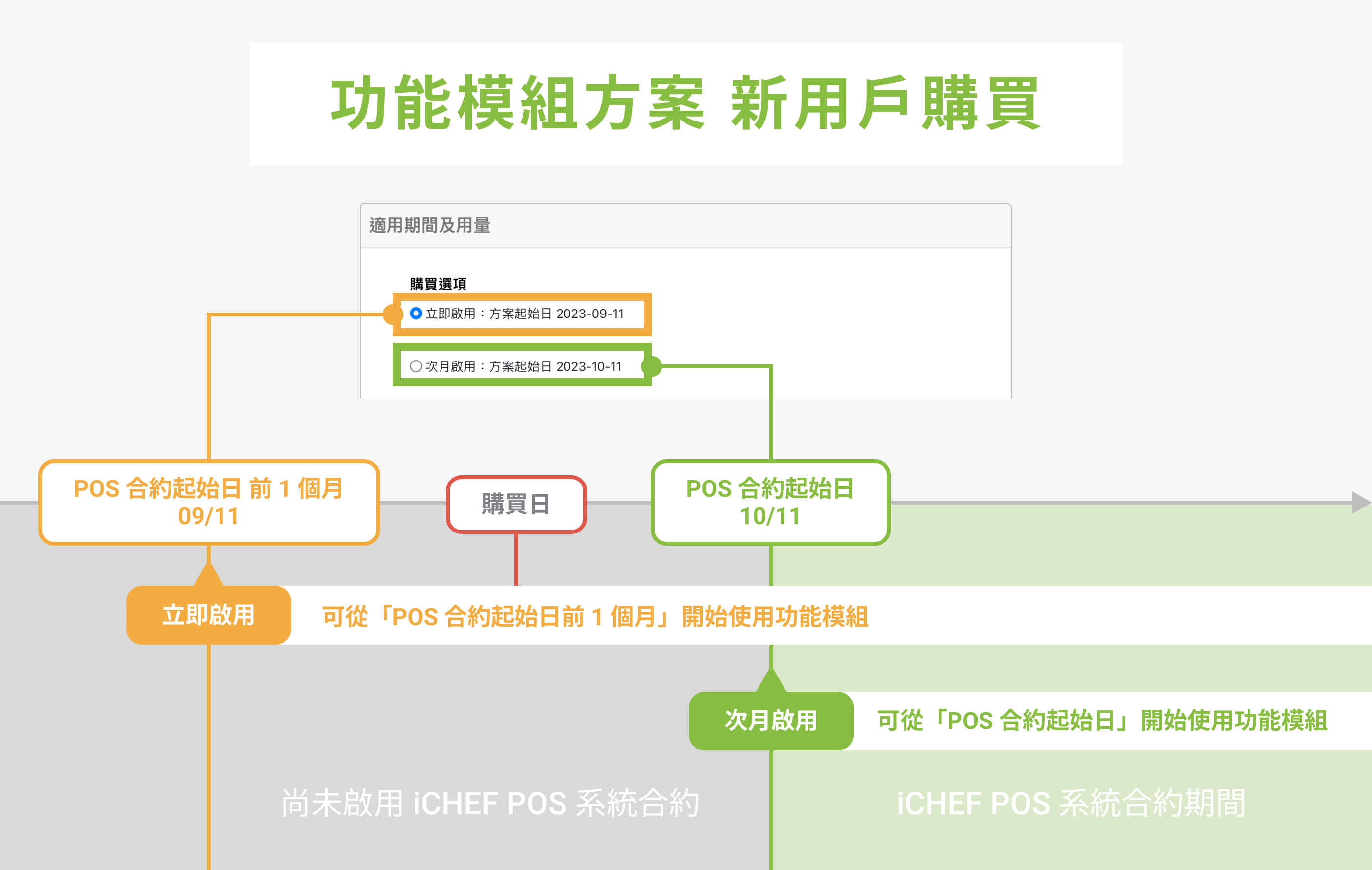
Example: My iCHEF POS System Contract start date is 2023/10/11.
- Selecting [Activate Now]: You can start using the feature module from 09/11, 1 month before the POS contract start date.
- Selecting [Activate Next Month]: You can start using the feature module from 10/11, the POS contract start date.
About Orders
- Please confirm that the [New Order Notifications] in iCHEF POS App > [Toolbox] > [Mobile Ordering Management] are turned on.
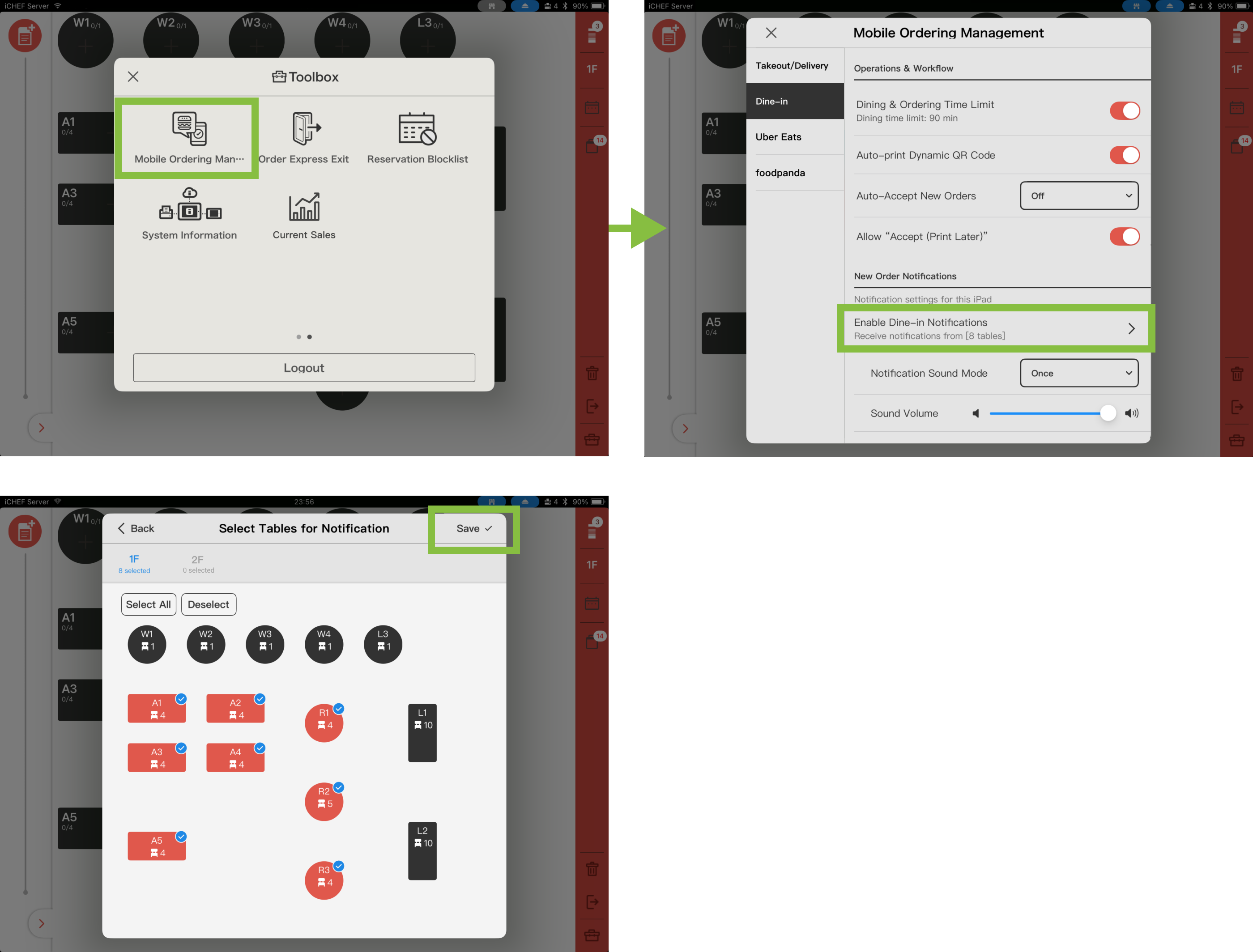
- Push notifications and alert sounds use the iPad’s built-in notification feature. Please set iCHEF POS to [Allow Notifications] and check your iPad’s sound settings.
- Open the iPad’s built-in [Settings] and go to [Apps > iCHEF POS > Notifications] to turn on [Allow Notifications].
- Check the iPad’s sound settings. You must turn off [Silent Mode] or [Focus] for the iPad to receive notifications properly.

You may be unable to accept the orders from mobile ordering (Takeout/Delivery) due to particular reasons.
About Payments
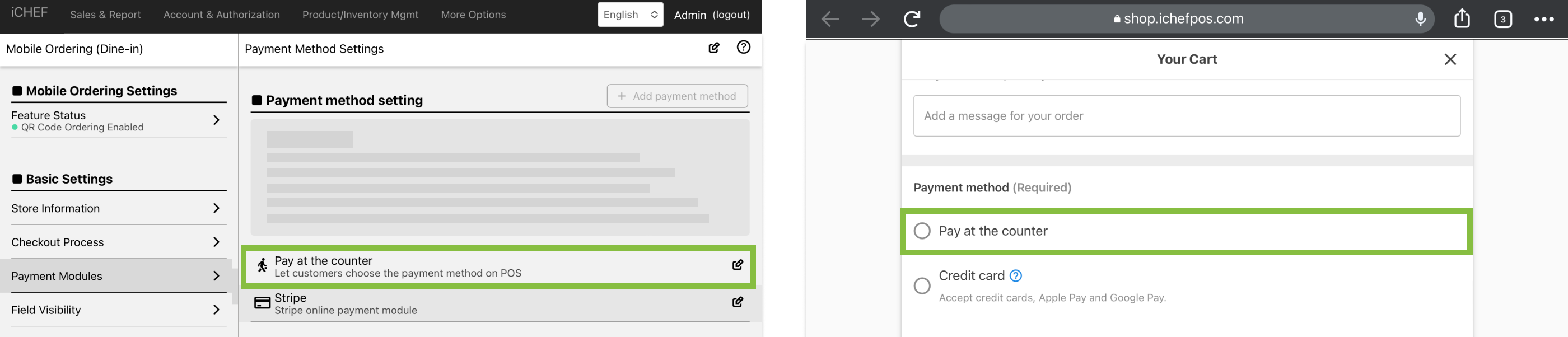
Please go to the cloud restaurant > to use the QR code to order > the payment module to set up a new payment method for on-site payment, after the consumer selects this payment method, the store staff can use the payment module on the iCHEF POS to assist the user to complete the checkout.
Go to Toolbox > Invoice/Receipt Records and enter the complete number of an invoice or receipt. Find the order and click [Refund].
| Payment Methods / Instructions | Supported Regions |
|---|---|
| Pay at Counter | Taiwan, Hong Kong, Singapore |
| LINE Pay | Taiwan |
| Cards (NewebPay) | Taiwan |
| Allinpay | Hong Kong |
| Cards (Stripe) | Hong Kong (Applications suspended)、Singapore |
About Ordering Page
網站的商品來源為 iCHEF POS (若商品尚未新增,請參考 [管理商品] 什麼是 iCHEF 商品 說明),如要修改已經上架至網站的商品,請至 商品/庫存管理 > 菜單頁設定 > 上架商品設定 調整。
Go to Online Store > Mobile Ordering (Dine-in) > Basic Settings to edit the information.
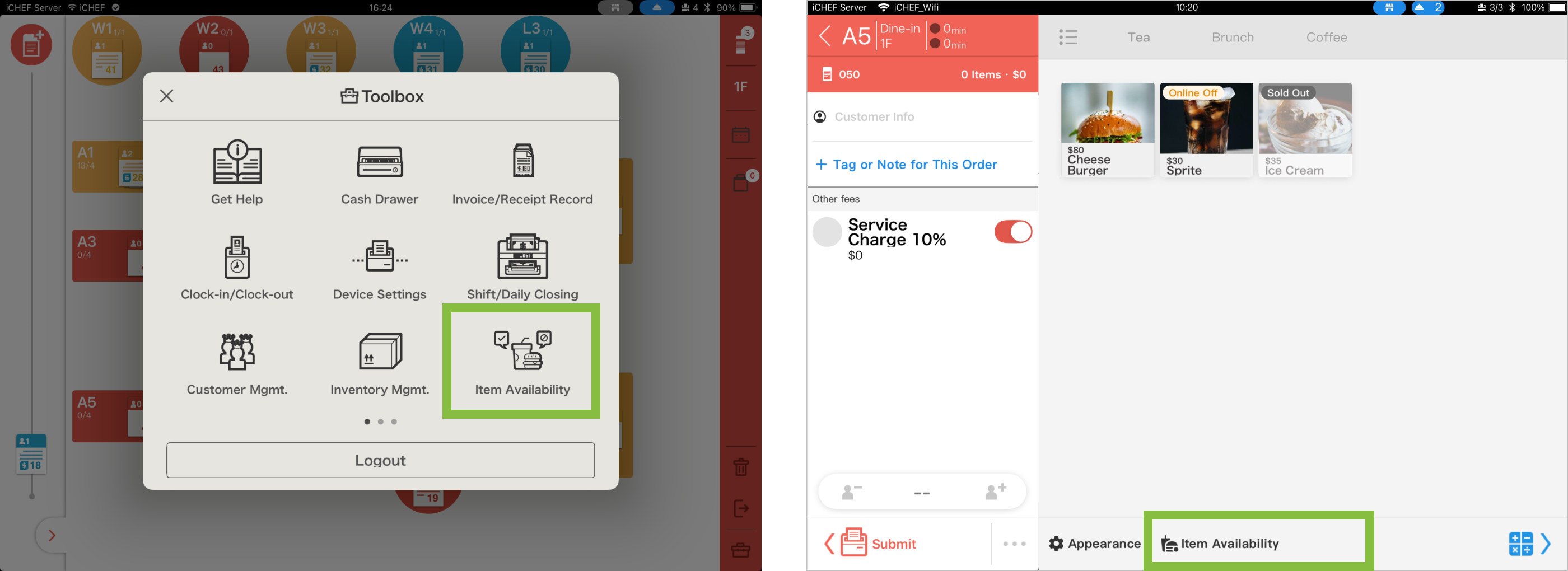
Manage stock on the fly. Whether an item is sold out or you want to reserve inventory for on-site customers, you can now update [Item Availability] directly via the Toolbox or Ordering Page. Stay synced in real-time and avoid the headache of overselling. Learn More