
In the backend, you can select a theme color and menu layout that suit your online store better, and enable the functions for member area to manage the membership of online and on-site customers more efficiently! Through these settings, you are on your way to enjoying a prospering business with multi-channel marketing.
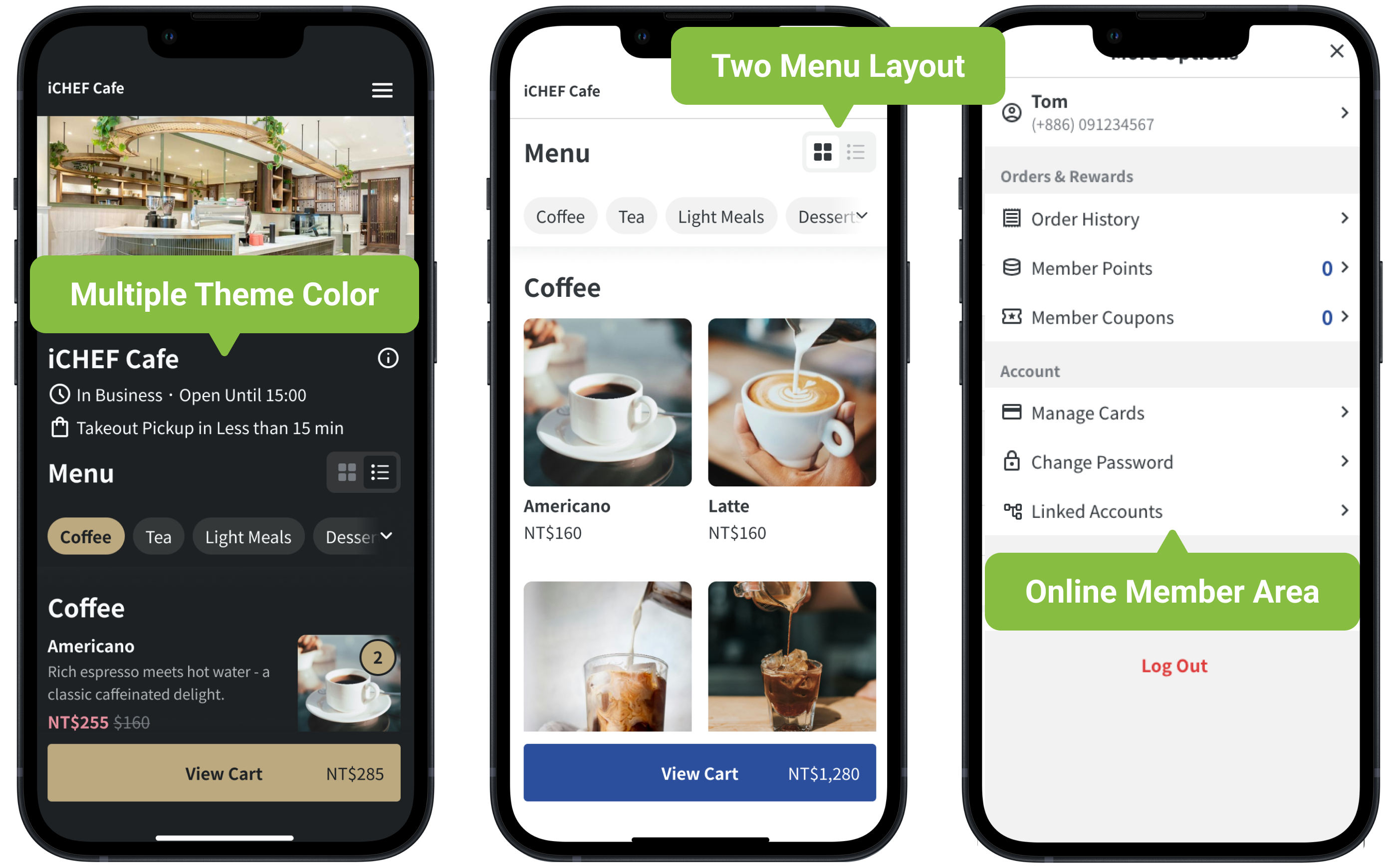
➤ Backend Path:Online Store > Website Member Area
Appearance
Theme Color
Choose from 4 basic colors and 5 exclusive themes by Joe Fang, Taiwan’s pioneering visual designer.
This setting will be synced with that on the websites of Mobile Ordering (Takeout), Mobile Ordering (Dine-in) and Reservation.
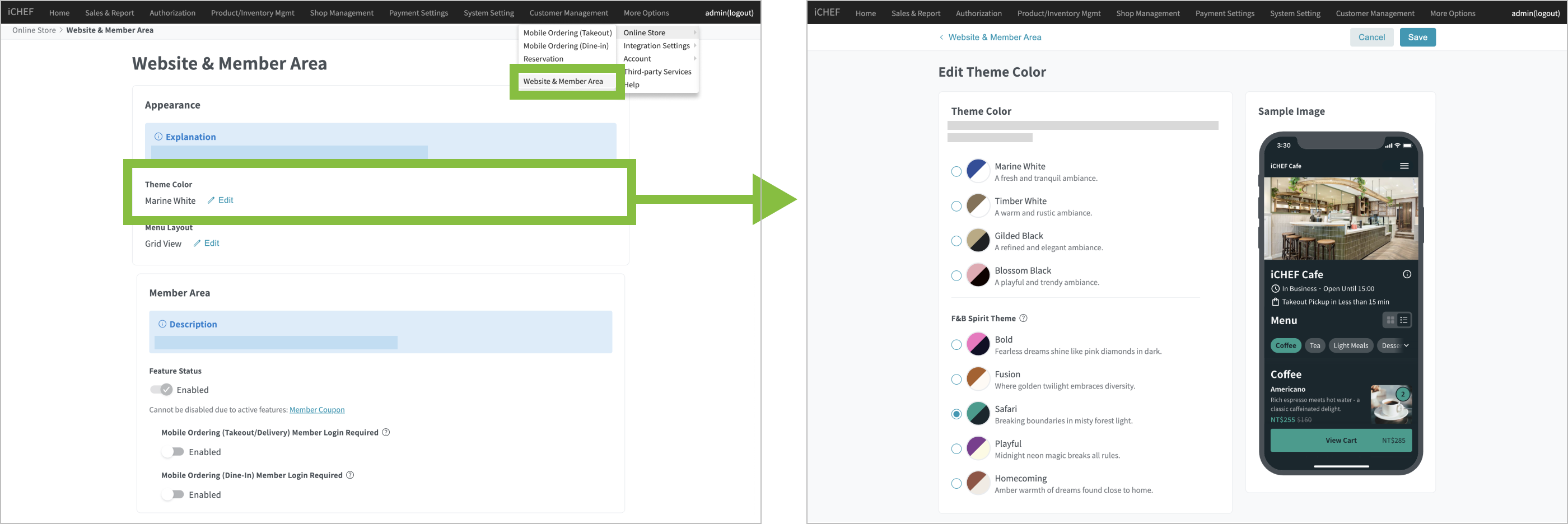
There are 2 views, grid view and list view, for you to choose from. This setting will be synced with that on the websites of Mobile Ordering (Takeout) and Mobile Ordering (Dine-in). Despite the setting, customers can switch between the views as they like.
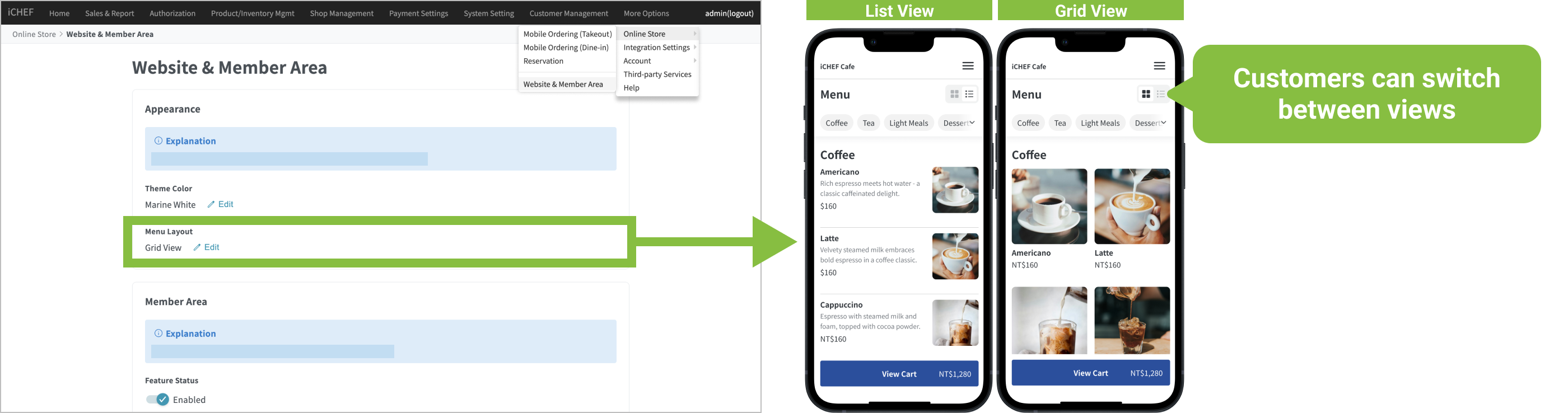
Text Size
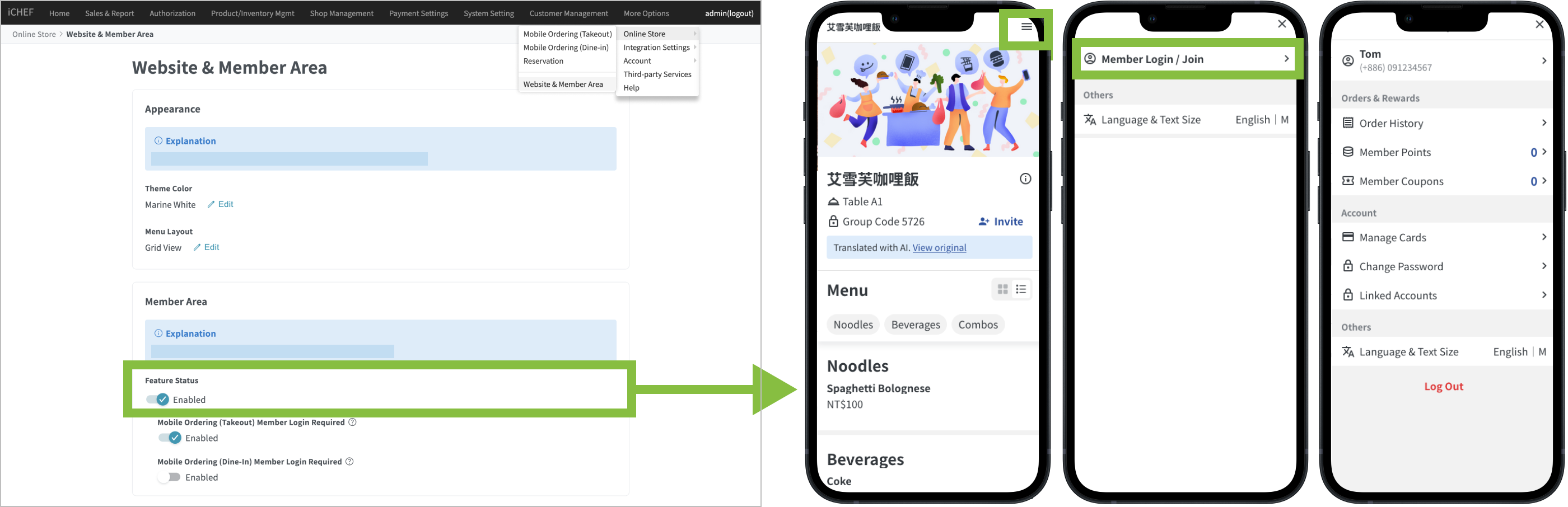
here are 3 text size options. You can adjust them easily by clicking the “≡” icon at the top right of the website — no extra setup needed.
Member Area
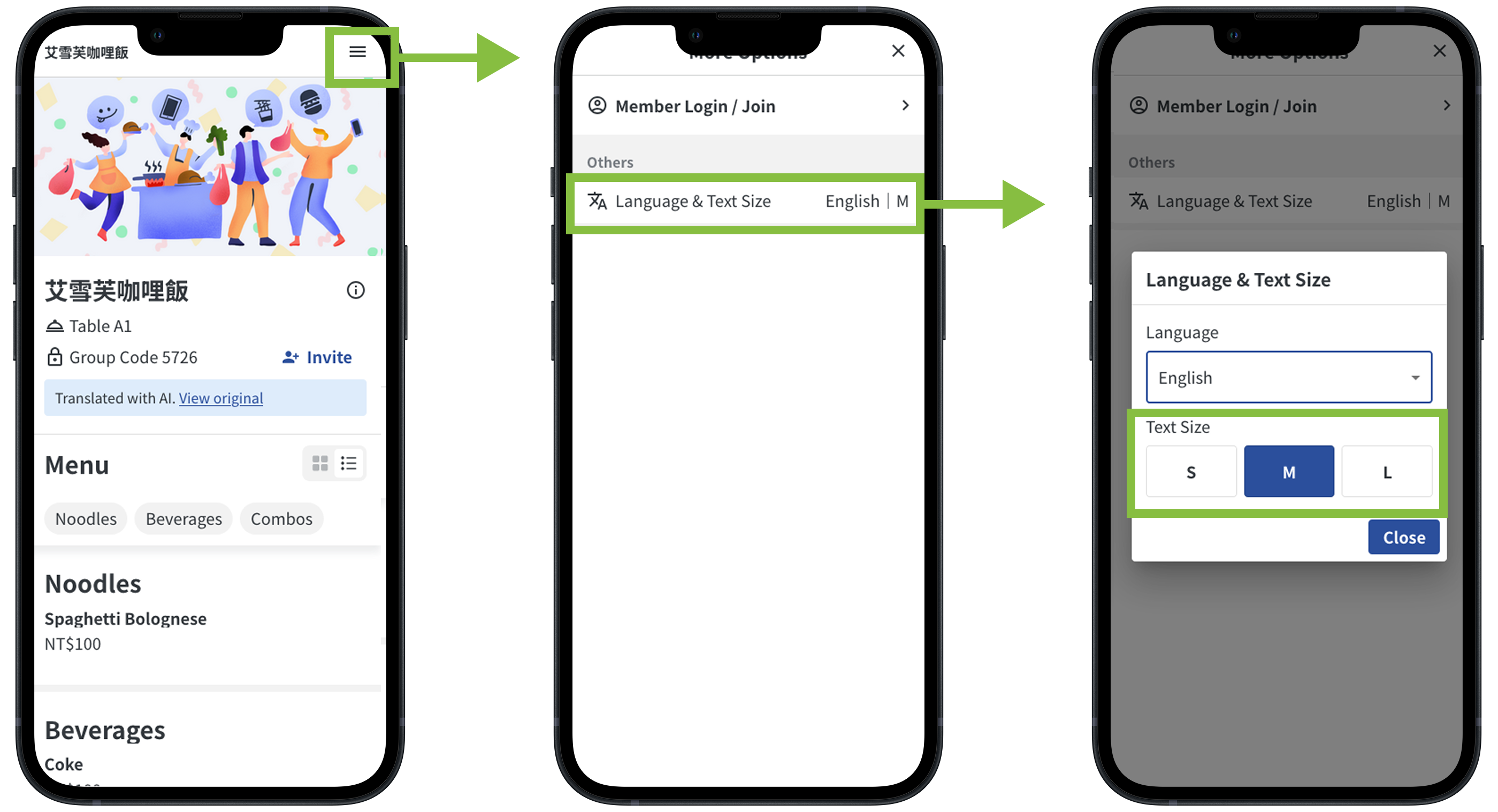
After you enable the feature status of [Member Area] for you online store, the system will update the websites of Mobile Ordering (Takeout) and Mobile Ordering (Dine-in) in real time. Customers can register online or log in as a member, and have their members’ information, visits, coupons and points history updated.
| Functions | Applicable Regions for Features | Mobile Ordering (Takeout) | Mobile Ordering (Dine-in) |
|---|---|---|---|
| Member’s information | Taiwan/Hong Kong/Singapore | Edit the information they added. | Edit the information they added. |
| Points and Rewards | Taiwan/Hong Kong/Singapore | Obtain and redeem online. | Must pay on-site to obtain and redeem. |
| Discounts and Coupons | Taiwan/Hong Kong/Singapore | Obtain and redeem online. | Must pay on-site to obtain and redeem. |
| Orders | Taiwan/Hong Kong/Singapore | Check online. | Check online. |
| Credit Card Management | Taiwan | Bind online. | Bind online. |
All of the members’ information will be integrated in iCHEF, no matter it is from your iCHEF POS App or mobile ordering platforms. For the customer who has already registered as a member, the system will match the information by his/her mobile phone number, and you can check the full info from the backend or the POS.
➤ View in back office:Customer Information Management > Customer Information
➤ View on POS::Toolbox > Customer Information Management
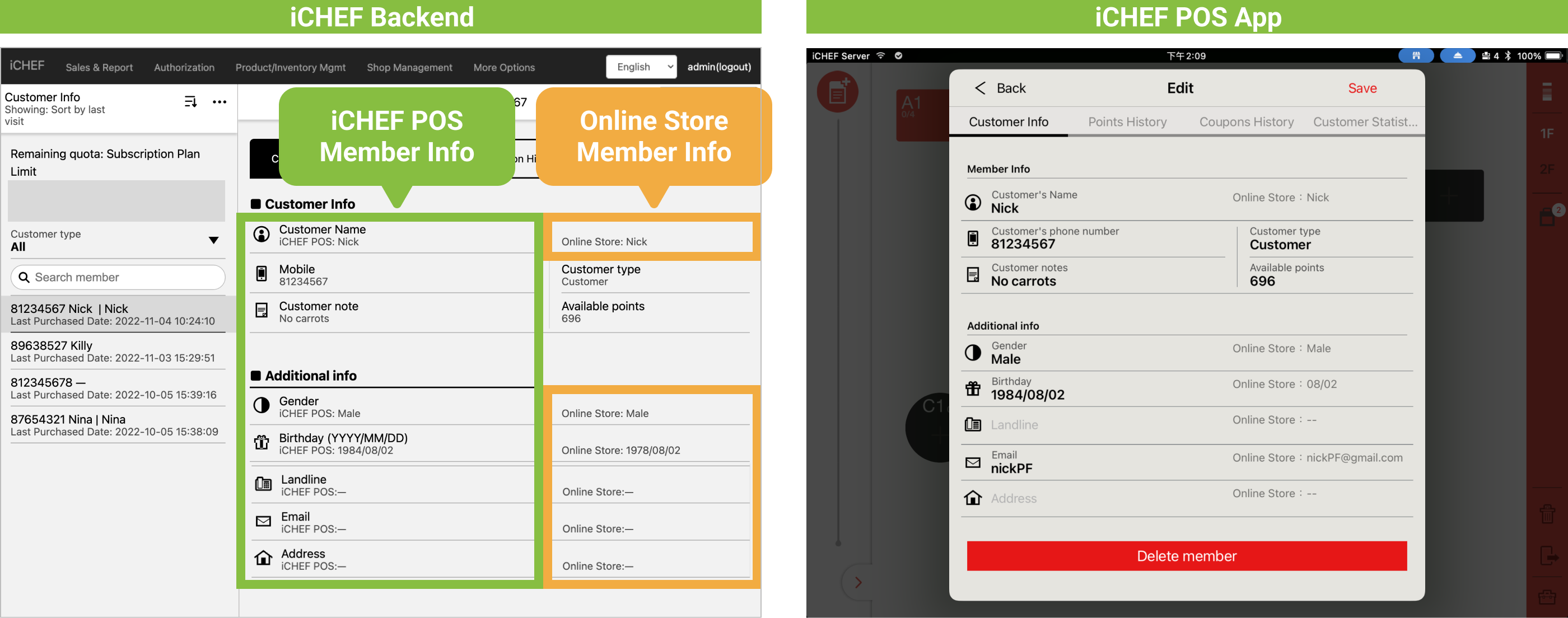
1. If the member’s information includes data entered online by the customer, the member cannot be deleted by the store.
2. Consumers can only view the information they have provided in the member area. Remarks and information added by the store in the POS will not be displayed.
Login Mode
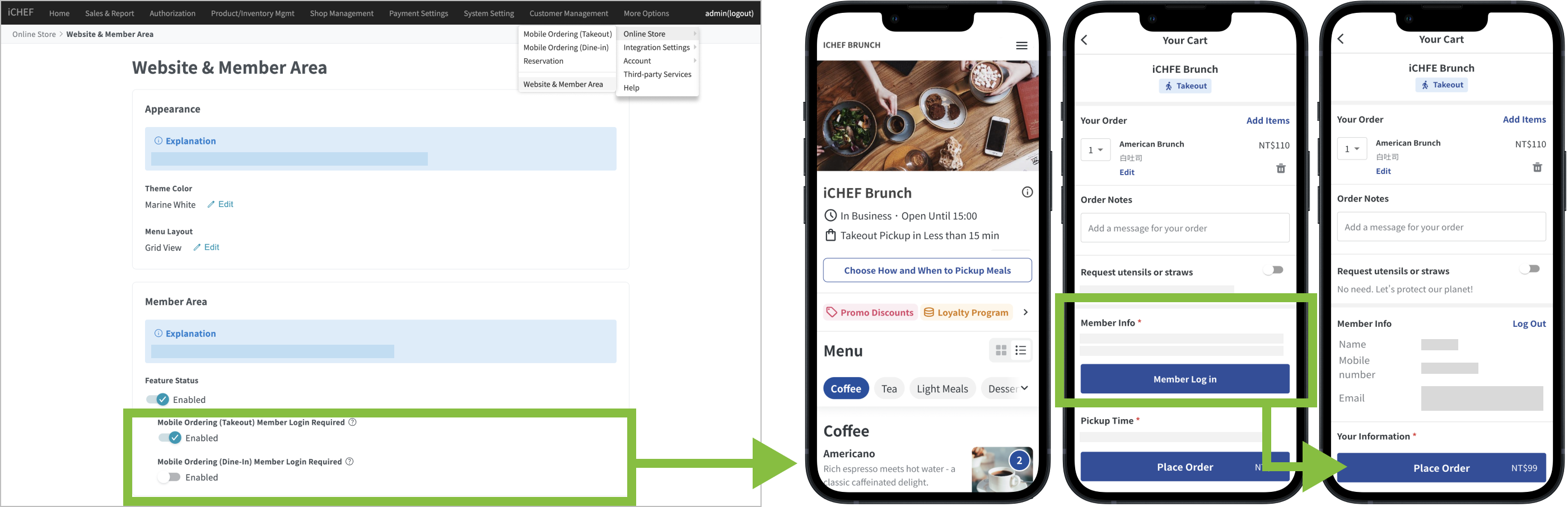
If you wish to promote your membership program besides marketing campaigns, you can enable the settings of [Member Login Required] in the backend to prompt customers to log in as members before submitting orders.
| Functions | Applicable Regions for Features | Member Area 功能開關 | Mobile Ordering (Takeout) 強制登入 | Mobile Ordering (Dine-in) 強制登入 |
|---|---|---|---|---|
| QR Code Receipt | Taiwan/Hong Kong/Singapore | Must be enabled | Customizable | Customizable |
| Membership Coupon | Taiwan/Hong Kong/Singapore | Must be enabled | Customizable | Customizable |
| LINE OA Integration Service | Taiwan | Must be enabled | Must be enabled | Customizable |
➤ Backend Path:Online Store > Website Member Area
After enabling the “AI Menu Translation” feature, when consumers visit the Mobile Ordering website for the first time, if their browser language is set to English, Japanese, Korean, Vietnamese, Thai, Indonesian, Malay, or Filipino, the system interface will automatically switch to the corresponding language.
Consumers can also click “Translate” to let AI help translate the menu content.
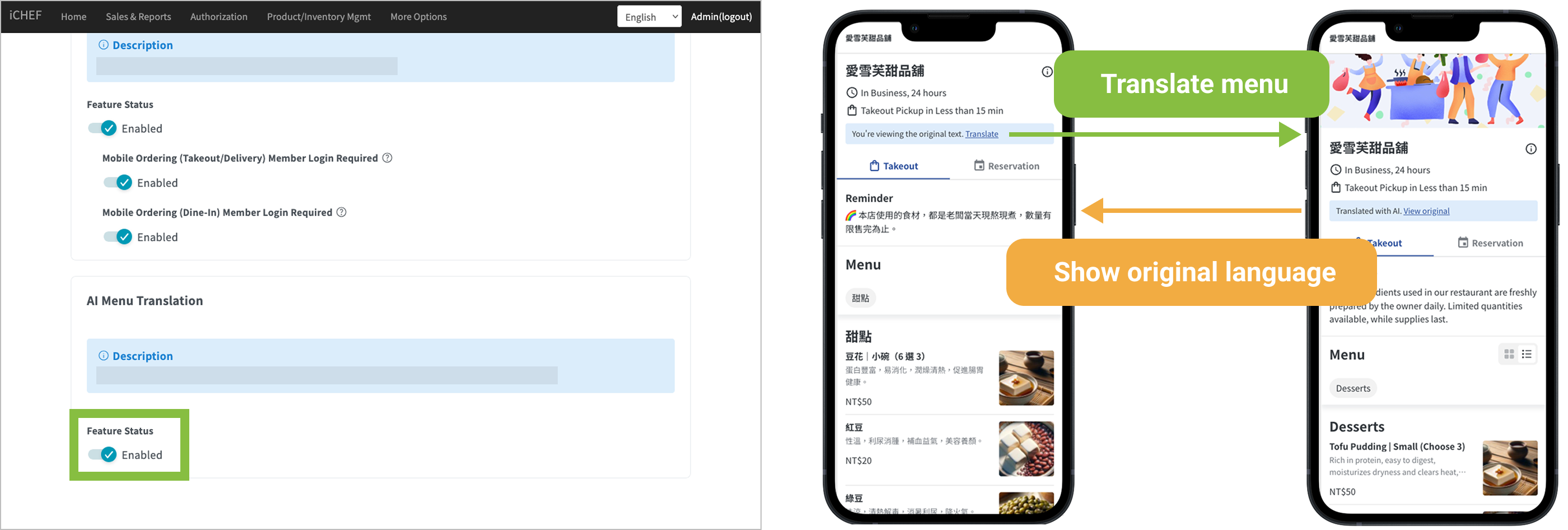
The translation results will only be shown on the Mobile Ordering website. In-store POS and related documents will still display the content set in the back office.
iCHEF AI uses an advanced AI language model to provide higher-quality translations compared to traditional direct translation methods, but 100% accuracy is not guaranteed.
Can be applied to the following sections of Mobile Ordering (including Takeout/Delivery, Dine-in QR Code, and reservation management):
- Checkout page instructions, order remarks
- Menu (including item categories, names, descriptions, Available Options, and notes)
- Order page reminders
Mobile Ordering services differ slightly between Taiwan and Hong Kong.
English will be set as the specified language
Translation content cannot be modified at this time