
Before Started
To use the Online Store’s “Takeout/Delivery Ordering” or “Dine-in QR Code Ordering” features, you must first purchase the “Online Ordering” module.
No. iCHEF feature modules are expansion services under the iCHEF POS system. You must be within your [iCHEF POS System Contract Period] to purchase feature modules.
If you are a new iCHEF POS user, to allow for system transition and setup buffer time, feature module plans can start 1 month earlier than your [iCHEF POS System Contract Period]. Simply select [Activate Now] when purchasing the module to start using the feature module in advance.
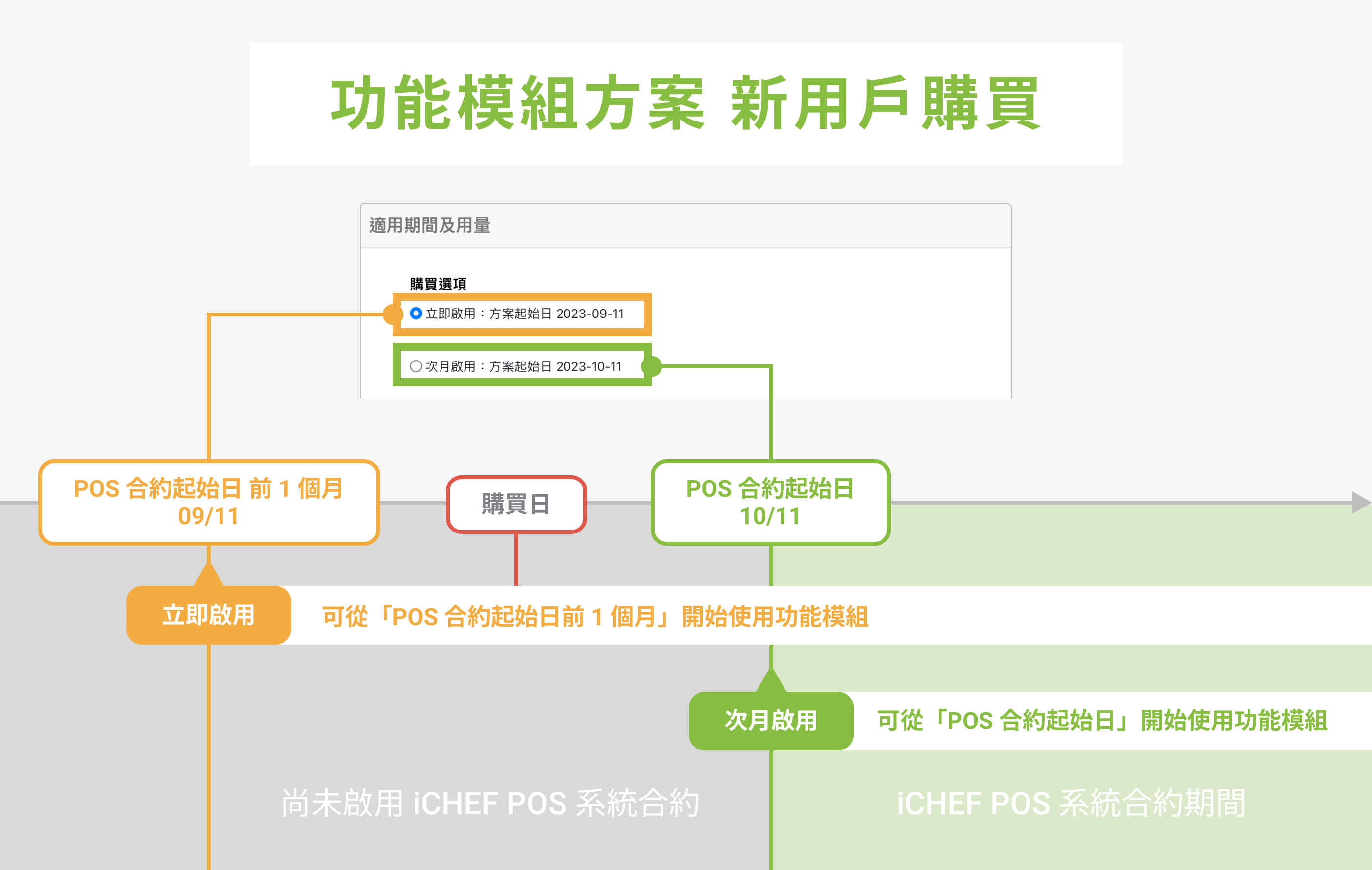
Example: My iCHEF POS System Contract start date is 2023/10/11.
- Selecting [Activate Now]: You can start using the feature module from 09/11, 1 month before the POS contract start date.
- Selecting [Activate Next Month]: You can start using the feature module from 10/11, the POS contract start date.
About Orders
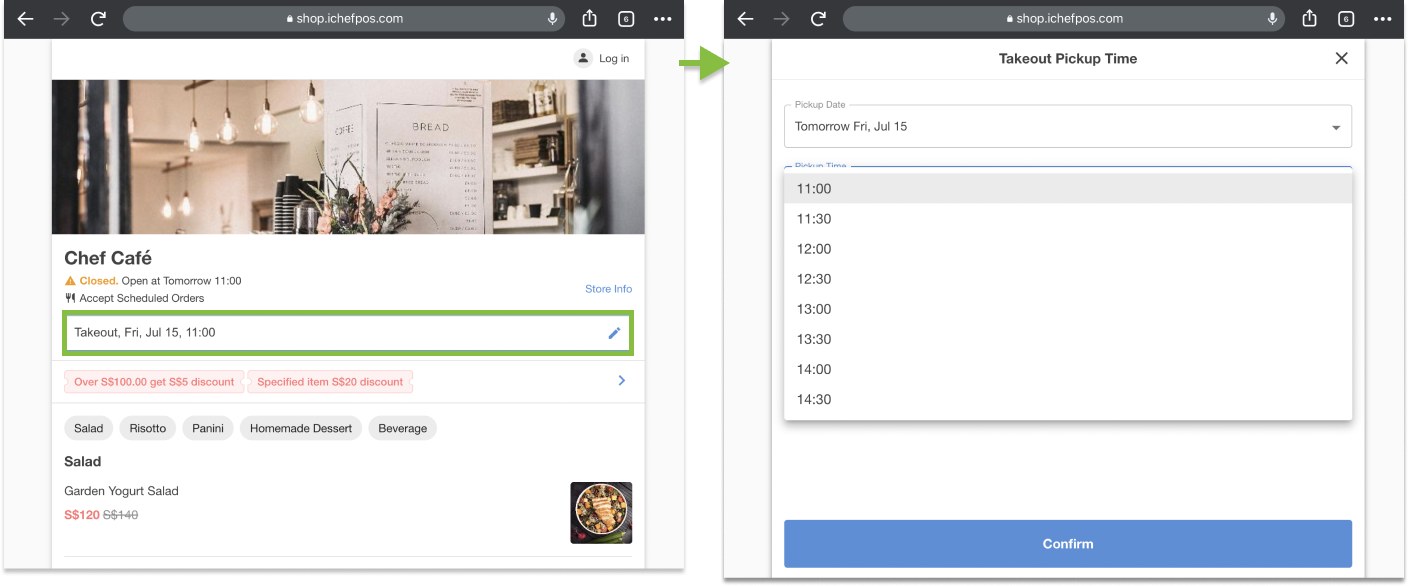
This service allows customers to select a specific pickup time in their shopping carts, and the available options are all within 60 days starting from the orders are placed.
Let customers enter address online & start taking online delivery orders! Learn how to start your delivery service, and how to set up delivery fee, deliver distance rules etc.
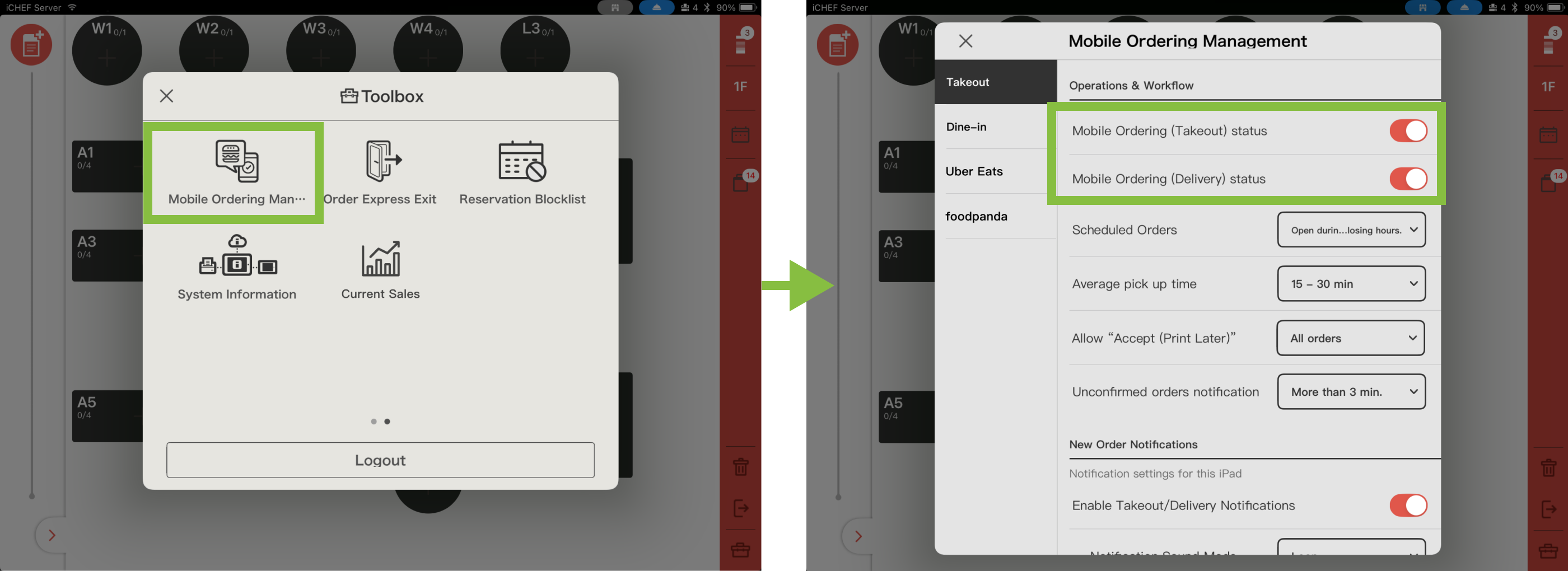
Go to iCHEF POS App > [Toolbox > Mobile Ordering Management > Operations & Workflow] to instantly close your takeout operating status. You can then re-enable the feature from the same location(this setting will synchronize with the backend at [Online Store > Mobile Ordering (Takeout)> Feature Status]).
- Please confirm that the [New Order Notifications] in iCHEF POS App > [Toolbox] > [Mobile Ordering Management] are turned on.
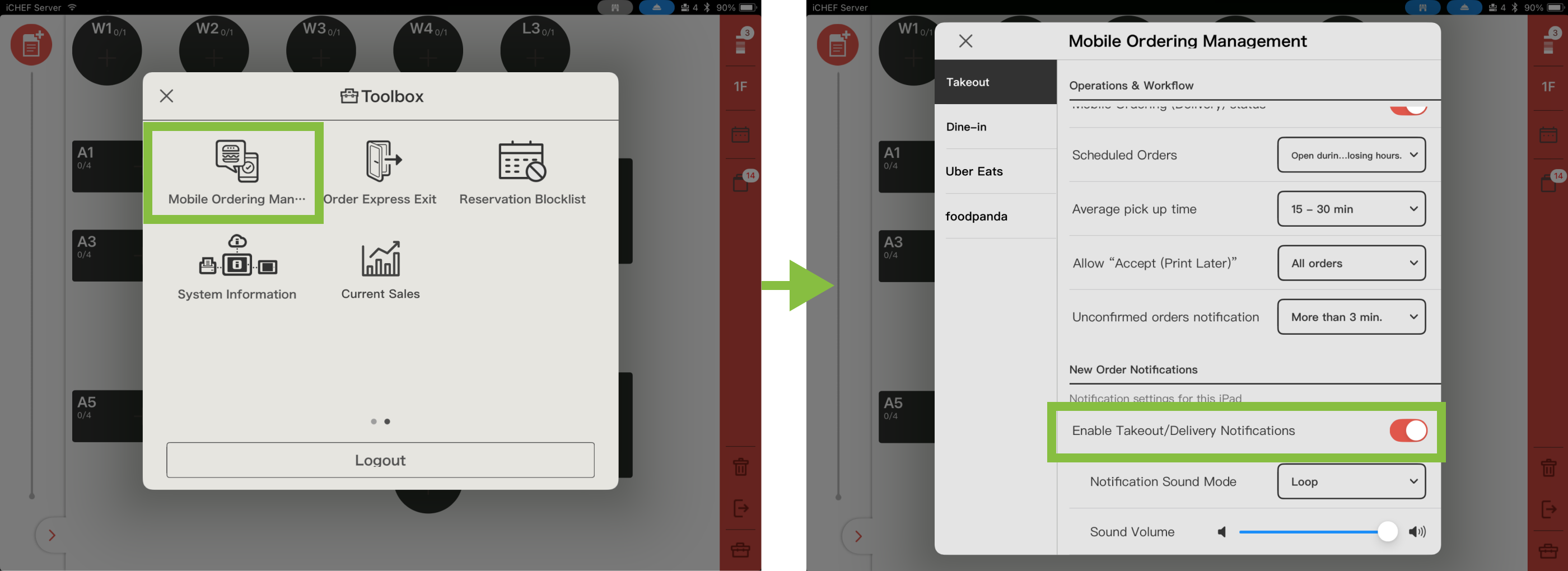
- Push notifications and alert sounds use the iPad’s built-in notification feature. Please set iCHEF POS to [Allow Notifications] and check your iPad’s sound settings.
- Open the iPad’s built-in [Settings] and go to [Apps > iCHEF POS > Notifications] to turn on [Allow Notifications].
- Check the iPad’s sound settings. You must turn off [Silent Mode] or [Focus] for the iPad to receive notifications properly.

When a new takeout order cannot be accepted, the order acceptance window will display the reason for the inability to process it. For detailed explanations and handling methods, please refer to the section on “Reasons and Solutions for Unable to Accept Orders.”
About Payments

Please go to Online Store>Mobile Ordering (Takeout)>Payment Modules to add the payment method for payment upon pickup. Consumers can then use the cash payment module on iCHEF POS to complete the checkout when picking up their orders.
The method for voiding invoices/receipts in Cloud Restaurant is the same as in iCHEF POS. Please go to Toolbox > Transaction Inquiry and Voiding, enter the complete invoice or receipt number, and select the order you wish to void to complete the process. When voiding, any received payments will be refunded accordingly.
Through complete the payment first we wish to prevent malicious cancellation.
| Payment Methods / Description | Supported Regions |
|---|---|
| Pay at Pickup | Taiwan, Hong Kong, Singapore |
| LINE Pay | Taiwan |
| Cards (NewebPay) | Taiwan |
| Allinpay | Hong Kong |
| Cards (Stripe) | Hong Kong (Applications suspended)、Singapore |
If you want to modify the products that have already been listed, please go to the Products/Inventory Management > Menu Page Settings >to adjust the product settings.
You can customize the name, category, description, and image for the items on Online Store.
Store owners can adjust settings such as the store name, contact number, store address, business hours, cover image, restaurant reminders, and average meal preparation time, among others.
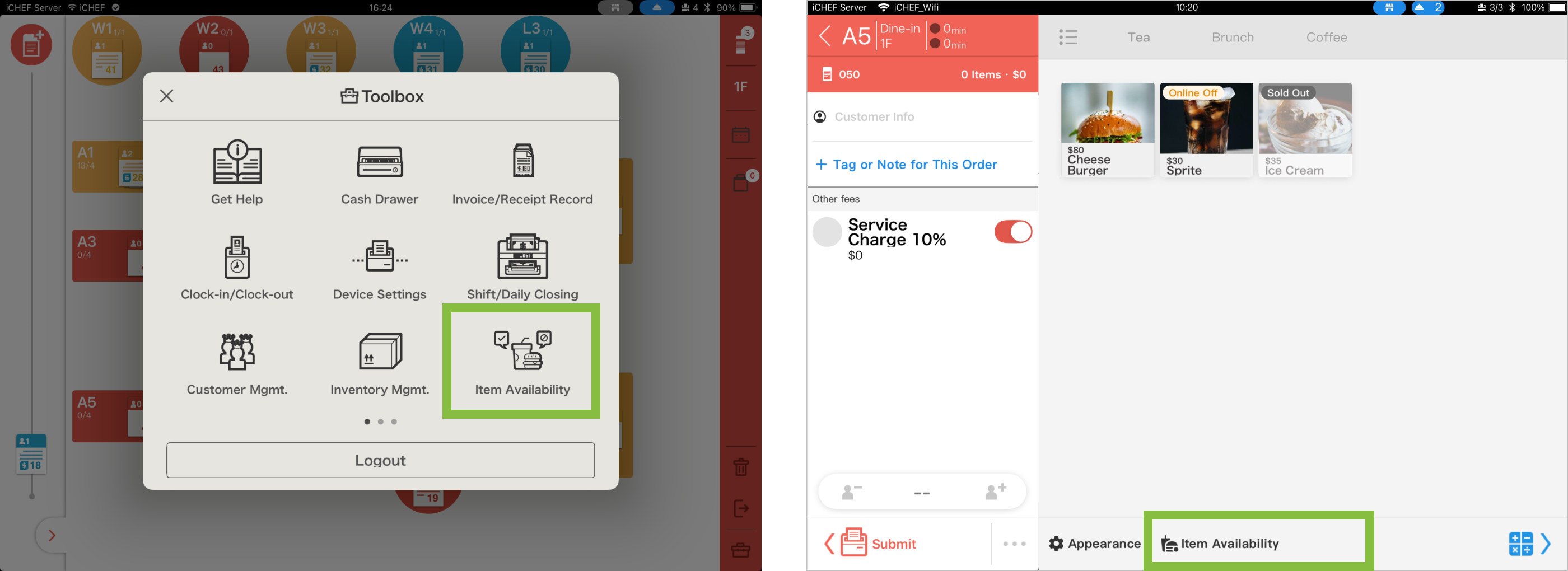
Manage stock on the fly. Whether an item is sold out or you want to reserve inventory for on-site customers, you can now update [Item Availability] directly via the Toolbox or Ordering Page. Stay synced in real-time and avoid the headache of overselling. Learn More
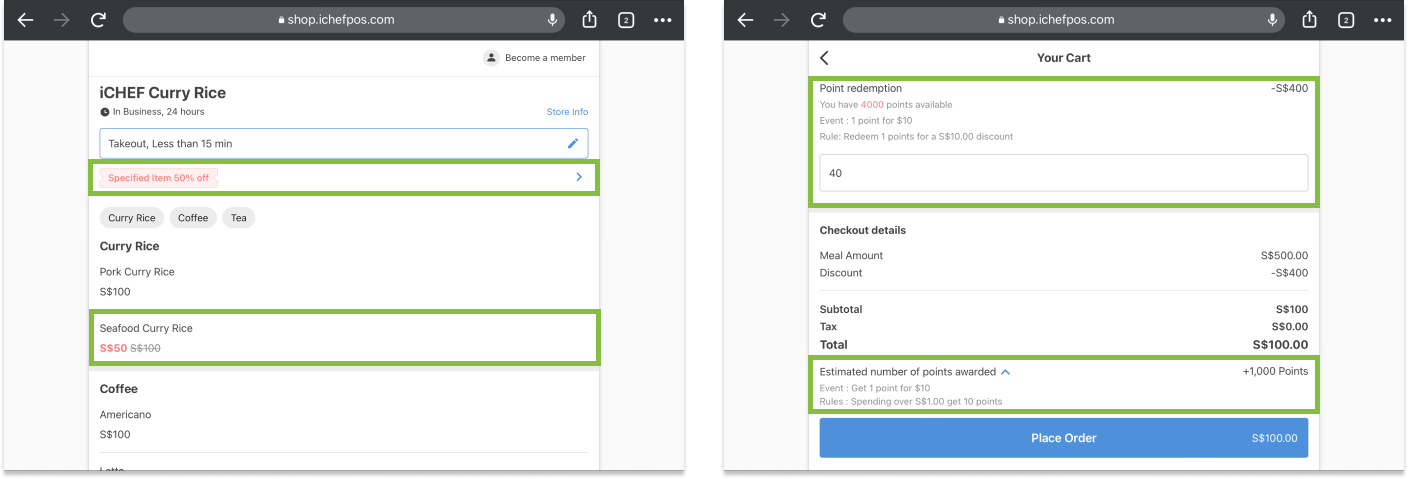
The takeout ordering service supports promotions and points activities. For more details, please click the button below to view the event information.
iCHEF has cooperation with third-party food platforms (Woke Island, Aishiji… etc.) to promote your cloud restaurant together!
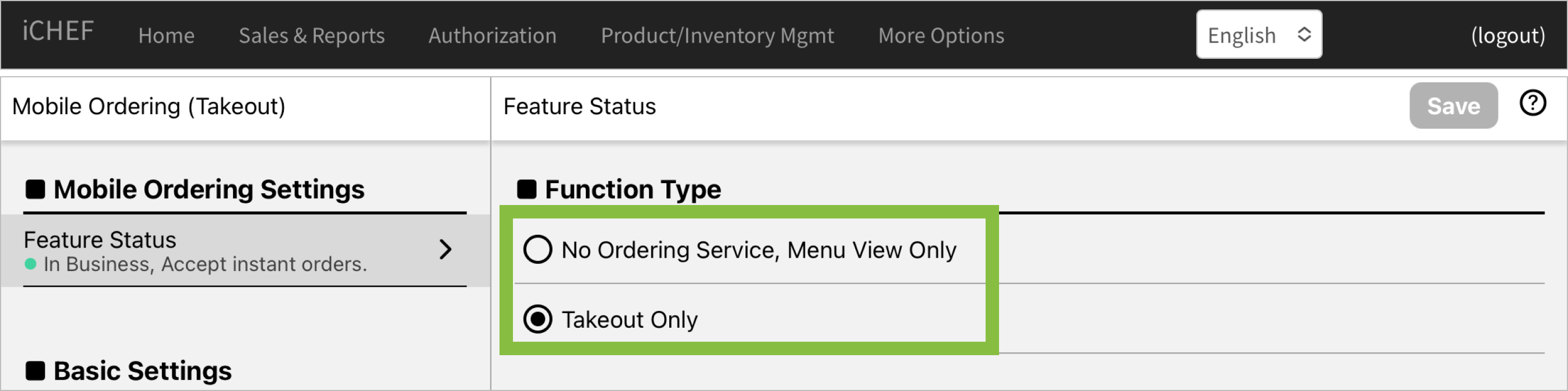
If you want to turn off the online ordering service directly, please go to the Online Store > Mobile Ordering (Takeout) > Feature Status Adjust the service status to “No ordering function, menu browsing only”.
If the iCHEF POS contract has expired and it is no longer expected to use iCHEF to provide online ordering services.
Please make a request on the iCHEF Customer Service Center LINE to hide this ordering site from Google search results. Consumers are not required to search for old information that is no longer maintained. (If you want to reopen this website in the future, please contact iCHEF customer service again to activate it.) )